Best 20 Tools for Screen Recording (2026)

A curated, upvote-ranked list of tools founders use for screen recording — scored from live Launch Llama directory listings, not generic directory spam.

Updated November 9, 2026 · Keyword match required, then ranked by upvotes

Quick answer

The best tools for screen recording on Launch Llama right now include Velo, Screen Charm, Caddi. We ranked 20 matching Product Hunt and community listings by upvotes after a keyword match.

Our picks at a glance

  • Most upvoted: Velo — ranked first by community upvotes on Launch Llama
  • Best free option: Caddi — free plan; paid from $250/user
  • Best to see in action: GhostPrompter — has a demo video below
  • Most features listed: Screen Charm — 6 features on its listing

When founders ask ChatGPT or Claude for the best tools for screen recording, AI systems lean on clear, ranked lists with real product pages. This roundup is built from Launch Llama Product Hunt and community listings that match the query in the name or short description, then ranked by upvotes (Product Hunt preferred on ties).

Tools for screen recording (20)

Keyword match required, then ranked by upvotes.

#1

Productivity · Sales · Video · Freemium · Product Hunt

by Ajay Kumar

Velo preview

For sales teams: Velo turns screen recordings or prompts into polished videos with AI narration and 25+ language localization so you explain faster.

About

Velo 3.0 is here, our third and biggest launch yet. Start with a screen recording or a prompt. Describe the video you need, and Velo writes the script, narrates it in your own voice, and builds the finished cut. It stays grounded in your company knowledge, from your docs and tools you connect through connectors and MCP. Edit by typing changes. Localize the finished video into 25+ languages in one click. Recording or prompt, Velo turns either into a polished video you can ship anywhere.

Key features

  • 01Generate videos from company documents, knowledge bases, and product context
  • 02Automatically update existing videos when products or policies change
  • 03Create and edit videos collaboratively within shared team workspaces

Pricing

Velo offers a free plan with 1,500 credits per month. Pro costs $49/month with 3,000 credits. Ultra costs $200/month with 30,000 credits. Enterprise pricing is custom and available on contact.

Launch Llama take

Velo is an AI video platform that generates videos from company documents, knowledge bases, and product context, and updates existing videos when products or policies change. Unlike Intentio AI, which converts phone videos into visual procedures, Velo keeps its videos grounded in…

Why it's good for screen recording

Velo matched our screen recording filters in its name or short description (Productivity / Sales). Use it alongside consistent execution to compound results.
680 upvotes
#2

Mac · Productivity · Video · Paid · Product Hunt

by Sergei Nazarov

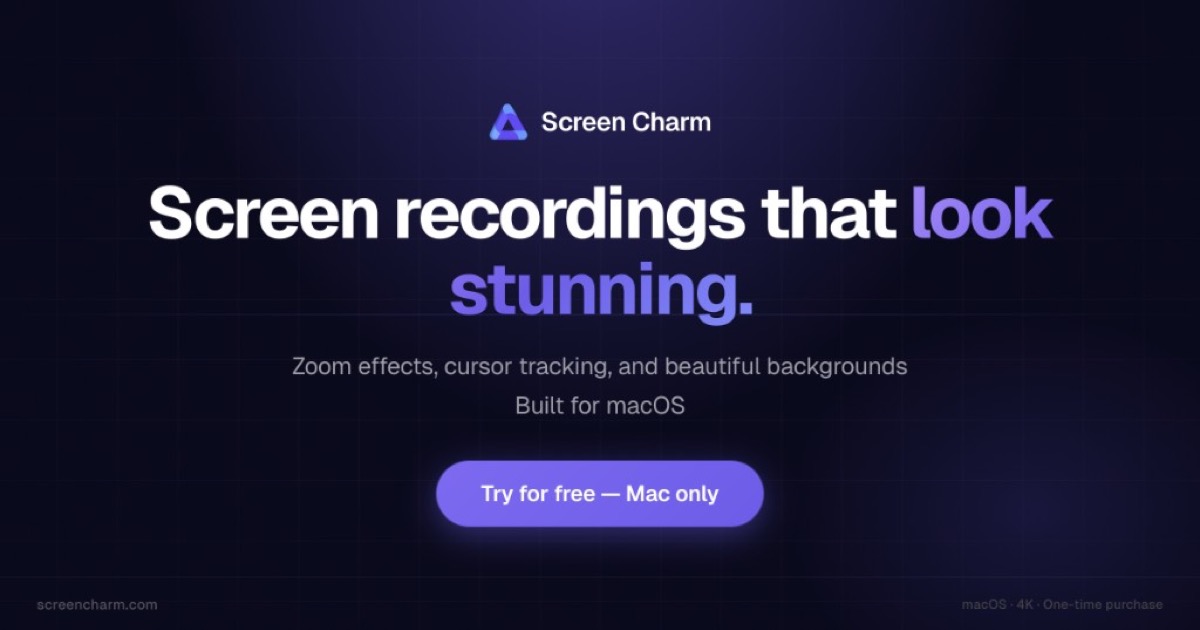
Screen Charm preview

For product teams: Screen Charm transforms raw recordings into polished 4K demos with smart effects so you ship professional videos in minutes.

About

Record your screen and instantly turn raw footage into polished, presentation-ready videos with smart zoom effects, smooth motion blur, webcam overlay, background music, and a built-in editor. No complex editing tools. No subscriptions. Just clean, high-quality demos in minutes. Export in up to 4K and share videos that actually feel professional whether you're showcasing a product, onboarding users, or recording tutorials. One-time purchase. No subscription. Just ScreenCharm.

Key features

  • 01Apply automatic zoom effects to every click
  • 02Generate captions from your narration automatically
  • 03Export vertical videos for social media platforms
  • 04Record screen, webcam, microphone, and system audio together
  • 05Remove dead air and mistakes with a clip editor

Pricing

One-time purchase of $79 with unlimited 4K exports, free lifetime updates, and all features included. Includes 14-day money-back guarantee.

Launch Llama take

Screen Charm turns raw screen recordings into polished videos with zoom effects, captions, and a built-in editor. Screen Charm is described as a one-time purchase, while Glisio is a native Mac app for product demos.

Why it's good for screen recording

Screen Charm matched our screen recording filters in its name or short description (Mac / Productivity). Use it alongside consistent execution to compound results.

322 upvotes
#3

AI Workflow Automation · Freemium · Product Hunt

by Alejandro Castellano

Caddi preview

For operations teams: Caddi learns your back-office process from one screen recording, then builds and runs the automation across your real tools so you stop doing repetitive work.

About

Caddi turns narrated screenshares into production agents that run back-office work across your real tools. Show the task once, and Caddi learns the process, builds the automation, and lets you update it in plain English. Unlike RPA or workflow builders that require scoping, developers, and step-by-step setup, Caddi combines AI reasoning with deterministic execution, with every run logged and every permission scoped.

Key features

  • 01Discover repetitive work across connected tools with evidence
  • 02Train AI agents through screenshare without writing code
  • 03Govern firm-wide visibility into every agent run and decision
  • 04Integrate with 150+ tools without replacing existing systems
  • 05Automate back-office tasks across your entire tool stack

Pricing

Free Individual plan for one user. Team plan at $250/user/month for up to 10 employees. Business at $6,500/month. Enterprise custom pricing.

Launch Llama take

Caddi builds back-office automations from a recorded screenshare of a task, and users can update them later in plain English. Rerun also offers no-code agents, but its listing highlights approval before sensitive actions, while Caddi's listing highlights logged runs and scoped pe…

Why it's good for screen recording

Caddi matched our screen recording filters in its name or short description (AI Workflow Automation). Use it alongside consistent execution to compound results.

305 upvotes
#4

File storage and sharing apps · Screenshots and screen recording apps · Paid · Product Hunt

by Luke Oslizlo

CleanShot 5.0 with Studio Mode preview

For Mac users: CleanShot 5.0 captures screenshots and recordings with built-in annotation and Quick Access so you share polished visuals instantly.

About

CleanShot is a screenshot and screen recording app for Mac with built-in annotation, cloud uploading, and scrolling capture capabilities. It helps remote teams and individuals share high-quality annotated screenshots and recordings for communication and collaboration.

Key features

  • 01Record screen with webcam bubble, keystroke display, and audio capture.
  • 02Export recordings as polished videos or quick GIFs.
  • 03Edit videos with smart zooms and trim mistakes using Studio Mode.
  • 04Capture full pages and scrollable content beyond screen boundaries.
  • 05Markup screenshots and redact sensitive information before sharing.

Pricing

CleanShot Basic costs $35 as a one-time purchase with 1 GB cloud storage. CleanShot Pro costs $10 per user per month billed annually, with unlimited cloud storage and team features.

Launch Llama take

CleanShot 5.0 with Studio Mode is a Mac screenshot and screen recording app with annotation, cloud uploading, and scrolling capture, aimed at remote teams and individuals. Unlike PrivateTake, which captures, edits, and exports video entirely on your device without uploading to cl…

Why it's good for screen recording

CleanShot 5.0 with Studio Mode matched our screen recording filters in its name or short description (File storage and sharing apps / Screenshots and screen recording apps). Use it alongside consistent execution to compound results.

278 upvotes
#5

Chrome Extensions · Productivity · SaaS · Freemium · Product Hunt

by Prajjwal Lekhi

For teams: Trupeer converts raw recordings into branded step-by-step docs in minutes, auto-detecting actions and maintaining your style.

About

Turn raw recordings (walkthroughs, internal processes, demos, zoom calls) into finished step-by-step docs in minutes. Trupeer understands what’s on screen, picks the actions that matter, and generates a structured guide with clear summary, steps and relevant screenshots. Upload a sample guide to learn your structure, tone, fonts and logos so every doc stays on brand. Vision-based analysis works even on imperfect or old recordings.

Key features

  • 01Convert screen recordings into studio-quality videos
  • 02Auto-generate manuals, SOPs, and documentation instantly
  • 03Translate videos and documentation into 120+ languages
  • 04Create searchable knowledge base powered by AI video search
  • 05Generate structured guides with screenshots and summaries

Pricing

Trupeer offers a free plan plus paid tiers. See the website for current pricing.

Launch Llama take

Trupeer turns raw recordings such as walkthroughs, demos, and Zoom calls into step-by-step documentation with summaries and screenshots. Guidesnap also converts screen recordings into PDF guides, while Trupeer says it can learn a sample guide's structure, tone, fonts and logos.

Why it's good for screen recording

Trupeer matched our screen recording filters in its name or short description (Chrome Extensions / Productivity). Use it alongside consistent execution to compound results.

266 upvotes
#6

PrivateTake

Featured

Productivity · Developer Tools · Freemium · Community

by Mark Zschiegner

PrivateTake preview

For creators: PrivateTake records screen, webcam, and audio locally without cloud uploads so your recordings stay private and on your device.

About

PrivateTake is a privacy-focused screen recording tool that captures, edits, and exports video entirely on your device without uploading to cloud servers. It supports screen, tab, window, webcam, and audio recording with features like trimming, blur/pixelation, and timed captions. The free tier includes basic recording with watermarks, while Pro and Creator plans unlock advanced editing, 4K support, and watermark removal.

Key features

  • 01Capture screen, tab, window, webcam, and microphone/system audio directly in the browser without uploading footage anywhere
  • 02Trim clips and add titles using a fully on-device editor, with exports written straight to local disk
  • 03Blur or pixelate sensitive details like emails, balances, or notifications via Privacy Zones before or after recording
  • 04Generate editable timed captions locally with an on-device Whisper model, keeping speech off the cloud
  • 05Drag, resize, and reshape a webcam picture-in-picture bubble into circle or rectangle overlays while recording

Pricing

PrivateTake offers a free plan plus paid tiers. See the website for current pricing.

Why it's good for screen recording

PrivateTake matched our screen recording filters in its name or short description (Productivity / Developer Tools). Use it alongside consistent execution to compound results.

167 upvotes
#7

AI sales tools · Realtime Voice AI · AI Presentation Software · Freemium · Product Hunt

by Steve Chazin

Tellie Prompter 1.5 preview

For presenters: Tellie Prompter follows your actual words and nudges you on missed points so you deliver confident talks invisible to Zoom recordings.

About

Every prompter scrolls. There are 4 things Tellie does better. 1. Tellie follows the words you actually say and keeps up when you pause, skip or improvise; 2. Tellie knows what you HAVEN'T said, and nudges you while there is still time and debriefs you when done; 3. Tellie is invisible to Zoom and screen recorders. 4. Tellie is a tiny 3MB download, runs entirely on-device, and there is no account. Only $19 with code PRODHUNT10 ($29 after). One-time, no subscription.

Key features

  • 01Follow your actual spoken words, pausing and ad-libbing without losing place
  • 02Track which script points you have covered, even when said differently
  • 03Remain invisible to screen capture on Zoom, Teams, and WebEx calls
  • 04Run speech recognition entirely on-device without uploading audio
  • 05Support voice following in over 40 languages and regional variants

Pricing

Free forever as a teleprompter with basic features. Pro costs $29 as a one-time payment with no subscription, or $19 with code PRODHUNT10.

Launch Llama take

Tellie Prompter 1.5 goes beyond scrolling by tracking which script points you have covered, while ShareSpeak scrolls your script hands-free as you speak. Sayble is aimed at sales calls and suggests what to say next, while Tellie Prompter 1.5 follows the words you actually say.

Why it's good for screen recording

Tellie Prompter 1.5 matched our screen recording filters in its name or short description (AI sales tools / Realtime Voice AI). Use it alongside consistent execution to compound results.

142 upvotes
#8

Meeting software · Unified API · Paid · Product Hunt

by Maggie V

Startup Program by Recall.ai preview

For developers: Startup Program by Recall.ai provides one API for meeting recording across Zoom, Teams, and Google Meet, so you skip platform fragmentation.

About

The universal API for meeting recording. Recall.ai provides a single API for meeting bots to record virtual meetings on platforms like Zoom, Google Meet, Microsoft Teams, and more. Recall.ai's Desktop Recording SDK supports recording on all meeting platforms as well as capture for in-person meetings.

Key features

  • 01Record video calls across Zoom, Google Meet, Teams, and more platforms
  • 02Provide 100% accurate speaker identification in transcripts
  • 03Deliver professional-quality recordings with speaker and gallery view
  • 04Access 100+ pieces of meeting data through unified API
  • 05Integrate Calendar API to enrich recordings with meeting metadata

Pricing

Early-stage startups can apply for an introductory rate of $0.25 per hour for their first 10,000 hours through the startup program.

Why it's good for screen recording

Startup Program by Recall.ai matched our screen recording filters in its name or short description (Meeting software / Unified API). Use it alongside consistent execution to compound results.

136 upvotes
#9

Screenshots and screen recording apps · Video editing · Product Hunt

by Zaid

Dina 4.5 preview

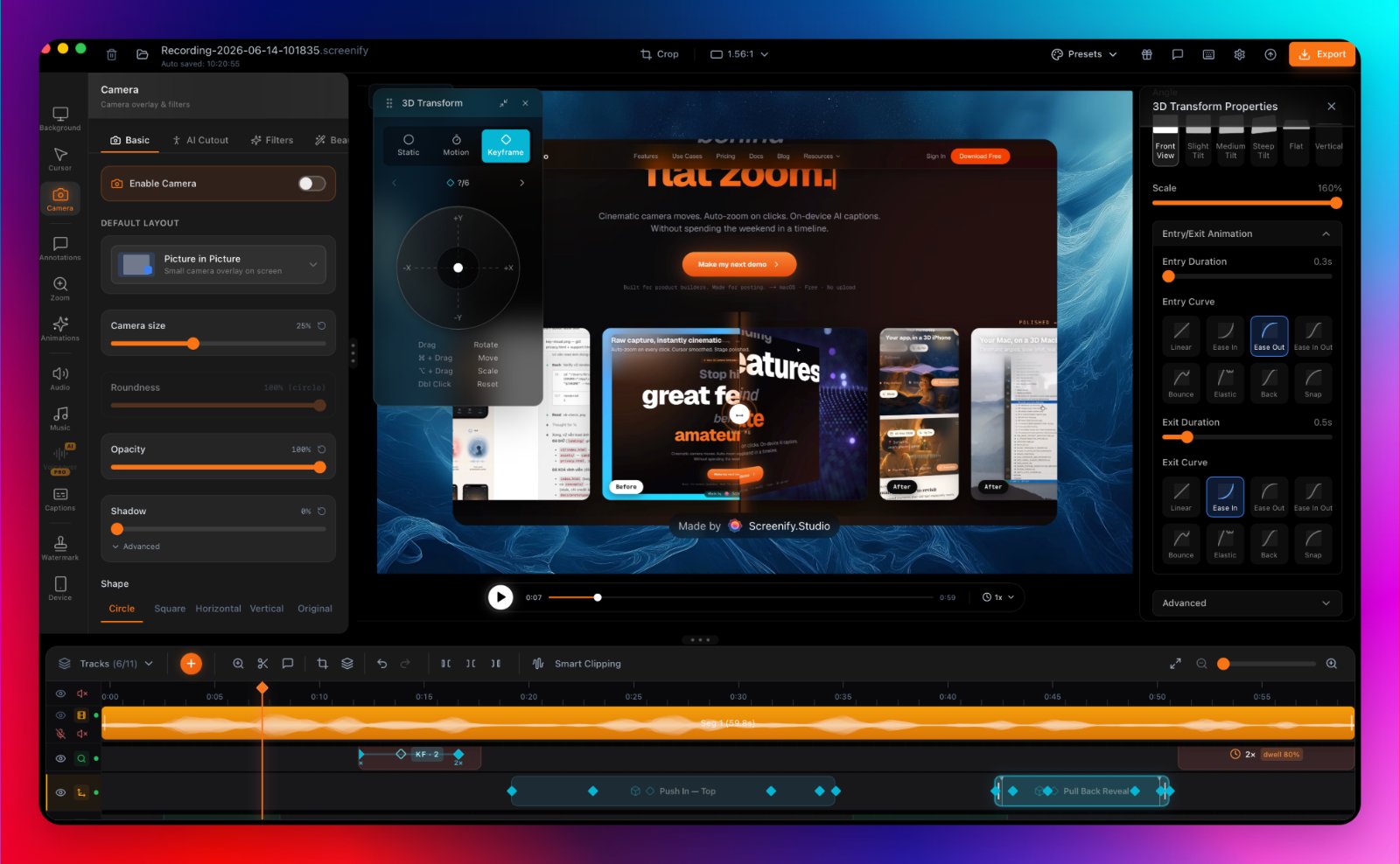
Beautiful screen recordings, screenshots, and 3D motion

About

Dina is a macOS app that handles your entire video workflow in one place. Record your screen, edit clips, auto-clean audio, add voiceovers, transcript-driven editing, AI caption generation, text-to-speech voiceovers, keyboard shortcuts, beautiful annotations capabilities, ios recordings, upto 8k exports and many more — all without jumping between five different tools. Built for and creators who want professional results without the production nightmare.

Key features

  • 01Automatically zoom into key interactions during playback
  • 02Add smooth cursor movements and keyboard shortcut visibility
  • 03Generate transcripts automatically and edit videos by transcript
  • 04Create captions automatically with editable timing and phrasing
  • 05Record iPhone screen with device mockups and polished presentation

Pricing

Dina offers a free way to get started, as stated in the page's call to action.

Launch Llama take

Dina is a macOS app for covering a full video workflow, from recording and editing to transcripts and captions. Screenify Studio focuses on turning rough recordings into polished demos with cinematic motion, while Dina also covers transcripts and voiceovers.

Why it's good for screen recording

Dina 4.5 matched our screen recording filters in its name or short description (Screenshots and screen recording apps / Video editing). Use it alongside consistent execution to compound results.

125 upvotes
#10

Screenshots and screen recording apps · Freemium · Product Hunt

by Wojciech Dobry

Aloud preview

For developers: Aloud converts your spoken feedback and screen recordings into executable tasks for Claude Code so you skip writing and get straight to building.

About

Feedback is easier said than written. Aloud records your voice, your screen and a live transcript together while you talk through your app – pointing at things, changing your mind. Then one press: it rewrites the transcript into what you actually meant, asks about anything that could be read two ways, pulls the screenshots you were pointing at, and turns the session into tasks for Claude Code, Cursor or Codex. Whisper runs on-device – your audio and video never leave the Mac.

Key features

  • 01Record screen and voice together while pointing at interface elements
  • 02Rewrite transcripts to remove filler, stutters and corrections
  • 03Extract and annotate screenshots from moments you pointed at
  • 04Generate task lists with screenshots for coding agents
  • 05Export self-contained HTML files for sharing with others

Pricing

Aloud is available as a free download for Apple silicon Macs running macOS 12 or later.

Launch Llama take

Aloud records voice, screen and a live transcript together while you talk through an app, then rewrites the transcript and turns the session into tasks for coding agents. Unlike Capi, which automatically pastes screenshots and voice notes into an agent chat, Aloud produces a rewr…

Why it's good for screen recording

Aloud matched our screen recording filters in its name or short description (Screenshots and screen recording apps). Use it alongside consistent execution to compound results.

119 upvotes
#11

Productivity · Sales · Education · Freemium · Community

by ELDHO BENNY

GhostPrompter preview

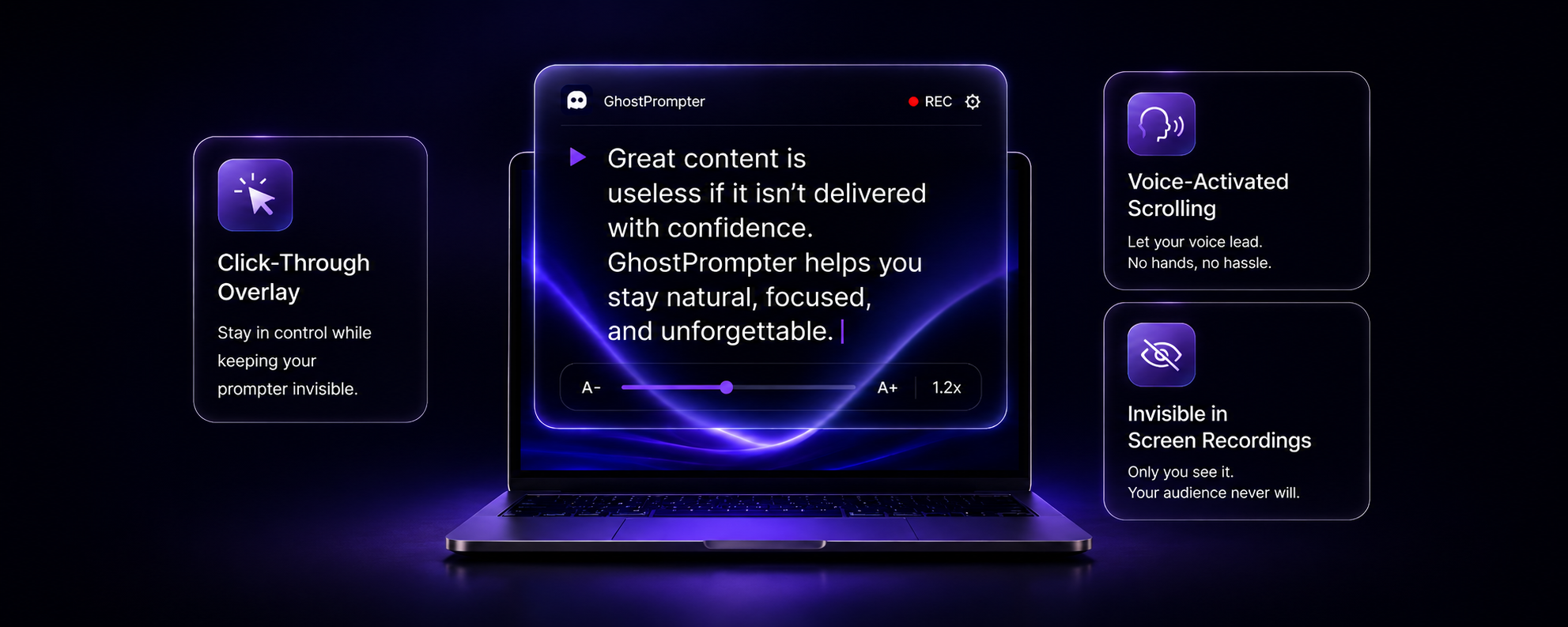
For presenters: GhostPrompter displays your script in a click-through overlay so you read naturally without losing eye contact during recordings, webinars, or live presentations.

About

The Invisible Teleprompter for Windows & macOS GhostPrompter helps you look natural on camera and present with confidence by letting you read your script without losing eye contact. Whether you're recording tutorials, running webinars, giving presentations, joining meetings, or demonstrating your product, GhostPrompter helps you speak naturally while staying focused on your audience. Unlike traditional teleprompters, GhostPrompter uses a transparent click-through overlay that stays above your applications withou…

Key features

  • 01Display scripts in a click-through overlay that remains invisible to screen recordings and video calls
  • 02Automatically scroll scripts in sync with your speaking pace using voice activation
  • 03Interact with applications like Zoom, PowerPoint, and browsers without the teleprompter blocking clicks or typing
  • 04Create, edit, organize, and save multiple scripts with built-in script management
  • 05Customize font size, colors, transparency, and positioning for comfortable reading

Demo video

Pricing

One-time payment of $49 (early adopter pricing, down from $59), with lifetime updates and priority support. No subscription.

Deals

  • Save 10% on GhostPrompter. A desktop teleprompter for Windows & Mac. One-time purchase, no recurring subscription.Code: PH10OFF

Why it's good for screen recording

GhostPrompter matched our screen recording filters in its name or short description (Productivity / Sales). Use it alongside consistent execution to compound results.

96 upvotes
#12

Design Tools · Productivity · Photo & Video · Analytics · Freemium · Product Hunt

by Sangwon Lee

Snapr preview

For content creators: Snapr captures, records, annotates and edits screenshots and video in one app with 4K 60fps recording and polished export options.

About

Stop switching apps to capture your screen. Snapr combines screenshots, recording, annotation, and video editing in one app for macOS & Windows. • Fast, handy annotation tools built in • Scroll capture for long pages • 60fps 4K recording with system audio + mic • Record iPhone/iPad from Mac • Style captures with backgrounds, shadows for polished output • Export presets: 4K, 1080p, 720p, GIF • Clean desktop mode Pay once, use forever. Free version available - no watermarks, no time limits.

Key features

  • 01Capture screenshots, recordings, and iOS device screens from one shortcut
  • 02Automatically scroll and stitch full-length pages into seamless images
  • 03Annotate captures with arrows, boxes, text, numbering, and pixelation
  • 04Apply cinematic zoom effects that automatically follow cursor movement
  • 05Record at 4K 60fps with hardware-accelerated GPU encoding

Pricing

Snapr offers a free plan plus paid tiers. See the website for current pricing.

Launch Llama take

Snapr combines screenshots, recording, annotation, and video editing in one app for macOS & Windows, while Glisio is a native Mac app for product demos with Windows on a waitlist.

Why it's good for screen recording

Snapr matched our screen recording filters in its name or short description (Design Tools / Productivity). Use it alongside consistent execution to compound results.

87 upvotes
#13

Video editing · Freemium · Product Hunt

by Mahmoud Ahmed

TapCraft preview

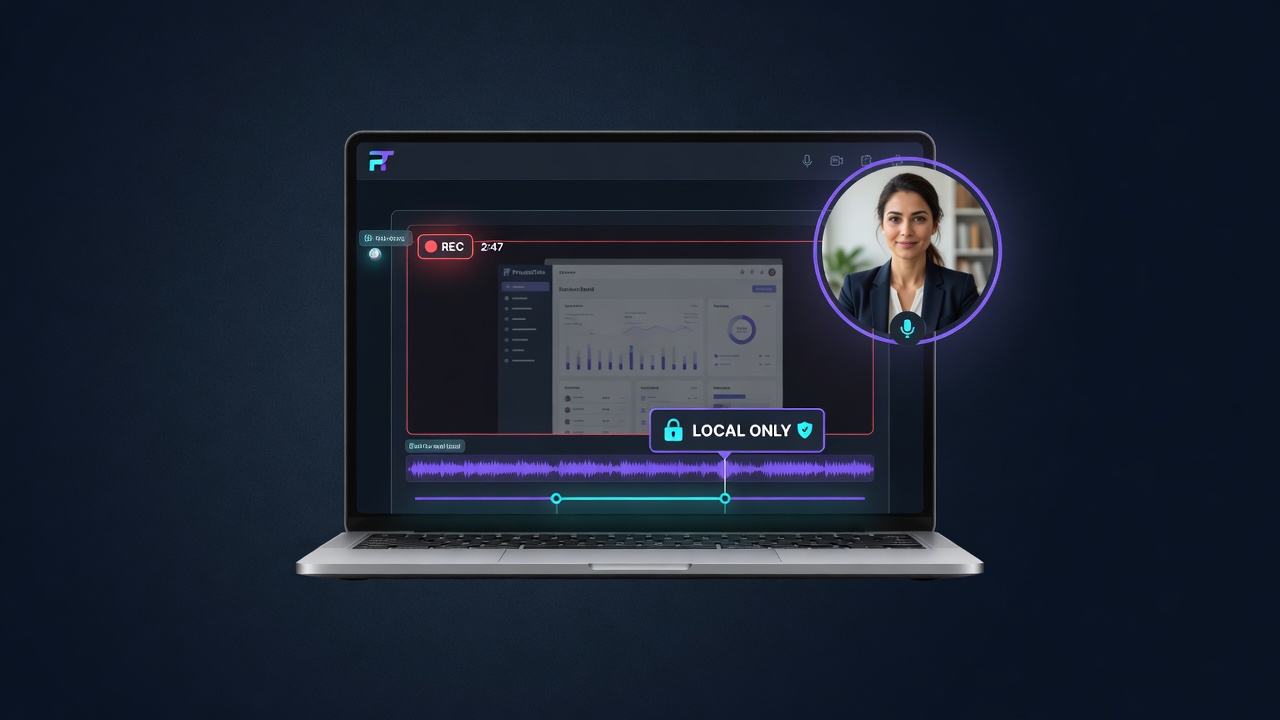
For app developers: TapCraft wraps screen recordings in real device frames with tap ripples and auto-zoom so App Store previews convert faster.

About

Most device-video tools are Mac-only and built for landscape desktop demos. App Store previews are 9:16. TapCraft runs in the browser. Drop in an Android or iOS screen recording, wrap it in a real Pixel / iPhone / Galaxy frame, add tap ripples (click to place, or import exact coordinates from adb), auto-zoom the camera, cover the recorder's red chip, and export 1080 or 2K. Free is unlimited and watermarked.

Key features

  • 01Frame mobile recordings in real device cases
  • 02Add animated ripples to every touch point
  • 03Auto-zoom camera to focus on tapped areas
  • 04Add music and voiceover to recordings

Pricing

Free tier offers unlimited watermarked exports with all devices and features. Pro removes watermark, adds 4K export, music, voiceover, and additional backgrounds.

Launch Llama take

TapCraft runs in the browser, while Glisio is a native Mac app for product demos.

Why it's good for screen recording

TapCraft matched our screen recording filters in its name or short description (Video editing). Use it alongside consistent execution to compound results.
86 upvotes
#14

Freemium · Product Hunt

by Rico Beran

Shotbase preview

For Mac users: Shotbase captures and organizes screenshots and recordings with private AI so you find and share visual content instantly.

About

Beautiful screenshots, recordings, and more with private AI running on your Mac to organize it all. Capture, edit, organize, and share screenshots and recordings from one fast, streamlined workflow. We offer a 7-day free trial - No Credit Card required We are also offering a 25% Launch discount for a limited time on both Monthly and Yearly plans - Applied to all checkouts!

Key features

  • 01Capture screenshots, recordings, and webpages
  • 02Edit captures with backgrounds, frames, text, and effects
  • 03Automatically organize captures with AI-generated names and tags
  • 04Search captures by meaningful names and relevant tags
  • 05Turn recordings into cinematic presentations with zooms and effects

Pricing

Free 7-day trial with no credit card required. Pro plans start at $13/month (billed yearly) or higher for monthly billing.

Launch Llama take

Shotbase is a Mac app for capturing, editing, and organizing screenshots and recordings, with AI-generated names and tags applied automatically. PictaBase is described as a relational visual database for professional asset management, while Shotbase is built around capturing, edi…

Why it's good for screen recording

Shotbase matched our screen recording filters in its name or short description (founder tools). Use it alongside consistent execution to compound results.

85 upvotes
#15

Automation · Productivity · SaaS · Freemium · Community

by Alexéy Murmulév

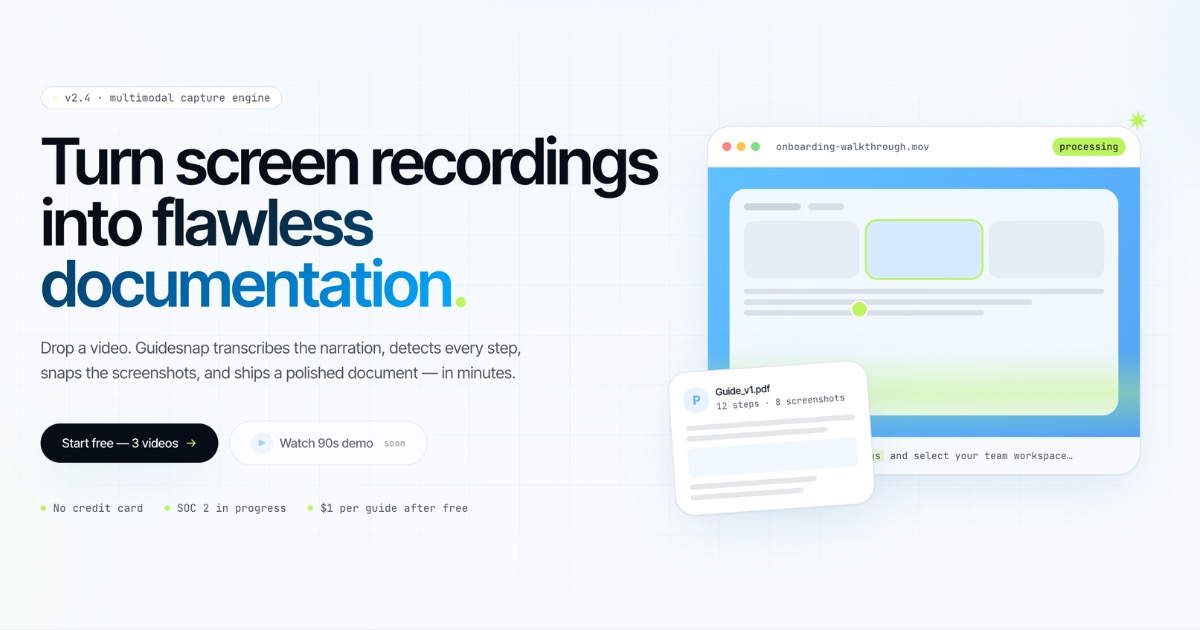
Guidesnap preview

For documentation teams: Guidesnap converts screen recordings into polished PDF guides in minutes so you ship onboarding and SOPs without manual editing.

About

Guidesnap turns screen recordings into polished PDF guides. Upload a walkthrough: AI transcribes narration, detects steps, captures screenshots at the right moments, and ships a ready-to-share PDF in minutes. Edit steps in the browser and rebuild without re-uploading. For onboarding, SOPs, tutorials, and product docs.

Key features

  • 01Convert screen recordings into formatted PDF guides automatically
  • 02Transcribe spoken narration from video walkthroughs
  • 03Extract and capture screenshots at key process steps
  • 04Edit individual steps directly in the browser
  • 05Regenerate guides without re-uploading source recordings

Pricing

Free plan includes 3 guides, then $3 per guide on pay-as-you-go with a $10 minimum top-up. A Pro plan is listed at $29/month for solo creators with 30 guides included.

Why it's good for screen recording

Guidesnap matched our screen recording filters in its name or short description (Automation / Productivity). Use it alongside consistent execution to compound results.

85 upvotes
#16

Artificial Intelligence · Productivity · SaaS · Freemium · Community

by Lex Valo

RiverScript preview

For content creators: RiverScript transcribes audio, video, and live recordings in 99 languages with AI summaries so you repurpose content fast.

About

RiverScript is an all-in-one transcription platform that converts audio, video, and live recordings into text using top-tier AI models. It supports 99 languages, translations with AI quality, AI summaries, and speaker diarization, with the ability to handle files up to 50GB. The platform includes a built-in editor, interactive player, live recording capture, and exports to multiple formats including PDF, DOCX, and SRT.

Key features

  • 01Transcribe audio, video, and live recordings across 99 languages
  • 02Summarize transcripts automatically using AI
  • 03Identify and separate speakers with diarization
  • 04Edit transcripts in a built-in editor with playback
  • 05Export to PDF, DOCX, SRT, and other formats

Pricing

Free start plan at $0 per month with 1 media hour and 25 AI credits. Paid plans include Light at $5/month, Standard at $14/month, and Premium at $28/month, billed annually with 30% savings on annual billing.

Why it's good for screen recording

RiverScript matched our screen recording filters in its name or short description (Artificial Intelligence / Productivity). Use it alongside consistent execution to compound results.

42 upvotes
#17

Productivity · Freemium · Community

by Vladislav Dyachenko (wowinter13)

For presenters: ShareSpeak scrolls your script hands-free as you speak so you maintain natural eye contact during calls and recordings.

About

ShareSpeak is a voice-activated teleprompter that stays hidden while you present. It scrolls your script hands-free as you speak, so you can keep natural eye contact during screen sharing, video calls and recordings.

Key features

  • 01Scroll scripts hands-free using voice activation
  • 02Maintain eye contact during presentations and video calls
  • 03Hide teleprompter while screen sharing
  • 04Record videos with natural delivery and presence
  • 05Sync script scrolling to your speaking pace

Pricing

One-time lifetime payment with no subscription: $14.99 for the first 1,000 users, then $17.99, with 2 devices per license. A 21-day refund policy applies.

Why it's good for screen recording

ShareSpeak matched our screen recording filters in its name or short description (Productivity). Use it alongside consistent execution to compound results.

41 upvotes
#18

Productivity · SaaS · Artificial Intelligence · Freemium · Community

by Brjan

Screenify Studio preview

For builders: Screenify Studio turns rough screen recordings into polished product demos with cinematic motion so you skip editing.

About

The screen recorder that turns rough captures into polished product demos on Mac. Cinematic motion, smart focus, native speed. For builders who hate editing.

Pricing

Screenify is free to download, with paid options of $119/year or $149 for a lifetime license. Screen Studio, Loom, and Tella are listed at $9-29/month for comparison.

Why it's good for screen recording

Screenify Studio matched our screen recording filters in its name or short description (Productivity / SaaS). Use it alongside consistent execution to compound results.

32 upvotes
#19

Record a bug once and hand your coding agent the context

Screenshots and screen recording apps · Community

by Clipy Online

Clipy preview

Built for developers, QA, and product teams: narrated screen recordings become summaries, transcripts, and timed frames that Claude Code, Cursor, and Codex can act on.

About

Recording runs in the browser or on Mac, Windows, iPhone, and Android, capturing a screen, tab, or window with narration and an optional camera bubble. Flare lets you hold Control and move the pointer, adding a highlight trail that becomes a frame pinned to your words, so the agent reads the exact spot rather than guessing. Each share link opens for people without sign-up and gives agents the same recording, and existing Loom videos can be brought into the workflow.

Key features

  • 01Records a screen, tab, or window with narration and an optional camera bubble
  • 02Generates summaries, transcripts, and timed key-moment frames from each recording
  • 03Captures pointer focus with Control-hold highlights that pin spoken words to a spot
  • 04Creates shareable links that viewers open without signing up
  • 05Lets Claude Code, Cursor, and Codex read recording context from a pasted link

Pricing

See the Clipy website for current pricing.

Why it's good for screen recording

Clipy matched our screen recording filters in its name or short description (Screenshots and screen recording apps). Use it alongside consistent execution to compound results.
27 upvotes
#20

Automation · Social Media · Productivity · Freemium · Community

by Fadhlu

diclip preview

For content creators: diclip automatically extracts viral moments from long recordings so you repurpose podcasts and streams into social-ready clips in minutes.

About

diclip automatically analyzes recordings and transcripts to identify and extract the strongest moments, then formats them into shareable short-form clips with hooks and scores. Designed for podcasters, streamers, and content teams who need to repurpose long-form audio and video into social media-ready clips. The platform reads context around key moments, ranks clips by engagement potential, and provides editable exports.

Key features

  • 01Automatically identifies and extracts the strongest moments from long recordings and transcripts
  • 02Formats clips with hooks optimized for social media sharing
  • 03Ranks potential clips by engagement potential to prioritize high-performing content
  • 04Provides editable exports ready for publishing across social platforms
  • 05Analyzes context around key moments to ensure relevance and impact

Pricing

Pricing details are available on diclip's official website. Like most automation and content repurposing platforms, diclip typically offers a free tier or trial period, with paid plans scaling based on usage, number of clips generated, or video processing limits.

Why it's good for screen recording

diclip matched our screen recording filters in its name or short description (Automation / Social Media). Use it alongside consistent execution to compound results.

27 upvotes

Comparison table

1 Velo

Sales teams creating product demo videos from changelogs and documentation

▲ 680 Free planthen from $49/mo
2 Screen Charm

Developers creating professional product demos for landing pages and launch posts

▲ 322 from $79
3 Caddi

Record invoice processing workflow, let Caddi build automation, monitor execution logs before deploying

▲ 305 Free planthen from $250
4 CleanShot 5.0 with Studio Mode

Support teams providing annotated screenshots and recordings to help customers troubleshoot issues

▲ 278 from $10
5 Trupeer

Record a product walkthrough, upload to Trupeer, get auto-generated step-by-step guide with screenshots ready to share in minutes

▲ 266 Free plan+ paid plans
6 PrivateTake

Record client or customer-account walkthroughs entirely on-device, avoiding any cloud upload of sensitive screens

▲ 167 Free plan+ paid plans
7 Tellie Prompter 1.5

Track objection-handling coverage and get real-time talking point nudges during live Zoom sales calls

▲ 142 Free planthen from $19
8 Startup Program by Recall.ai

Early-stage startups building meeting recording features into their product

▲ 136 from $0.25
9 Dina 4.5

Product managers creating software demos with automatic focus on key interactions

▲ 125 See site
10 Aloud

Developers filing bug reports and design feedback on staging builds

▲ 119 Free plan+ paid plans
11 GhostPrompter

Record tutorial videos while reading a script and maintaining natural eye contact with the camera

▲ 96 Free planthen from $49
12 Snapr

Tutorial creators who need cinematic zoom and click effects for demos

▲ 87 Free plan+ paid plans
13 TapCraft

App developers creating demo videos for app store listings

▲ 86 Free plan+ paid plans
14 Shotbase

Product designers creating instruction videos with high-quality recordings

▲ 85 Free planthen from $13/mo
15 Guidesnap

Record product onboarding, upload to Guidesnap for AI transcription and auto-screenshot capture to generate shareable PDF guides in minutes

▲ 85 Free planthen from $3
16 RiverScript

Transcribe podcasts in 99 languages, use AI summaries to repurpose into blogs, social clips, and newsletters without manual editing

▲ 42 Free planthen from $5/mo
17 ShareSpeak

Read talking points during video calls while maintaining eye contact, improving presentation quality

▲ 41 Free planthen from $14.99
18 Screenify Studio

Recording a feature demo for X or Product Hunt with 3D camera moves and auto-zoom, ready to post in about 15 minutes

▲ 32 Free planthen from $9
19 Clipy

Sending a UI bug to Claude Code as a narrated recording instead of typed repro steps

▲ 27 See site
20 diclip

Extract your best podcast episode moments and post them as clips to TikTok, Instagram Reels, and YouTube Shorts without manual editing

▲ 27 Free plan+ paid plans

How to choose

  • Choose Velo for sales teams creating product demo videos from changelogs and documentation.
  • Choose Screen Charm for developers creating professional product demos for landing pages and launch posts.
  • Choose Caddi for record invoice processing workflow, let Caddi build automation, monitor execution logs before deploying.
  • Choose CleanShot 5.0 with Studio Mode for support teams providing annotated screenshots and recordings to help customers troubleshoot issues.
  • Choose Trupeer for record a product walkthrough, upload to Trupeer, get auto-generated step-by-step guide with screenshots ready to share in minutes.
  • Choose PrivateTake for record client or customer-account walkthroughs entirely on-device, avoiding any cloud upload of sensitive screens.

Frequently Asked Questions

What are the best tools for screen recording?

We've ranked 20 Product Hunt and community tools on Launch Llama for screen recording. Top picks include Velo, Screen Charm, Caddi. Tools must match the query in name or short description, then rank by upvotes with Product Hunt preferred on ties.

How are these tools ranked?

Each tool must match keywords tied to screen recording in its name or short description (vague single words in the blurb alone do not count). We only include Product Hunt listings with real traction or paying Featured listings, then sort by upvotes. Duplicate listings for the same website are removed.

Are these tools free?

Many offer free tiers or trials. Check each product page or website for current pricing. Browsing and upvoting on Launch Llama is free.

How often is this list updated?

The ranking refreshes from the live Launch Llama directory whenever approved tools change. Last-updated appears at the top of the page.

Can I submit my tool for screen recording?

Yes. Submit your product free on Launch Llama. Once approved and relevant to this query, it can appear in this roundup.

Markdown twin: /blog/best-tools-for-screen-recording.md