Featured
PrivateTake
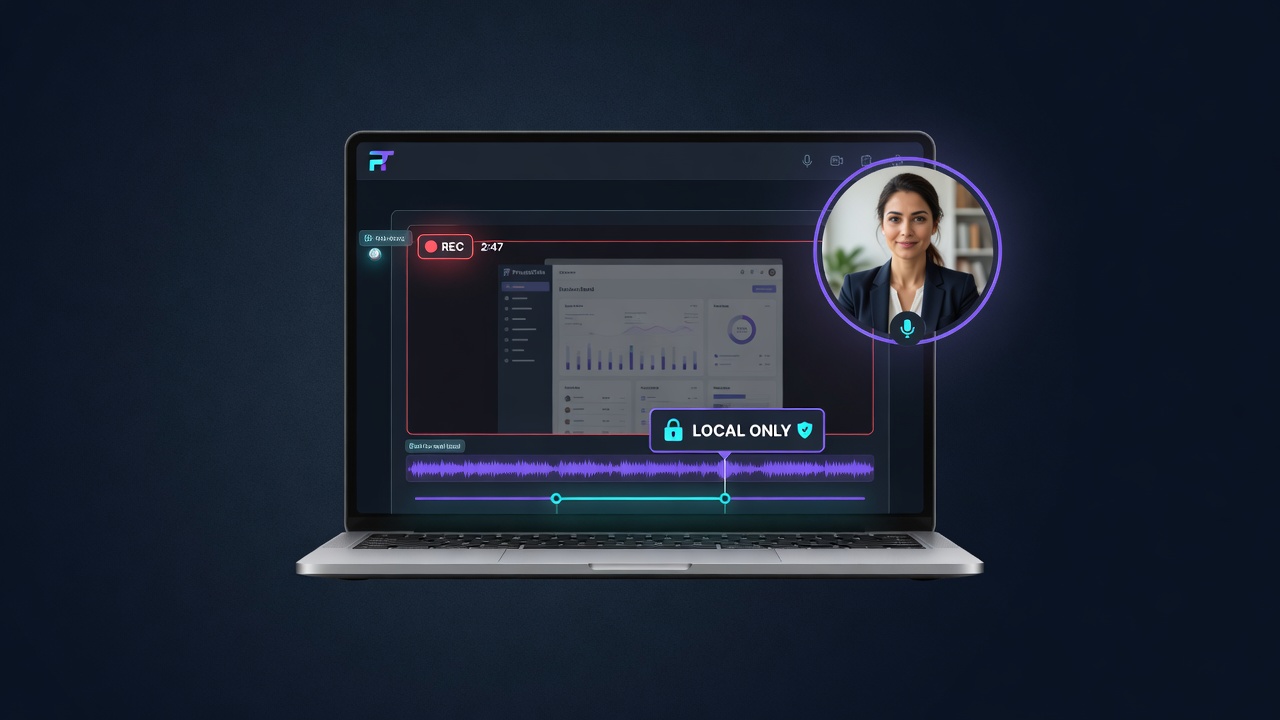
For creators: PrivateTake records screen, webcam, and audio locally without cloud uploads so your recordings stay private and on your device.
Built by Mark Zschiegner
Productivity Developer Tools Freemium
Visit website → Upvotes · 167
In category: #653 of 1867 · Productivity
PrivateTake is a Featured Tool on Launch Llama with 167 total upvotes across 125 founder supporters, founded by Mark Zschiegner who joined in Jul 2026, compared against 6 alternatives.
Featured Tool
Listing status
167upvotes
Community score
Mark Zschiegner (Joined Jul 2026)
Founder
Compared against 6 alternatives
Market comparison
Real numbers
90d
-
72.1k
Views
-
64
Visitors
-
2
Clicks
Public Launch Llama traffic for this listing.
Key Features
- Capture screen, tab, window, webcam, and microphone/system audio directly in the browser
- Trim clips and add titles using a fully on-device editor, with exports written straight to
- Blur or pixelate sensitive details like emails, balances, or notifications via Privacy Zones
- Generate editable timed captions locally with an on-device Whisper model, keeping speech off
- Drag, resize, and reshape a webcam picture-in-picture bubble into circle or rectangle overlays
- Export finished recordings as WebM or MP4 to your own device, then share them through storage
About
PrivateTake is a privacy-focused screen recording tool that captures, edits, and exports video entirely on your device without uploading to cloud servers. It supports screen, tab, window, webcam, and audio recording with features like trimming, blur/pixelation, and timed captions. The free tier includes basic recording with watermarks, while Pro and Creator plans unlock advanced editing, 4K support, and watermark removal.
Use Cases
- Record client or customer-account walkthroughs entirely on-device, avoiding any cloud upload of sensitive screens
- Use Pro's Privacy Zones to blur emails, balances, keys, and notifications in support or finance recordings before sharing them
- Generate on-device timed captions with the local Whisper model to make demo or tutorial videos accessible without sending audio to the cloud
- Add a webcam PiP bubble to screen recordings for founder-led product demos or investor updates, then export watermark-free with Pro
- Roll out Business seat licensing so a legal, healthcare, or dev team can record and edit sensitive screens under centralized, privacy-first controls
Pricing
PrivateTake offers a free plan plus paid tiers. See the website for current pricing.
Verdict
In the competitive productivity space, PrivateTake stands out as a solid option. With 167 upvotes from the Launch Llama community, it's clearly resonating with founders. PrivateTake is a privacy-focused screen recording tool that captures, edits, and exports video entirely on your device without uploading to cloud servers. If for creators: privatetake records screen, webcam, and audio locally without cloud uploads so your recordings stay private and on your device is a priority for your team, it's worth giving PrivateTake a closer look.
FAQ
What is PrivateTake?
PrivateTake is a privacy-focused screen recording tool that captures, edits, and exports video entirely on your device without uploading to cloud servers. It supports screen, tab, window, webcam, and audio recording with features like trimming, blur/pixelation, and timed captions. The free tier includes basic recording with watermarks, while Pro and Creator plans unlock advanced editing, 4K support, and watermark removal.
Who should use PrivateTake?
PrivateTake is a strong fit if you are one of: • busy founders and teams looking to do more with less • developers, engineers, and technical founders If that does not sound like you, skim the features and site before committing time.
What problem does PrivateTake solve?
PrivateTake is built around this outcome: For creators: PrivateTake records screen, webcam, and audio locally without cloud uploads so your recordings stay private and on your device. Use the site demo or docs to confirm it matches the bottleneck you are trying to remove.
How to record client or customer-account walkthroughs entirely on-device, avoiding any cloud upload of sensitive screens?
PrivateTake is set up for this: Record client or customer-account walkthroughs entirely on-device, avoiding any cloud upload of sensitive screens. Open the official site from this page and run that workflow on a real task to confirm fit.
How to generate on-device timed captions with the local Whisper model to make demo or tutorial videos accessible without sending audio to the cloud?
PrivateTake is set up for this: Generate on-device timed captions with the local Whisper model to make demo or tutorial videos accessible without sending audio to the cloud. Open the official site from this page and run that workflow on a real task to confirm fit.
What are the main features of PrivateTake?
PrivateTake includes: • Capture screen, tab, window, webcam, and microphone/system audio directly in the browser without uploading footage anywhere • Trim clips and add titles using a fully on-device editor, with exports written straight to local disk • Blur or pixelate sensitive details like emails, balances, or notifications via Privacy Zones before or after recording • Generate editable timed captions locally with an on-device Whisper model, keeping speech off the cloud • Drag, resize, and reshape a webcam picture-in-picture bubble into circle or rectangle overlays while recording • Export finished recordings as WebM or MP4 to your own device, then share them through storage you control
Is PrivateTake free to start?
PrivateTake offers a free plan plus paid tiers. See the website for current pricing. Check the official site before you buy so you see current plans, trials, and limits. Most freemium tools let you validate the workflow before upgrading — check what the free tier unlocks for your use case.
How much does PrivateTake cost?
PrivateTake offers a free plan plus paid tiers. See the website for current pricing. Check the official site before you buy so you see current plans, trials, and limits.
What are the best alternatives to PrivateTake?
People comparing options often look at Loom, Screenity, OBS Studio, Kap, ShareX. Pick based on workflow fit, pricing, and how painful migration would be — not just feature checklists.
Is PrivateTake private and safe for my files?
PrivateTake's positioning emphasizes keeping work local or private (for example browser-side processing or limited uploads). Still verify the privacy policy and data handling on the official site for your compliance needs.
Alternatives
- Screen Studio
For creators: Screen Studio records your screen in-browser with no watermark so you produce polished videos instantly Screen Studio keeps the workflow clear so you ship outcomes with less busywork.
- CleanShot 5.0 with Studio Mode
For Mac users: CleanShot 5.0 captures screenshots and recordings with built-in annotation and Quick Access so you share polished visuals instantly.
- Simple Screen Recorder
For product teams: Simple Screen Recorder auto-zooms clicks and adds polish to screen captures so you ship professional demos without editing skills.
- Shotbase
For Mac users: Shotbase captures and organizes screenshots and recordings with private AI so you find and share visual content instantly.
- Snapr
For content creators: Snapr captures, records, annotates and edits screenshots and video in one app with 4K 60fps recording and polished export options.
- Capso
For Mac users: Capso is a free, open-source screenshot and screen recorder with annotation, OCR, and image beautification—no subscriptions or telemetry.
Supporters
125 founders125 founders contributed 167 upvotes to PrivateTake on Launch Llama.






Reviews
5.0 · Based on 1 review
PrivateTake Breakdown has great potential! A few improvements could make it even better. I'd love to share my feedback and suggestions. WhatsApp: https://wa.me/447307349530 Telegram: t.me/rforrank
Hey @launchllama - the reason I created this is I was tired of Loom as well as having all my video leave my laptop to go to some sites or companies cloud server. This keeps it all private and I think this could really go well with privacy types such as HIPPA (medical), Lawyers, and anyone else that needs to record scfeen videos but needs to stay private
Ask AI
ChatGPT Claude Perplexity Grok
For agents
llms.txt · llms-full.txt · ai.txt · Live fact sheet · Full catalog (.md) · Endpoint index · API spec · REST access · Agent server · Server manifest · Server discovery