
Updated 2026-11-22 · 15 of 30 Mobile Apps on Launch Llama compared
Quick answer: The best Mobile Apps in 2026, by Launch Llama community upvotes, are Wispr Flow, ChatPal, Pinnacle. If you want to start free, ChatPal has a free plan. We compared 15 of the 30 Mobile Apps listed on Launch Llama on pricing, features and use cases.
Our picks at a glance
- Best overall: Wispr Flow — the most upvoted Mobile App on Launch Llama
- Best free option: ChatPal — free plan + paid tiers
- Best to see in action: Munen — has a demo video you can watch below
- Most features listed: MOVO AI — 5+ features on its listing
The 15 best Mobile Apps in 2026
1. Wispr Flow — best for professionals who need to compose messages quickly without typing
Pricing: Free plan; paid from $12/user · Free plan: Yes · Upvotes: 450
In Wispr Flow's words
Now on Android: smart voice-to-text that turns rambling speech into clean, ready-to-send text. Wispr Flow works seamlessly in any app, continues across app switches, and cleans up filler words, course corrections, punctuation, and formatting automatically. Free and unlimited for a limited time only!
Key features
- Convert speech to text in any application
- Remove filler words and add punctuation automatically
- Learn and remember user vocabulary and names
- Support over 100 languages with automatic detection
- Create and expand text snippets by voice
Use cases
- Professionals who need to compose messages quickly without typing
- People who find writing long emails tiring and need quick note-taking
Pricing details: Free plan available. Pro starts at $12/user/month. Growth plan at $18/user/month. Enterprise with custom pricing.
2. ChatPal — best for advanced speakers with no one to practice with who want to maintain fluency

Pricing: Free plan + paid tiers · Free plan: Yes · Upvotes: 414
In ChatPal's words
ChatPal is a voice-first language practice app designed to help users build real-world speaking confidence through conversation. It supports Spanish, Italian, French, English, Hindi, and Portuguese, offering personalized feedback to improve speaking skills.
Key features
- Practice realistic conversation scenarios to build confidence
- Receive instant personalized feedback on speaking mistakes
- Build vocabulary through conversational practice
- Have ongoing conversations with an AI conversation partner
Use cases
- Advanced speakers with no one to practice with who want to maintain fluency
- Travelers who want to communicate with locals in real-world situations
- Learners seeking real speaking practice instead of homework-based learning
Pricing details: Free trial available for 7 days.
3. Pinnacle — best for iPhone sensors establish baseline brain metrics, track focus and resilience changes over weeks of AI coaching
Pricing: Free plan + paid tiers · Free plan: Yes · Upvotes: 345
In Pinnacle's words
Pinnacle is an AI agent that uses iPhone sensors to measure brain activity and provide personalized training through conversation. It helps users improve focus, resilience, energy, and performance using science-backed tools.
Key features
- Measure brain activity using built-in iPhone sensors
- Train users through natural conversation interactions
- Provide real-time insights about cognitive performance
Use cases
- iPhone sensors establish baseline brain metrics, track focus and resilience changes over weeks of AI coaching
- Access science-backed training tools through conversational AI to target specific performance gaps identified by sensor data from your iPhone
- Leverage real-time brain activity measurements from device sensors to receive personalized coaching that adapts to your current mental state and needs
4. MOVO AI — best for creators who want to make long-form videos from their phone
Pricing: See website · Upvotes: 313
In MOVO AI's words
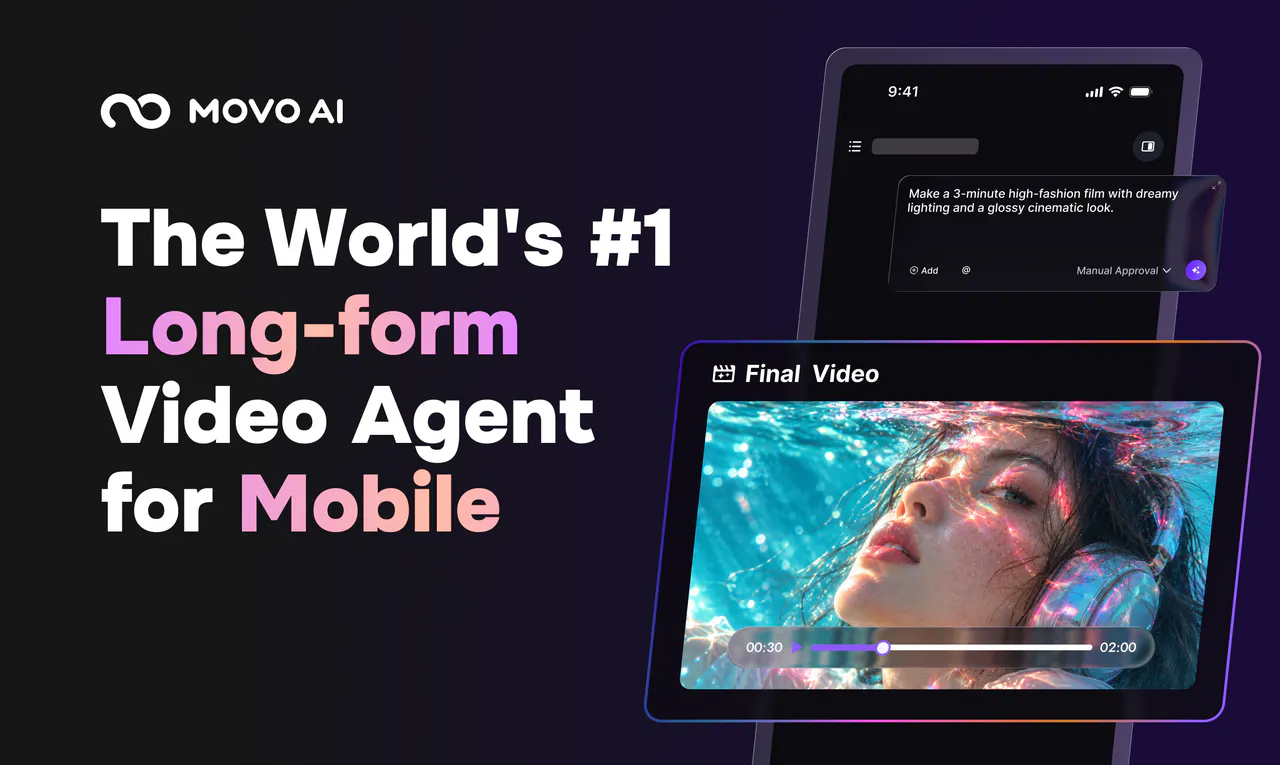
MOVO AI is the world’s first AI video agent for long-form creation that works right from your phone. It also works on the web. Shoot, upload, or start with an idea, then tell MOVO AI what you want. MOVO plans, creates, refines, keeps characters and scenes consistent, and brings the whole video together. Lock your phone and MOVO keeps working. Come back to review or make changes through chat. No prompt gymnastics. No canvas-heavy workflows. No manual clip stitching.
Key features
- Plans, creates, and refines long-form videos from your input.
- Keeps characters and scenes consistent across the whole video.
- Keeps working on your video after you lock the phone.
- Lets you review and change the video through chat.
- Works on phones and on the web.
Use cases
- Creators who want to make long-form videos from their phone.
- People who want to turn an idea into a finished video without manual clip stitching.
Pricing details: New users receive 100 free credits to try the video creation workflow.
5. Badgey — best for people at conferences or meetups who want a name badge on their iPhone
Pricing: See website · Upvotes: 231
In Badgey's words
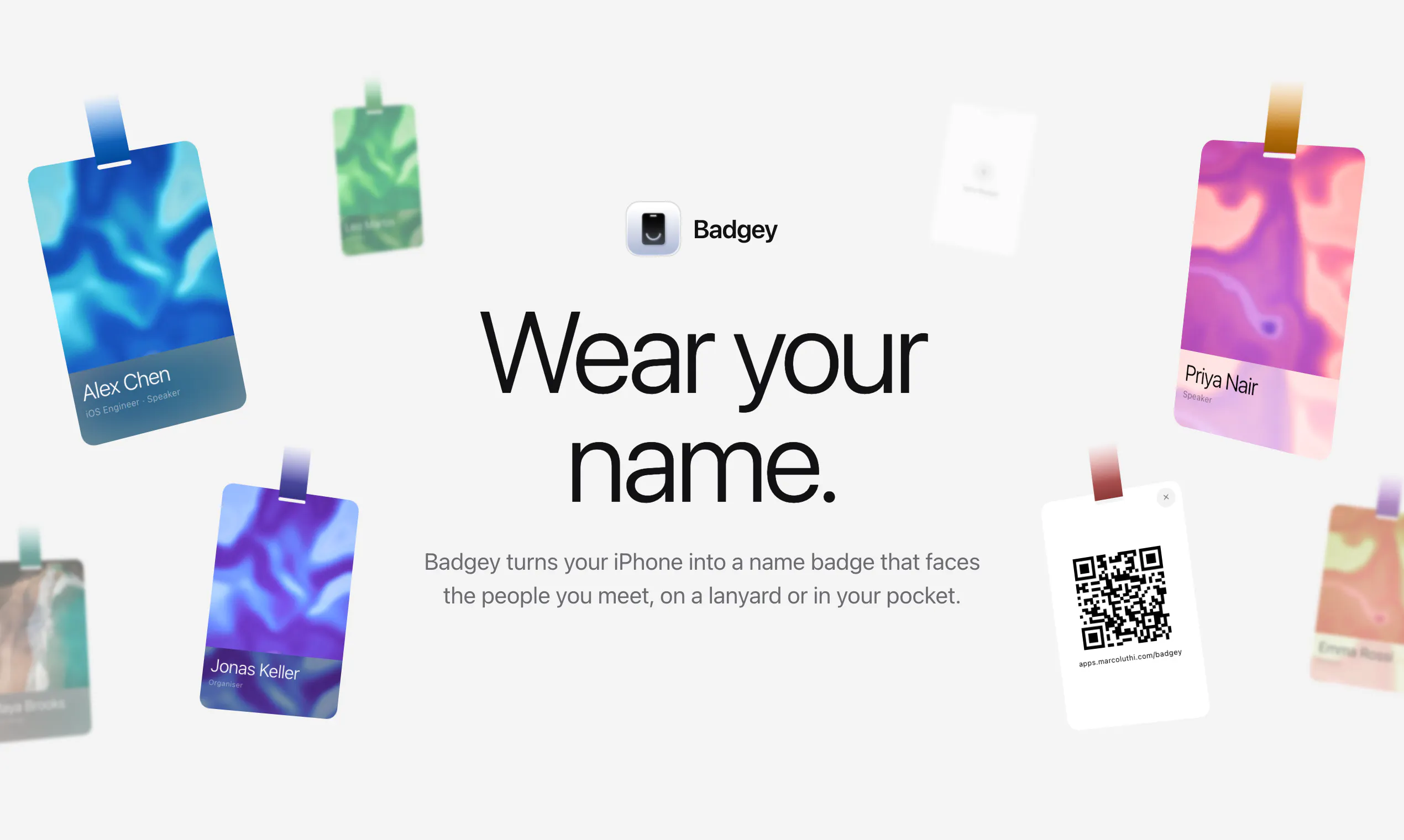
Badgey turns your iPhone into a name badge. On a lanyard, it turns to face the people you meet and swings as you move. In a chest pocket, it shrinks so your name shows above the edge. Several badges, a QR code for your link, five designs.
Key features
- Turn your iPhone into a name badge.
- Flip the phone on a lanyard so the badge faces the room.
- Keep your name visible when the phone is in a chest pocket.
- Share your badge by QR code.
- Switch between several badges by swiping.
Use cases
- People at conferences or meetups who want a name badge on their iPhone.
- Anyone wearing a lanyard who wants their name facing the people they meet.
6. HyperSleep — best for people who struggle to stop social media use before bed

Pricing: Free plan; paid from $4.99/month · Free plan: Yes · Upvotes: 221
In HyperSleep's words
Every screen-time app fails for the same reason: you have to turn it on and at 1am, you won't. HyperSleep flips it. Your social apps stay locked until multi-sensor detection verifies you actually slept. It auto-starts at bedtime, runs 100% on-device, and turns "scroll less" from willpower into an outcome you earn. Android.
Key features
- Block social media apps until sleep is verified
- Cross-reference four independent sensors to detect sleep
- Choose which apps to lock with customizable blocking
- Set flexible bedtime schedules and activation options
- Track sleep streaks and quality scores each morning
Use cases
- People who struggle to stop social media use before bed
- Users wanting phone sleep detection without a smartwatch
Pricing details: Free 5-day trial. Monthly plan $4.99/month, yearly plan $29.99/year, or lifetime purchase $79.99.
7. Fellow.ai — best for healthcare organizations requiring HIPAA compliance and data privacy

Pricing: See website · Upvotes: 216
In Fellow.ai's words
Fellow for iOS turns your phone into a powerful AI note taker. Record any meeting without a bot or computer: Fellow handles the transcription and AI note-taking automatically. Before meetings, prep with Ask Fellow, edit agendas, and set your recording preferences right from your calendar. Afterward, replay audio and video, read through transcripts and notes, and manage action items by accepting AI suggestions or creating your own.
Key features
- Record, transcribe, and summarize meetings across platforms
- Automatically identify and assign action items from meetings
- Connect meeting intelligence to external AI tools and systems
- Set organization-wide recording and retention policies
- Redact sensitive information from transcripts and summaries
Use cases
- Healthcare organizations requiring HIPAA compliance and data privacy
- Teams capturing meeting notes without requiring a bot to join calls
8. Parasocial — best for podcast enthusiasts who want to organize episodes with smart rules and automatic downloads

Pricing: Free · Free plan: Yes · Upvotes: 206
In Parasocial's words
PARASOCIAL is a fast, native podcast player for people who really love podcasts. Get new episodes the moment they publish, automatically download and organize them with smart playlist rules, search huge libraries instantly, bookmark and tag favorites, and share your parasocial relationship with friends. Native on iPhone, iPad, Mac, and CarPlay, with seamless sync and no account required.
Key features
- Automatically download and organize episodes with smart playlist rules
- Bookmark and tag favorite episodes
- Search podcast libraries instantly
- Get new episodes the moment they publish
- Share podcasts with friends
Use cases
- Podcast enthusiasts who want to organize episodes with smart rules and automatic downloads
- Users migrating from other podcast apps like Spotify, Overcast or Pocket Casts
Pricing details: Free. No subscription needed.
9. Walme Wallet — best for crypto investors managing assets across multiple wallets and exchanges
Pricing: See website · Upvotes: 175
In Walme Wallet's words
Walme Wallet is a unified Web3 wallet hub that lets you manage all your crypto in one place. Connect non-custodial wallets, add watch-only wallets, and track exchange accounts like Binance through a single, clean interface. Monitor balances, follow activity across multiple chains, and swap tokens directly inside the app without jumping between platforms. Walme is built to reduce fragmentation and make everyday crypto management simpler. Currently available on Android. iOS coming soon.
Key features
- Connect non-custodial wallets and watch-only accounts
- Track exchange accounts like Binance
- Monitor balances across multiple blockchain chains
- Swap tokens directly inside the app
Use cases
- Crypto investors managing assets across multiple wallets and exchanges
- Users wanting to track portfolio activity without switching between platforms
10. Touchy — best for users learning a new skill who need guidance without distraction

Pricing: See website · Upvotes: 117
In Touchy's words
Touchy is an AI assistant designed to provide quick answers and help while minimizing phone usage and keeping users engaged with their surroundings. It connects with apps and understands physical and digital context to deliver relevant information without requiring constant attention. The product addresses the problem that most AI assistants available to consumers are ineffective and built around search rather than action.
Key features
- Understand user context from physical and digital environments
- Provide minimal information filtered to user preferences
- Learn and adapt to individual user preferences over time
- Reason about video and audio inputs for extended periods
- Detect when assistance is needed without interrupting the user
Use cases
- Users learning a new skill who need guidance without distraction
- People assembling furniture or using unfamiliar appliances
- Travelers needing contextual information during activities
11. hey postcard - digital postcards — best for people who want to send meaningful messages without instant notifications
Pricing: Free plan + paid tiers · Free plan: Yes · Upvotes: 94
In hey postcard - digital postcards's words
Hey Postcard is a slow messaging app for people who matter. Instead of sending another instant message, write a digital postcard. It arrives the next morning at a random time, bringing back that little feeling of waiting for something special. We built Hey Postcard because meaningful conversations shouldn’t get lost between notifications, group chats, and everyday noise. Write. Send. Wait for the postman. 💌
Key features
- Send digital postcards to friends
- Deliver messages next morning at random time
- Create free digital postcards
Use cases
- People who want to send meaningful messages without instant notifications
- Users who prefer slower, more thoughtful communication with close friends
See hey postcard - digital postcards pricing, reviews and alternatives →
12. Sealbox — best for encrypting a sensitive message before sending it through WhatsApp, email, or a public post so only the intended reader can open it
Pricing: Free plan; paid from $19.99 · Free plan: Yes · Upvotes: 72 · Rating: 4.3/5 from 8 reviews
In Sealbox's words
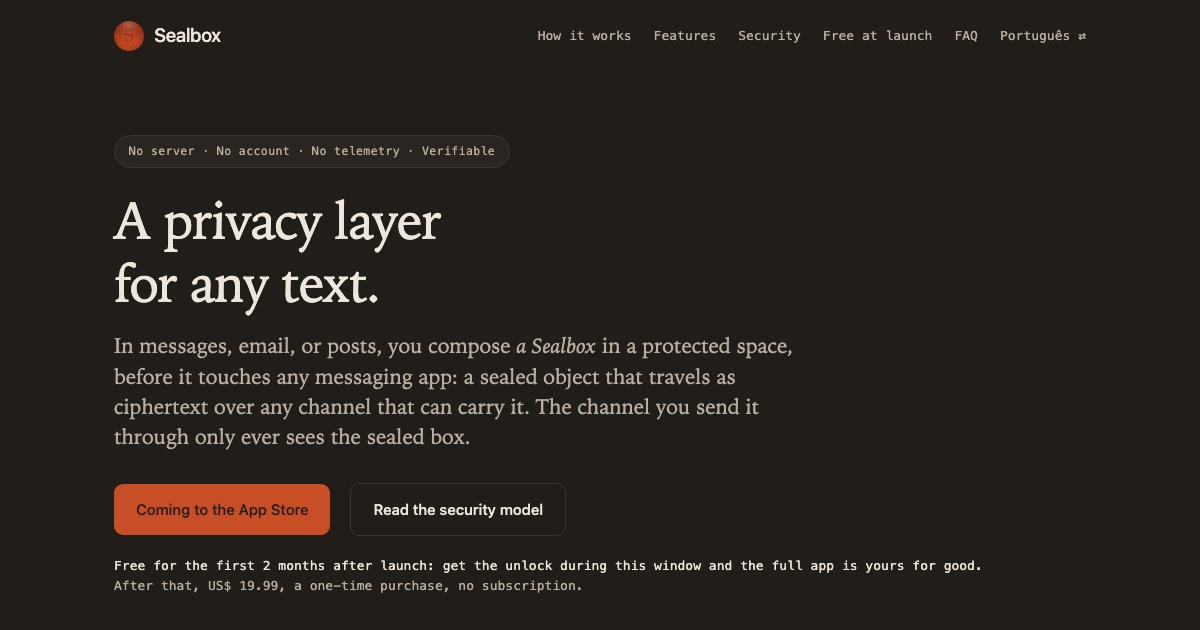
You compose encrypted messages in a protected space, before they touch any messaging app: a Sealbox, a sealed object that travels as ciphertext over any channel that can carry it.
Key features
- 1:1 — talk to one person, privately
- In 1:1, by default, every message has its own key — and it dies on reading
- Sealed even at rest — biometric gate with no passcode fallback
- Drafts — the secure place to write and keep
- The sealed message itself, as a code — screen to camera, no network
Use cases
- Encrypting a sensitive message before sending it through WhatsApp, email, or a public post so only the intended reader can open it.
- Keeping passwords, codes, and private records sealed on the iPhone behind Face ID or Touch ID using a personal key.
- Sharing the same sealed content with a trusted group by handing out a shared key, without a managed group or server.
Pricing details: Free for the first 2 months after launch, with the full app unlocked for good during that window.
13. ONES — best for join or create a community around your niche interest and share chronological content with like-minded members without algorithmic sorting interference

Pricing: Free · Free plan: Yes · Upvotes: 63
In ONES's words
ONES is a mobile-only social media app where real people share content alongside clearly-labeled AI creators. It features a chronological feed you control, communities built around shared interests, and full-screen short video clips. The platform prioritizes a calm, distraction-free experience without algorithmic outrage or endless feeds designed to keep users hooked.
Key features
- Browse chronological feeds sorted by recency rather than algorithmic ranking
- Discover content from verified human creators and clearly-identified AI creators
- Join communities organized around specific interests and topics
- Watch full-screen short-form video content
- Control feed curation without engagement-driven manipulation
Use cases
- Join or create a community around your niche interest and share chronological content with like-minded members without algorithmic sorting interference
- Post full-screen short video clips directly to your profile and let followers discover them in the order you publish, not by engagement metrics
- Collaborate with clearly-labeled AI creators on ONES to diversify your feed's content mix while maintaining transparency about AI-generated material
14. Munen — best for you open an app to check one thing and lose an hour, several times a day
Pricing: Free plan + paid tiers · Free plan: Yes · Upvotes: 48
In Munen's words
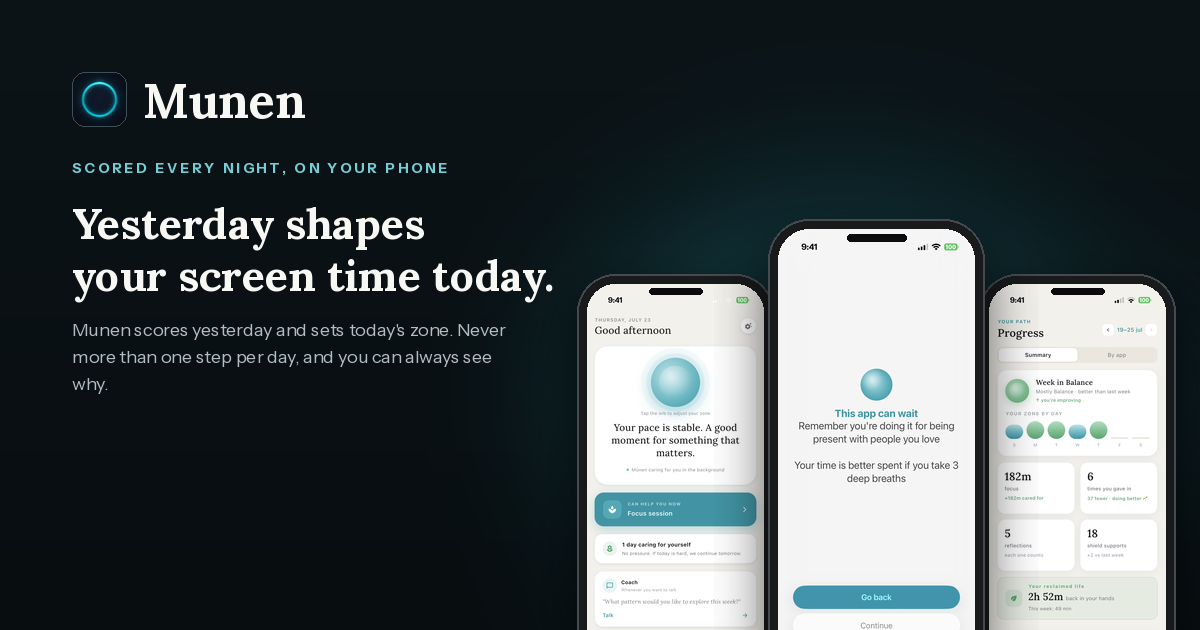
Munen — screen time that learns from yesterday
Munen is a screen-time app for iPhone that changes how it meets you tomorrow, based on how today actually went.
Key features
- a nightly score of your day, computed on the phone, that sets tomorrow's pause
- a pause that gets a bit firmer after a rough day and eases up after a good one
- the reason and the alternative you wrote yourself before a distracting app opens
- the minutes you keep when you come back before the breather ends
- usage data and journal that never leave the phone
Use cases
- You open an app to check one thing and lose an hour, several times a day
- You have tried blockers and switched them off by day three
- You want less phone at night without a hard cutoff that you end up bypassing
Pricing details: Free to start: zones, nightly adjustment, shields for up to three apps, journal, focus sessions and achievements.
15. DosePulse — best for use DosePulse's dose logging and reminder system to help clients track prescription adherence and reduce missed medication doses
Pricing: Free plan + paid tiers · Free plan: Yes · Upvotes: 36
In DosePulse's words
DosePulse helps Android users stay on top of their daily supplement and wellness routines. Whether you're managing vitamins, medications, or health-focused habits, the app makes it simple to track what you take and when, reducing the chance of missed doses or duplicate intakes.
The platform is built for health-conscious individuals, fitness enthusiasts, and anyone managing multiple daily supplements or prescriptions. By centralizing your supplement routine in one place, DosePulse removes guesswork and keeps you accountable to your wellness goals.
Key features
- Track supplements and medications with customizable dosage schedules
- Set reminders to prevent missed or duplicate doses
- View dose history and patterns to monitor consistency over time
- Manage multiple daily supplements or prescriptions in one place
- Create and organize grocery lists for health-focused shopping
Use cases
- Use DosePulse's dose logging and reminder system to help clients track prescription adherence and reduce missed medication doses.
- Leverage the app's duplicate intake prevention to manage complex supplement stacks for fitness enthusiasts or wellness coaching clients.
- Integrate DosePulse's grocery list feature into meal prep or nutrition coaching workflows to streamline client shopping and supplement purchasing.
Comparison table
| # | Tool | Rating | Upvotes | Price |
|---|---|---|---|---|
| 1 | Wispr Flow Professionals who need to compose messages quickly without typing |
No reviews yet | ▲ 450 | Free planthen from $12 |
| 2 | ChatPal Advanced speakers with no one to practice with who want to maintain fluency |
No reviews yet | ▲ 414 | Free plan+ paid plans |
| 3 | Pinnacle iPhone sensors establish baseline brain metrics, track focus and resilience changes over weeks of AI coaching |
No reviews yet | ▲ 345 | Free plan+ paid plans |
| 4 | MOVO AI Creators who want to make long-form videos from their phone |
No reviews yet | ▲ 313 | See site |
| 5 | Badgey People at conferences or meetups who want a name badge on their iPhone |
No reviews yet | ▲ 231 | See site |
| 6 | HyperSleep People who struggle to stop social media use before bed |
No reviews yet | ▲ 221 | Free planthen from $4.99/mo |
| 7 | Fellow.ai Healthcare organizations requiring HIPAA compliance and data privacy |
No reviews yet | ▲ 216 | See site |
| 8 | Parasocial Podcast enthusiasts who want to organize episodes with smart rules and automatic downloads |
No reviews yet | ▲ 206 | Free plan |
| 9 | Walme Wallet Crypto investors managing assets across multiple wallets and exchanges |
No reviews yet | ▲ 175 | See site |
| 10 | Touchy Users learning a new skill who need guidance without distraction |
No reviews yet | ▲ 117 | See site |
| 11 | hey postcard - digital postcards People who want to send meaningful messages without instant notifications |
No reviews yet | ▲ 94 | Free plan+ paid plans |
| 12 | Sealbox Encrypting a sensitive message before sending it through WhatsApp, email, or a public post so only the intended reader can open it |
Rated 4.3 out of 5 from 8 reviews4.3(8) | ▲ 72 | Free planthen from $19.99 |
| 13 | ONES Join or create a community around your niche interest and share chronological content with like-minded members without algorithmic sorting interference |
No reviews yet | ▲ 63 | Free plan |
| 14 | Munen You open an app to check one thing and lose an hour, several times a day |
No reviews yet | ▲ 48 | Free plan+ paid plans |
| 15 | DosePulse Use DosePulse's dose logging and reminder system to help clients track prescription adherence and reduce missed medication doses |
No reviews yet | ▲ 36 | Free plan+ paid plans |
How we compared them
This is a comparison built from listing data, not a hands-on review: we have not tested these tools ourselves. Every product here is listed on Launch Llama, and the ranking uses what founders and their users have put on the record.
Tools are ordered by community upvotes. Duplicate listings are merged, and listings without a real description are left out. Pricing, features and use cases come from each product's listing and can change, so check the product's own site before you buy.
How to choose
- Choose Wispr Flow for professionals who need to compose messages quickly without typing.
- Choose ChatPal for advanced speakers with no one to practice with who want to maintain fluency.
- Choose Pinnacle for iPhone sensors establish baseline brain metrics, track focus and resilience changes over weeks of AI coaching.
- Choose MOVO AI for creators who want to make long-form videos from their phone.
- Choose Badgey for people at conferences or meetups who want a name badge on their iPhone.
- Choose HyperSleep for people who struggle to stop social media use before bed.
Still comparing? Browse every tool in Mobile Apps or see the best tools in other categories.
Frequently asked questions
What is the best Mobile App in 2026?
Wispr Flow is the most upvoted Mobile App on Launch Llama. For mobile workers: Wispr Flow converts rambling speech into polished text across any app so you send messages faster without manual editing. ChatPal and Pinnacle round out the top three.
Is there a free Mobile App?
Yes. 10 of the 15 tools in this comparison list a free plan, including Wispr Flow, ChatPal, Pinnacle.
How were these Mobile Apps ranked?
By community upvotes on Launch Llama, after merging duplicate listings and dropping listings without a real description. We have not tested these tools hands-on; pricing and features come from each product's listing.
How many Mobile Apps are listed on Launch Llama?
30 Mobile Apps with full listings at the time of writing. This page compares the top 15; the rest are on the Mobile Apps category page.