In category: #14 of 17 · SecurityWeekly rank: #29
Sealbox is an Instant Launch listing on Launch Llama with 3 upvotes from 3 founders, +3 in the week of Oct 28–Nov 3, 2026, founded by _ and Sealbox who joined in Nov 2026, compared against 6 alternatives.
Instant Launch listing
Listing status
3upvotes
+3 · Oct 28–Nov 3, 2026
Community score
_ and Sealbox (Joined Nov 2026)
Founder
Compared against 6 alternatives
Market comparison
Launched on Launch Llama Nov 3, 2026 · #2 of 6 that day
Sealbox at a glance
- What it is
- Sealbox: Encrypt any text — in WhatsApp, email, or any app — before it leaves your iPhone. End-to-end post-quantum in Quantum mode, no server, no account.
- Pricing
- Sealbox pricing: Free for the first 2 months after launch, with the full app unlocked for good during that window.
- Best for
- Sealbox is best for privacy-conscious iPhone users who send sensitive text through messaging apps and email. and individuals who need to keep private records such as passwords or codes protected on their own device.
- Alternatives
- Top Sealbox alternatives on Launch Llama: Sealby - Local, Encrypted Photo & Video Vault, Vaultine and SafeText.me.
About
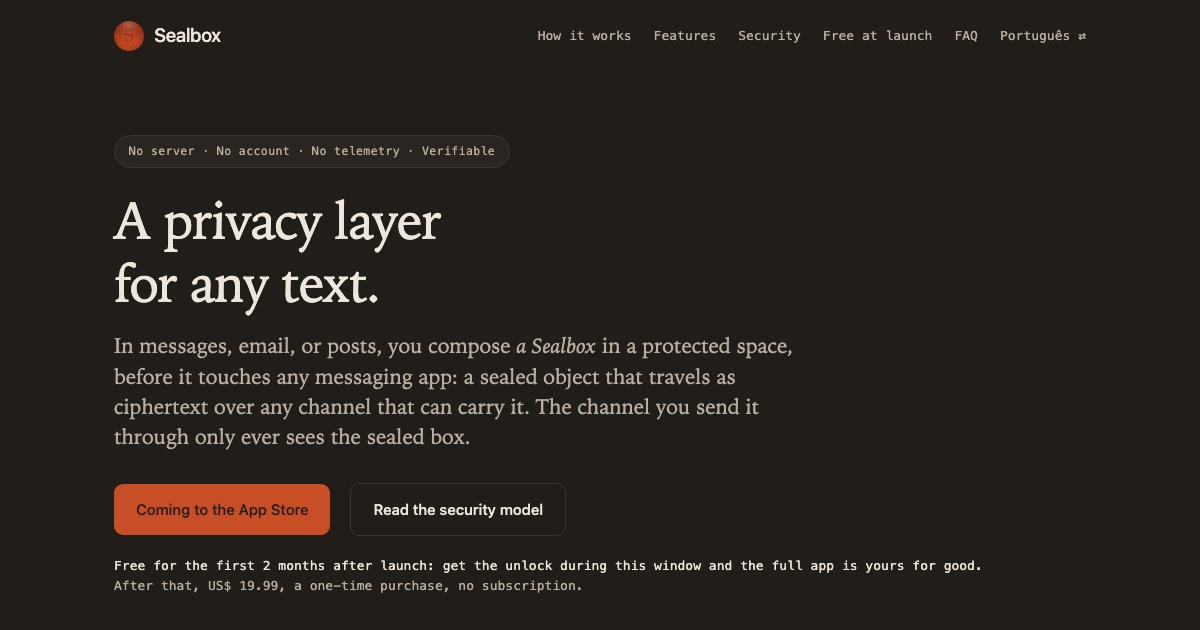
Encrypt any text — in WhatsApp, email, or any app — before it leaves your iPhone. You compose a Sealbox: a sealed object that travels as ciphertext over any channel that can carry it. The channel you send it through sees the sealed box, never your text. Sealbox seals the text itself, before any channel touches it, and keeps it sealed at rest behind your biometrics. End-to-end post-quantum in Quantum mode. No server, no account, no telemetry.
The full unlock is free for the first 2 months after launch; after that, US$ 19.99, a one-time purchase. Downloading the app is free; what guarantees the full app is getting the unlock, inside the app. Without it you can read and verify, but not write.
Honest scope: channels generate metadata (who, when, how much) — that's the route's domain, and no content layer can hide it. Sealbox seals what's inside.
Coming to the App Store · iOS 26+
Key Features
- Surfaces 1, talk to one person, privately
- Surfaces 1, by default, every message has its own key, and it dies on reading
- Delivers sealed even at rest, biometric gate with no passcode fallback
- Drafts, the secure place to write and keep
- Delivers the sealed message itself, as a code, screen to camera, no network
Use Cases
- Encrypting a sensitive message before sending it through WhatsApp, email, or a public post so only the intended reader can open it
- Keeping passwords, codes, and private records sealed on the iPhone behind Face ID or Touch ID using a personal key
- Sharing the same sealed content with a trusted group by handing out a shared key, without a managed group or server
Who it is for
- Privacy-conscious iPhone users who send sensitive text through messaging apps and email.
- Individuals who need to keep private records such as passwords or codes protected on their own device.
Pricing
Free for the first 2 months after launch, with the full app unlocked for good during that window. After that it is US$ 19.99 as a one-time purchase, with no subscription.
FAQ
Doesn't my messaging app already encrypt?
In transit, yes — and that's worth having. But the channel's protection ends where the content lives: on the device, in app databases, in backups, in every copy along the way. Sealbox seals the text itself, so the channel never holds it in the clear — in transit or at rest. Different layer, different job; they compose.
What does free for the first 2 months mean?
Free for the first 2 months after launch: get the unlock during this window and the full app is yours for good. After that, US$ 19.99, a one-time purchase, no subscription. Downloading the app is free; what guarantees the full app is getting the unlock, inside the app. Without it you can read and verify, but not write. It isn't a free tier with the real features held back: with the unlock, it's the complete app. And free doesn't mean you're the product: Sealbox has no server (see "Verify the serverless claim yourself" in the security model), no account, no telemetry.
Can I reread a message I've already opened?
In view-once — the 1:1 default — no, and that's the point: that message's key is destroyed when it's opened, so neither you nor anyone holding your phone can reopen it; paste the same block again within 24 hours of its key being used and it answers "Key already used". An exception, also the sender's: if they allowed copying (blocked is the default), you can save the text to a draft with the copy button at the top of the reading screen — the message still can't be reopened, but the draft stays on the device, encrypted, like any other. When content needs to be reread later, the writer turns view-once off for that message and it goes out in the epoch regime. The choice belongs to the sender, message by message.
What happens if I lose my phone?
Two layers. Whoever finds the locked phone doesn't get the keys: they release only to your live biometrics — a passcode doesn't open them (an already-unlocked device and forced biometrics are limits of the threat model). And you don't lose your identity, if backup is on: restore on the new device with your 24-word recovery phrase, and your identity, contacts, and recoverable personal keys return. Restore once and your contacts see no alarm — your identity is the same. The exception is restoring the same backup a second time: the keys the chip generates on the second restore aren't the first one's, and a contact who already knows the first ones refuses the second's invite. Before you write to each of them again, you confirm their keys: one invite from you, one reply from them (the app tells you when you write to someone still pending). Once that's done, view-once conversations restart with the next message; whatever was sent to you in them and you hadn't read yet needs a resend.
Is it audited?
No — and we won't pretend otherwise. But ask what an audit would even cover: Sealbox has zero custom primitives: encryption and signatures start from Apple's CryptoKit (the composite signature is our composition of two of them), and libsodium only enters in the Argon2id that derives the backup key. And hardware-key custody anchors in the Secure Enclave, whose key module Apple submits for FIPS 140 validation; from A12 onward there is no public key extraction — a fact of the public record, not proof of inviolability. What remains, our assembly, will be published at launch, source-available, for you to read and compile. It's the secret in Apple's silicon plus published code, not a vendor's promise. Watch the network, read the core, or use Classic mode, where the decryption key never leaves the chip. The trust model doesn't rest on an audit: a third-party audit of the published core would be added comfort, not the foundation.
iPhone only?
Yes — iOS 26+ at launch. Going deep on one platform (Secure Enclave, CryptoKit, the share sheet) is what makes the security properties real instead of lowest-common-denominator. Other platforms only happen if they can keep the same guarantees.
What does Sealbox collect about me?
Nothing. No account, no analytics, no crash reporters sending content, no telemetry of any kind. There is no Sealbox server to send data to. This website keeps the same discipline: no cookies, no JavaScript. It is served by Cloudflare, which processes the requests it receives.
Alternatives
 Sealby - Local, Encrypted Photo & Video VaultFor privacy-conscious users: Sealby encrypts photos and files in hidden vaults so your sensitive data stays invisible even if your phone is unlocked.
New on Launch Llama
Launched this week · This month's launches · All products A–Z
Featured in
- The 5 Best Safety And Privacy Platforms in 2026 (Compared) — ranked #5
- The 7 Best Messaging Tools in 2026 (Compared) — ranked #7
- The 15 Best Security Tools in 2026 (Compared) — ranked #12
Ask AI about Sealbox
Supporters
3 founders
3 founders contributed 3 upvotes to Sealbox on Launch Llama.


For bots & AI agents
Machine-readable versions of Sealbox and Launch Llama. Fetch these instead of parsing this page.
This listing (.md) llms.txt llms-full.txt ai.txt Full catalog (.md) Endpoint index API docs MCP server MCP manifest Developer docs