
use.fo - AI Voice Typing
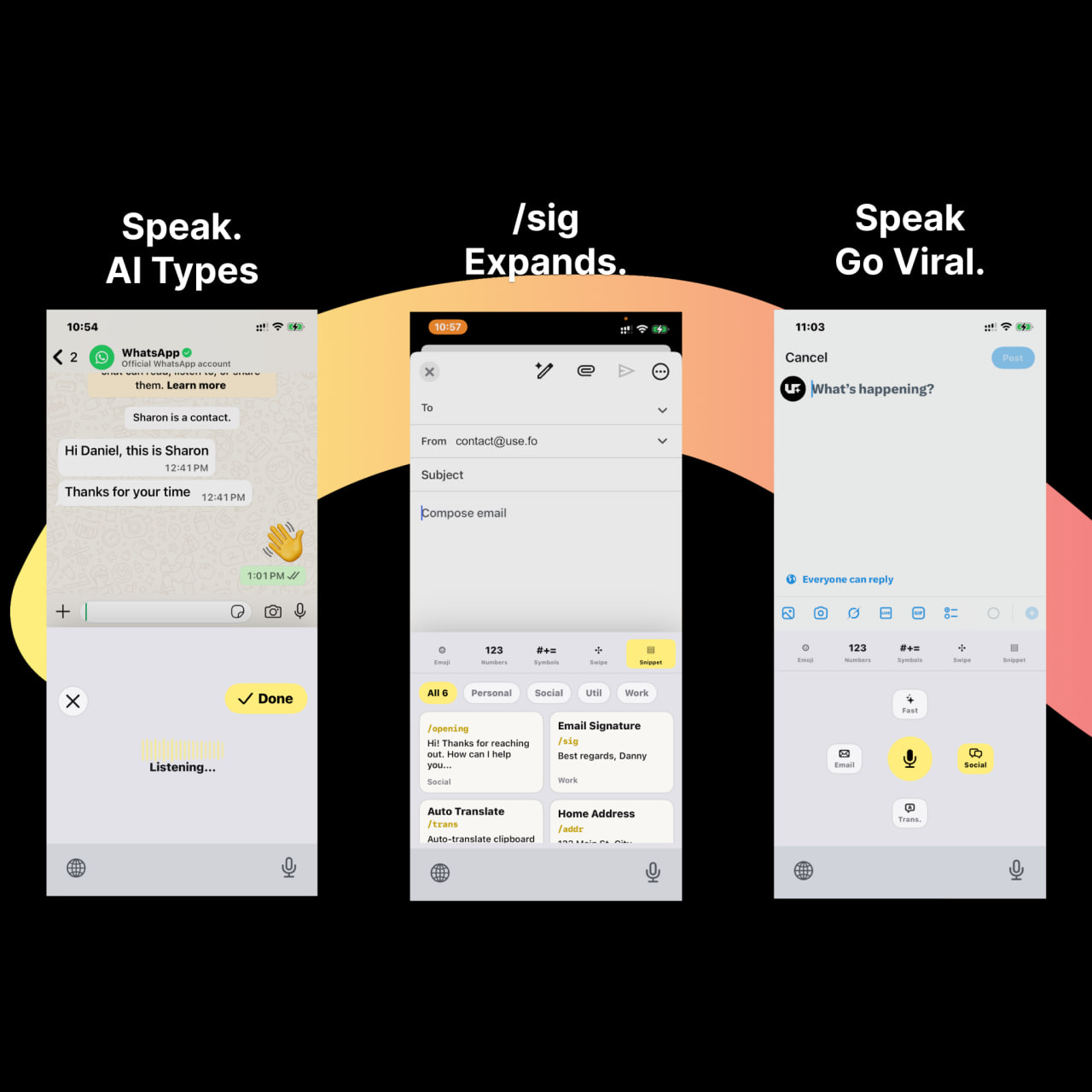
For mobile writers: use.fo turns speech into polished text within any app—emails, replies, posts—syncing snippets through Google Drive.
Built by Daniel Chang · Artificial Intelligence · Productivity · SaaS
In category: #866 of 2051 · Artificial Intelligence
use.fo - AI Voice Typing is a Community listing on Launch Llama with 24 total upvotes, founded by Daniel Chang who joined in Apr 2026, compared against 6 alternatives.
Community listing
Listing status
24upvotes
Community score
Daniel Chang (Joined Apr 2026)
Founder
Compared against 6 alternatives
Market comparison
Launched on Launch Llama Apr 29, 2026 · #1 of 4 that day
About
use.fo is an iPhone keyboard that turns natural speech into polished text, then inserts it back into the app you are using. It helps you write emails, work replies, translations, social posts, and reusable prompts without switching apps. Snippets sync through your own Google Drive.
Follow use.fo - AI Voice Typing: X (Twitter)
Use Cases
- Dictating and polishing email replies in Gmail without leaving the compose window
- Turning rough spoken thoughts into structured prompts for AI tools like ChatGPT, Claude, or Cursor
- Saving recurring polished answers as snippets and inserting them anywhere with a hotkey
Who it is for
- Mobile writers who draft emails, replies, and posts on their phones.
- Developers who want voice-to-command and code comments in Cursor or VS Code.
- Users who want voice typing without a monthly subscription, using their own API key or local AI.
Pricing
Subscription is monthly or annual. BYOK and Local AI routes use a one-time use.fo license, though BYOK provider usage may cost extra.
FAQ
Does Subscription include free minutes?
Yes. The free Subscription tier includes 66 minutes of voice per month. Usage resets monthly. After purchasing a paid Subscription, usage is semi-unlimited — roughly 350 hours per month under normal conditions.
Does Local STT include free minutes?
Yes. Local AI / Local STT includes 10 free minutes per month. This applies even on the free Local STT tier.
Does BYOK have a free allowance?
No. BYOK does not include a free usage allowance. You pay use.fo for the license and then pay your chosen AI provider directly for API usage.
Is BYOK cheaper than Subscription?
It depends. BYOK Desktop is $29.99 one-time. If you subscribe for more than 4 months ($7.99 × 4 = $31.96), BYOK becomes cheaper on that device — assuming your provider costs remain low.
Does BYOK include provider costs?
No. BYOK is a license for the app. You pay your AI provider (Groq, OpenRouter, Google AI Studio, etc.) separately based on your actual usage.
Can I transfer my BYOK Desktop license?
Yes. BYOK Desktop licenses can be transferred to a different device once every 6 months.
Can I transfer my Local AI license?
Yes. Local AI / Local STT licenses can also be transferred once every 6 months.
Can Local AI run fully offline?
Yes — after license verification and the initial model download. Once setup is complete, user content is processed entirely on the device and does not leave it.
Can I use Subscription on both desktop and mobile?
Yes. A Subscription account works across macOS, Windows, iOS, and Android without device limits. One account, all platforms.
What is BYOK?
BYOK (Bring Your Own Key) lets you connect your own AI provider key — Groq, OpenRouter, Google AI Studio, and others — to use.fo. Content goes directly from your device to your provider without routing through use.fo servers.
Alternatives
 Whisper AIFor professionals: Whisper AI transcribes voice to text across 25+ languages with smart cleanup and translation modes so you draft emails and documents hands-free.
More in Artificial Intelligence
New on Launch Llama
- APIKO AI API
- AI Collage Maker - Collager.ai
- MangaTranslate
- ToText
- Midmap
- Kizunatap
- Macswarm
- ImageConverter24
Launched this week · This month's launches · All products A–Z
Ask AI about use.fo - AI Voice Typing
Supporters
1 founder
1 founder supported use.fo - AI Voice Typing on Launch Llama.
For bots & AI agents
Machine-readable versions of use.fo - AI Voice Typing and Launch Llama. Fetch these instead of parsing this page.
This listing (.md) llms.txt llms-full.txt ai.txt Full catalog (.md) Endpoint index API docs MCP server MCP manifest Developer docs