
Capafy AI
Turn ideas into AI videos and images in one workspace
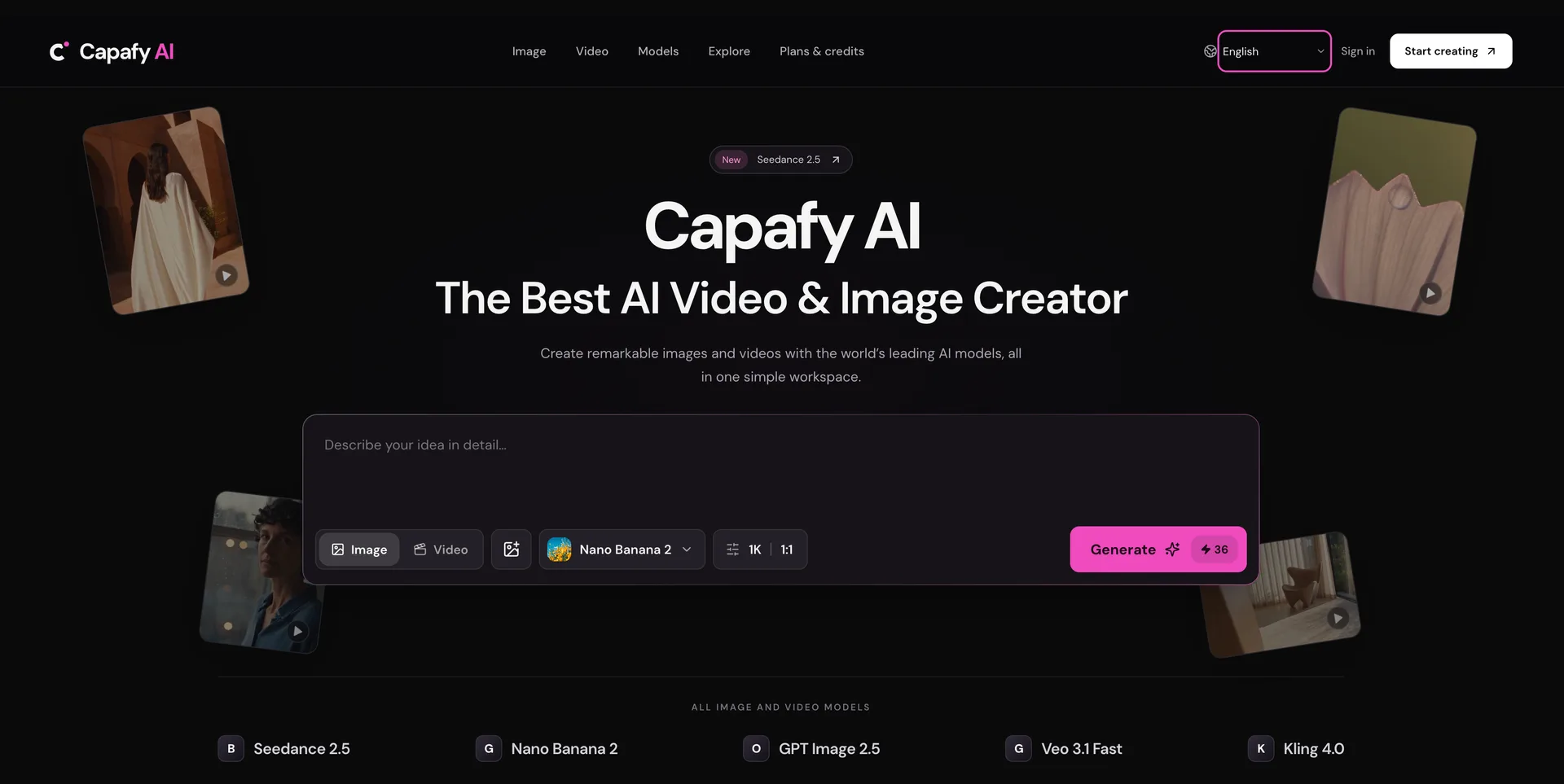
Capafy AI The Best AI Video & Image Creator
Built by partner:aidirectories and Wan · Artificial Intelligence · Free
In category: #2031 of 2031 · Artificial Intelligence
Capafy AI is an Instant Launch listing on Launch Llama with 0 total upvotes, founded by partner:aidirectories and Wan who joined in Nov 2026, compared against 5 alternatives.
Instant Launch listing
Listing status
0upvotes
Community score
partner:aidirectories and Wan (Joined Nov 2026)
Founder
Compared against 5 alternatives
Market comparison
Launched on Launch Llama Nov 3, 2026 · #6 of 6 that day
Capafy AI at a glance
- What it is
- Capafy AI: Capafy AI The Best AI Video & Image Creator.
- Pricing
- Capafy AI pricing: Free.
- Best for
- Capafy AI is best for creators and designers exploring early visual concepts, presentation assets or fresh visual directions., storytellers and filmmakers who need opening shots or short animated scenes from a creative brief. and marketing and product teams who want to shortlist, compare and download visuals for launches and product tiles.
- Alternatives
- Top Capafy AI alternatives on Launch Llama: Image to Video AI, Lafoto and Kvio AI.
About
Capafy AI is a powerful, all-in-one platform for generating high-quality AI videos and images. Transform text or reference photos into professional visuals using leading AI models, all while managing your projects within a secure, private creative library.
Use Cases
- Generate short AI video clips from text prompts or a reference image using models such as Seedance 2.5, Veo 3.1 Fast and Kling 4.0
- Create AI images for presentation assets, launch visuals or a fresh visual direction using Nano Banana 2 or GPT Image 2.5
- Animate a still image into a moving scene with the image-to-video option
Who it is for
- Creators and designers exploring early visual concepts, presentation assets or fresh visual directions.
- Storytellers and filmmakers who need opening shots or short animated scenes from a creative brief.
- Marketing and product teams who want to shortlist, compare and download visuals for launches and product tiles.
Pricing
Capafy AI is free to use. See the website for details.
FAQ
What makes a useful first prompt?
Treat the prompt as a short creative brief: identify the subject, its surroundings, the mood and the framing. For motion, add a specific action or camera direction. Capafy AI accepts ordinary language, so you can begin without code. Change one detail at a time when you want to understand how it affects a result.
Still or motion: where should I start in Capafy AI?
Start with the deliverable your project actually needs. A still can explore an appearance or illustrate a concept; a video can establish an action, atmosphere or sequence. In Capafy AI, choose the appropriate studio and model before settling on output settings. A moving result is not automatically the better choice for
Can a reference guide a particular look?
Where reference inputs are supported, an uploaded image can give the model more visual context. Check the accepted file types and limits in the controls, and describe the qualities you want to retain or change. Capafy AI does not promise an exact copy, identity match or identical output across repeated attempts. Use re
How can I compare models in Capafy AI?
Keep the brief consistent, then compare the relevant controls, credit quote and finished result. Capafy AI lists supported models including Seedance, Kling, Veo and Nano Banana, but their inputs and outputs differ. Select for the task at hand rather than assuming every model offers the same length, dimensions or refere
What should I check before pressing Generate?
Read the prompt once more, confirm your reference files and review the model's available format settings. Capafy AI shows the required credits before submission. Its pricing page explains the currently offered subscriptions and prepaid packs. Browsing public examples does not supply generation credits; creating an outp
Where do I check unfinished work in Capafy AI?
Open your creation library to inspect the task status and return to the output when processing finishes. Capafy AI cannot guarantee a fixed turnaround: model demand, duration and resolution can affect the wait. Avoid submitting an identical attempt simply because it has not finished yet; check the existing task first.
Alternatives
 Image to Video AIFor marketers: Image to Video AI converts static images into cinematic videos so you create engaging content in seconds.
 LafotoFor creators: Lafoto generates professional AI photos and graphics from text prompts in seconds without design skills.
New on Launch Llama
Launched this week · This month's launches · All products A–Z
Ask AI about Capafy AI
For bots & AI agents
Machine-readable versions of Capafy AI and Launch Llama. Fetch these instead of parsing this page.
This listing (.md) llms.txt llms-full.txt ai.txt Full catalog (.md) Endpoint index API docs MCP server MCP manifest Developer docs