
OnARM.Net
Under reviewWindows on Arm app & game compatibility
OnARM.Net answers one question: will your Windows software run on an Arm PC? We track compatibility for thousands of apps and games on devices such as Snapdragon X laptops, noting native Arm64 builds
Built by Alan · Productivity · Developer Tools · Software Engineering · Free
Coming soon on Launch Llama Tools
OnARM.Net is a Community listing on Launch Llama with 0 total upvotes, founded by Alan who joined in Nov 2026, compared against 3 alternatives.
Community listing
Listing status
0upvotes
Community score
Alan (Joined Nov 2026)
Founder
Compared against 3 alternatives
Market comparison
OnARM.Net answers one question: will your Windows software run on an Arm PC? We track compatibility for thousands of apps and games on devices such as Snapdragon X laptops, noting native Arm64 builds
About
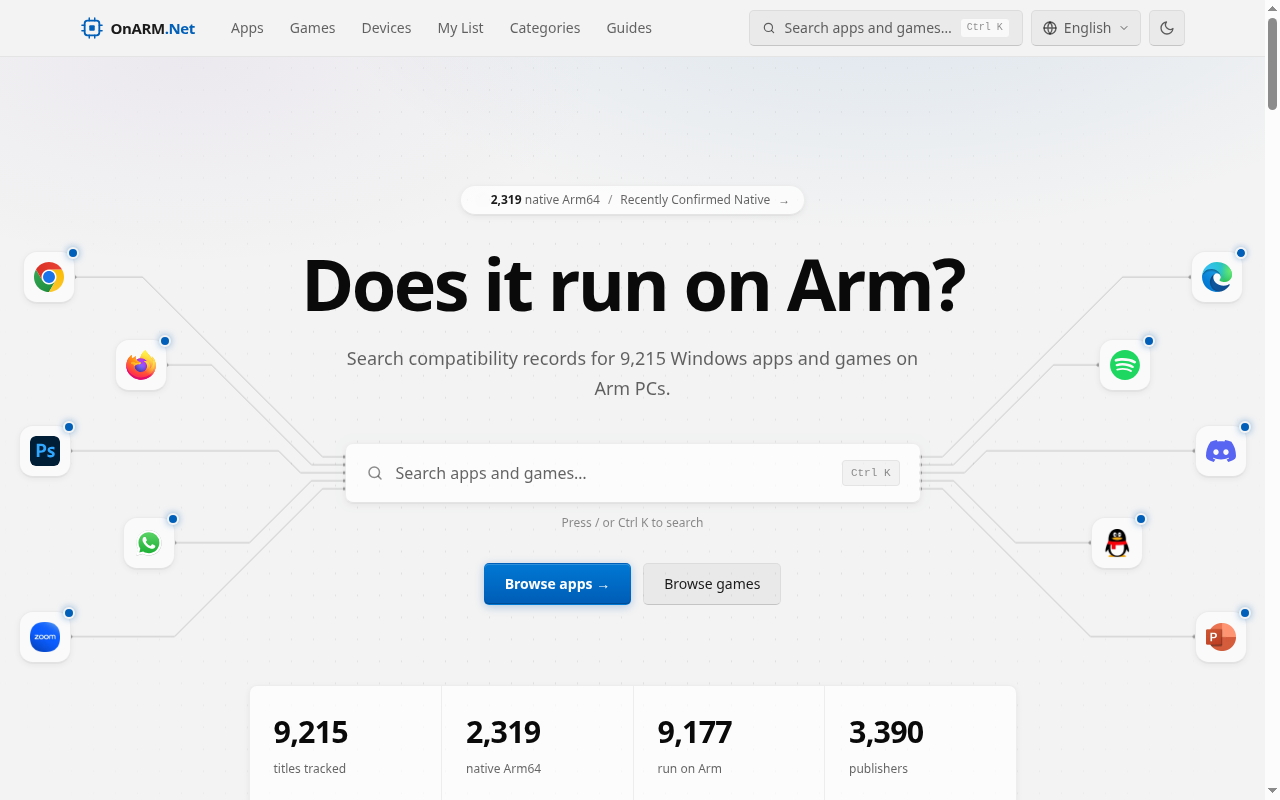
OnARM.Net answers one question: will your Windows software run on an Arm PC? We track compatibility for thousands of apps and games on devices such as Snapdragon X laptops, noting native Arm64 builds versus Prism x86/x64 emulation, and when each entry was last verified. Data is derived from the open-source Linaro works-on-woa project. Search by app or game name to see its status, filter by native or emulated, and check how recent the verification is before you install or buy.
Key Features
- Search 9,215 Windows apps and games by name to check Arm64 support
- Filter results between native Arm64 builds, x86 emulation, and non-working titles
- Browse 2,319 native Arm64 titles by category, such as Productivity and Dev Tools
- Review the Recently Confirmed feed of newly detected native Arm64 releases
- Track platform changes like Prism AVX support and Arm64 anti-cheat availability
Use Cases
- Checking whether Microsoft PowerPoint or Adobe Photoshop runs natively before buying an Arm laptop
- Finding out if a game's anti-cheat client supports Arm64 before installing it on an Arm PC
- Deciding whether a specific x86 app will run through Prism emulation or needs a native alternative
From the founder
Who it's for
“People shopping for or using Windows on Arm PCs, like Snapdragon X laptops, who want to know if their apps and games will run.”
About me
“I'm Alan. I wanted one place to check whether Windows software runs natively on Arm or through emulation.”
Who it is for
- IT teams evaluating Arm-based Surface devices for corporate environments
- Gamers checking whether their titles work on Arm PCs
- Buyers comparing native Arm64 apps against emulated x86 software
Pricing
OnARM.Net is free to use. See the website for details.
FAQ
What is Prism?
Prism is Microsoft's emulation technology that enables x86/x64 applications to run on Windows PCs with Arm processors. It seamlessly translates app code to run on Arm architecture, optimizing performance and reducing CPU usage to ensure a smooth user experience on devices powered by Snapdragon X series chips.
Why should I consider Arm processors for new Surface devices in my corporate environment?
Arm-based Surface devices deliver exceptional performance, efficiency, and compatibility with both native and emulated applications. Powered by Snapdragon X series processors, they provide outstanding battery life and integrate seamlessly with key productivity tools like Microsoft 365. The Prism emulation engine ensures smooth operation of x86/x64 applications, facilitating an easy transition to Arm architecture without sacrificing performance.
How has Microsoft enhanced app performance?
Microsoft continues to invest in the developer ecosystem to ensure optimal performance for both native and emulated apps on Windows on Arm. Nearly 90% of total app usage is projected to come from native apps, thanks to expanded development tools and support. Prism optimizes performance and reduces CPU usage, allowing emulated apps to perform on par with, or even exceed, native apps on older models. Microsoft's App Assure program offers developer resources at no extra cost to help resolve app compatibility issues.
What's new with Windows on Arm emulation?
We now offer more native Arm64 experiences than ever before, including the fastest implementation of Microsoft 365 apps like Teams, PowerPoint, Outlook, Word, Excel, OneDrive, and OneNote. Popular apps such as Chrome, Spotify, Zoom, WhatsApp, Blender, Affinity Suite, and DaVinci Resolve now run natively on Arm, delivering excellent performance.
How do native and emulated apps differ on Windows on Arm?
Native apps are designed to fully utilize the Arm64 architecture, providing optimal performance and compatibility. Emulated apps run via the Prism emulation engine, which minimizes performance loss and ensures that most x86/x64 applications operate seamlessly on Arm64 systems. Users shouldn't notice any significant difference apart from potential performance variations.
What's the performance for emulated apps?
Prism automatically handles x86/x64 apps, translating their code to run efficiently on Arm architecture. Significant optimizations in Prism have improved performance and reduced CPU usage compared to previous emulation technologies. Most x64 applications are expected to perform comparably to native apps under emulation.
How does emulation affect battery life?
Battery life depends on workload, but Microsoft has optimized emulation efficiency and native apps to ensure excellent battery life. Resource-heavy apps, however, might drain the battery faster than lightweight ones.
Can I run Windows programs that aren't in the Microsoft Store?
Yes, non-Store Windows apps can be installed and run on Windows 11 Arm-based devices. Most applications run natively or through Prism emulation, providing smooth performance.
Alternatives
More in Productivity
New on Launch Llama
Launched this week · This month's launches · All products A–Z
Ask AI about OnARM.Net
For bots & AI agents
Machine-readable versions of OnARM.Net and Launch Llama. Fetch these instead of parsing this page.
This listing (.md) llms.txt llms-full.txt ai.txt Full catalog (.md) Endpoint index API docs MCP server MCP manifest Developer docs