
Glassmail
A fast Mac email app with AI that never leaves your Mac
Paid
Glassmail is a Product Hunt listing on Launch Llama with 149 total upvotes, compared against 6 alternatives.
Product Hunt listing
Listing status
149upvotes
Community score
—
Founder
Compared against 6 alternatives
Market comparison
Launched on Launch Llama Nov 22, 2026 · #4 of 5 that day
About
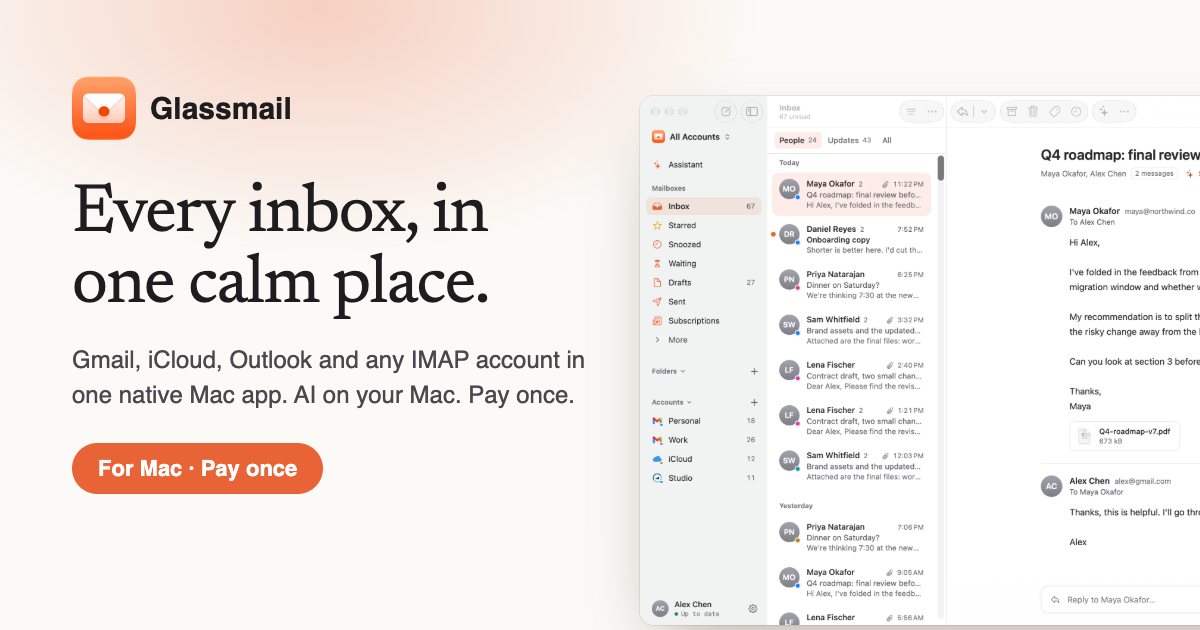
Most new email apps charge you every month and send your mail to their servers so their AI can read it. Glassmail doesn't. It's a native Mac app for Gmail, iCloud, Outlook and any IMAP account, and its AI runs on your Mac. Ask "what needs me today?" and get an answer. Type "yes, but next week" and get a reply in your own voice. Clear your inbox one key at a time. There's no mail server and no subscription. You pay once, and it's yours.
Follow Glassmail: X (Twitter)
Launch Llama's Take
Based on Launch Llama data as of
Glassmail has 149 upvotes, including the votes it received on Product Hunt. It has been listed on Launch Llama since November 2026. No Launch Llama members have upvoted it yet and it has no reviews yet.
Glassmail vs Local Inbox
Glassmail is a native Mac app for Gmail, iCloud, Outlook and IMAP accounts, and its AI runs on the Mac. Local Inbox also uses on-device AI and a one-time payment, so the two overlap on those points.
| Glassmail | Local Inbox | Mailwell | bytemail | |
|---|---|---|---|---|
| What it does | A fast Mac email app with AI that never leaves your Mac | All your accounts, sorted by AI that never leaves your Mac. | A calm, fast mail app for every account on your Mac | Native Mac email: every inbox, in your notch, no trackers |
| Pricing | Paid | Paid | Paid | Not stated |
| Free plan | No free plan listed | No free plan listed | No free plan listed | Not stated |
| Category | Email clients | Artificial Intelligence | Productivity | Mac |
| Upvotes on Launch Llama | 149 | 2 | 74 | 298 |
| Listed on Launch Llama | November 2026 | October 2026 | October 2026 | November 2026 |
Key Features
- Combines Gmail, iCloud, Outlook, Yahoo, Fastmail and IMAP accounts in one app
- Runs AI features on your Mac instead of sending mail to a cloud service
- Sends mail directly between your Mac and your email provider
- Shows one conversation at a time in a triage view
- Summarizes long email threads into a few lines
- Charges a one-time price with no subscription
Use Cases
- Mac users who want one app for Gmail, iCloud, Outlook and IMAP accounts
- People who want AI email help without their mail going to company servers
- Professionals who want to clear a busy inbox one key at a time
Who it is for
- Mac users who juggle several email accounts and want them in one native app
- Privacy-conscious people who want AI help with email without sending their mail to a cloud AI company
- People who prefer paying once over a monthly email app subscription
Pricing
Free for 14 days, then a one-time payment of $29.
FAQ
Which email accounts work with Glassmail?
Gmail and Google Workspace, iCloud, Outlook.com, Hotmail and Microsoft 365, Yahoo and AOL, Fastmail, and any other IMAP account, including custom domains. Glassmail finds the right servers from your address. Gmail, iCloud and Yahoo ask mail apps to use an app password; Glassmail walks you through making one in about a minute. Microsoft accounts sign in with Microsoft.
Does my email go through your servers?
No. There is no Glassmail mail server. Your Mac talks directly to Gmail, iCloud or your provider, the same way Apple Mail does. Passwords are kept in your Mac’s Keychain, and your mail is stored only on your Mac. The one other thing Glassmail sends is your licence check: the key, this Mac’s name and a hashed ID go to Polar, our payment provider.
What do I need for the AI features?
On macOS 26 or later with Apple silicon, Glassmail uses Apple Intelligence. On any other Mac, including Intel Macs and macOS 14 and 15, you can download a small model in Settings › AI. Either way it runs on your Mac and nothing is sent anywhere. The AI is optional; everything else works without it.
Can I try it before I buy?
Yes. Glassmail is free for 14 days with every feature, on your own accounts. After that it asks for a licence key, and your mail stays readable either way.
Can I get a refund?
You can try everything free for 14 days first, so purchases aren’t refundable, except where the law requires it. If something went wrong with a payment, like being charged twice, email us and we’ll put it right.
Do I need a card for the free trial?
No. Download it, add your accounts and use everything for 14 days. There is no card to enter, no account to make and nothing to cancel, so you can never be charged by surprise.
Can I keep using Apple Mail too?
Yes. Glassmail connects to the same accounts directly and doesn’t change Apple Mail at all. Use both side by side while you decide: archive or read a message in one and it’s archived or read in the other.
What happens when I get a new Mac?
Export an encrypted backup in Settings › General and import it on the new Mac. Your accounts, licence, rules, snippets and settings come with it, and your mail downloads again from each provider.
What does “pay once” include?
One licence works on up to three of your Macs and includes every version 1 update. There is no subscription and no account to create. If there is ever a version 2, upgrading will be optional.
What happens after version 1?
Your licence never expires. Every 1.x update is included, and Glassmail keeps working on your Macs whether or not anything comes after it. If there is ever a version 2, upgrading will be optional and paid for separately; nothing you already own stops working or becomes a subscription.
Alternatives
 MailwellA native Mac mail app that puts Gmail, Outlook, iCloud, Fastmail and any IMAP or JMAP account in one calm window, with your mail kept on your Mac.
 bytemailNative Mac email: every inbox, in your notch, no trackers
 Local InboxLocalInbox is a native Mac mail app that reads, sorts and answers your mail with Apple's on-device model. One inbox for every account, nothing sent to an AI cloud, pay once.
New on Launch Llama
- Ecomwith
- Hotel Lobby AI Video Generator
- WhatTheBotSaid
- SEOAudit
- Tideris
- Leadmatically
- The Wringer
- Arbeitszeitrechner365
Launched this week · This month's launches · All products A–Z
Featured in
Ask AI about Glassmail
For bots & AI agents
Machine-readable versions of Glassmail and Launch Llama. Fetch these instead of parsing this page.
This listing (.md) llms.txt llms-full.txt ai.txt Full catalog (.md) Endpoint index API docs MCP server MCP manifest Developer docs