Open Contexts - Switch, search, and group your Mac windows
A free, open-source macOS window switcher with window search, a persistent app bar, and saved custom window groups.
Built by 郑嗣华(Sleek Zheng) · Productivity · Open Source · Free
In category: #1901 of 1932 · Productivity
Open Contexts is a Community listing on Launch Llama with 0 total upvotes, founded by 郑嗣华(Sleek Zheng) who joined in Oct 2026, compared against 6 alternatives.
Community listing
Listing status
0upvotes
Community score
郑嗣华(Sleek Zheng) (Joined Oct 2026)
Founder
Compared against 6 alternatives
Market comparison
About
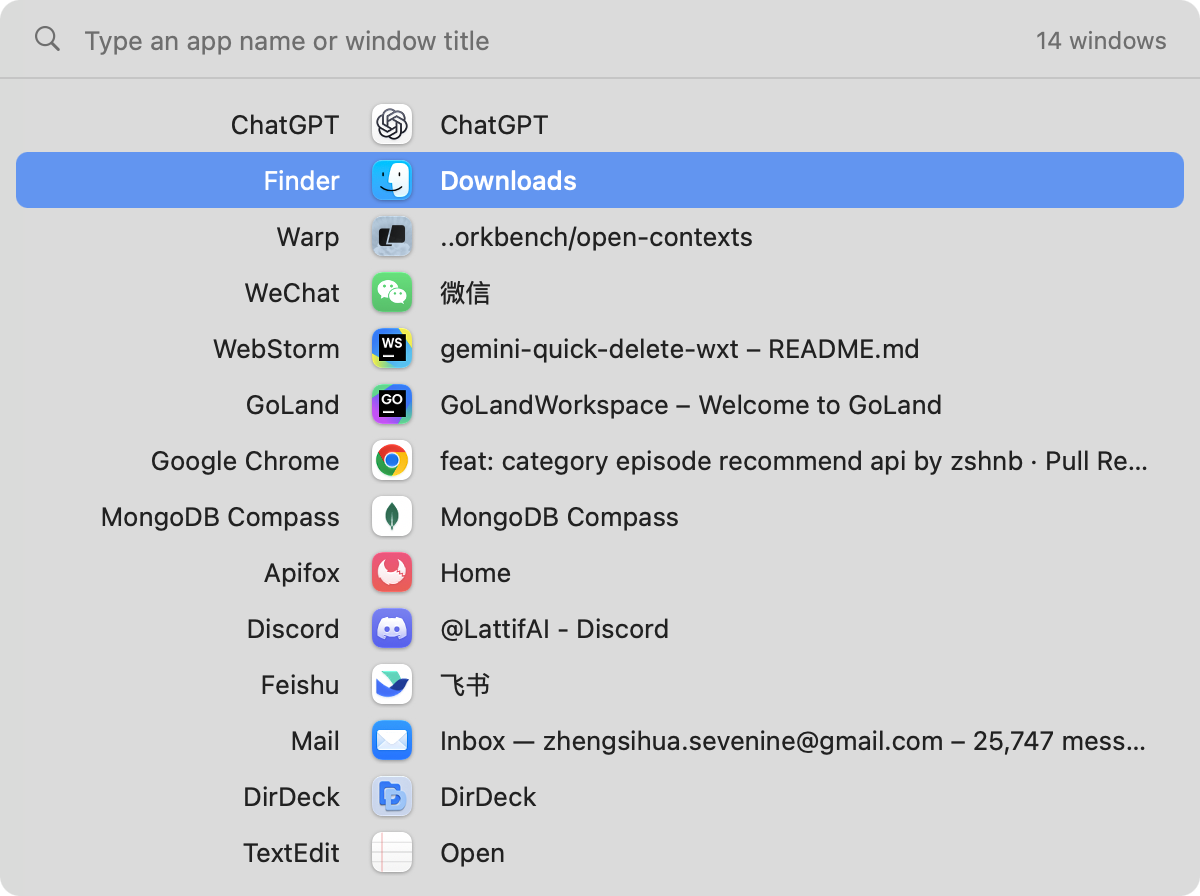
Open Contexts helps Mac users find and switch to a specific window when several apps and windows are open. It combines a keyboard window switcher, app-name and window-title search, and a persistent app bar with saved custom groups. Switch individual windows in most-recently-used order, keep related windows together across apps, and customize your keyboard shortcuts. Place the app bar on the left, right, or bottom edge, always visible or revealed when the pointer reaches the edge. It is a native Swift app for macOS 13 or later, free and open source under Apache 2.0. There is no product account, trial, or subscription. Accessibility permission is required to discover windows and handle shortcuts.
Pricing
Open Contexts is free to use. See the website for details.
FAQ
How do I search app names or window titles?
Open the switcher, hold its modifier and type an app name or window title. Search is case-insensitive; each term matches contiguous text and space-separated terms can match app and title together. Backspace edits the query; clearing it restores the list. Release to switch, or dismiss without switching when there are no matches. Input is printable ASCII; Chinese input, pinyin, fuzzy matching and individual browser-tab search are not supported.
Is Open Contexts free?
Yes. Open Contexts is free and open source under the Apache License 2.0. Every feature is included, with no trial, account, or subscription.
Is Open Contexts an Alt-Tab for Mac?
Yes. On Windows, Alt-Tab switches between windows. The macOS ⌘Tab switches between apps. Open Contexts takes over ⌘Tab and lists every individual window in most-recently-used order, and ⌘` limits the list to the current app's windows.
How is Open Contexts different from Contexts?
Open Contexts is an open-source recreation of the app bar and window switcher from the paid app Contexts. It adds saved custom window groups, which Contexts does not have. Open Contexts supports app-name and window-title search while holding the switcher modifier. Trackpad gestures are not supported.
How is it different from other window switchers such as AltTab?
Open Contexts shows a compact list with each window's app, icon, and title instead of a grid of thumbnails, and pairs the switcher with a persistent app bar where you can organize windows into saved groups.
Which Macs and macOS versions are supported?
Open Contexts requires macOS 13 Ventura or later and ships as a DMG.
Why does Open Contexts need Accessibility permission?
Accessibility permission lets Open Contexts find windows, switch to them, and handle keyboard shortcuts. Without it, or while the app is closed, Open Contexts does not take over ⌘Tab.
Where are my window groups stored?
Groups and window positions are saved locally in ~/Library/Application Support/OpenContexts/groups.json. Nothing is uploaded.
Alternatives
 SwyvoKeyboard-Driven App Launcher for Windows. Built so you never lose your focus again switching between apps.
 FocusOSFor professionals: FocusOS blocks distractions and tracks time locally on Mac so you stay focused and understand where your hours actually go.
Ask AI about Open Contexts