On Launch Llama
Mumble AI - Voice-first productivity for Mac
For Mac users: Mumble AI combines meeting recording, transcription, note-taking, and dictation in one app with local and cloud AI modes.
Built by Mumble AI
Artificial Intelligence Productivity Freemium
Visit website → Upvotes · 15
In category: #1821 of 2697 · Artificial IntelligenceTrending this week: #2693 of 2697 · Artificial Intelligence
Mumble AI is a Instant Launch listing on Launch Llama with 15 total upvotes across 2 founder supporters, founded by Mumble AI who joined in Apr 2026, compared against 6 alternatives.
Instant Launch listing
Listing status
15upvotes
Community score
Mumble AI (Joined Apr 2026)
Founder
Compared against 6 alternatives
Market comparison
About
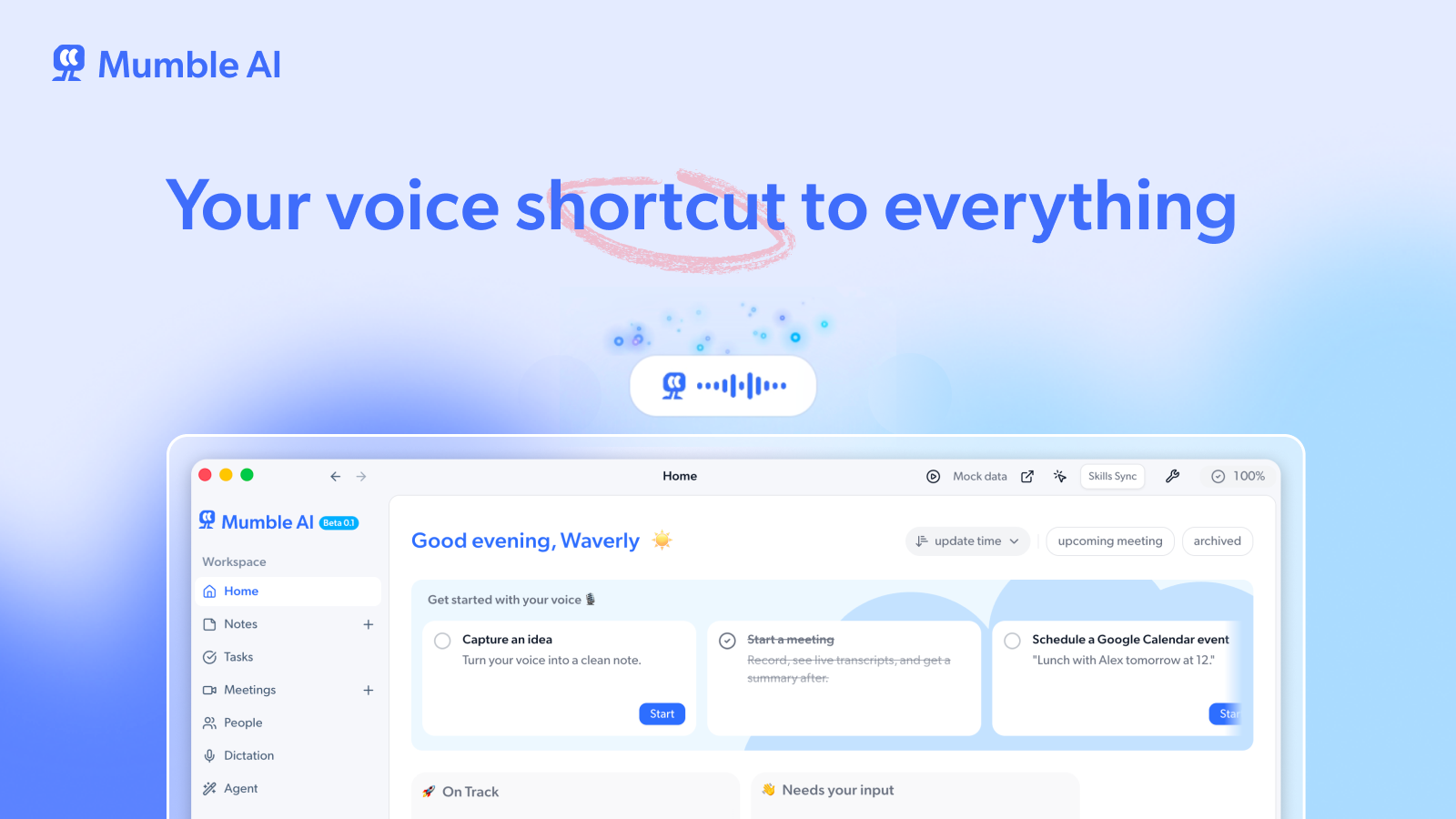
Mumble AI is a voice-first productivity app that replaces the need for separate meeting recorders, note-taking apps, and dictation tools. Everything runs in one Mac app with both local and cloud AI built in. Mumble connects the full voice workflow in one place. You can record a meeting, capture a quick idea by voice, or dictate a full email, all without switching tools. Local mode keeps everything on your Mac for privacy. Cloud mode delivers higher accuracy across 40+ languages. You can switch anytime. Key Features No-Bot Meeting Recording Captures audio directly from your Mac with no bot joining the call. Works with Zoom, Google Meet, Teams, Slack, and any app that plays audio through your Mac. Live transcription with speaker labels so you can see who said what in real time. Instant structured summaries the moment your meeting ends. Auto-detects meetings from your Google Calendar and can automatically start and end recording for you. Global Dictation System-wide voice input that works in any app on your Mac. Press a shortcut to start dictating wherever your cursor is. Choose between clean text, bullet points, or a custom output format. Create your own prompts to control exactly how your speech is formatted. Use voice commands to open websites, search Google, start a new Google Meet, and more. Voice Notes Record ideas anytime by voice. No need to type or organize manually. Smart Notes automatically groups your recordings into collections based on topic. AI Draft turns your voice notes into emails, docs, or other structured content without rewriting. Agent with Skills (Alpha) Built-in AI agent with a library of skills you can activate, including scheduling, deep research, content writing, competitor analysis, and more. Trigger skills by voice. Connect to Google Calendar, Slack and other services to take actions directly from Mumble. Create custom skills or use pre-built ones to fit your workflow. AI Templates Describe what you need in plain language and generate a custom template in seconds. Apply templates to meetings or notes for structured, personalized output every time. Tasks Extracts action items automatically from task notes with assignees and due dates. Everything tracked in one place so nothing falls through the cracks. People Automatically builds a contact directory from your meetings. See everyone you have met, your full conversation history with them, and key moments across meetings. Get AI-generated briefings before your next meeting with someone. Local and Cloud Modes Cloud mode delivers the highest accuracy with support for 40+ languages. Local mode keeps recording and transcription 100% on your Mac for full privacy. Switch between modes anytime based on your needs.
Ask AI
ChatGPT Claude Perplexity Grok
For agents
llms.txt · llms-full.txt · ai.txt · Live fact sheet · Full catalog (.md) · Endpoint index · API spec · REST access · Agent server · Server manifest · Server discovery
Pricing
Mumble AI offers a free plan plus paid tiers. See the website for current pricing.
FAQ
What is Mumble AI?
Mumble AI is a voice-first productivity app that replaces the need for separate meeting recorders, note-taking apps, and dictation tools. Everything runs in one Mac app with both local and cloud AI built in. Mumble connects the full voice workflow in one place. You can record a meeting, capture a quick idea by voice, or dictate a full email, all without switching tools. Local mode keeps everything on your Mac for privacy. Cloud mode delivers higher accuracy across 40+ languages. You can switch anytime. Key Features No-Bot Meeting Recording Captures audio directly from your Mac with no bot joining the call. Works with Zoom, Google Meet, Teams, Slack, and any app that plays audio through your Mac. Live transcription with speaker labels so you can see who said what in real time. Instant structured summaries the moment your meeting ends. Auto-detects meetings from your Google Calendar and can automatically start and end recording for you. Global Dictation System-wide voice input that works in any app on your Mac. Press a shortcut to start dictating wherever your cursor is. Choose between clean text, bullet points, or a custom output format. Create your own prompts to control exactly how your speech is formatted. Use voice commands to open websites, search Google, start a new Google Meet, and more. Voice Notes Record ideas anytime by voice. No need to type or organize manually. Smart Notes automatically groups your recordings into collections based on topic. AI Draft turns your voice notes into emails, docs, or other structured content without rewriting. Agent with Skills (Alpha) Built-in AI agent with a library of skills you can activate, including scheduling, deep research, content writing, competitor analysis, and more. Trigger skills by voice. Connect to Google Calendar, Slack and other services to take actions directly from Mumble. Create custom skills or use pre-built ones to fit your workflow. AI Templates Describe what you need in plain language and generate a custom template in seconds. Apply templates to meetings or notes for structured, personalized output every time. Tasks Extracts action items automatically from task notes with assignees and due dates. Everything tracked in one place so nothing falls through the cracks. People Automatically builds a contact directory from your meetings. See everyone you have met, your full conversation history with them, and key moments across meetings. Get AI-generated briefings before your next meeting with someone. Local and Cloud Modes Cloud mode delivers the highest accuracy with support for 40+ languages. Local mode keeps recording and transcription 100% on your Mac for full privacy. Switch between modes anytime based on your needs.
How much does Mumble AI cost?
Mumble AI offers a free plan plus paid tiers. See the website for current pricing. You can discover and review Mumble AI for free on Launch Llama.
What category does Mumble AI belong to?
Mumble AI is listed under Artificial Intelligence, Productivity on Launch Llama.
How do I get started with Mumble AI?
Click the "Visit Website" button on this page to go directly to Mumble AI. You can also upvote and leave a review to help other founders discover it.
Supporters
2 founders2 founders contributed 15 upvotes to Mumble AI on Launch Llama.

Reviews
1 comment
Hey, love seeing this here! 👋 What inspired you to build this? Would love to hear the story behind it.
Alternatives
- Better Voice
For Mac users: Better Voice transcribes dictation and summarizes meetings locally without cloud uploads, so your notes stay private and organized in Apple Notes.
- Dictantor
For Apple users: Dictantor records and transcribes meetings on-device across Mac, iPhone, and Watch so your conversations stay private and searchable.
- Vocaldi
For Mac users: Vocaldi enables writing by speaking and reviewing by listening with on-device speech models so you stay private and work offline.
- VoiceNote
For professionals: VoiceNote converts speech to text on your device so you transcribe meetings and dictate notes without cloud servers or compliance risk.
- Fellow.ai
For professionals: Fellow.ai transcribes and summarizes in-person meetings on your phone, then organizes notes and action items automatically.
- Humla
For remote teams: Humla transcribes and summarizes meetings locally on Mac with zero privacy concerns—100% free, no cloud uploads.