HTMLShare
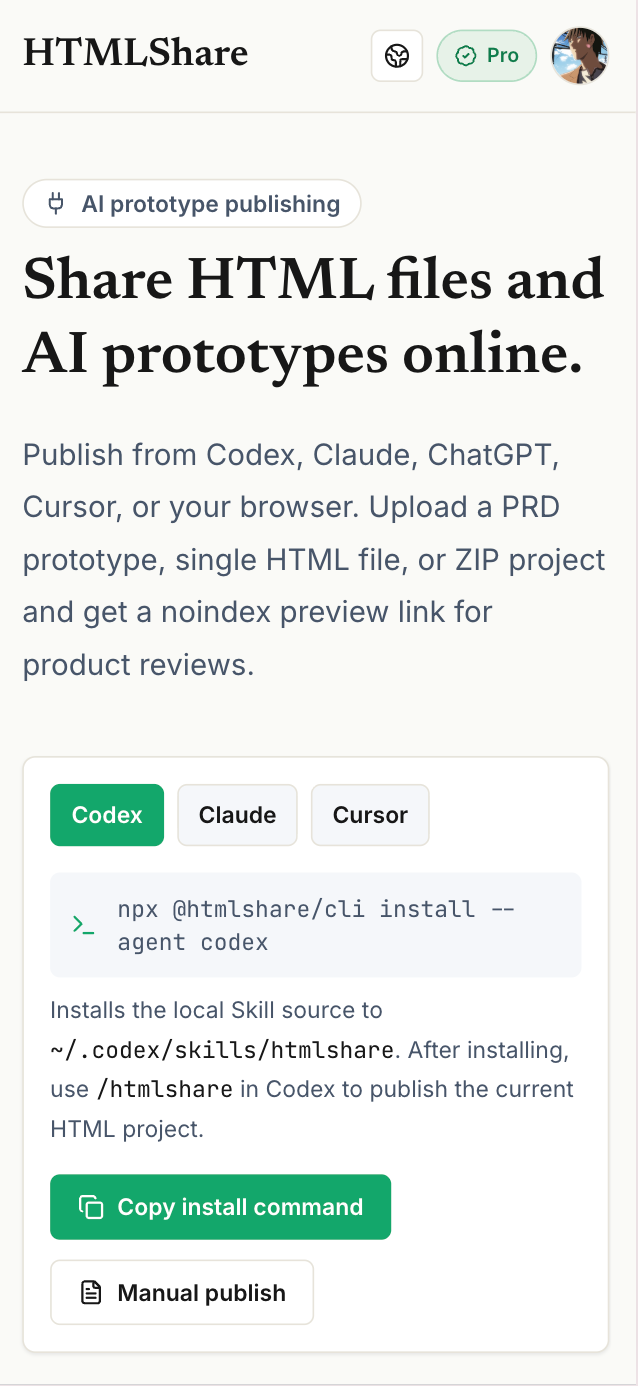
For product teams: HTMLShare publishes AI prototypes and HTML files as instant shareable links so you gather feedback without deployment.
Built by xu rudy · Artificial Intelligence · Productivity · Developer Tools · Freemium
In category: #1531 of 2052 · Artificial Intelligence
HTMLShare is a Community listing on Launch Llama with 2 total upvotes, founded by xu rudy who joined in Jul 2026, compared against 5 alternatives.
Community listing
Listing status
2upvotes
Community score
xu rudy (Joined Jul 2026)
Founder
Compared against 5 alternatives
Market comparison
Launched on Launch Llama Jul 11, 2026 · #20 of 22 that day
About
HTMLShare enables users to publish AI-generated HTML pages, PRD prototypes, and website projects as fast online preview links. It integrates with popular AI tools like Claude, ChatGPT, and Codex, supporting single HTML files and ZIP projects. Perfect for product reviews, client feedback, and team collaboration with noindex preview links.
Use Cases
- Sharing an AI-generated HTML prototype with a teammate for feedback as a single link, without deploying it
- Hosting a self-contained HTML page or a ZIP with CSS, images, and scripts so a browser link can be sent to someone else
Who it is for
- Product teams gathering stakeholder feedback on prototypes without a deployment step.
- Individuals who want to share an HTML file through a browser link without creating an account.
Pricing
Hosting without an account is free, with links online for 1 hour and limits of 1 MB for HTML or 3 MB for ZIP.
FAQ
What is HTMLShare?
HTMLShare is a publishing layer for AI-generated frontend work. It turns generated HTML, ZIP projects, and static build folders into browser-accessible preview links that are meant for review rather than long-term production hosting.
Why use HTMLShare for vibe-coded websites?
Vibe-coded pages often change quickly and may not deserve a repository or production deployment yet. HTMLShare keeps that early loop lightweight: generate in an AI tool, publish the static output, share a noindex link, then revise.
Does HTMLShare replace Netlify, Vercel, or GitHub Pages?
No. Those platforms are better when a site is ready for production workflows, custom domains, CI/CD, or public indexing. HTMLShare is for the review stage before that decision has been made.
Can I publish from Codex, Claude, or Cursor?
Yes. The homepage command installs an HTMLShare publishing skill for Codex, Claude, and Cursor in one step. You can also publish manually from the browser when you have an HTML file or ZIP project.
Are preview links indexed by search engines?
HTMLShare preview links are designed as noindex review URLs. That makes them safer for draft pages, PRD prototypes, client previews, and generated experiments that should not compete with your production site.
What files can I upload?
Use a single HTML file for simple prototypes, or upload a ZIP project when the page depends on CSS, JavaScript, images, fonts, or other static assets. Static build folders can be packaged the same way.
How do I connect a Lanvo subdomain?
Open a project's detail page in your Dashboard, find the Lanvo subdomain section, enter a label using only letters, numbers, and hyphens (1–63 characters), and choose Connect subdomain. Your stable address will use the format your-label.lanvo.app. Free accounts can start one 24-hour trial when available; Pro and Max accounts can connect subdomains within their plan limits.
Can I publish HTML generated by Claude or ChatGPT without Git?
Yes. HTMLShare is designed for quick AI-generated HTML previews. You can paste HTML, upload an HTML file, or upload a ZIP website project, then share an online preview link without setting up Git, Vercel, Netlify, or a production hosting workflow.
Can I use the HTMLShare Skill to publish HTML from Codex, Claude, or Cursor?
Yes. Install the HTMLShare Skill with npx @htmlshare/cli install --agent all. Then ask your AI coding agent to publish an HTML file, ZIP, or static project directory. The skill runs the HTMLShare publisher, handles login when needed, uploads your static assets, and returns a shareable preview URL.
Can I share a PRD prototype or product spec preview?
Yes. If your PRD, product spec, or AI workflow produces a static HTML prototype, HTMLShare can host it as a review link for PMs, designers, engineers, clients, or stakeholders.
Alternatives
 MarkloopTurn HTML docs and artifacts from Claude, ChatGPT or Cursor into one link people can comment on, no sign-up. Your AI pulls the comments in and updates the doc.
More in Artificial Intelligence
New on Launch Llama
Launched this week · This month's launches · All products A–Z
Ask AI about HTMLShare
Supporters
1 founder
1 founder supported HTMLShare on Launch Llama.
Reviews
1 review
HTMLShare Breakdown has great potential! A few improvements could make it even better. I'd love to share my feedback and suggestions. WhatsApp: https://wa.me/447307349530 Telegram: t.me/rforrank
For bots & AI agents
Machine-readable versions of HTMLShare and Launch Llama. Fetch these instead of parsing this page.
This listing (.md) llms.txt llms-full.txt ai.txt Full catalog (.md) Endpoint index API docs MCP server MCP manifest Developer docs