LivelyReel
Under reviewTurn a photo into a short AI video
Helps creators, families, and pet owners turn a single photo into a short MP4 or vertical reel using ready-made templates or custom motion prompts.
Built by james wood · Video · Photo & Video · Free
Coming soon on Launch Llama Tools
LivelyReel is a Community listing on Launch Llama with 0 total upvotes, founded by james wood who joined in Nov 2026, compared against 5 alternatives.
Community listing
Listing status
0upvotes
Community score
james wood (Joined Nov 2026)
Founder
Compared against 5 alternatives
Market comparison
Helps creators, families, and pet owners turn a single photo into a short MP4 or vertical reel using ready-made templates or custom motion prompts.
About
Users either pick a template, which sets the scene, timing, camera movement, and framing, or write a custom motion prompt describing how their photo should move. They upload JPG or PNG photos, and multi-person templates label which photo goes to which role. Before generating, they review the exact credit cost, preview example clips, and download the finished result as an MP4 within a 24-hour storage window.
Key Features
- Animate a single photo into a short video using ready-made templates
- Write a custom motion prompt to direct subject movement and camera action
- Cast multiple people in multi-person scenes with role-labeled photo uploads
- Generate 9: 16 vertical videos for Instagram Reels, TikTok, or YouTube Shorts
- Preview template clips before generating and download results as MP4
Use Cases
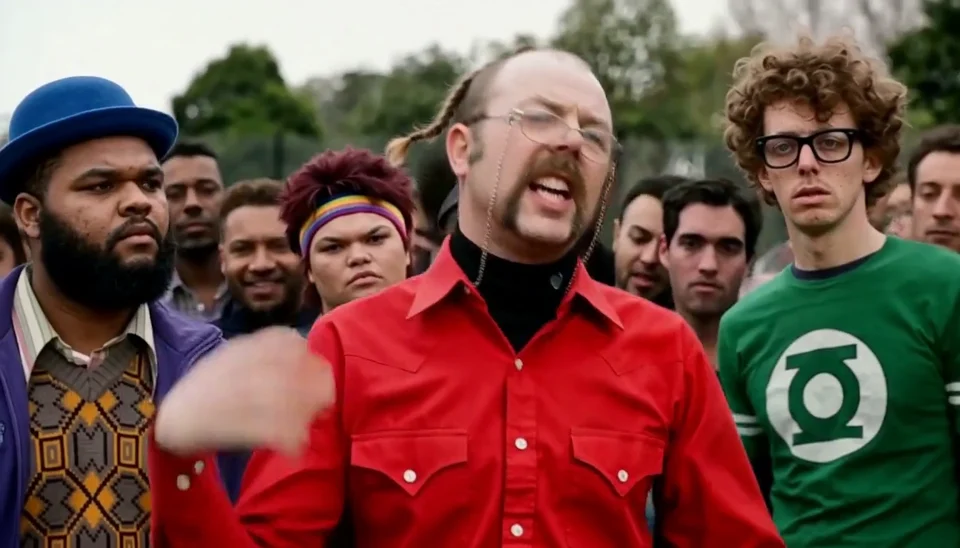
- Turning a portrait into a short reaction clip or a rap performance scene for a social post
- Making a vertical 9:16 reel from a photo for Instagram Reels, TikTok, or YouTube Shorts
- Animating a pet photo into a scene such as a grand entrance or a music desk performance
From the founder
Who it's for
“Content creators, social media marketers and small business owners who need short vertical videos from their photos without learning video editing.”
About me
“We built LivelyReel because turning photos into short social videos normally needs prompts, editing skills and a subscription. We wanted one upload and one click instead.”
Who it is for
- Social media creators who want short vertical reels from a single photo
- Friends and groups who want duets or meme-style clips for the group chat
- Pet owners who want animated scenes of their dogs or cats
Pricing
LivelyReel is free to use. See the website for details.
FAQ
What is an AI image to video generator? +
It uses a photo as a visual reference to generate moving footage. LivelyReel offers prepared templates with built-in scene direction, plus a custom-prompt mode for describing your own movement. It creates new frames rather than simply arranging still images as a slideshow.
How do I turn a photo into a video? +
Choose a template or open custom-prompt mode, upload the requested photos, review the available settings and credit cost, and generate. Sign in to use your credit balance. You can follow the task in My Videos and download the completed MP4.
Do I need to write a prompt? +
No prompt is needed for a prepared template. Choose the scene and upload its requested photos. For a different idea, use custom-prompt mode to describe the motion, atmosphere, and camera movement you want to explore.
What photo formats and images work best? +
The generator accepts JPG and PNG photos. Use a clear, well-lit image with the subject visible and the head fully in frame. Follow the template’s specific instructions for portraits, pets, outfits, and the number of photos. Blurred or obscured features can make the result less predictable.
Can I use more than one photo? +
Yes, when your chosen mode or template supports it. Some templates use one portrait, duets use separate subjects, and the Tiny Desk format supports several band roles. Use the required upload slots and check which photo belongs to each person or position.
Can I choose the length, shape, and resolution? +
The options depend on the video. Templates often fix the length and aspect ratio to preserve the scene. Several also use fixed HD output. Custom-prompt mode offers more control over duration, aspect ratio, and quality, with supported output up to 2K. The generator shows the choices available for that scene.
Can I turn an image into a reel for Instagram? +
Yes. Choose a vertical 9:16 template or use 9:16 in custom-prompt mode to create a short MP4. Download it and upload it to Instagram Reels, TikTok, or YouTube Shorts yourself. You can add captions and other finishing edits in your usual editor before posting.
Will the video include music or sound? +
Audio varies by template: some use performance audio, some include music, and others are silent. Watch with sound and read the template’s description to understand its audio. Check the finished download and the suitability of the soundtrack before sharing.
Alternatives
 Image to Video AIFor marketers: Image to Video AI converts static images into cinematic videos so you create engaging content in seconds.
 ClipTrend.aiFor creators: ClipTrend.ai converts images to viral short-form videos with 40+ templates so you generate social-ready content in seconds without prompt engineering.
 Genjutsu AI Video GeneratorFor creators and sellers: recast trending videos via motion transfer or object swap using your own photos.
More in Video
New on Launch Llama
Launched this week · This month's launches · All products A–Z
Ask AI about LivelyReel
For bots & AI agents
Machine-readable versions of LivelyReel and Launch Llama. Fetch these instead of parsing this page.
This listing (.md) llms.txt llms-full.txt ai.txt Full catalog (.md) Endpoint index API docs MCP server MCP manifest Developer docs