On Launch Llama
GroupShelf
Tabs for every window on your Mac
Built by techneconn
Visit website → Upvotes · 75





About
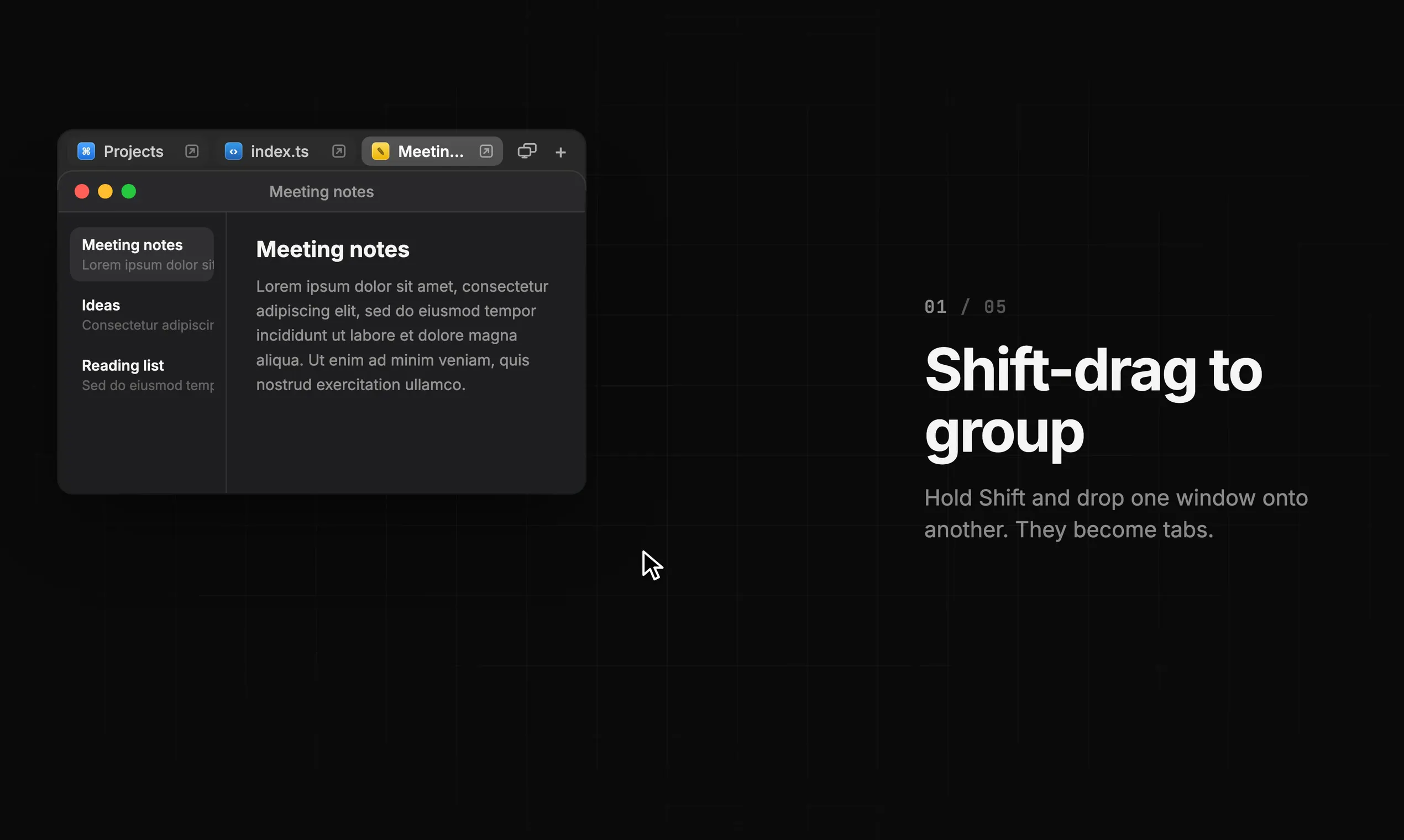
GroupShelf groups windows from any Mac app into tabs, like browser tabs for your whole desktop. Hold Shift and drag one window onto another to make or join a group. Move or resize one window and the whole group follows. Pull a tab off to split it again, color your tabs, name your groups. Native and lightweight, for macOS 15+ on Apple Silicon and Intel. $9.99 one-time, with a 30-day free trial of every feature.
Ask AI
ChatGPT Claude Perplexity Grok
For agents
llms.txt · llms-full.txt · ai.txt · Live fact sheet · Full catalog (.md) · Endpoint index · API spec · REST access · Agent server · Server manifest · Server discovery
Key Features
- Group windows from any application into tabs
- Shift-drag windows together to merge into groups
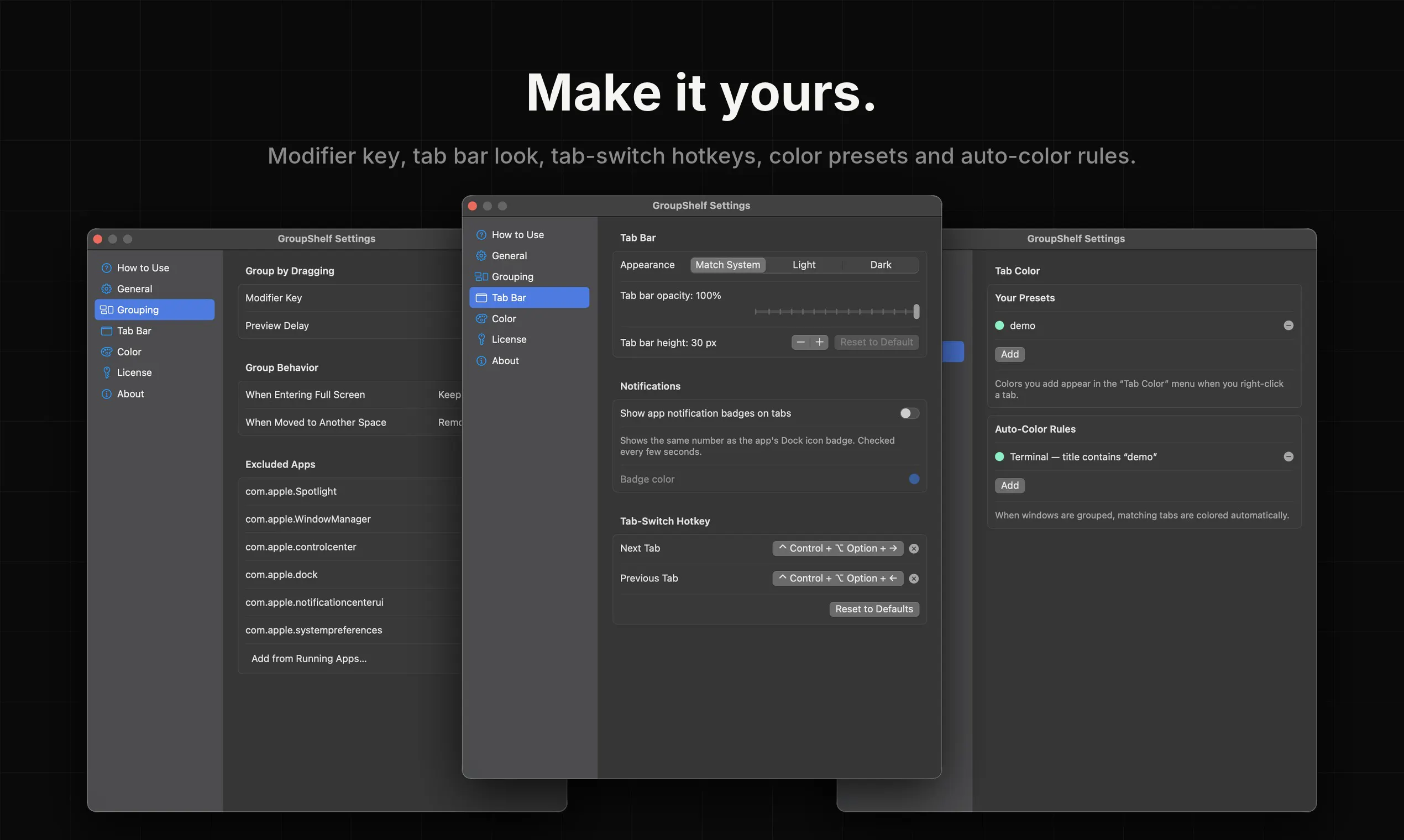
- Assign colors and names to shelf groups
- Switch between tabs using keyboard shortcuts
Use Cases
- Mac users who want to organize multiple application windows into organized, tab-based groups
- Users managing multiple projects who need separate shelves for different tasks
Pricing
See the GroupShelf website for current pricing.
FAQ
What is GroupShelf?
GroupShelf groups windows from any Mac app into tabs, like browser tabs for your whole desktop. Hold Shift and drag one window onto another to make or join a group. Move or resize one window and the whole group follows. Pull a tab off to split it again, color your tabs, name your groups. Native and lightweight, for macOS 15+ on Apple Silicon and Intel. $9.99 one-time, with a 30-day free trial of every feature.
What are the key features of GroupShelf?
GroupShelf includes: • Group windows from any application into tabs • Shift-drag windows together to merge into groups • Assign colors and names to shelf groups • Switch between tabs using keyboard shortcuts • Built with native code for lightweight performance
What can I use GroupShelf for?
• Mac users who want to organize multiple application windows into organized, tab-based groups • Users managing multiple projects who need separate shelves for different tasks
How much does GroupShelf cost?
See the GroupShelf website for current pricing. You can discover and review GroupShelf for free on Launch Llama.
What category does GroupShelf belong to?
GroupShelf is listed under App switcher on Launch Llama.
How do I get started with GroupShelf?
Click the "Visit Website" button on this page to go directly to GroupShelf. You can also upvote and leave a review to help other founders discover it.
Reviews
No reviews yet — be the first
Alternatives
- TabMap
For power users: TabMap clusters 100+ browser tabs with AI, closes groups instantly, and moves them across windows—all processed locally via your own Gemini API.
- TreviqTab
For heavy tab users: TreviqTab organizes browser tabs into focused workspaces so you switch projects instantly without losing context or mixing work.
- Raybeam
For macOS users: Raybeam enables flexible screen sharing of draggable regions across Zoom, Slack, Teams—ideal for multi-monitor setups.
- Pocket Screen
For Mac users: Pocket Screen keeps any window floating on-screen so you reference documents while working in another app without constant switching.
- Side Calendar
For macOS users: Side Calendar slides out from your screen edge so you access all your calendars instantly without switching apps or tabs.
- QuakPit
For Mac users: Quakpit sends animated animals across your screen before meetings start so you never miss a calendar event again.