Fluxmail
Self-hosted email for AI agents and applications
Connect existing mailboxes to AI agents and apps through MCP, REST, or CLI. Self-host Fluxmail for Gmail, Outlook, Exchange, and IMAP/SMTP, with per-client permissions.
Built by Richard · Artificial Intelligence · Productivity · SaaS · Freemium
In category: #691 of 2031 · Artificial Intelligence
Fluxmail is an Instant Launch listing on Launch Llama with 35 total upvotes, founded by Richard who joined in May 2026, compared against 5 alternatives.
Instant Launch listing
Listing status
35upvotes
Community score
Richard (Joined May 2026)
Founder
Compared against 5 alternatives
Market comparison
Launched on Launch Llama May 21, 2026 · #4 of 40 that day
Fluxmail at a glance
- What it is
- Fluxmail: Connect existing mailboxes to AI agents and apps through MCP, REST, or CLI. Self-host Fluxmail for Gmail, Outlook, Exchange, and IMAP/SMTP, with per-client permissions.
- Pricing
- Fluxmail pricing: Cloud Pro is $15 a month or $120 a year for 10 mailboxes.
- Best for
- Fluxmail is best for individuals who want AI agents such as ChatGPT or Claude to manage their Gmail, Outlook, or IMAP email., developers and teams who want to self-host email access for AI agents over MCP, REST, or CLI. and users who need per-agent permissions controlling whether an agent can read, draft, or send mail.
- Alternatives
- Top Fluxmail alternatives on Launch Llama: AgentMail, Mailaura and Kai.
About
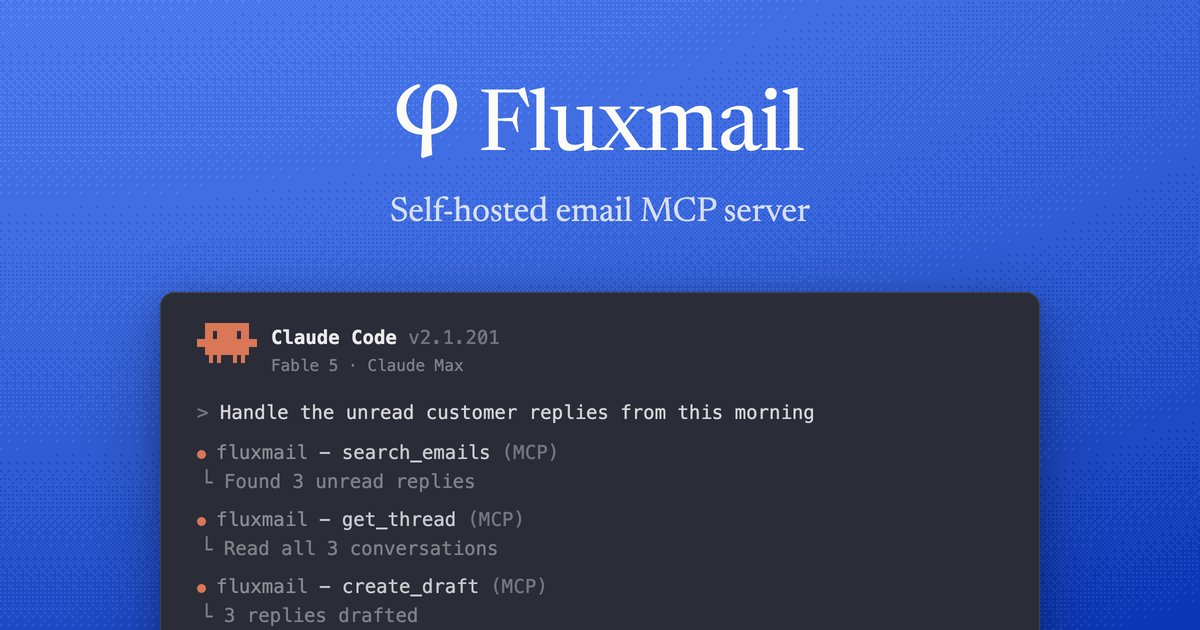
Fluxmail gives AI agents and applications access to your existing email accounts. Self-host it and connect Gmail, Google Workspace, Outlook, Microsoft 365, Exchange, or IMAP/SMTP. Use MCP, REST, or the CLI to search and read mail, draft and send replies, schedule messages, and organize inboxes. Per-client permissions let you control which mailboxes and operations each integration can use. The free Personal plan supports one member and up to three mailboxes. Source is available on GitHub under Elastic License 2.0.
Use Cases
- Triage an inbox overnight and surface the messages that need a reply today
- Find a vendor invoice or attachment in email, read the PDF, and save a draft reply for review
- Collect vendors, amounts, and dates from receipts for an expense report or bookkeeping
Who it is for
- Individuals who want AI agents such as ChatGPT or Claude to manage their Gmail, Outlook, or IMAP email.
- Developers and teams who want to self-host email access for AI agents over MCP, REST, or CLI.
- Users who need per-agent permissions controlling whether an agent can read, draft, or send mail.
Pricing
Cloud Pro is $15 a month or $120 a year for 10 mailboxes. Business is $25 per member a month or $240 per member a year, with 20 mailboxes per member; both start with a 7-day free trial.
FAQ
What is Fluxmail?
Fluxmail is self-hosted email infrastructure for agents and apps. It connects to Gmail, Outlook, Exchange, and IMAP and gives you access to your mailboxes through MCP, REST API, and CLI. You can search, read, draft, send, and organize email without maintaining a separate integration for every provider.
Which interface should I use?
Choose MCP when an AI agent needs email tools. The REST API fits apps, internal tools, and backend workflows. Use the CLI to manage Fluxmail and work with email from your shell. All three interfaces use the same email operations, mailboxes, and access controls.
Which AI agents does Fluxmail work with?
Any MCP client can connect, including Claude Code, ChatGPT, Codex, Cursor, and Hermes. Fluxmail supports stdio for local setups and Streamable HTTP for remote connections.
Is it free?
Yes. The Personal plan is free to self-host and covers one member and three mailboxes. Paid plans raise the member and mailbox limits.
Do you store my emails?
No. Fluxmail runs on your own infrastructure and connects directly to Gmail, Outlook, Exchange, or your IMAP/SMTP provider. It stores OAuth tokens or mailbox passwords in a local SQLite database with AES-256-GCM encryption. Your mail does not pass through Fluxmail-hosted servers.
Which email providers are supported?
Fluxmail supports Gmail, Google Workspace, Outlook, Exchange, and mailboxes with IMAP and SMTP access.
What can Fluxmail do with my email?
Fluxmail can search and read threads and attachments, draft and revise messages, send, schedule, reply, and forward. It can also organize mail with Gmail labels or IMAP folders and handle actions such as starring, archiving, and deleting messages.
What counts as a mailbox or a member?
A mailbox is one connected Gmail, Outlook, Exchange, or IMAP account. A member is a person with their own login on your Fluxmail instance. Members connect their own mailboxes and can share them with others on Business and Enterprise plans.
How do Business member limits work?
Business includes 20 mailbox connections per member. The total limit applies to the instance: a plan for 2 members allows up to 40 mailboxes even if only one person uses it. Choose your member limit at checkout, and change it later in Manage subscription.
I'm one person and I want more than 10 mailboxes. Which plan should I get?
Choose Business. Each member on your plan adds 20 mailboxes to your instance's limit. You can choose more than one member at checkout, even if you're the only person connecting mailboxes.
Alternatives
New on Launch Llama
Launched this week · This month's launches · All products A–Z
Ask AI about Fluxmail
Supporters
1 founder
1 founder supported Fluxmail on Launch Llama.
For bots & AI agents
Machine-readable versions of Fluxmail and Launch Llama. Fetch these instead of parsing this page.
This listing (.md) llms.txt llms-full.txt ai.txt Full catalog (.md) Endpoint index API docs MCP server MCP manifest Developer docs