
EzFoto AI
Under reviewAI photo editing with text prompts. No sign-up needed.
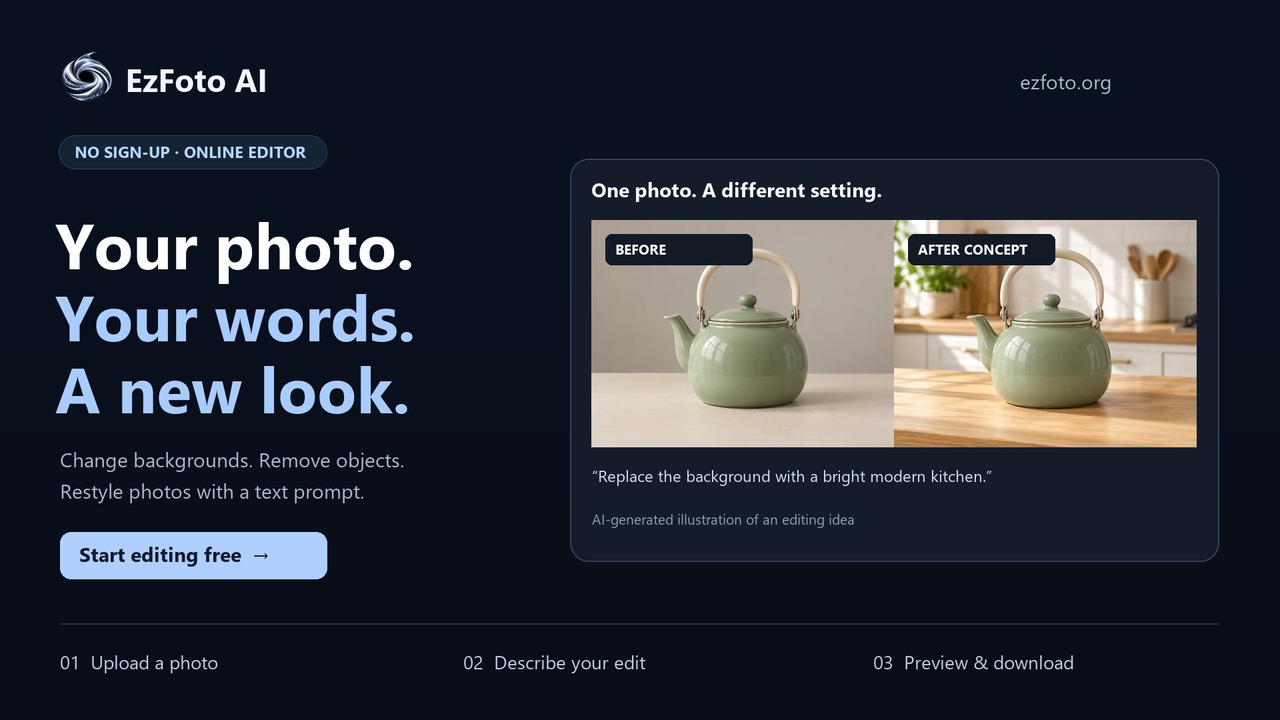
Helps creators and everyday users change photos by typing a prompt, such as swapping backgrounds or removing objects, then downloading the edited image in a browser.
Built by Chen Lee · Photo & Video · Free
Coming soon on Launch Llama Tools
EzFoto AI is a Community listing on Launch Llama with 1 upvote from 1 founder, +1 in the week of Nov 3–Nov 9, 2026, founded by Chen Lee who joined in Nov 2026, compared against 5 alternatives.
Community listing
Listing status
1upvotes
+1 · Nov 3–Nov 9, 2026
Community score
Chen Lee (Joined Nov 2026)
Founder
Compared against 5 alternatives
Market comparison
Helps creators and everyday users change photos by typing a prompt, such as swapping backgrounds or removing objects, then downloading the edited image in a browser.
About
Users upload a JPG, PNG, or WebP up to 10 MiB, describe the change they want, and pick either the Base model (Qwen) or the Advanced model (GPT Image). Guided prompt templates and style presets, including watercolor, sketch, and caricature, help users write requests that name the change and the details to keep. Each daily allowance covers 5 Base edits and 2 Advanced edits, and free uses reset at midnight New York time.
Key Features
- Edit photos by typing a text prompt that describes the change
- Remove unwanted people or objects while keeping lighting and camera angle
- Swap product or photo backgrounds with a described new scene
- Restyle photos into watercolor, sketch, caricature, and other looks
- Choose between the Base (Qwen) and Advanced (GPT Image) editing models
- Review edited results against the original and download them
Use Cases
- Replacing a cluttered background behind a product photo with a studio backdrop or new scene
- Removing a distracting person or object from a photo while keeping the main subject unchanged
- Turning a snapshot into a watercolor or sketch-style illustration while keeping its pose and composition
From the founder
Who it's for
“AI Enthusiast without a GPU”
Why I built it
“For AI Enthusiast without a GPU”
Who it is for
- Online sellers preparing product photos with new backgrounds
- People restoring scratched or faded old family photos
- Casual users who want quick text-based photo tweaks without installing an app
Pricing
EzFoto AI is free to use. See the website for details.
FAQ
Is EzFoto a free AI photo editor?
Yes. EzFoto AI offers 5 daily Base edits with Qwen and 2 daily Advanced edits with GPT Image. Each model has its own allowance.
Do I need to sign up or install an app?
No account or app installation is needed to start. Use the online photo editor in your browser, upload a photo, and describe your edit.
Can I use the AI photo editor with a text prompt?
Yes. Upload a photo and describe the change. Include the details you want to keep, such as the main subject, composition, or lighting. The example prompts can be copied or added to the editor before you submit.
How do I use an ez image editor online?
With EzFoto AI, upload your photo, choose Base or Advanced, and describe one change in plain language. Review the aspect ratio, select Generate, and complete the verification. Your task appears in My Works, where you can preview and download the result.
Can an ez AI image editor replace a photo background?
Yes. Upload a photo to EzFoto AI and describe the background you want, such as a studio backdrop or a garden. Ask to preserve the subject, pose, and lighting. Review the result for changes to faces, product details, and edges before downloading it.
Can I use all daily edits with GPT Image?
No. The daily allowance is split between 5 Base edits with Qwen and 2 Advanced edits with GPT Image. Base edits do not replace Advanced edits.
Why did the AI change other details?
AI edits may affect details beyond the part you describe. Compare the result with your original, especially faces, small text, colors, and proportions. Asking to preserve a detail guides the model but does not guarantee it will stay identical.
Does Advanced always produce a better edit?
No. Advanced is a product tier, not a quality guarantee. Compare the requested change and the details you need to preserve. The more suitable result depends on your photo and instruction.
Alternatives
 AI Photo EditorFor creators: AI Photo Editor transforms images via text prompts, editing JPG, PNG, WebP instantly without design skills or software.
 LafotoFor creators: Lafoto generates professional AI photos and graphics from text prompts in seconds without design skills.
 RoboNeo AI Image GeneratorFor designers: RoboNeo transforms text and photos into professional visuals, stickers, and product shots so you create faster without hiring.
More in Photo & Video
New on Launch Llama
- Pangolinfo Amazon Scraper API
- ExpressAI by Express Translate
- Pubblica
- LeadWebia
- Loudwell
- Build Your Launch
- VibeBoot Doctor
- Job Strategy AI
Launched this week · This month's launches · All products A–Z
Ask AI about EzFoto AI
Supporters
1 founder
1 founder contributed 1 upvote to EzFoto AI on Launch Llama.

Reviews
1 comment
The background-swap use case for product photos is the useful bit here. One question: when you swap a backdrop, does the Advanced model keep the product's edges and label text exactly as uploaded? That's usually where product photo edits drift.
For bots & AI agents
Machine-readable versions of EzFoto AI and Launch Llama. Fetch these instead of parsing this page.
This listing (.md) llms.txt llms-full.txt ai.txt Full catalog (.md) Endpoint index API docs MCP server MCP manifest Developer docs