
AI Photo Editor
For creators: AI Photo Editor transforms images via text prompts, editing JPG, PNG, WebP instantly without design skills or software.
Built by AI Photo Editor and xingliang1 z · Artificial Intelligence · Design Tools · Freemium
In category: #1462 of 1985 · Artificial Intelligence
AI Photo Editor is a Instant Launch listing on Launch Llama with 2 total upvotes, founded by AI Photo Editor and xingliang1 z who joined in May 2026, compared against 6 alternatives.
Instant Launch listing
Listing status
2upvotes
Community score
AI Photo Editor and xingliang1 z (Joined May 2026)
Founder
Compared against 6 alternatives
Market comparison
Launched on Launch Llama May 25, 2026 · #48 of 54 that day
About
What is AI Photo Editor
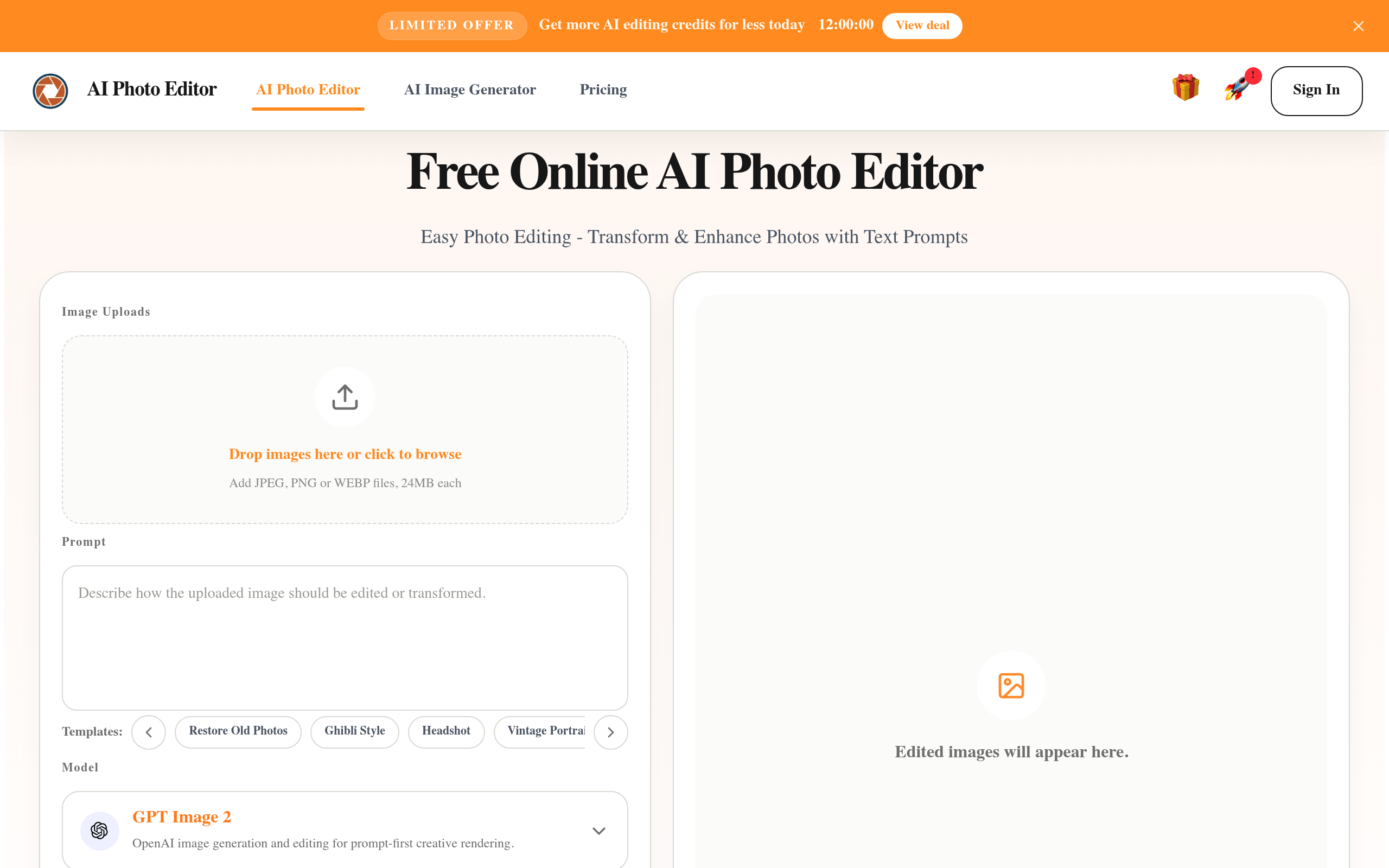
AI Photo Editor is a free online tool that allows users to edit images quickly and efficiently using artificial intelligence. It simplifies the photo editing process by enabling users to make changes through text prompts.
Features of AI Photo Editor
AI-Powered Editing: Utilize advanced AI algorithms to enhance and transform images based on user prompts.
Multiple Image Formats Supported: Upload and edit images in various formats including JPG, PNG, and WebP.
User-Friendly Interface: Designed for ease of use, making it accessible for users without advanced design skills.
Fast Processing: Generate edited images quickly, allowing for rapid iterations and adjustments.
Free Credits System: Users can claim free credits daily for image editing, making it cost-effective for casual users.
Use Cases of AI Photo Editor
E-commerce Product Images: Enhance product photos for online stores to improve visual appeal and sales.
Social Media Content: Create engaging visuals for social media posts without needing professional photography.
Personal Branding: Polish profile pictures and headshots for professional use.
Marketing Campaigns: Quickly iterate on marketing visuals for ads and promotional materials.
Travel Photo Cleanup: Edit and enhance travel photos to remove distractions and improve overall quality.
Use Cases
- Cleaning up travel and street photos by fixing messy backgrounds or unwanted people without reshooting
- Replacing product photo backgrounds with clean or brand-aligned settings for ecommerce listings and social media
- Turning existing images into test versions for ads, social visuals, and banners in fast marketing iteration cycles
Who it is for
- Personal users who want to tidy everyday photos for sharing or reuse.
- Ecommerce store operators and independent sellers updating product hero and detail-page images.
- Marketing and content teams producing frequent campaign visuals without design skills.
Pricing
AI Photo Editor offers a free plan plus paid tiers. See the website for current pricing.
FAQ
Do I need an account to use the AI photo editor?
Yes. You need to sign in to use the AI photo editor. Click the Sign In button in the top navigation and use your Google account for one-click authorization to log in.
Is this AI photo editor free to use?
Yes. Sign in and visit the pricing page to manually claim 10 permanent credits every 24 hours. If you need more credits, you can purchase them directly.
How does this AI photo editor work?
Upload an image, enter a prompt describing the changes you want, and click the Generate button. After a short wait, you'll see the AI-edited image in the preview window.
Why is this AI photo editor good for beginners?
Built to keep editing workflows simple. Free online AI photo editor does not need layers, masking, or Photoshop skills. Upload an image, enter a prompt, and get a polished result fast. That is one reason AI image editor free tools are attractive for beginners.
Which file formats does this AI photo editor support?
AI photo editor supports common image formats including JPG, PNG, and WebP. After editing, you can download a high-quality result for web, social, or business use. That flexibility also matters when choosing an AI image editor free tool.
Which models power this AI image editor?
You can use Nano Banana, Nano Banana 2, and Nano Banana Pro. Each model gives AI photo editor a different balance of speed, detail, and consistency for edits and generation, while keeping AI image editor free entry points useful for lighter work.
Can I use edited images for commercial work?
Yes. Images created in AI photo editor can be used for ecommerce, marketing, social media, websites, and other commercial projects based on your workflow needs. Many users begin with AI image editor free workflows before scaling usage.
Can AI image editor change photos from a text prompt?
Yes. A core benefit of AI photo editor is prompt-based editing. Describe what to remove, improve, replace, or restyle, and the system applies the change automatically for fast editing. This is also a key reason AI image editor free tools are easy to try.
Will AI image editor keep photo quality?
Designed to preserve key details while making changes, so your final image stays sharp, natural, and usable for everyday publishing and business tasks in AI photo editor. That quality is important even when users start with AI image editor free options.
Is my data safe in the editor?
We handle uploads through secure workflows and limit access to what is needed to operate AI photo editor service. For exact details on storage and processing, refer to the privacy policy. Clear policies matter when evaluating any AI image editor free workflow.
Alternatives
 Edit Text in Image Online FreeFor marketers: Edit Text in Image Online Free changes text in screenshots and product images with AI so you fix details without Photoshop.
Ask AI about AI Photo Editor
Supporters
1 founder
1 founder supported AI Photo Editor on Launch Llama.