On Launch Llama
Dockhand
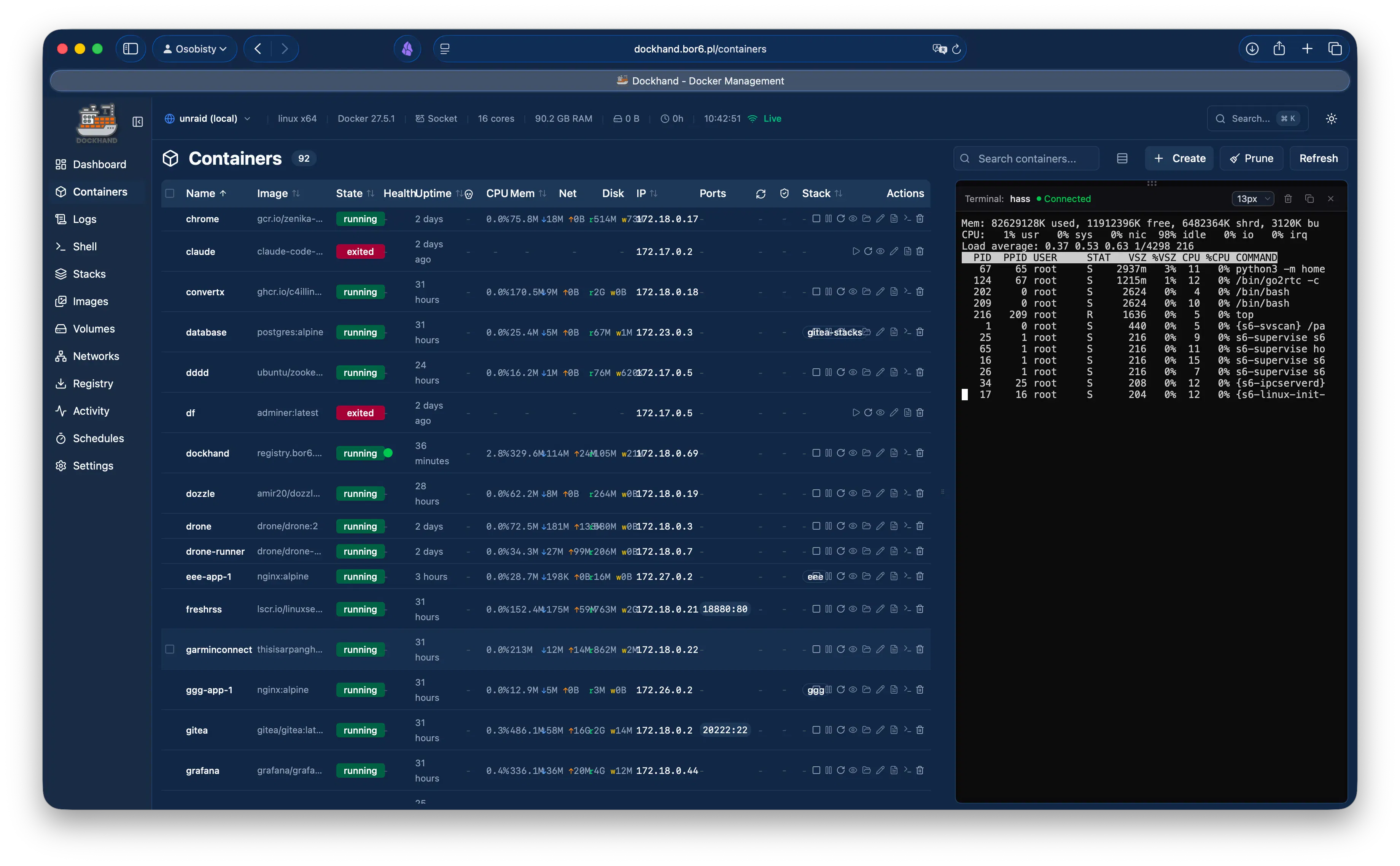
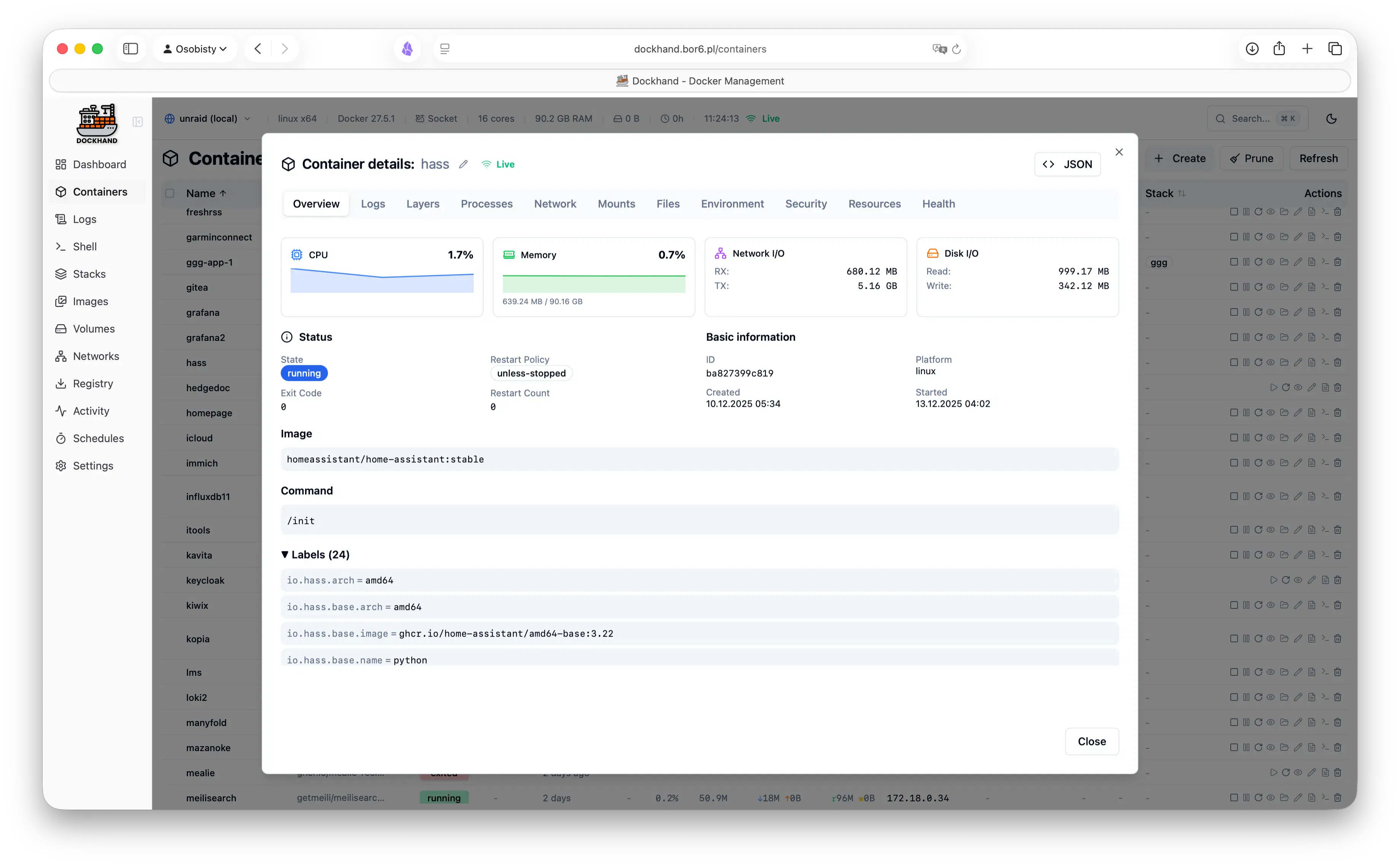
For DevOps teams: Dockhand manages Docker hosts and Compose stacks from one UI with CVE scanning, secrets injection, and encrypted backups so deployments stay secure.
Built by wojo and Jarek Krochmalski
Productivity Freemium
Visit website → Upvotes · 131
In category: #723 of 1801 · Productivity
Dockhand is a Product Hunt listing on Launch Llama with 131 total upvotes, founded by wojo and Jarek Krochmalski who joined in Aug 2026, compared against 6 alternatives.
Product Hunt listing
Listing status
131upvotes
Community score
wojo and Jarek Krochmalski (Joined Aug 2026)
Founder
Compared against 6 alternatives
Market comparison







Key Features
- Start, stop, restart, and remove containers
- Deploy and update Docker Compose stacks from Git repositories
- Stream container logs with real-time filtering and ANSI colors
- Scan container images for CVE vulnerabilities
- Manage single or multiple Docker hosts from one interface
- Inject secrets from external vaults during deployment
About
Docker manager for one host or a whole fleet. - Manage local, remote TLS, and NAT'd/VPS hosts from one UI - Deploy & update Compose stacks, incl. from Git with auto-sync - Live logs, metrics, and an in-browser container shell - Scan every image for CVEs (Grype/Trivy) before it ships - Inject secrets from 1Password, Vault, Infisical, Doppler - Encrypted backups to local, S3, or GCS - Semver update badges with release notes - SSO, LDAP, and role-based access Hardened and free.
Use Cases
- Homelab operators wanting to manage Docker containers without complex database setup
- Teams deploying Docker stacks that need SSO and activity logging
- Organizations requiring compliance-grade audit logging and role-based access
Pricing
Free tier available. Small Business tier costs $499/host/year. Enterprise tier costs $1,499/host/year.
Verdict
In the competitive productivity space, Dockhand stands out as a solid option. With 131 upvotes from the Launch Llama community, it's clearly resonating with founders. Docker manager for one host or a whole fleet. If for devops teams: dockhand manages docker hosts and compose stacks from one ui with cve scanning, secrets injection, and encrypted backups so deployments stay secure is a priority for your team, it's worth giving Dockhand a closer look.
FAQ
What is Dockhand?
Docker manager for one host or a whole fleet. - Manage local, remote TLS, and NAT'd/VPS hosts from one UI - Deploy & update Compose stacks, incl. from Git with auto-sync - Live logs, metrics, and an in-browser container shell - Scan every image for CVEs (Grype/Trivy) before it ships - Inject secrets from 1Password, Vault, Infisical, Doppler - Encrypted backups to local, S3, or GCS - Semver update badges with release notes - SSO, LDAP, and role-based access Hardened and free.
Who should use Dockhand?
Dockhand is a strong fit if you are one of: • busy founders and teams looking to do more with less If that does not sound like you, skim the features and site before committing time.
What problem does Dockhand solve?
Dockhand is built around this outcome: For DevOps teams: Dockhand manages Docker hosts and Compose stacks from one UI with CVE scanning, secrets injection, and encrypted backups so deployments stay secure. Use the site demo or docs to confirm it matches the bottleneck you are trying to remove.
What are the main features of Dockhand?
Dockhand includes: • Start, stop, restart, and remove containers • Deploy and update Docker Compose stacks from Git repositories • Stream container logs with real-time filtering and ANSI colors • Scan container images for CVE vulnerabilities • Manage single or multiple Docker hosts from one interface • Inject secrets from external vaults during deployment
Is Dockhand free to start?
Free tier available. Small Business tier costs $499/host/year. Enterprise tier costs $1,499/host/year. Most freemium tools let you validate the workflow before upgrading — check what the free tier unlocks for your use case.
How much does Dockhand cost?
Free tier available. Small Business tier costs $499/host/year. Enterprise tier costs $1,499/host/year.
Is Dockhand private and safe for my files?
Dockhand's positioning emphasizes keeping work local or private (for example browser-side processing or limited uploads). Still verify the privacy policy and data handling on the official site for your compliance needs.
Is Dockhand worth trying?
It promises: For DevOps teams: Dockhand manages Docker hosts and Compose stacks from one UI with CVE scanning, secrets injection, and encrypted backups so deployments stay secure. A concrete use case founders care about: Homelab operators wanting to manage Docker containers without complex database setup. It has 131 community upvotes on Launch Llama, which is a signal of interest — not a guarantee it fits you. Worth trying if that problem is painful for you this week; skip it if you only need a one-off workaround you already have.
How do I try Dockhand?
Open the official Dockhand website from this page, run the smallest real task you care about (not a toy demo), and decide in one session whether it removes friction. Check pricing and data/privacy terms before you put production work into it.
Founder Guides
Alternatives
- Girder
For developers: Girder turns any Linux server into your own Heroku so you deploy with git push and skip Kubernetes complexity.
- ollalink
For DevOps teams: OllaLink provides self-hosted remote access to your distributed machines so you manage your fleet from one workspace securely.
- Localdock
For macOS developers: Localdock names every dev server with local and public URLs so you test across devices without manual configuration.
- FetchPing
For DevOps teams: FetchPing monitors websites, APIs, and cron jobs every 30 seconds so you catch outages instantly and alert your team via email, Discord, or webhooks.
- Deplo
For teams: Deplo enables push-to-deploy on your own machine without Docker or SSH so you skip cloud vendor invoices and keep full control.
- CtrlOps 1.0
Your server. Audited, managed, and deployed with AI.
Ask AI
ChatGPT Claude Perplexity Grok
For agents
llms.txt · llms-full.txt · ai.txt · Live fact sheet · Full catalog (.md) · Endpoint index · API spec · REST access · Agent server · Server manifest · Server discovery