Compare PDFs Online
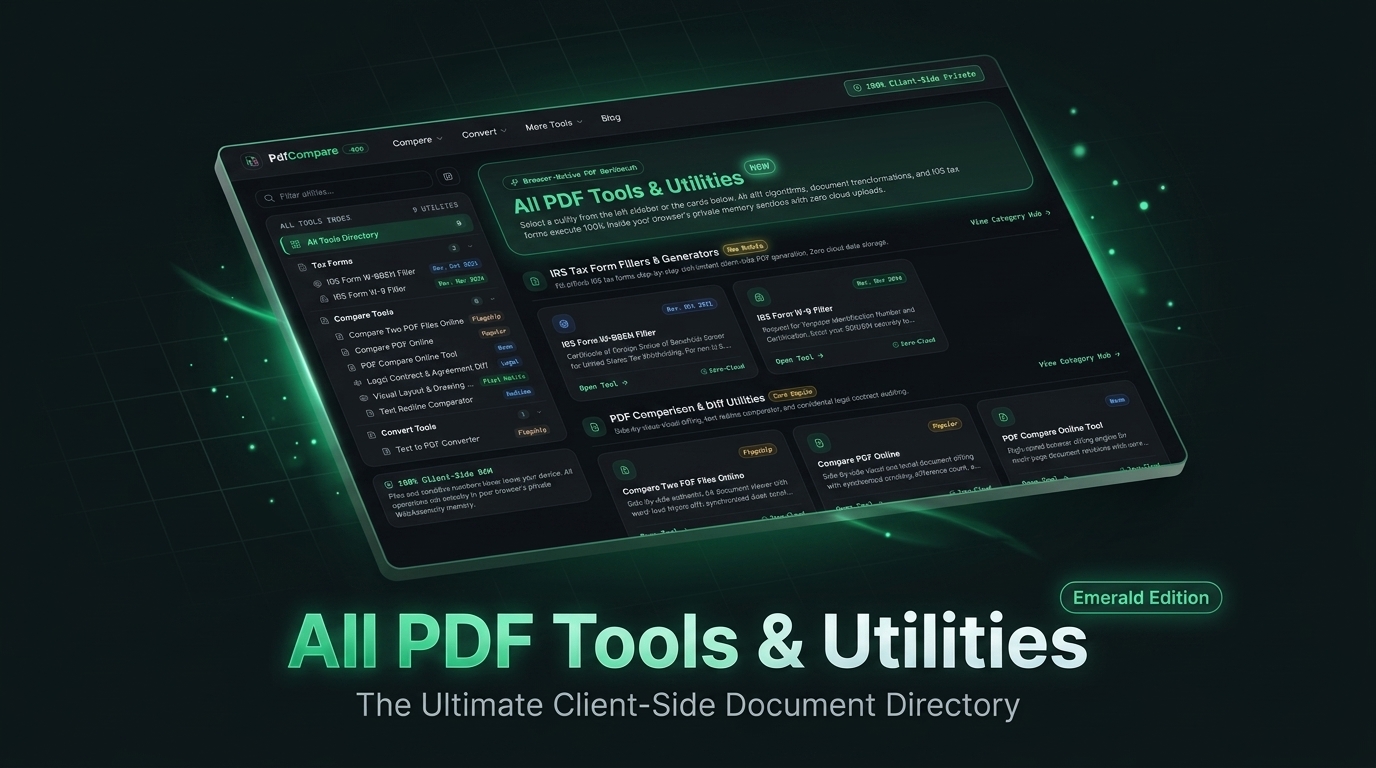
Compare two PDF files side-by-side without uploading them. Spot every text revision, clause change, and layout shift with 100% private in-browser WebAssembly.
Built by yy he · Productivity · Design Tools · Sales
In category: #1065 of 1455 · Productivity
Compare PDFs Online is a Community listing on Launch Llama with 2 upvotes from 2 founders, founded by yy he who joined in Oct 2026, compared against 3 alternatives.
Community listing
Listing status
2upvotes
Community score
yy he (Joined Oct 2026)
Founder
Compared against 3 alternatives
Market comparison
Launched on Launch Llama Oct 5, 2026 · #105 of 165 that day
About
Compare two PDF files side-by-side without uploading them. Spot every text revision, clause change, and layout shift with 100% private in-browser WebAssembly.
Use Cases
- Redlining contract revisions to catch changed confidentiality terms, liability caps, or indemnity clauses between two versions of an agreement
- Auditing quarterly financial statements by isolating altered revenue, tax, and EBITDA figures between report revisions
- Checking blueprints, patent drawings, or packaging artwork for shifted stamps, moved logos, or changed margins using the pixel overlay slider
Who it is for
- Attorneys and corporate legal teams reviewing NDAs, master services agreements, and vendor contracts.
- CFOs, accountants, and auditors comparing financial reports, tax filings, and balance sheets.
- Graphic designers, patent examiners, and civil engineering teams working with drawings and schematics.
Pricing
See the Compare PDFs Online website for current pricing.
FAQ
How do I compare two PDF files online for free?
To compare two PDF documents online without spending a dime, simply drag and drop your original baseline version into Slot 1 and your revised edition into Slot 2 on the PdfCompare interface. Click the 'Compare Differences Now' button to run the local WebAssembly diff engine. The application instantly renders a side-by-side synchronized comparison alongside inline redline highlights (+added words in emerald green, -deleted phrases in coral red strike-through). You do not need to register an account, enter an email address, or provide credit card information, and your exported files contain no branding watermarks.
Can PdfCompare compare images, logos, signatures, and stamps in PDF files?
Yes! In addition to semantic text comparisons, PdfCompare features an advanced Visual Pixel Diff Engine. It rasterizes each PDF page into high-definition HTML5 Canvases and runs pixel-by-pixel differential calculations. Any modified logos, shifted corporate approval stamps, replaced signatures, resized images, or drifted architectural drawing lines are highlighted in high-visibility magenta pixels. You can also drag the interactive Curtain Slider to visually inspect layout shifts across document revisions.
What is Doc View and how does it differ from Unified Redline?
Doc View is designed specifically for legal counsel, accountants, and contract reviewers who want to review documents in their authentic A4 printed layout. Rather than stripping formatting into a monospaced code box, Doc View renders two genuine white-paper document sheets side-by-side. The original draft features in-situ coral red highlighter marks over deleted provisions, while the revised draft features emerald green highlighter marks over newly added terms. Unified Redline, conversely, merges all additions and deletions into a single continuous stream for fast copy-pasting and text auditing.
Does PdfCompare upload my confidential PDF documents to a remote server?
No, never. Traditional online PDF conversion services and cloud differential utilities transmit your files across the internet to remote servers, storing them in temporary databases where they can be vulnerable to data breaches. PdfCompare operates on a revolutionary zero-cloud architecture: every line of parsing, optical text tokenization, and vector difference calculation runs 100% locally inside your web browser memory sandbox via WebAssembly. Your confidential legal contracts, provisional financial spreadsheets, and proprietary engineering designs never leave your physical device.
How does semantic word-level text compare differ from page visual comparison?
Semantic word-level text comparison analyzes the underlying textual token stream of your PDF documents. It strips away harmless formatting artifacts (such as line breaks or font substitutions) to pinpoint exact textual modifications, added warranty provisions, or altered financial figures. Visual page comparison, on the other hand, converts entire pages into high-DPI raster images and overlays them pixel-by-pixel. This enables you to detect physical layout displacements, shifted corporate approval stamps, relocated signature lines, and modified margin measurements.
Can I compare PDF files on mobile devices, tablets, and offline laptops?
Yes, absolutely. Because PdfCompare is built entirely on modern web standards (HTML5 Canvas, FileReader APIs, and WebAssembly bytecode), it executes natively across all modern web browsers including Google Chrome, Apple Safari, Mozilla Firefox, and Microsoft Edge. It runs smoothly on Windows laptops, macOS MacBooks, Linux workstations, iPads, iPhones, and Android smartphones without requiring native app downloads or browser extensions. Once the initial web asset is cached, comparison calculations can even run offline.
Is there a page count or file size limit when comparing PDFs?
There are zero artificial file size limits or page quotas enforced on PdfCompare. Many commercial web services limit free users to 5 or 10 pages and restrict file sizes to under 10 megabytes to force users into expensive recurring subscriptions. Because our engine utilizes client-side hardware resources, document processing capacity is limited only by your own device's available RAM and CPU performance, allowing you to audit multi-hundred-page corporate documents effortlessly.
What file formats can I compare with this online PDF tool?
PdfCompare is optimized to compare all standard PDF documents adhering to ISO 32000 specifications, including native digital PDFs, scanned documents with OCR layers, and multi-page technical blueprints. Additionally, our parser supports raw plain text buffers, markdown documentation, and copied legal clauses, making it a versatile differential utility for all office workflows.
How do I export and share the PDF comparison audit report?
Once your comparison is computed, click the 'Export Diff Log' button in the upper action bar. The platform instantly generates and downloads a structured, timestamped audit changelog report in plain text format. This report itemizes overall addition and deletion counts, modified clause summaries, and exact line numbers, providing verifiable documentation for executive approvals, client sign-offs, and compliance records.
Alternatives
 CompareDiffFor developers: CompareDiff compares text, JSON, images and PDFs in your browser so you spot differences instantly without uploading files.
More in Productivity
New on Launch Llama
- Pageform
- Ora
- GIS Toolbox
- Starbucks Calorie Calculator
- VideoAny AI
- CleanOps
- EXTREMELY Autonomous Agents
- TariffsChart
Launched this week · This month's launches · All products A–Z
Ask AI about Compare PDFs Online
Supporters
2 founders
2 founders contributed 2 upvotes to Compare PDFs Online on Launch Llama.

For bots & AI agents
Machine-readable versions of Compare PDFs Online and Launch Llama. Fetch these instead of parsing this page.
This listing (.md) llms.txt llms-full.txt ai.txt Full catalog (.md) Endpoint index API docs MCP server MCP manifest Developer docs