Clearminutes
For privacy-conscious teams: Clearminutes transcribes, summarizes, and extracts action items from meetings entirely on your device.
Built by Clearminutes · Artificial Intelligence · Productivity · Freemium
In category: #1274 of 2048 · Artificial Intelligence
Clearminutes is a Community listing on Launch Llama with 6 total upvotes, founded by Clearminutes who joined in May 2026, compared against 5 alternatives.
Community listing
Listing status
6upvotes
Community score
Clearminutes (Joined May 2026)
Founder
Compared against 5 alternatives
Market comparison
Launched on Launch Llama May 24, 2026 · #29 of 40 that day
About
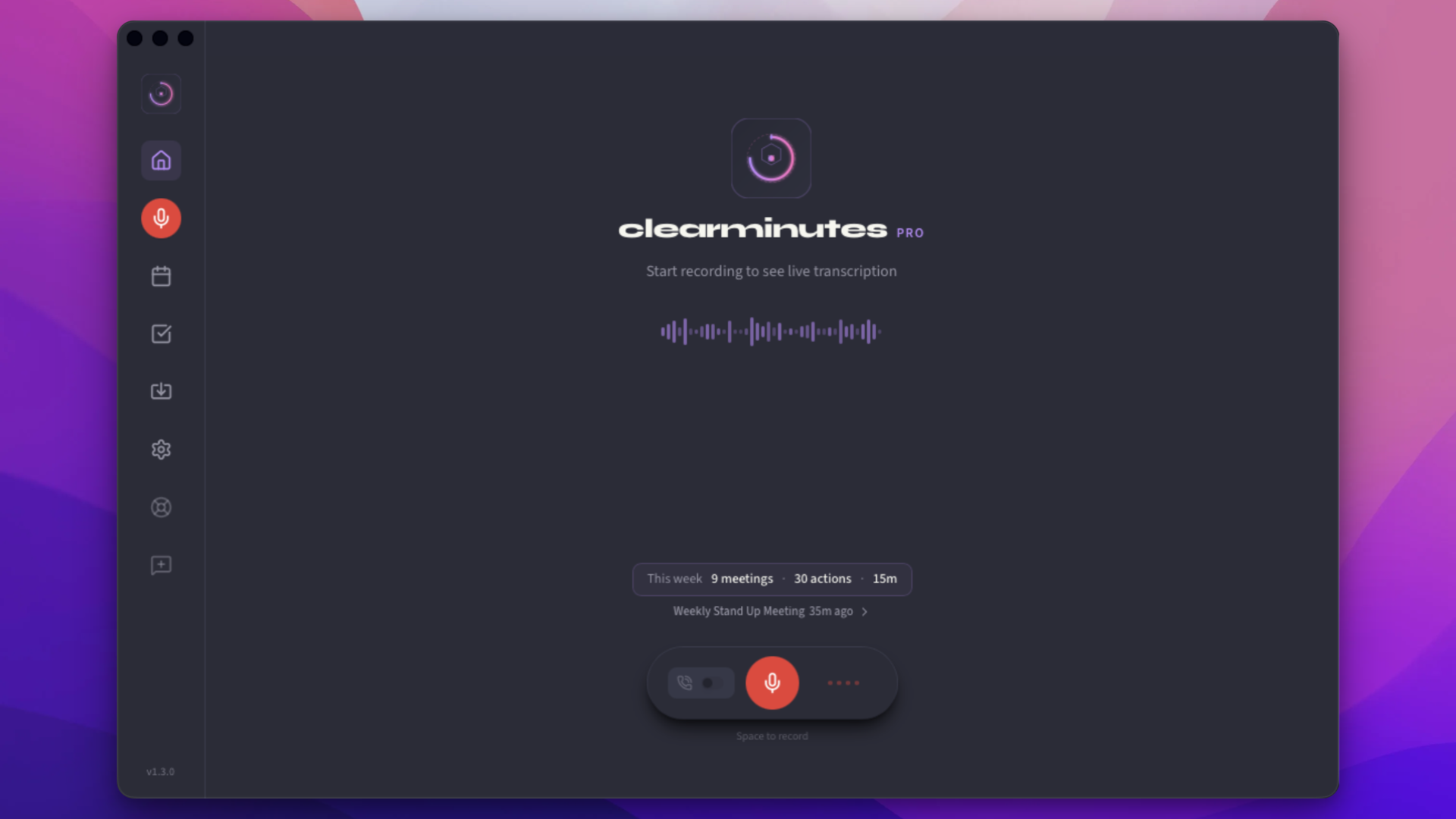
Privacy-first AI meeting assistant that transcribes, summarises, and extracts action items - entirely on your device. No meeting bot. No cloud by default. Runs Whisper.cpp locally with GPU acceleration. Free tier with unlimited transcription.
Follow Clearminutes: LinkedIn
Use Cases
- Recording a team call and getting a transcript with speaker labels and a summary with action items as soon as the meeting ends
- Taking meeting notes for healthcare, legal, or financial calls without sending patient or client audio to a cloud server
- Capturing decisions and action items from conversations automatically, then exporting them as PDF or a structured outline
Who it is for
- Privacy-conscious teams that cannot send meeting audio to third-party servers
- Healthcare, legal, and financial professionals handling regulated client or patient conversations under HIPAA or GDPR
- Individuals and teams who want meeting notes without a meeting bot joining their calls
Pricing
Free to try with 5 free AI summaries per month and a free solo tier. Pro is £12/month for healthcare use, and a one-time £249 lifetime option is available.
FAQ
Is my meeting audio sent to the cloud?
No. And this is a core design decision, not just a setting. Your audio is captured and processed entirely on your device using 20 built-in local models or your own Ollama instance. It is never streamed, uploaded, or buffered externally. If you optionally enable a cloud AI provider, only the finished text transcript is sent. Audio is never part of that.
Does Clearminutes use cloud AI providers?
Yes, optionally. Clearminutes ships with 20 built-in local models and supports your own Ollama instance for more local options. For cloud AI, you can connect your own API key from OpenAI, Anthropic, Groq, or OpenRouter. When enabled, only the finished text transcript is sent to that provider. Your audio is never transmitted. This is an opt-in setting, off by default. Your API key is stored locally on your device and never shared with us.
Which meeting platforms are supported?
Clearminutes works with any meeting platform because it captures audio directly from your system: Zoom, Google Meet, Microsoft Teams, Webex, Slack Huddles, or a plain phone call. If your computer can hear it, Clearminutes can transcribe it.
How accurate is the transcription?
In clear audio conditions, word-error rates are below 5% for English. Accuracy varies with audio quality, accents, and background noise. Speaker identification works best with 2 to 6 distinct voices. You can always correct the transcript before exporting.
What happens to my data if I cancel?
Your local data is always yours and stays on your device. If you've used cloud sync, you can export all your meetings as JSON or markdown at any time. When you cancel, your account data is retained for 30 days then permanently deleted.
Which languages are supported?
Transcription currently supports English, Spanish, French, German, Portuguese, and Japanese. AI summaries are generated in the same language as the transcript. More languages are being added: check the roadmap for details.
Is there a team or enterprise plan?
Not yet: Clearminutes is currently focused on individual professionals. A Teams plan with shared meeting history, collaborative action tracking, and centralised billing is on the roadmap for later in 2026. Join the waitlist to be notified.
What is Clearminutes?
Clearminutes is a privacy-first AI meeting assistant that transcribes and summarizes your meetings locally on your device. Your audio never leaves your machine.
How does local transcription work?
We use Whisper.cpp running directly on your Mac or PC. Your audio is processed entirely on-device using your GPU (Metal/CUDA/Vulkan) or CPU - no cloud services involved.
Which platforms are supported?
Clearminutes runs on macOS (Apple Silicon and Intel) and Windows 10/11. Linux support is planned.
Alternatives
 CleariestFor teams: Cleariest is mindful team chat that protects focus time with transparent communication, public channels, and deep work features while keeping urgent messages reachable.
 Whisper AIFor professionals: Whisper AI transcribes voice to text across 25+ languages with smart cleanup and translation modes so you draft emails and documents hands-free.
More in Artificial Intelligence
New on Launch Llama
Launched this week · This month's launches · All products A–Z
Ask AI about Clearminutes
Supporters
2 founders
2 founders supported Clearminutes on Launch Llama.
For bots & AI agents
Machine-readable versions of Clearminutes and Launch Llama. Fetch these instead of parsing this page.
This listing (.md) llms.txt llms-full.txt ai.txt Full catalog (.md) Endpoint index API docs MCP server MCP manifest Developer docs