AI Image Resizer
For creators: AI Image Resizer expands photos to any size with intelligent outpainting for Instagram, websites, and product visuals without cropping.
Built by Tommy Pham · Artificial Intelligence · Design Tools · Social Media · Freemium
In category: #1151 of 2052 · Artificial Intelligence
AI Image Resizer is a Community listing on Launch Llama with 9 total upvotes, founded by Tommy Pham who joined in May 2026, compared against 2 alternatives.
Community listing
Listing status
9upvotes
Community score
Tommy Pham (Joined May 2026)
Founder
Compared against 2 alternatives
Market comparison
Launched on Launch Llama May 14, 2026 · #20 of 38 that day
About
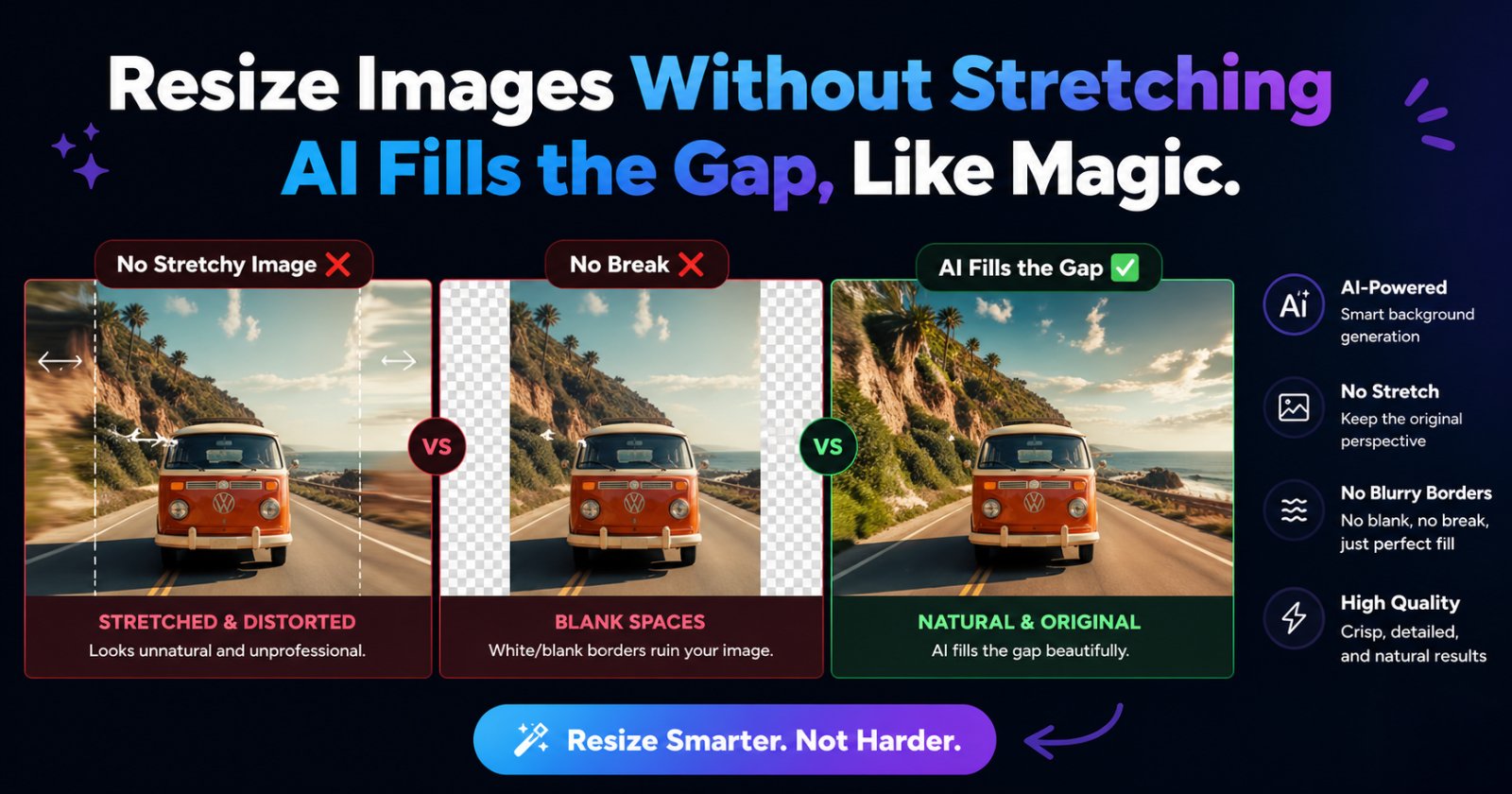
AImageResize is an AI-powered image resizer that helps users expand photos to any target size without cropping, stretching, or losing visual quality.
Users upload an image, choose custom dimensions or preset ratios, then AI intelligently fills the extra canvas with natural-looking outpainting.
The tool is built for creators, marketers, sellers, and everyday users who need polished images for Instagram, websites, product visuals, profile photos, and more.
Sign in with Google to claim 3 free AI generations, then upgrade anytime for credit-based plans with credits that never expire.
Use Cases
- Expanding a portrait photo into a landscape banner for LinkedIn or Twitter headers without cropping out key content
- Resizing product photos to exact pixel dimensions such as 512×512 or 1080×1920 for ecommerce or ad placements, using AI outpainting to fill the new canvas
- Converting an image to a smaller WebP file at a target size for websites or email while keeping visual quality acceptable
Who it is for
- Content creators preparing photos for Instagram, Stories, and other social media formats
- Sellers and marketers who need product visuals resized for ads and listings
- Users who need quick, privacy-conscious image resizing directly in the browser on Mac, Windows, or mobile
Pricing
Credit-based pricing with no subscriptions; new users get 3 free AI generations after signing in with Google. The PRO plan is $19.00 for 200 credits that never expire, and credit packs start at $4.90 for 30 credits.
FAQ
How do I resize an image without losing quality?
AImageResize uses AI-powered outpainting to expand your canvas instead of stretching pixels. When downscaling, the tool applies smart interpolation that preserves sharpness. For the best results, always start from the highest-resolution source file you have.
How do I resize an image to specific dimensions like 512x512 or 240x240?
Simply type your target width and height into the dimension inputs. You can enter exact pixel values such as 512x512, 240x240, or any custom size. The AI will intelligently fill any empty space created by the new aspect ratio.
How do I resize images on Mac?
AImageResize works entirely in your browser — no app install needed on Mac, Windows, or any device. Just open the site, drag your image onto the drop zone, enter your target dimensions, and click "Resize with AI". It's faster than using Preview or Photoshop for quick resizes.
Can I resize an image to a specific file size (e.g. 1 MB)?
Yes. Open the Export Settings panel and adjust the quality slider to reduce file size. Lower quality settings produce smaller files while keeping the visual appearance acceptable for web and email use. WEBP format delivers the smallest file sizes at the same visual quality.
What image formats are supported?
AImageResize supports JPG, JPEG, PNG, and WebP. You can also convert between these formats during the same resize operation — for example, resize a PNG and export it as a smaller WebP file in one step.
Is my image data kept private?
Yes. We never store your images on our servers. While AI outpainting sends the image for processing, it is deleted immediately after the results are returned to you. We only store your usage count and credits in Firestore.
How do I resize an image for LinkedIn, Instagram, or social media?
Use the Quick Presets (1:1 for Instagram, 16:9 for LinkedIn banners, 9:16 for Stories) or enter exact dimensions manually. The AI fill feature is especially powerful for converting a portrait photo into a landscape banner without cropping out important content.
Can I resize images in inches or centimeters, not just pixels? (Coming soon)
Yes, this feature is coming soon! You will be able to specify dimensions in pixels, inches, centimeters, or millimeters — making it easy to prepare images for print documents, presentations, or physical media alongside web projects.
Is there a free plan? Do I need to sign in?
Yes, signing in with Google is required to use the AI resize feature. Once signed in, you get 3 free AI generations as a trial, with no payment needed to start. If you need more, you can purchase credit packs starting at $4.90 for 30 credits. Credits never expire and there are no monthly subscriptions.
Alternatives

More in Artificial Intelligence
New on Launch Llama
Launched this week · This month's launches · All products A–Z
Ask AI about AI Image Resizer
Supporters
2 founders
2 founders supported AI Image Resizer on Launch Llama.
For bots & AI agents
Machine-readable versions of AI Image Resizer and Launch Llama. Fetch these instead of parsing this page.
This listing (.md) llms.txt llms-full.txt ai.txt Full catalog (.md) Endpoint index API docs MCP server MCP manifest Developer docs