
Updated 2026-11-21 · 10 of 10 AI voice generators on Launch Llama compared
Quick answer: The best AI voice generators in 2026, by Launch Llama community upvotes, are Noiz AI, Vaani, Fish Audio. If you want to start free, Vaani has a free plan. We compared all 10 AI voice generators listed on Launch Llama on pricing, features and use cases.
Our picks at a glance
- Best overall: Noiz AI — the most upvoted AI voice generator on Launch Llama
- Best free option: Vaani — free plan; paid from $49/month
- Best to see in action: VoicedByMe — has a demo video you can watch below
- Most features listed: Fish Audio — 4+ features on its listing
The 10 best AI voice generators in 2026
1. Noiz AI — best for content creators who want to add emotional voice narration to videos and media

Pricing: Free plan + paid tiers · Free plan: Yes · Upvotes: 479
In Noiz AI's words
Noiz AI is a text-to-speech platform that enables users to clone voices and create lifelike speech. The platform offers emotional text-to-speech, multilingual dubbing, and voice library features accessible through developer APIs.
Key features
- Clone voices using text-to-speech technology
- Control emotional tone in generated speech
- Access a library of pre-built AI voices
- Generate expressive voices in seconds
- Provide developer-ready APIs for integration
Use cases
- Content creators who want to add emotional voice narration to videos and media.
- Developers who need voice synthesis APIs for applications.
2. Vaani — best for youTubers dubbing existing videos into Indic languages

Pricing: Free plan; paid from $49/month · Free plan: Yes · Upvotes: 355
In Vaani's words
Vaani is a voice-preserving AI dubbing tool to help you dub in 40+ languages, in one go, at a fraction of the cost of a traditional dub session. Where other tools give you a generic AI voice and lips that drift off-beat, Vaani clones your voice, preserves your music, and holds the meaning across languages, with frame-accurate lip sync. Built for anyone creating videos, from creators and brands to media companies, OTTs and studios.
Key features
- Clone speaker voice directly from source video
- Translate with scene-aware context across 40+ languages
- Add optional lip-sync to talking-head footage
- Support 13 Indic and 27 global languages
- Transcribe audio with speaker diarization
Use cases
- YouTubers dubbing existing videos into Indic languages
- EdTech companies scaling course libraries across multiple languages
- Broadcasters localizing news segments overnight
Pricing details: Free trial with 5 minutes Indic and 2 minutes global dubbing.
3. Fish Audio — best for youTube creators who want to generate voiceovers for videos without hiring voice actors
Pricing: Free plan + paid tiers · Free plan: Yes · Upvotes: 353
In Fish Audio's words
Fish Audio is an AI text-to-speech and voice cloning platform that generates studio-grade voices with emotion control. It serves content creators, developers, and businesses who need to produce voiceovers, audiobooks, and conversational experiences without hiring voice actors.
Key features
- Control voice emotion with tags like angry, sad, excited, and whispering.
- Clone voices from audio samples as short as 15 seconds.
- Generate voices in 30+ languages with multilingual support.
- Produce real-time conversational voices with low latency.
Use cases
- YouTube creators who want to generate voiceovers for videos without hiring voice actors.
- Audiobook publishers who want to publish content that meets Audible specifications.
- Game developers who want to create character voices with dynamic emotions.
4. Smallest.ai — best for teams building production voice assistants and conversational AI applications

Pricing: Free plan; paid from $0.05 · Free plan: Yes · Upvotes: 346
In Smallest.ai's words
Introducing Lightning V3 — Smallest AI's most advanced text-to-speech model. With 100ms latency, a 3.89 WVMOS score, and support for English, Hindi, Spanish, Tamil and 15+ languages, V3 was preferred over OpenAI's GPT-4o-mini-TTS by listeners 76.2% of the time. Get audio output in 44.1 kHz and powers voice assistants, IVR systems, content creation and conversational AI with human-like speech. Instant voice cloning from just 10 seconds of audio. Real-time. Expressive. Enterprise-ready.
Key features
- Transcribe speech to text across 38+ languages with 64ms latency
- Convert text to speech at sub-100ms latency across 70+ languages
- Deploy voice agents that work in any language and channel
- Build speech-to-speech models that listen, reason, and respond in real time
- Clone voices from just 10 seconds of audio instantly
Use cases
- Teams building production voice assistants and conversational AI applications
- Enterprises operating production workloads requiring compliance and security
Pricing details: Free credits to start ($10). Pay-as-you-go pricing from $0.05 per minute depending on models selected. Enterprise plans available with custom pricing.
5. ElevenLabs — best for audiobook and podcast creators who want expressive narration voices
Pricing: Free plan + paid tiers · Free plan: Yes · Upvotes: 292
In ElevenLabs's words
ElevenLabs is an AI voice generator and voice agents platform that creates lifelike speech. It provides access to thousands of voices across many languages with APIs and SDKs for developers. The platform helps creators, developers, and enterprises build audio and conversational AI products.
Key features
- Generate expressive speech in 70+ languages
- Clone voices or design custom voices from prompts
- Generate studio-quality music in any genre or style
- Create or edit images and turn ideas into videos
- Deploy conversational agents across voice and chat channels
Use cases
- Audiobook and podcast creators who want expressive narration voices
- Customer support teams who want to deploy multilingual voice agents
Pricing details: Enterprise and contact-sales options are mentioned.
6. SpeechGen AI — best for convert blog posts and articles into audio versions for podcast-style distribution without hiring voice actors
Pricing: Free plan; paid from $9/month · Free plan: Yes · Upvotes: 47
In SpeechGen AI's words
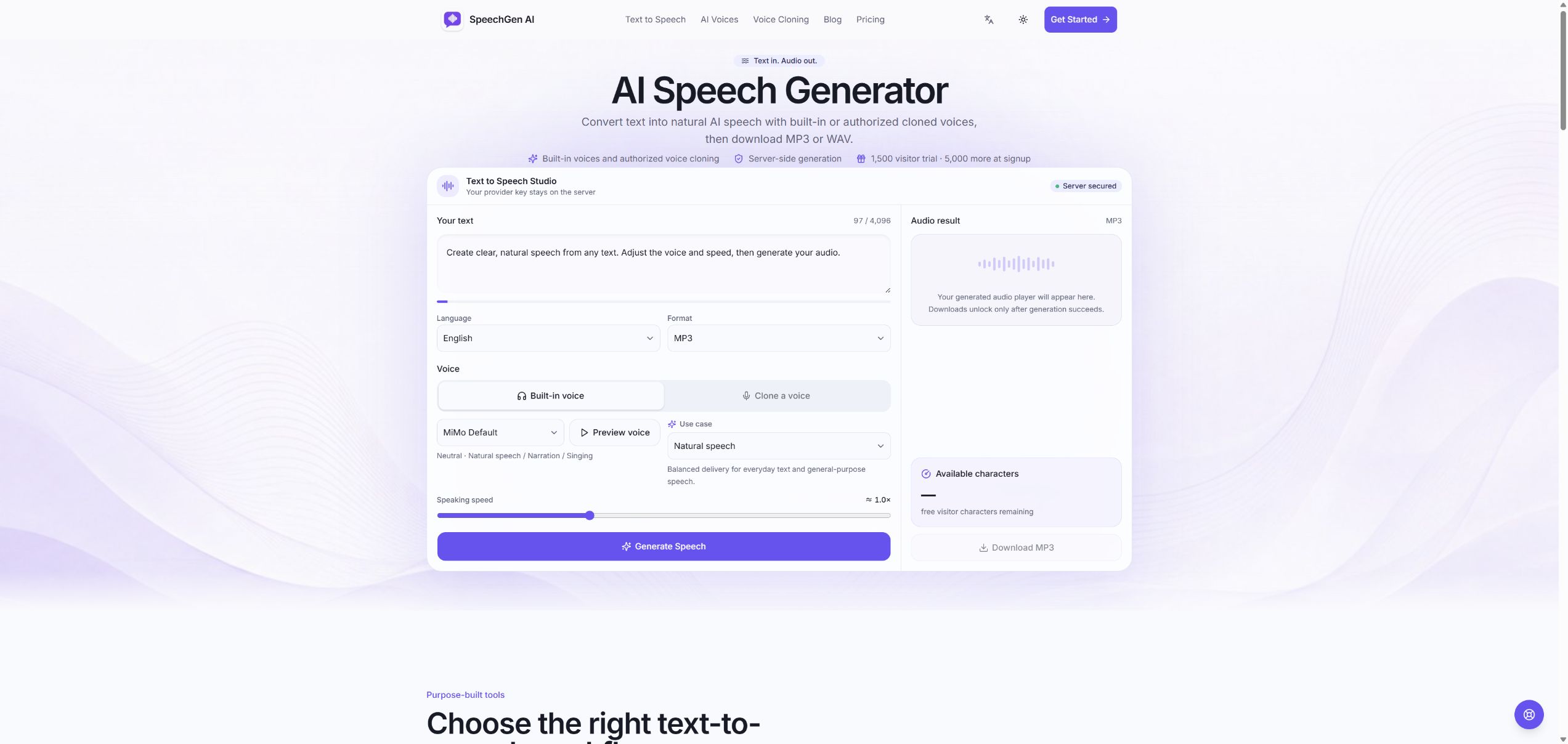
SpeechGen AI is a text-to-speech platform that converts written text into natural-sounding audio using built-in or authorized cloned voices. Users can adjust speaking speed, preview pronunciation, and download audio in MP3 or WAV formats. The service supports multilingual input including English and Chinese, with server-side generation and private credential handling.
Key features
- Convert written text into natural-sounding audio in multiple languages
- Clone voices to create personalized narration for your content
- Adjust speaking speed to match your desired pacing and delivery
- Preview pronunciation before generating final audio files
- Download finished audio in MP3 or WAV formats for distribution
Use cases
- Convert blog posts and articles into audio versions for podcast-style distribution without hiring voice actors
- Clone your own voice and generate multilingual audio content for global audiences in English and Chinese
- Create narrated video content by converting scripts to natural speech, then downloading MP3/WAV files for video editing
Pricing details: Try 1,500 free visitor characters without an account, plus 5,000 bonus characters at signup.
7. Lazybird — best for turning onboarding scripts, SOPs, and course material into lesson voiceovers for training videos
Pricing: Free plan + paid tiers · Free plan: Yes · Upvotes: 19 · Rating: 4/5 from 2 reviews
In Lazybird's words
Paste a script, and long documents are automatically split into blocks and organized into sections. Test a short passage with different voices, adjust pacing, then generate the full track once it sounds right. Finished audio downloads for use in video editors, courses, podcasts, phone systems, or apps, and the product is free to start without a credit card.
Key features
- Paste scripts directly or bring in drafts written in Word, Google Docs, or Notion
- Auto-split long scripts into blocks and organize large documents into sections
- Choose from 200+ AI voices, including celebrity and character-style voices
- Test a short section and adjust voice or pacing before generating the full audio
- Clone your own voice from a recording for recurring narration and branded audio
Use cases
- Turning onboarding scripts, SOPs, and course material into lesson voiceovers for training videos.
- Narrating product walkthroughs, feature updates, and tutorial explainers with a clean voiceover.
- Producing multilingual voiceovers from translated scripts or two-host podcast dialogue.
Pricing details: Free to start with no credit card required.
8. VoicedByMe — best for turning a book, PDF or Word file into a chaptered audiobook that runs in the background while you work
Pricing: Free plan; paid from $30 · Free plan: Yes · Upvotes: 5 · Rating: 4/5 from 1 review
In VoicedByMe's words
VoicedByMe turns written words into speech that sounds like you. Read a short passage aloud once, and the app learns your voice right on your computer: no uploads, no account, no subscription. From then on, highlight text anywhere and press a shortcut to hear it, point it at something on your screen, or open a document and follow along as each sentence lights up. Whole books become chaptered audiobooks for your phone. Prefer someone else? Choose from 70 ready-made voices, from calm narrators to a Viking or a robot, or give scripts a different voice per character. It suits anyone who would rather listen than read: writers checking drafts, students reviewing notes, people with dyslexia or tired eyes. It works in English, Spanish and German.
Key features
- Read selected text aloud in any app with Ctrl Alt R, starting in under a second
- Turn typed messages into voice notes for Slack, WhatsApp, Discord or Teams
- Convert EPUB, PDF, Word and Markdown files into chaptered audiobooks
- Read on-screen content, including images, videos and scanned pages, with Ctrl Alt O
- Clone a voice from a 20-second recording and assign voices to script characters
Use cases
- Turning a book, PDF or Word file into a chaptered audiobook that runs in the background while you work.
- Recording voice notes for Slack, WhatsApp, Discord or Teams by selecting typed text and pressing Ctrl Alt V, without using a microphone.
- Having Claude Code or Codex announce in your own voice when a task finishes or needs your input.
Pricing details: $30 one time payment, free for a day
9. Spokio — best for turning articles, PDFs, EPUBs, and batches of text files into long-form audio offline on a Mac
Pricing: From $49.99 · Free plan: No · Upvotes: 3
In Spokio's words
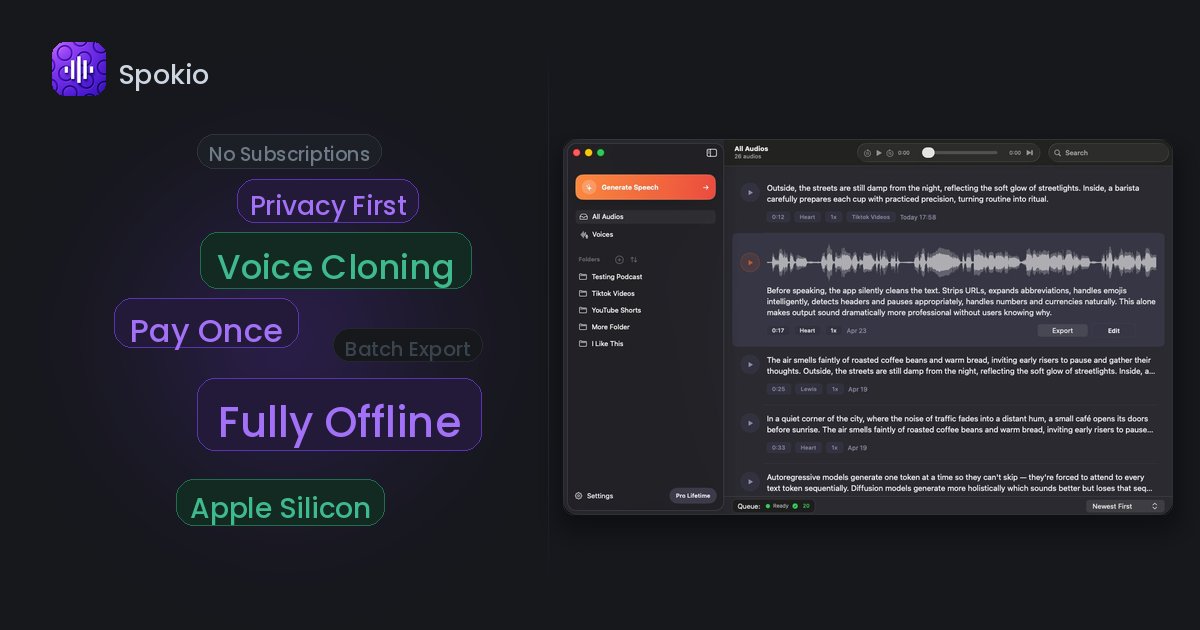
Clone any voice in one shot, generate in the background, and work fully offline. Fast, private TTS built for Mac — no cloud, no waiting.
Spokio turns text into high-quality speech on your Mac — fast, offline, and built for casual creators. Perfect for voiceovers, videos, content production, or any workflow that needs natural-sounding audio.
Use cases
- Turning articles, PDFs, EPUBs, and batches of text files into long-form audio offline on a Mac.
- Creating a custom synthetic voice from a 6–10 second audio sample for narration without uploading it to the cloud.
- Batch exporting a whole folder of generated speech to MP3, WAV, AIFF, or M4A for editing or sharing.
Pricing details: Free Starter plan with up to 1,000 characters per synthesis and one free custom voice.
10. Ramsa Speech — best for powering IVR and contact-center greetings with natural Emirati replies for live customer calls
Pricing: Paid · Free plan: No · Upvotes: 3
In Ramsa Speech's words
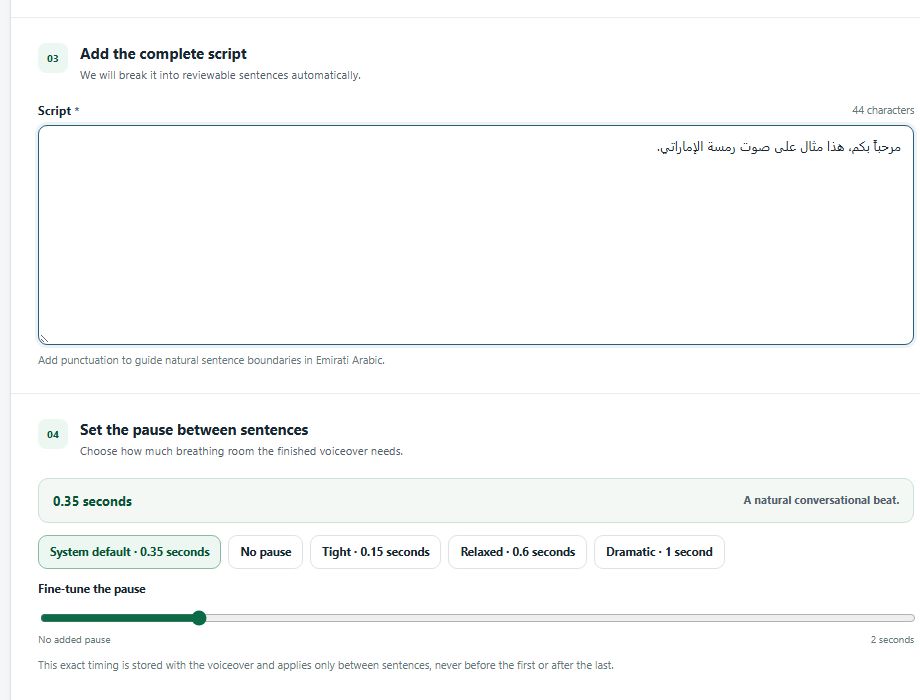
Ramsa is an AI speech platform built specifically for Emirati Arabic. It turns text into spoken audio with the local pronunciation, rhythm, and everyday expressions that make a voice feel familiar. Organizations can use Ramsa to give AI assistants, virtual receptionists, and customer service applications an Emirati voice. It also produces voiceovers for advertising, videos, training materials, podcasts, and other recorded content. For organizations that want their own distinctive voice, Ramsa offers custom voice cloning with the speaker’s consent. The voice can be reserved exclusively for the organization and used across its services and content. Ramsa is available through a shared cloud service or can be deployed within an organization’s own cloud or premises. Contact us for pricing.
Key features
- Stream Emirati speech in real time for AI assistants and live conversations
- Produce voiceovers for ads, videos, and narration
- Apply Emirati pronunciation, rhythm, and everyday expressions to generated speech
- Clone a chosen voice actor's voice with their consent for custom voices
- Reserve a custom voice exclusively for an organization
Use cases
- Powering IVR and contact-center greetings with natural Emirati replies for live customer calls.
- Narrating ads, explainers, and training videos in an Emirati voice.
- Giving an AI receptionist or assistant a consistent local voice during live conversations.
Pricing details: Contact for pricing
Comparison table
| # | Tool | Rating | Upvotes | Price |
|---|---|---|---|---|
| 1 | Noiz AI Content creators who want to add emotional voice narration to videos and media |
No reviews yet | ▲ 479 | Free plan+ paid plans |
| 2 | Vaani YouTubers dubbing existing videos into Indic languages |
No reviews yet | ▲ 355 | Free planthen from $49/mo |
| 3 | Fish Audio YouTube creators who want to generate voiceovers for videos without hiring voice actors |
No reviews yet | ▲ 353 | Free plan+ paid plans |
| 4 | Smallest.ai Teams building production voice assistants and conversational AI applications |
No reviews yet | ▲ 346 | Free planthen from $0.05 |
| 5 | ElevenLabs Audiobook and podcast creators who want expressive narration voices |
No reviews yet | ▲ 292 | Free plan+ paid plans |
| 6 | SpeechGen AI Convert blog posts and articles into audio versions for podcast-style distribution without hiring voice actors |
No reviews yet | ▲ 47 | Free planthen from $9/mo |
| 7 | Lazybird Turning onboarding scripts, SOPs, and course material into lesson voiceovers for training videos |
Rated 4 out of 5 from 2 reviews4(2) | ▲ 19 | Free plan+ paid plans |
| 8 | VoicedByMe Turning a book, PDF or Word file into a chaptered audiobook that runs in the background while you work |
Rated 4 out of 5 from 1 review4(1) | ▲ 5 | Free planthen from $30 |
| 9 | Spokio Turning articles, PDFs, EPUBs, and batches of text files into long-form audio offline on a Mac |
No reviews yet | ▲ 3 | from $49.99 |
| 10 | Ramsa Speech Powering IVR and contact-center greetings with natural Emirati replies for live customer calls |
No reviews yet | ▲ 3 | Paid |
How we compared them
This is a comparison built from listing data, not a hands-on review: we have not tested these tools ourselves. Every product here is listed on Launch Llama, and the ranking uses what founders and their users have put on the record.
We read the Launch Llama listings that mention AI voice generators and kept only the products whose listing shows that is what they do. They are ordered by community upvotes; duplicate listings are merged, and listings without a real description are left out. Pricing, features and use cases come from each product's listing and can change, so check the product's own site before you buy.
How to choose
- Choose Noiz AI for content creators who want to add emotional voice narration to videos and media.
- Choose Vaani for youTubers dubbing existing videos into Indic languages.
- Choose Fish Audio for youTube creators who want to generate voiceovers for videos without hiring voice actors.
- Choose Smallest.ai for teams building production voice assistants and conversational AI applications.
- Choose ElevenLabs for audiobook and podcast creators who want expressive narration voices.
- Choose SpeechGen AI for convert blog posts and articles into audio versions for podcast-style distribution without hiring voice actors.
Still comparing? Browse every tool in Audio or see the best tools in other categories.
Frequently asked questions
What is the best AI voice generator in 2026?
Noiz AI is the most upvoted AI voice generator on Launch Llama. For creators: Noiz AI generates expressive AI voices from prompts and images, turning your voice into unique characters in seconds. Vaani and Fish Audio round out the top three.
What is an AI voice generator?
An AI voice generator turns text into natural-sounding speech for voiceovers, audiobooks, videos and apps. Most offer a library of voices and languages, and many can clone a voice from a short sample or dub existing videos into other languages.
What should I look for in an AI voice generator?
Compare how natural the voices sound in your language and accent; voice cloning, and the consent rules around it; an API and latency if you are building a voice app or agent; and commercial rights and how characters or minutes are counted.
Is there a free AI voice generator?
Yes. 8 of the 10 tools in this comparison list a free plan, including Noiz AI, Vaani, Fish Audio.
How were these AI voice generators ranked?
By community upvotes on Launch Llama, after merging duplicate listings and dropping listings without a real description. We have not tested these tools hands-on; pricing and features come from each product's listing.
How many AI voice generators are listed on Launch Llama?
10 AI voice generators with full listings at the time of writing, and this page compares all of them. Browse the Audio category for related tools.