On Launch Llama
Skim Recap - Local article explanations as you read
For speed readers: Skim Recap surfaces skipped passages and explains stuck terms locally so you grasp articles without slowing down or sending data to servers.
Built by yui M
Chrome Extensions Free
Visit website → Upvotes · 77
In category: #49 of 50 · Chrome ExtensionsTrending this week: #7 of 50 · Chrome Extensions
Skim Recap is a Product Hunt listing on Launch Llama with 77 total upvotes, founded by yui M who joined in Aug 2026, compared against 6 alternatives.
Product Hunt listing
Listing status
77upvotes
Community score
yui M (Joined Aug 2026)
Founder
Compared against 6 alternatives
Market comparison
About
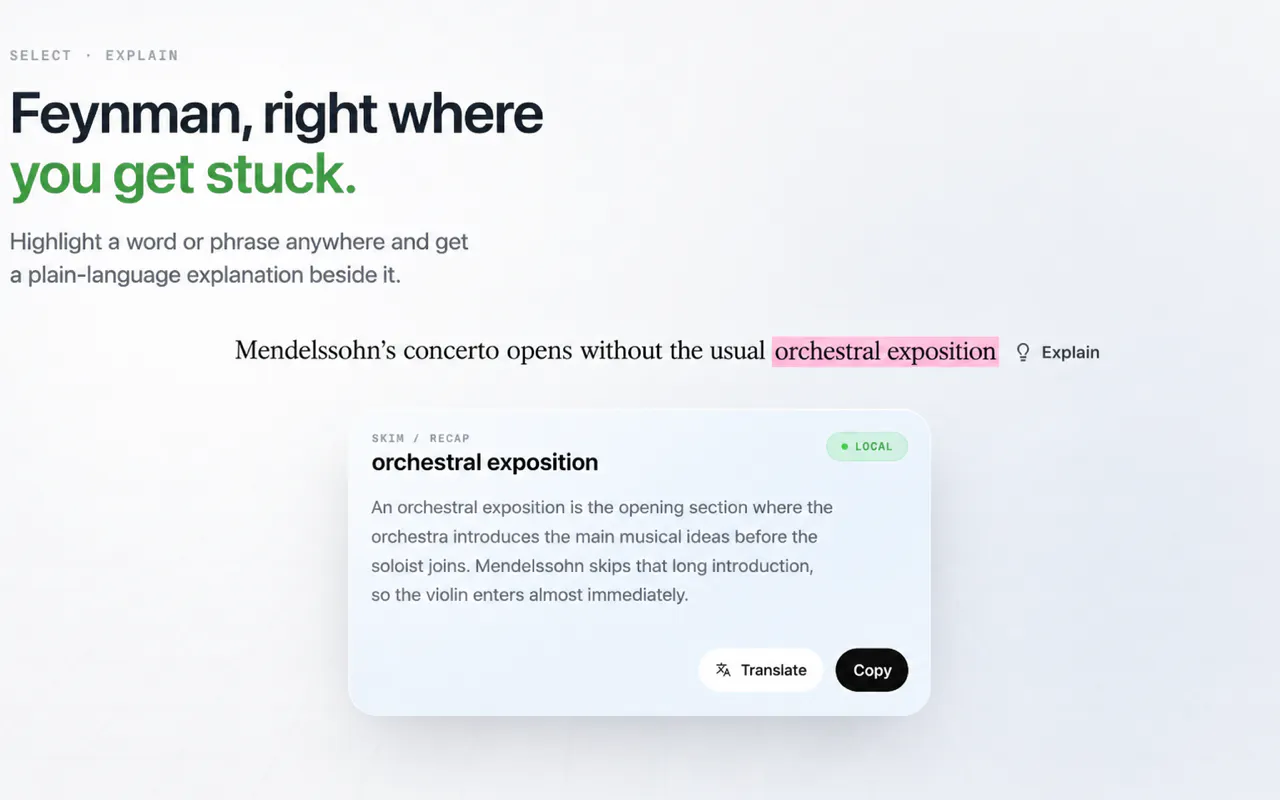
Flick through an article too fast and Skim Recap hands the skipped passage back in a card beside your cursor. If a term stops you, select the word or phrase and press Feynman: Gemma uses the surrounding paragraph, nearby context, heading, and page title to explain what it means here. Everything runs locally through LiteRT-LM and WebGPU—no account or hosted LLM API.
Ask AI
ChatGPT Claude Perplexity Grok
For agents
llms.txt · llms-full.txt · ai.txt · Live fact sheet · Full catalog (.md) · Endpoint index · API spec · REST access · Agent server · Server manifest · Server discovery
Key Features
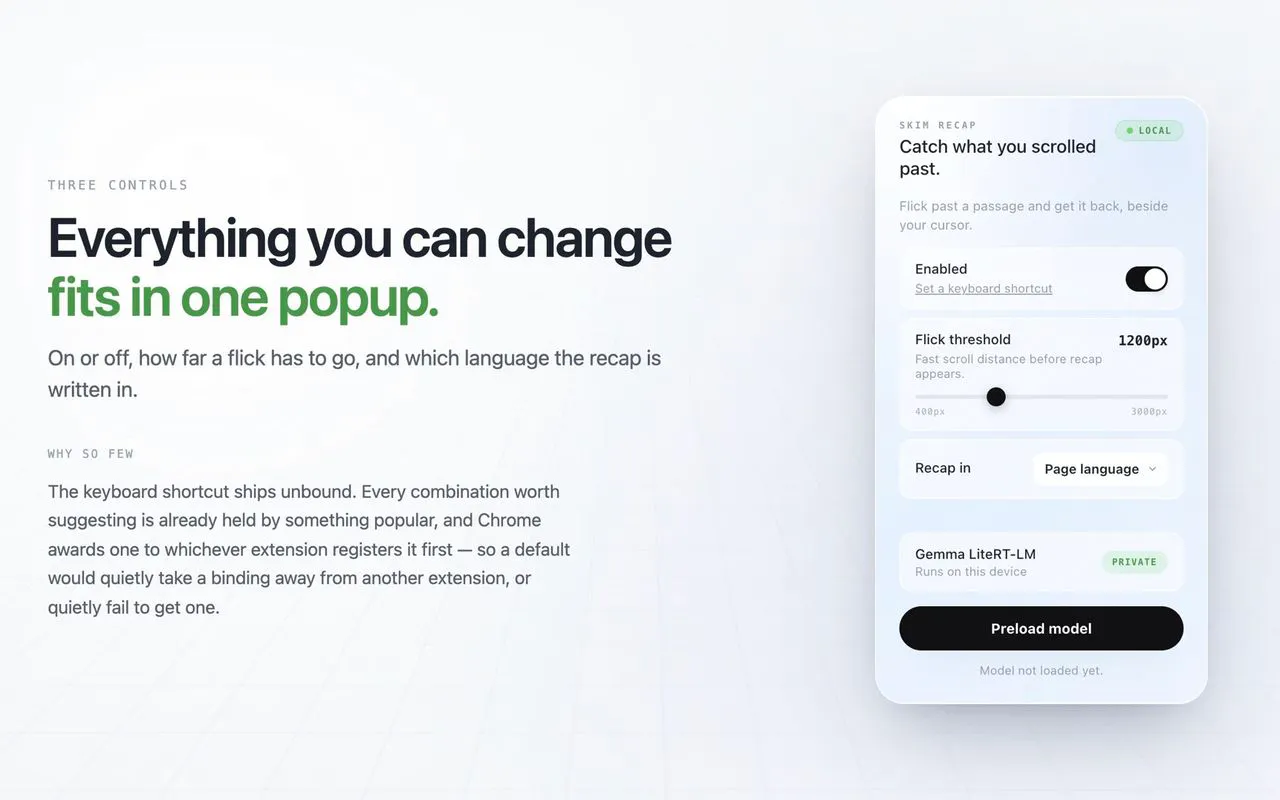
- Detect fast scroll gestures and summarize skipped passages
- Run summarization models locally on your device
- Explain unfamiliar terms selected on the page
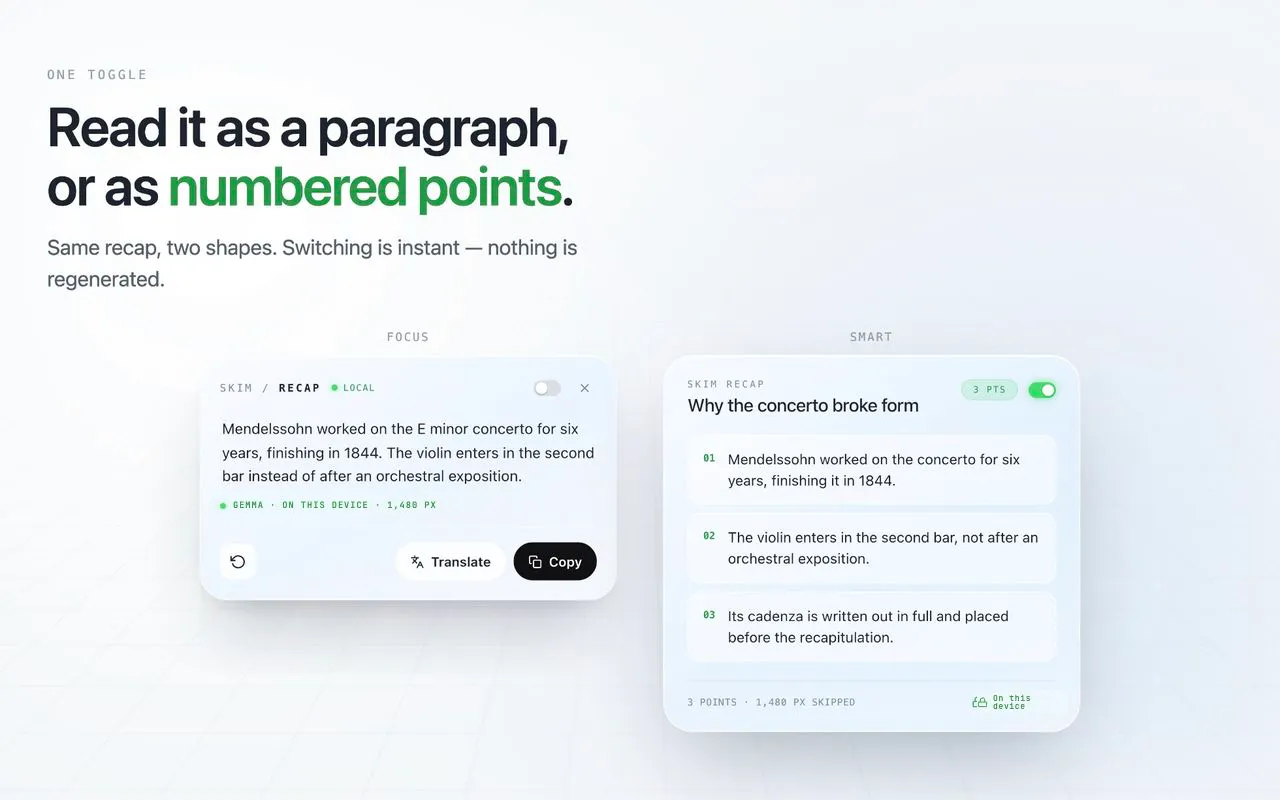
- Switch between paragraph and numbered point layouts
Use Cases
- Install Chrome extension to instantly retrieve skipped passages while reading news articles without breaking flow
- Select unfamiliar terms while reading and press Feynman for contextual explanations based on surrounding content
- Process sensitive documents locally with no data sent to servers for all explanations and passage retrieval
- Improve reading comprehension by relying on the extension to catch and explain terms that would normally slow down fast reading or require separate searches
Pricing
Skim Recap is free to use. See the website for details.
FAQ
What is Skim Recap?
Flick through an article too fast and Skim Recap hands the skipped passage back in a card beside your cursor. If a term stops you, select the word or phrase and press Feynman: Gemma uses the surrounding paragraph, nearby context, heading, and page title to explain what it means here. Everything runs locally through LiteRT-LM and WebGPU—no account or hosted LLM API.
What are the key features of Skim Recap?
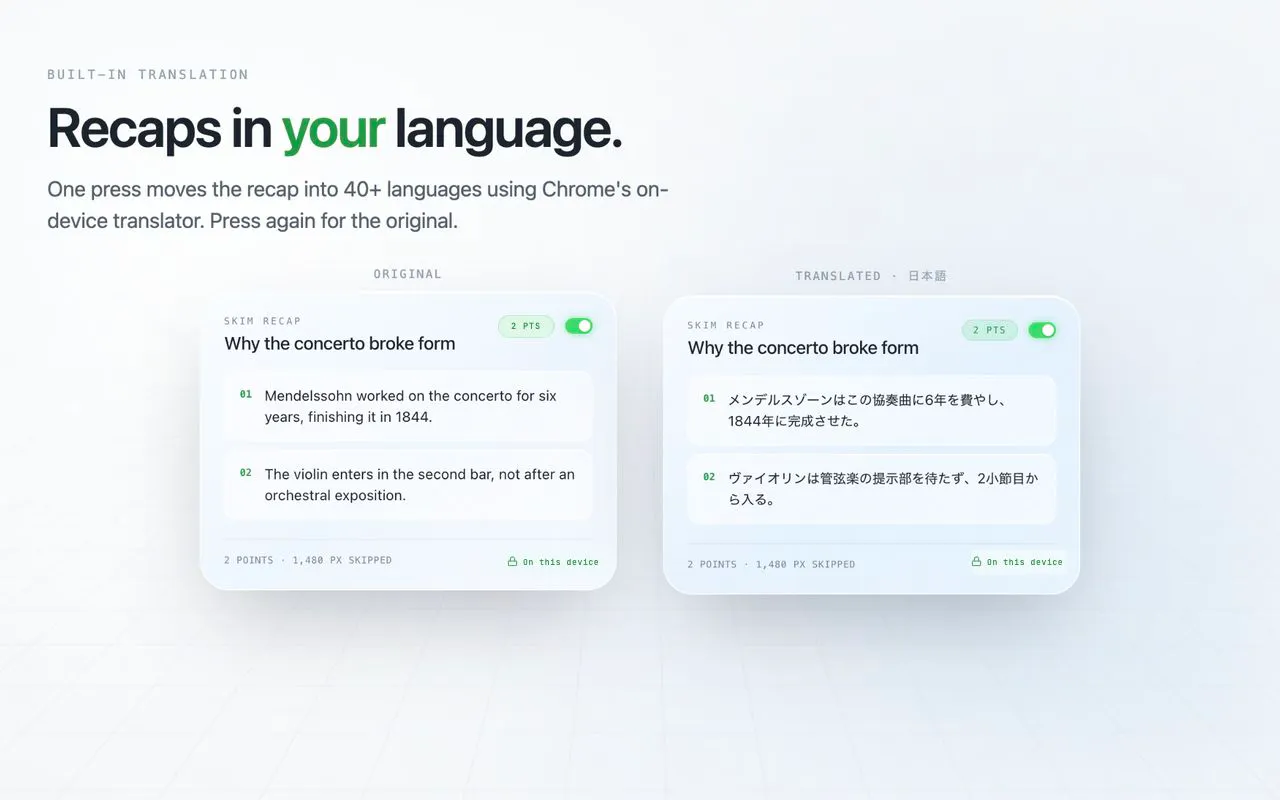
Skim Recap includes: • Detect fast scroll gestures and summarize skipped passages • Run summarization models locally on your device • Explain unfamiliar terms selected on the page • Switch between paragraph and numbered point layouts • Generate summaries in your chosen language
What can I use Skim Recap for?
• Install Chrome extension to instantly retrieve skipped passages while reading news articles without breaking flow. • Select unfamiliar terms while reading and press Feynman for contextual explanations based on surrounding content. • Process sensitive documents locally with no data sent to servers for all explanations and passage retrieval. • Improve reading comprehension by relying on the extension to catch and explain terms that would normally slow down fast reading or require separate searches.
How much does Skim Recap cost?
Skim Recap is free to use. See the website for details. You can discover and review Skim Recap for free on Launch Llama.
What category does Skim Recap belong to?
Skim Recap is listed under Chrome Extensions on Launch Llama.
How do I get started with Skim Recap?
Click the "Visit Website" button on this page to go directly to Skim Recap. You can also upvote and leave a review to help other founders discover it.
Alternatives
- Readdit Later
For Reddit users: Readdit Later organizes your saved posts into a searchable list with notes and AI summaries, so you actually find and revisit what you saved.
- NotesIQ
The Chrome extension for Substack Notes analytics, scheduling, and AI drafting. See which Notes convert subscribers, know the best time to post, and never stare at a blank page again.
- Rebrief
For researchers and readers: Rebrief turns your X bookmarks into weekly briefings processed locally so you extract insights without cloud storage or accounts.
- Google Chrome Skills
For Chrome users: Google Chrome Skills turns your best AI prompts into reusable one-click workflows you can trigger instantly across tabs and pages.
- SkipBait
For learners: SkipBait summarizes YouTube videos with timestamps and web-grounded chat so you extract insights without watching full-length content.
- Diet Claude
For Claude users: Diet Claude shows live usage limits and context optimization so you never hit rate limits mid-conversation.