DropAny
Under reviewCross-platform AirDrop alternative in the browser — pair wit
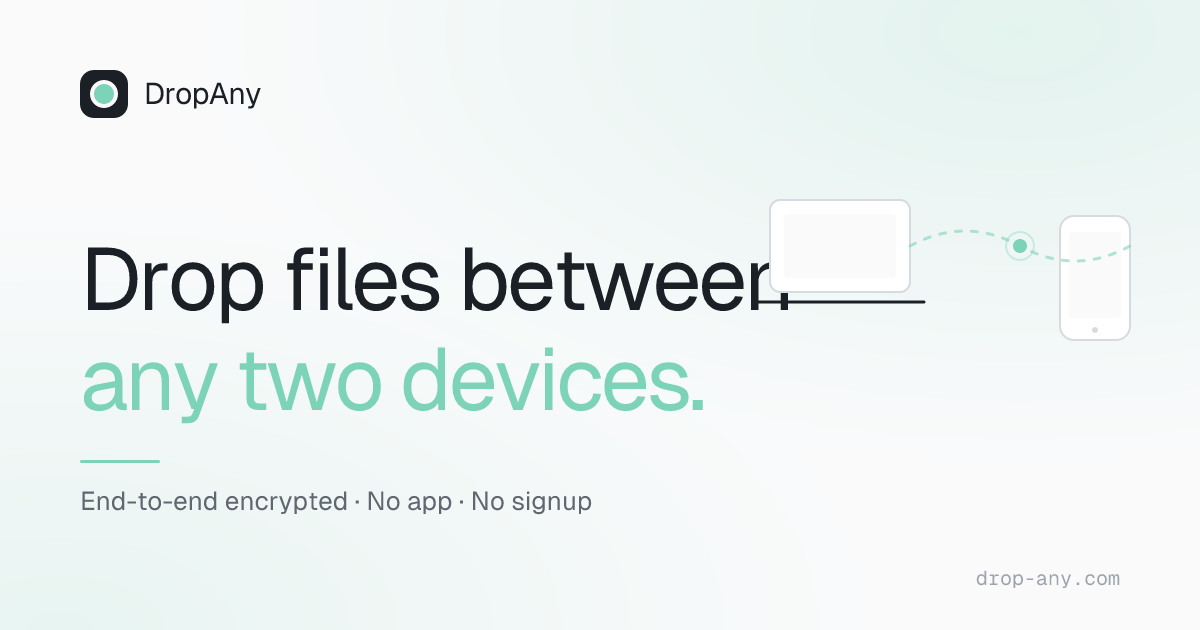
Lets iPhone, Android, Windows, Mac and Linux users send files peer-to-peer from a browser tab. Devices pair with a one-time 6-digit code, with no signup or app install.
Productivity · Free
Coming soon on Launch Llama Tools
DropAny is a Community listing on Launch Llama with 1 upvote from 1 founder, +1 in the week of Nov 3–Nov 9, 2026, compared against 6 alternatives.
Community listing
Listing status
1upvotes
+1 · Nov 3–Nov 9, 2026
Community score
—
Founder
Compared against 6 alternatives
Market comparison
Lets iPhone, Android, Windows, Mac and Linux users send files peer-to-peer from a browser tab. Devices pair with a one-time 6-digit code, with no signup or app install.
About
One device generates a code and QR code, and the other enters it or scans it, which lets the two browsers find each other. The files then travel over a WebRTC DataChannel encrypted with DTLS, and the server only handles the initial handshake. Because devices connect over the internet rather than a shared Wi-Fi network, they can pair across different networks, and unused codes expire after about 10 minutes.
Key Features
- Generates a one-time 6-digit code and QR code to pair two devices
- Opens a direct, end-to-end encrypted WebRTC DataChannel between devices
- Transfers files peer-to-peer without uploading them to any cloud service
- Works across iPhone, Android, Windows, Mac and Linux in any modern browser
- Sends messages alongside files over the same encrypted connection
- Connects devices on different networks, not only the same Wi-Fi
Use Cases
- Sending a large photo or multi-gigabyte video from an iPhone to a Windows PC without uploading it to a cloud service
- Moving files between an Android phone and a Mac or Linux laptop without installing an app or creating an account
- Transferring files between two devices on different Wi-Fi networks, where same-network tools like Snapdrop fail
From the founder
Who it's for
“Anyone who needs to transfer files between phone and PC or across platforms without installing an app — freelancers, travelers, and teams swapping files peer-to-peer.”
Why I built it
“AirDrop only works on Apple devices on the same Wi-Fi. I built DropAny as a browser-based alternative: pair with a 6-digit code and send files end-to-end encrypted, peer-to-peer, with no signup and no cloud upload.”
Who it is for
- iPhone, Android, Windows, Mac or Linux users who want AirDrop-style file sharing across ecosystems
- Windows or Android users who want an AirDrop-style experience without installing an app
- People who need to send large files without cloud upload limits or storage quotas
Pricing
DropAny is free to use. See the website for details.
FAQ
Is DropAny really end-to-end encrypted?
Yes. DropAny uses the browser’s native WebRTC DataChannel, which is encrypted with DTLS by default. Files and messages are encrypted on the sending device and decrypted only on the receiving device, so no one in between can read them.
Do I need to install an app or create an account?
No. DropAny runs entirely in your browser. There’s nothing to download and no signup — just open the site on both devices and pair them with the 6-digit code.
How do I transfer files between iPhone, Android, Windows and Mac?
Open DropAny in a browser on both devices and pair them with the 6-digit code. Because it’s fully cross-platform, you can transfer files iPhone to Windows, Android to Mac, or Linux to iPhone — exactly where AirDrop and Quick Share fall short.
Can I transfer large files between devices for free?
Yes, with no fixed size limit. Files are sent directly between the two devices instead of being uploaded to a server, so you’re bound only by your devices and network, not by a cloud quota — and DropAny is completely free.
Can I send files without uploading them to the cloud?
Yes. Your files travel directly from one device to the other over a peer-to-peer connection, so nothing is uploaded to the cloud. DropAny’s server only helps the two devices find each other; it never sees or stores your file contents.
Which browsers are supported?
Any browser with WebRTC support: Chrome 63+, Safari 13+, Firefox 58+, and Edge 79+, on both desktop and mobile.
How can I send files between phone and computer wirelessly without an app?
Open DropAny in the browser on your phone and your computer, create a code on one and enter it on the other. Files then transfer wirelessly, peer-to-peer — no app, no cable, and no signup.
Why does Snapdrop not work on a different network, and does DropAny?
Snapdrop only connects devices on the same Wi-Fi, so it fails across different networks. DropAny pairs devices with a 6-digit code over the internet, so it can connect across different networks too. (The single-use code expires after about 10 minutes if no one joins.) The same applies to Pairdrop and ShareDrop, which are also Wi-Fi-only.
Alternatives
 IcyZipFor remote workers: IcyZip pairs browsers with QR codes so you transfer files and text between devices instantly without apps or accounts.
 ZynkFor teams: Zynk sends files and folders between devices with messaging, reactions, and web sharing. Play media directly in-app or on Android TV.
More in Productivity
New on Launch Llama
Launched this week · This month's launches · All products A–Z
Ask AI about DropAny
Supporters
1 founder
1 founder contributed 1 upvote to DropAny on Launch Llama.

For bots & AI agents
Machine-readable versions of DropAny and Launch Llama. Fetch these instead of parsing this page.
This listing (.md) llms.txt llms-full.txt ai.txt Full catalog (.md) Endpoint index API docs MCP server MCP manifest Developer docs