Better Resource Monitor
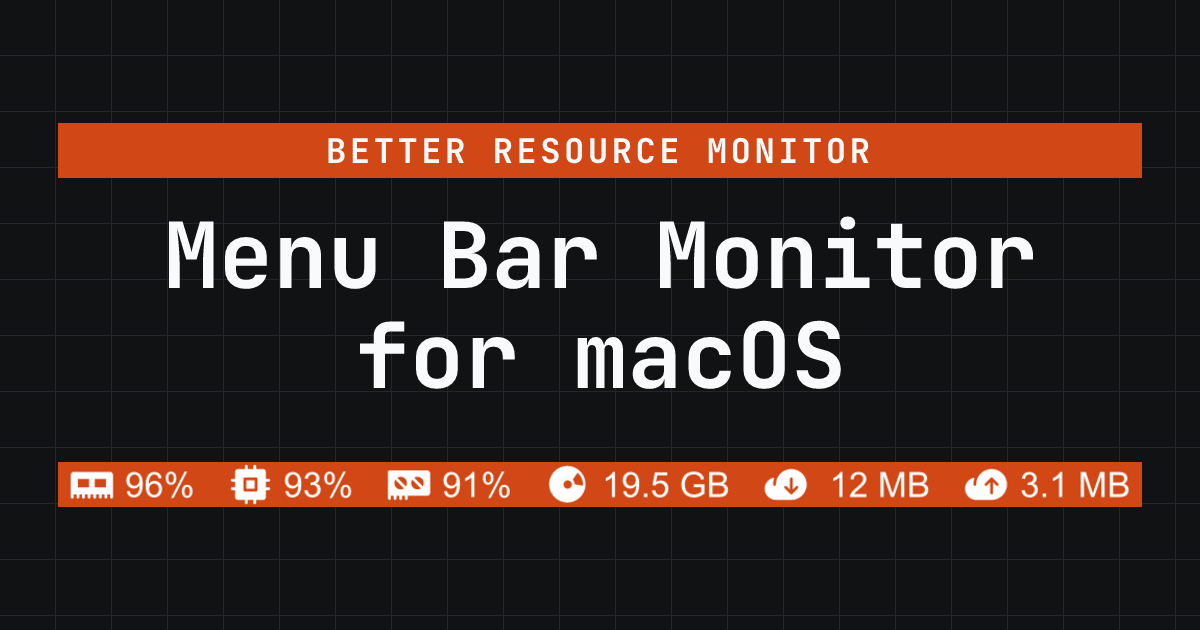
For Mac developers: Better Resource Monitor displays CPU, memory, GPU, and network usage in your menu bar so you catch performance issues before they slow your work.
Built by Alex Pedersen and xelia pedersen · Productivity · Developer Tools · Open Source · Free
In category: #1040 of 1429 · Productivity
Better Resource Monitor is an Instant Launch listing on Launch Llama with 2 total upvotes, founded by Alex Pedersen and xelia pedersen who joined in Jun 2026, compared against 5 alternatives.
Instant Launch listing
Listing status
2upvotes
Community score
Alex Pedersen and xelia pedersen (Joined Jun 2026)
Founder
Compared against 5 alternatives
Market comparison
Launched on Launch Llama Jun 20, 2026 · #8 of 10 that day
About
A free, open-source macOS menu bar app that displays CPU, memory, GPU, and network usage with minimal overhead. Built in Rust, it uses less than 0.1% CPU and 15 MB of RAM, making it an ideal lightweight alternative to iStat Menus. The app includes zero telemetry, supports both Intel and Apple Silicon Macs, and is available on the Mac App Store and GitHub.
Use Cases
- Keeping an eye on CPU, memory, storage, GPU, and network load from the menu bar while working, without opening Activity Monitor
- Spotting unusual resource load early, with the tray turning orange when CPU, memory, or GPU usage reaches 81% or storage drops below 10 GB
- Checking core Mac performance on a battery-powered laptop with a lightweight, low-overhead monitor that needs no admin password
Who it is for
- Mac developers who want to catch performance issues before they slow their work.
- People who want a quick, low-noise daily view of their Mac's core metrics.
- Users evaluating a lightweight alternative to iStat Menus for everyday monitoring.
Pricing
Better Resource Monitor is free to use. See the website for details.
Better Resource Monitor at a glance
- 01What it is
- Better Resource Monitor: For Mac developers: Better Resource Monitor displays CPU, memory, GPU, and network usage in your menu bar so you catch performance issues before they slow your work.
- 02Pricing
- Better Resource Monitor pricing: Free.
- 03Best for
- Better Resource Monitor is best for mac developers who want to catch performance issues before they slow their work., people who want a quick, low-noise daily view of their Mac's core metrics. and users evaluating a lightweight alternative to iStat Menus for everyday monitoring.
- 04Alternatives
- Top Better Resource Monitor alternatives on Launch Llama: Drain, Fetchy: AI Usage Menu Bar and ClaudeUsageBar.
FAQ
What is Better Resource Monitor?
A free, open-source menu bar app that shows CPU, memory, storage, GPU, and network usage on macOS. Written in Rust. Under 0.1% CPU and about 15 MB of RAM.
Who is Better Resource Monitor for?
It is for Mac users who want a lightweight, always-visible menu bar view of CPU, memory, storage, GPU, and network usage without admin prompts or telemetry. It works on Intel and Apple Silicon Macs running macOS 13 or newer.
Who should choose a deeper system monitor instead?
Choose Stats or iStat Menus if you need fan, temperature, battery, detailed sensor history, or broader hardware controls. Better Resource Monitor intentionally focuses on the core daily metrics.
Which macOS versions are supported?
It works on Intel Macs and Apple Silicon Macs running macOS Ventura 13 or newer.
Is it free?
Yes. Both distributions are free, MIT-licensed, and include the same monitoring features. The Mac App Store handles updates automatically; GitHub downloads are updated manually.
How much CPU and memory does it use?
Under 0.1% CPU and about 15 MB of RAM on an Apple M1. For comparison, Stats uses ~50 MB and iStat Menus uses 100+ MB. The app binary is under 7 MB.
How does GPU monitoring work?
On macOS, it reads device utilization from Apple Silicon GPUs through Apple's public IOAccelerator API. That keeps GPU monitoring available in both the App Store and GitHub versions without relying on private APIs or sudo.
Does it collect any data?
No. Zero network requests, no analytics, no telemetry. Everything stays on your machine. Storage usage is calculated locally from OS-reported total/free capacity for your main storage volume; no file names, contents, external volumes, or per-volume details are read. The source code is on GitHub if you want to verify that yourself.
Is Better Resource Monitor a Stats or iStat Menus alternative?
Yes, if you want a simpler macOS menu bar monitor focused on CPU, memory, storage, GPU, and network usage. Stats and iStat Menus go deeper into sensors; Eul was a similar lightweight option that is no longer actively maintained. Better Resource Monitor stays lighter, free, and fully available from the Mac App Store. See all comparisons: /comparison/, or jump to Stats: /comparison/vs-stats/, iStat Menus: /comparison/vs-istat-menus/, or Eul: /comparison/vs-eul/.
Does it drain MacBook battery?
It is designed for low overhead, but battery impact depends on your Mac and workload. It reads macOS thermal status through public APIs; it does not report individual sensor temperatures or fan speeds.
Alternatives
 FocusOSFor professionals: FocusOS blocks distractions and tracks time locally on Mac so you stay focused and understand where your hours actually go.
More in Productivity
New on Launch Llama
Launched this week · This month's launches · All products A–Z
Ask AI about Better Resource Monitor
Supporters
1 founder
1 founder supported Better Resource Monitor on Launch Llama.
For bots & AI agents
Machine-readable versions of Better Resource Monitor and Launch Llama. Fetch these instead of parsing this page.
This listing (.md) llms.txt llms-full.txt ai.txt Full catalog (.md) Endpoint index API docs MCP server MCP manifest Developer docs