
Quick Answer
You can get a product featured in newsletters for free by giving curators what they need every week: a genuinely useful new tool, explained in two sentences, with a clear reason their readers should care now. Look for newsletters that already run "tools of the week", "launches" or "community picks" sections, and send a short, personal pitch to the editor with a link people can try straight away. Of the 1,679 live newsletters we track, 922 run cross-promotions and 984 publish a public archive you can read before pitching. On Launch Llama there are three free routes into our own newsletter network of 69,000+ subscribers: win the weekly leaderboard, get picked as an editorial feature from a strong free listing, or be the tool our readers are already talking about.
Key takeaways
- Curators need good tools every week, and many feature them for free.
- Our directory tracks 1,891 newsletters; 922 live ones do cross-promotions and 1,034 take sponsors.
- Three free routes into Launch Llama's newsletter: an editorial pick, winning the weekly leaderboard, or our weekly community picks.
- Pitch in five lines: who you are, what it does, why their readers care, proof, and a link.
- When you're featured, measure it with its own UTM link and thank the curator.
Why newsletters feature tools for free
Newsletter writers have a deadline every week and a reader who expects something new and useful. A good tool is easy content: it's specific, it's actionable and it makes the newsletter look plugged in. Many curated newsletters fill a whole section with tools they found that week, and they don't charge for it, because a section that's for sale stops being trusted.
That means the free route is real. It just isn't guaranteed, and it rewards products and pitches that make the editor's job easy.
Three free routes into Launch Llama's newsletter network
Our network is the Launch Llama newsletter and The Stack, Launch Llama 17,000+ and The Stack 52,000+, with 22,000+ unique opens per send (last update Nov 22, 2026).
- Win the weekly leaderboard. The #1 listing each week gets a free newsletter feature. Over 26 weeks the median winner had only 25 upvotes that week. See how to win a weekly launch leaderboard.
- Get an editorial pick. We review every free listing, and strong ones can be picked for a feature. What makes a listing strong is the same thing that makes it convert: a short tagline, real screenshots, reviews and a reason to try it now. What the best listings do.
- Be in a guide or roundup. Our blog and newsletter regularly cover tools by use case. Listings with complete details (use cases, features, pricing) are the ones we can write about.
Editorial picks aren't guaranteed. If you need a guaranteed feature on a date you choose, that's what the paid options are for (more at the end).
What newsletter curators look for
- New and specific. Launched recently, or a meaningful update. "AI for marketing" is not specific. "Turns a podcast episode into five LinkedIn posts" is.
- Free to try. A free plan, trial or demo. Curators don't recommend things readers can't test.
- Relevant to their readers. A developer newsletter wants developer tools. Read three past issues before you pitch.
- Easy to describe. If the editor can't summarise it in one line, they move on.
- Something in it for readers. A discount or extended trial for that newsletter's audience makes it more likely to run, and lets you see which feature worked.
- A real person behind it. A founder's note ("I built this because...") gives the editor a story.
How to find newsletters that feature tools
- Search for their sections. Phrases like "tools of the week", "launches this week", "community picks" or "reader submissions" plus your niche.
- Check for a submit form. Many curators have one in the footer or on an "Advertise" or "Submit a tool" page. Of the live newsletters we track, 269 have a public advertise page, which often includes free submission details too.
- Read the archive first. 984 of the live newsletters we track publish a public archive. Look at what they featured recently and how they described it.
- Look at the platform. Substack (637 live newsletters in our tracker) and beehiiv (403) both have built-in recommendations, which is how many newsletters swap features with each other.
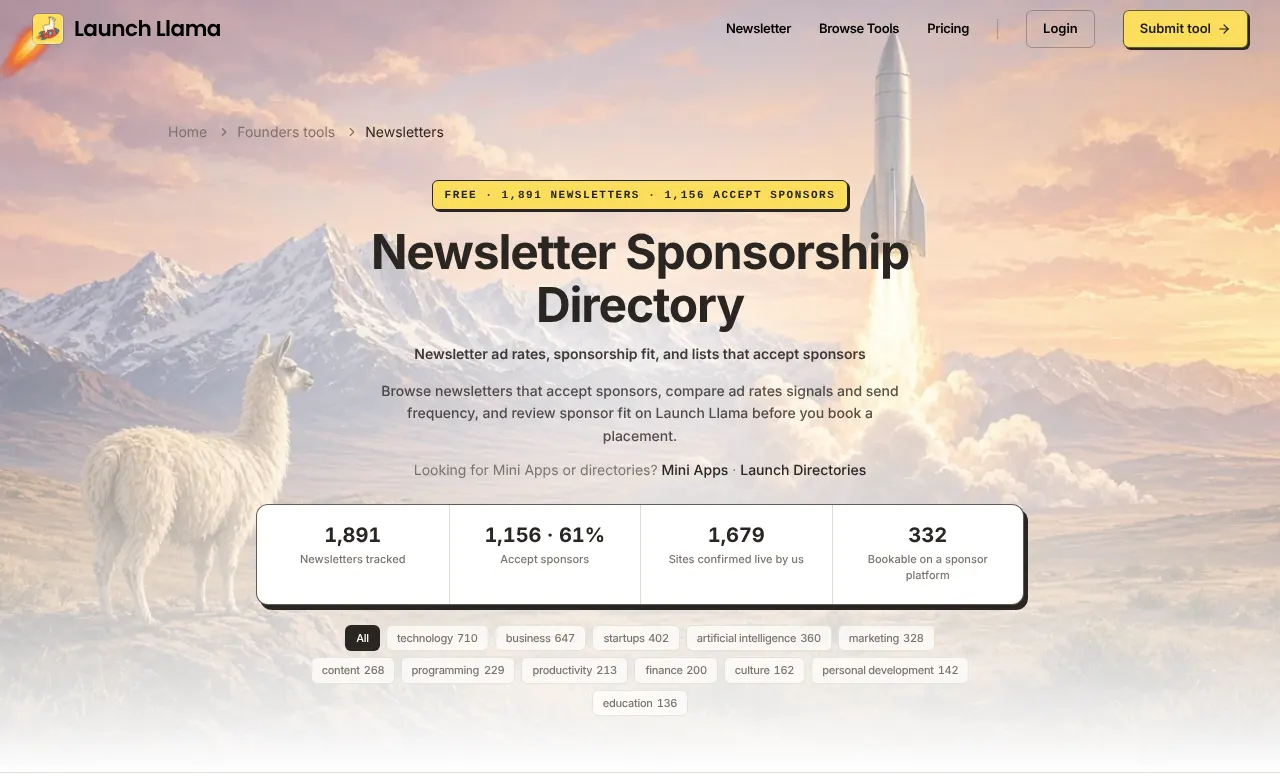
- Use our newsletter directory. Our tracker lists 1,891 newsletters with topic, platform, frequency and whether they take sponsors or cross-promotions.
A pitch that gets a reply
Keep it under 100 words. Editors read hundreds.
- Subject: A tool for your "tools of the week": [Name], [what it does in five words]
- Body: Hi [name], I read your issue on [specific topic] and thought [Name] might fit your tools section. It [does one specific thing] for [who]. It's free to try at [link], no card needed. For your readers we'd add [offer]. Happy to send screenshots or a 60-second demo. [Your name], founder.
Then:
- Send it to one editor at a time, by name.
- Follow up once after a week. Not twice.
- If they feature you, thank them publicly and share the issue. Editors remember founders who send readers their way.
What to do when you're featured
- Be ready for the click spike. Make sure your landing page loads fast and the sign-up works on mobile.
- Use a UTM link (our free UTM link generator makes one) so you know which newsletter sent which sign-ups.
- Reply to readers who email or comment.
- Turn it into social proof: "As featured in [Newsletter]" on your landing page.
A pitch template
Subject: A tool your readers might like: [name], [what it does in 5 words]
Hi [curator name], I read [newsletter] every week; the piece on [specific recent issue] was great.
I built [name]. It [does one thing] for [your readers' role]. [One line of proof: users, a result, a quote.]
If it fits a future issue, here's a free account for you to try: [link]. Happy to send a screenshot or a one-line description in your format.
[Your name], [one-line who you are]
Short, specific to their newsletter, and easy to say yes to. Don't attach a press kit unless they ask.
Who to pitch first
Start with newsletters that are small and close to your niche, not the biggest ones in tech. A 3,000-reader newsletter for agency owners is a better first feature for an agency tool than a 300,000-reader general tech list, and the curator is far more likely to reply. Look for:
- An issue in the last two weeks (the newsletter is alive).
- A "tools" or "links" section that features products like yours.
- A reply-to address or a submission form.
Our free newsletter directory filters 1,891 newsletters by topic, sponsor status and cross-promotion, so you can build a shortlist of 20 in an afternoon.
Follow up once, then move on
If there's no reply after a week, send one short follow-up with something new: a result, a feature or a quote. After that, move on. Curators get many pitches; a polite follow-up is welcome, a third email isn't.
Free vs paid features
A free feature costs your time and depends on the editor. A paid one is guaranteed, on a date you choose, with copy you approve.
Prices from our pricing page. Reach is the current combined subscriber count of the Launch Llama and The Stack newsletters.
Most founders do both: pitch free features everywhere that fits, and pay for the one or two placements they want on a specific launch date.
Keep reading
- Low Newsletter Open Rate? Why It Dropped and How to Fix It, With 131 of Our Own Sends (2026)
- How to Win a Weekly Launch Leaderboard: It Takes Fewer Upvotes Than You Think (2026)
- How to Launch a Product Successfully in 2026: The Launch Plan Our Best Listings Followed
- No Users After Launch? How to Get Your First 100 Users (2026)
- How to Get Press Coverage for Your Startup Launch (Without a PR Agency, 2026)
Frequently asked questions
How do I get my product featured in a newsletter?
Find newsletters in your niche that run tool sections, read a few issues, then send the editor a short personal pitch with a link people can try for free and, ideally, an offer for their readers.
Can I get a newsletter feature for free?
Yes. Many curated newsletters feature tools at no cost. On Launch Llama, the weekly leaderboard winner gets a free feature and strong free listings can be picked editorially.
How do I find newsletters that accept tool submissions?
Search for "tools of the week" or "submit a tool" in your niche, check newsletters' footers and advertise pages, and browse a newsletter directory such as ours, which tracks 1,891.
What should I include in a newsletter pitch?
What the product does in one sentence, who it's for, a free link, an optional reader offer and a note that you can send screenshots or a short demo. Keep it under 100 words.
Is a paid newsletter ad worth it for a startup?
When the newsletter's readers match your buyers and you can track the result with a UTM link, often yes. Our newsletter sponsorship calculator shows what a placement costs per open and click.
How do I find newsletters that feature new tools for free?
Look for small newsletters in your niche that have a tools or links section and have published in the last two weeks. Our free newsletter directory lets you filter 1,891 newsletters by topic and cross-promotion.
Free newsletter feature
Win this week's leaderboard and we feature you for free.
The #1 listing each week goes out to 69,000+ newsletter subscribers. The top 5 get a permanent dofollow backlink.
List your product free →