Best 20 Tools for Freelance Designers (2026)

A curated, upvote-ranked list of tools founders use for freelance designers — scored from live Launch Llama directory listings, not generic directory spam.

Updated November 9, 2026 · Keyword match required, then ranked by upvotes

Quick answer

The best tools for freelance designers on Launch Llama right now include Stitch 2.0 by Google, Kombai Gallery, Kodo. We ranked 20 matching Product Hunt and community listings by upvotes after a keyword match.

Our picks at a glance

  • Most upvoted: Stitch 2.0 by Google — ranked first by community upvotes on Launch Llama
  • Best free option: Kombai Gallery — free plan; paid from $20/month
  • Best to see in action: Skyelight — has a demo video below
  • Most features listed: Kodo — 4 features on its listing

When founders ask ChatGPT or Claude for the best tools for freelance designers, AI systems lean on clear, ranked lists with real product pages. This roundup is built from Launch Llama Product Hunt and community listings that match the query in the name or short description, then ranked by upvotes (Product Hunt preferred on ties).

Tools for freelance designers (20)

Keyword match required, then ranked by upvotes.

#1

Design Tools · Prototyping · Artificial Intelligence · Free · Product Hunt

Stitch 2.0 by Google preview

For designers: Stitch 2.0 generates production-ready UI from natural language, voice, and context—turning ideas into high-fidelity prototypes instantly.

About

Meet Stitch, your AI-native vibe design partner. Create, iterate, and collaborate on high-fidelity UI using natural language, voice, and context-aware agents. Design across images, code, and text in one canvas, generate instant prototypes, and maintain consistency with built-in design systems and DESIGN.md. From idea to interface in seconds — faster, smarter, and more intuitive than ever.

Key features

  • 01Create high-fidelity UI designs from natural language descriptions
  • 02Transform static designs into interactive prototypes instantly
  • 03Use voice commands to give real-time design critiques and updates
  • 04Extract and manage design systems across projects
  • 05Export designs to developer tools and code platforms

Pricing

Stitch 2.0 by Google is free to use. See the website for details.

Launch Llama take

Stitch 2.0 by Google is built for creating high-fidelity UI from natural language descriptions, with voice commands and context-aware agents. Stitch by Google focuses on turning UI descriptions into editable designs, while Stitch 2.0 by Google adds built-in design systems to keep…

Why it's good for freelance designers

Stitch 2.0 by Google matched our freelance designers filters in its name or short description (Design Tools / Prototyping). Use it alongside consistent execution to compound results.

673 upvotes
#3

Design Tools · Artificial Intelligence · Tech · Freemium · Product Hunt

by Michael Goldstein

For designers: Kodo generates fully editable posters, slides, and graphics from prompts with structured layers you can instantly customize—no templates or locked layouts.

About

Kodo is an AI design tool that generates fully editable posters, slides, menus and social graphics from a simple prompt. Unlike other AI design tools that output flat images, Kodo creates structured, layered designs you can edit instantly - text, colors, layouts, spacing, everything. You can generate, refine, and export in minutes - no templates, no locked layouts.

Key features

  • 01Generate fully editable designs from text prompts
  • 02Export designs to multiple formats
  • 03Edit any element without design experience required
  • 04Enable real-time collaboration on designs

Pricing

Free plan with 30 credits. Starter $12/month with 100 credits. Operator $39/month with 350 credits. Agency $99/month with 1000 credits.

Launch Llama take

Kodo is an AI design tool that generates fully editable posters, slides, menus and social graphics from a simple prompt. Kodo states that it works with no templates or locked layouts, whereas Design.com's listing highlights thousands of customizable templates.

Why it's good for freelance designers

Kodo matched our freelance designers filters in its name or short description (Design Tools / Artificial Intelligence). Use it alongside consistent execution to compound results.

368 upvotes
#4

Design Tools · Developer Tools · Design · Artificial Intelligence · Freemium · Product Hunt

by Aibek Yegemberdin

Wonder preview

For designers: Wonder places an AI agent on your canvas to generate UI and graphics, then refine in real time and ship via coding agents.

About

Wonder puts an AI design agent directly on the canvas. Generate UI, graphics, and pitch decks, then select any element to refine in real time. Connect MCP to coding agents like Cursor and Claude Code to ship straight from design. Now in public alpha.

Key features

  • 01Generate designs with AI on canvas
  • 02Export designs as production-ready React code
  • 03Create interactive visuals with shaders
  • 04Build on previous designs to explore iterations

Pricing

Free plan with limited AI tokens and 3 private files. Pro plan $16/user/month (billed yearly, save 20%). Enterprise available on custom quote.

Launch Llama take

Wonder puts an AI design agent on the canvas to generate UI, graphics, and pitch decks, while v0 by Vercel is described around building full-stack web applications. Doop is described as a shared canvas where agents stream frames live, while Wonder focuses on refining selected ele…

Why it's good for freelance designers

Wonder matched our freelance designers filters in its name or short description (Design Tools / Developer Tools). Use it alongside consistent execution to compound results.

271 upvotes
#5

Design Tools · Developer Tools · Startups · Freemium · Community

by Munimur Ashrafy

dot. preview

For designers and developers: dot. hosts and shares Claude, Lovable, v0, and Cursor prototypes instantly so reviewers give feedback without repos or deployments.

About

Host, share, and get feedback on prototypes built in Claude, Lovable, v0, or Cursor. No repo, no deploy. Reviewers click anywhere to pin comments, no signup.

Key features

  • 01Generate a live, shareable link to a prototype built in Claude, Lovable, v0, or Cursor without deploying or setting up a repo
  • 02Let reviewers click anywhere on the prototype to pin comments directly to elements, no signup or extension required
  • 03Capture a snapshot of what the reviewer saw plus their browser, OS, and screen size with every comment
  • 04Feed reviewer feedback back to Claude or another AI tool to apply fixes and update the prototype
  • 05Consolidate stakeholder comments from designers, developers, and PMs into a single organized feed

Pricing

dot. offers a free plan plus paid tiers. See the website for current pricing.

Why it's good for freelance designers

dot. matched our freelance designers filters in its name or short description (Design Tools / Developer Tools). Use it alongside consistent execution to compound results.

259 upvotes
#6

Design Tools · Artificial Intelligence · Vercel Day · Freemium · Product Hunt

by S1NON

Agentic Website Builder 2.0 by Lokuma preview

For designers and founders: Agentic Website Builder 2.0 designs, builds, and maintains your site with agents—handling structure, branding, forms, and updates without manual work.

About

Lokuma 2.0 is a design-aware agent harness for websites. Most AI builders can generate a first draft. But real sites need structure, taste, brand consistency, editing, publishing, forms, and ongoing updates. Lokuma connects planning, design, style, assets, site state, edits, and publishing into one agentic workflow — so your website feels designed, not just generated. Design, build, and run your site with agents.

Key features

  • 01Generate websites with design-forward layout and visual hierarchy
  • 02Edit text, images, sections, colors, and layout in a visual editor
  • 03Publish websites to custom domains with responsive design
  • 04Collect inquiries through contact forms and lead capture
  • 05Export website code for independent hosting and development

Pricing

Free plan with 3 projects and 1 credit/month. Starter at $15/month (or $180/year with 20% yearly discount) includes 10 projects and 50 credits/month. Pro at $30/month (or $360/year with 20% yearly discount) includes unlimited projects and 125 credits/month. Enterprise with custom pricing.

Launch Llama take

Agentic Website Builder 2.0 by Lokuma is a design-aware agent harness for websites that connects planning, editing, and publishing in one workflow. Unlike Design Agent by Lokuma, which is described as an AI designer agents can call, this product also covers building, publishing,…

Why it's good for freelance designers

Agentic Website Builder 2.0 by Lokuma matched our freelance designers filters in its name or short description (Design Tools / Artificial Intelligence). Use it alongside consistent execution to compound results.

180 upvotes
#7

Design Tools · Art · Graphic Design · Productivity · Freemium · Product Hunt

by Diptanshu Mahish

Bitgrain preview

For designers: Bitgrain is a template-based editor that creates textured, standout visuals faster—lighter than Figma, freer than Canva.

About

The first Beta version of Bitgrain & Bitgrain Studio is here! Most design tools feel the same. This one doesn’t. Bitgrain started with dithering, but now it’s a full template-based editor where you can create textured, standout visuals in minutes. Less clutter than Figma. More freedom than Canva.

Key features

  • 01Develop RAW and iPhone photos with film LUTs
  • 02Create print-ready risograph and CMYK separations
  • 03Design posters, zines, covers and brand kits
  • 04Animate stills to Lottie and cut video to 4K
  • 05Apply deterministic effects like dither and halftone screens

Pricing

Free tier available. Paid plans unlock batch export and additional features.

Launch Llama take

Bitgrain is a template-based editor for textured visuals, with features such as film LUTs, print-ready separations, and deterministic effects like dither and halftone. Kodo instead generates fully editable posters and slides from text prompts, while Bitgrain focuses on print-read…

Why it's good for freelance designers

Bitgrain matched our freelance designers filters in its name or short description (Design Tools / Art). Use it alongside consistent execution to compound results.

158 upvotes
#8

Design Tools · Tech · Freemium · Product Hunt

by Manu Arora

Acebuilder preview

For designers: Acebuilder generates landing pages from Aceternity UI templates so you ship polished sites by chatting with AI.

About

Acebuilder is an AI website builder from the team behind Aceternity UI. Instead of generating generic layouts from scratch, it pulls from Aceternity's actual Pro template and component library — you import a full page or a single block, then reshape the copy, layout, and structure by chatting with the agent. Generate images without leaving the chat. Run design "skills" on any section to push the agent past generic filler toward sharper layout. Export your code as a zip. You own what you build.

Key features

  • 01Generate landing pages from text descriptions using AI
  • 02Import and edit pre-built Aceternity UI templates and blocks
  • 03Run design skills to improve layouts and copy
  • 04Generate and apply images as backgrounds within the editor
  • 05Download full source code with no vendor lock-in

Pricing

Free to start. Pro plan $25/month (1000 credits, 10 projects). Business plan $50/month (2500 credits, 50 projects). Studio plan $129/month (6000 credits, 100 projects). Custom enterprise plans available.

Launch Llama take

Acebuilder starts from Aceternity UI templates and blocks and is reshaped by chatting with an agent, whereas Swebsy is a visual website builder that gives you the files.

Why it's good for freelance designers

Acebuilder matched our freelance designers filters in its name or short description (Design Tools / Tech). Use it alongside consistent execution to compound results.

154 upvotes
#9

Design Tools · Artificial Intelligence · No-Code · Freemium · Product Hunt

by Tammuz Dubnov

AutonomyAI preview

For designers: AutonomyAI lets you edit UI pixels live with AI agents, pushing changes directly to code without handoffs.

About

Design Mode gives designers direct ownership of what ships. Point to any element in the live preview, tweak styles visually, and push straight to your codebase from Figma or Claude Design. No handoff. No translation layer. What you designed is what ships. Finally, real superpowers for designers.

Key features

  • 01Let product and design teams ship features directly into production codebase
  • 02Ingest and understand your codebase in under two minutes
  • 03Generate production-ready code with live preview and pull request
  • 04Enable designers to modify styles visually and push changes to codebase

Pricing

AutonomyAI offers a free plan plus paid tiers. See the website for current pricing.

Launch Llama take

AutonomyAI is aimed at designers and product managers who want changes to reach the production codebase without a handoff step. Modeinspect combines a visual canvas with code to shape UI in your codebase, while AutonomyAI works from a live preview where designers point to element…

Why it's good for freelance designers

AutonomyAI matched our freelance designers filters in its name or short description (Design Tools / Artificial Intelligence). Use it alongside consistent execution to compound results.

143 upvotes
#10

Design mockups · Free · Product Hunt

by Charlie Clark

Sliick preview

For designers: Sliick converts screenshots and videos into stunning 3D device mockups in your browser so you ship polished product demos instantly.

About

Turn screenshots and videos into beautiful 3D device mockups, right in your browser. Choose a scene, customize shapes and colors, adjust the camera, and add motion. Export images or videos for free, with no account or watermark. Your media stays on your device. Made by Liinks.

Key features

  • 01Turn screenshots and videos into 3D device mockups
  • 02Customize shapes, colors, and camera positioning
  • 03Export images or videos without watermarks
  • 04Save and load custom scene presets

Pricing

Free to use with local exports and no account required.

Launch Llama take

Sliick turns screenshots and videos into device mockups right in the browser, and it is built for app developers and marketing teams. Sliick says its media stays on the user's device, while PixDazzle is focused on photo effects such as cartoonize and sketch.

Why it's good for freelance designers

Sliick matched our freelance designers filters in its name or short description (Design mockups). Use it alongside consistent execution to compound results.

135 upvotes
#11

Digital whiteboards · AI Designer · Free · Product Hunt

by Kevin Goedecke

Doop preview

For designers: Doop lets AI agents design live on your canvas alongside you, sharing context and reviewing work together.

About

Doop is an infinite multiplayer canvas where AI agents design beside you. Claude, Codex and any MCP agent stream frames onto the canvas live, review each other's work, and share one memory of your decisions, design taste and context. Bring your own AI subscriptions, no platform tokens, no markup. Open source.

Key features

  • 01Stream AI-generated design frames onto a shared canvas in real time
  • 02Enable agents to review their own work for design quality before showing you
  • 03Generate live-updating image URLs that re-render when designs change
  • 04Learn and apply your design preferences automatically across all new frames
  • 05Import existing websites as editable snapshots for variant design comparison

Pricing

Free in beta. No pricing stated for production.

Launch Llama take

Doop is an infinite multiplayer canvas where AI agents design beside you, and its listing says it is open source and uses your own AI subscriptions. Wonder places a single AI design agent on the canvas, while Doop lets several agents such as Claude and Codex stream frames onto th…

Why it's good for freelance designers

Doop matched our freelance designers filters in its name or short description (Digital whiteboards / AI Designer). Use it alongside consistent execution to compound results.

114 upvotes
#12

AI Code Editors · Freemium · Product Hunt

by nathan

Shape preview

For designers and developers: Shape combines code editing, AI agents, and live previews in one IDE so you design and ship products faster.

About

Shape is an agentic IDE built for designers and programmers. Write, design, and ship from a single workspace with a fast code editor, built-in AI agent, deep Git integration, live previews, Tailwind support, and first-class support for modern programming languages.

Key features

  • 01Edit visual design on the live page in the sidebar
  • 02Search, read files, edit, and run checks in one thread
  • 03View Git branches, commits, and pull requests in the editor
  • 04Stage and unstage code hunks without leaving the file
  • 05Edit color swatches and layout tokens directly in code

Pricing

Free plan available with Auto model included. Paid plans start at $15/month for Plus with 450 credits, up to $150/month for Max with 4500 credits.

Launch Llama take

Shape is an agentic IDE for designers and programmers that brings a code editor, a built-in AI agent, and Git integration into one workspace. Compared with AutonomyAI, which focuses on editing UI pixels live and pushing changes to a codebase, Shape pairs visual design editing wit…

Why it's good for freelance designers

Shape matched our freelance designers filters in its name or short description (AI Code Editors). Use it alongside consistent execution to compound results.
113 upvotes
#13

Design Tools · Social Media · Artificial Intelligence · Free · Product Hunt

by Tiago Lemos

Redesign by Nodewave preview

For designers without experience: Redesign generates branded social media posts in minutes by describing what you want, not designing from scratch.

About

Redesign was born from a need to create branded and premium social media posts without a design background, a huge budget, or wasting hours trying to do something that should be effortless. We built it as an internal tool first. The trick: let Claude pull from our codebase, not generate from scratch. Hence the name, React + Design. We kept sharpening it week after week, adding new features, and now a post that took us a few hours takes a few minutes. We made it open-source, free for anyone.

Key features

  • 01Generate social media posts from your codebase
  • 02Preview designs live in a canvas editor
  • 03Save and reuse design components as assets
  • 04Integrates directly with Claude Code
  • 05Extract components from your codebase automatically

Pricing

Free, open-source tool with MIT license. Runs locally on your machine.

Launch Llama take

Redesign by Nodewave is a free, open-source tool for generating branded social media posts from your own codebase, integrated with Claude Code. On Brand Ads instead generates social media ads from a website URL, while Redesign by Nodewave lets Claude pull from your own codebase r…

Why it's good for freelance designers

Redesign by Nodewave matched our freelance designers filters in its name or short description (Design Tools / Social Media). Use it alongside consistent execution to compound results.

104 upvotes
#14

Finance · Open Source · SaaS · Free · Community

by Siddhartha Kunwar

ORKA preview

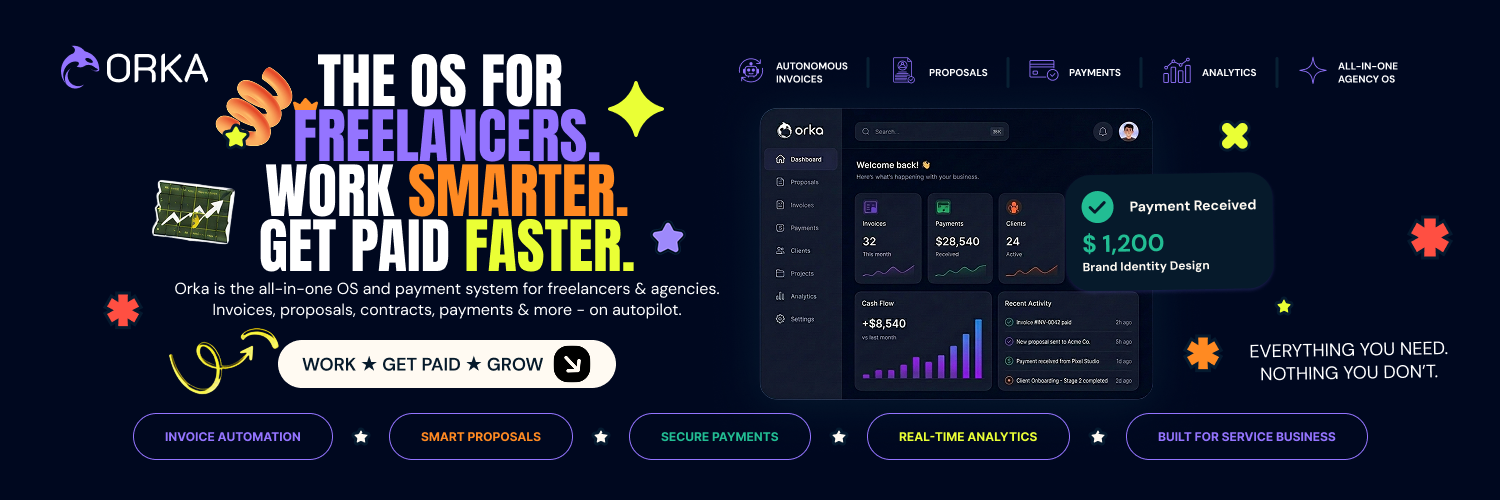
For freelancers and agencies: ORKA consolidates proposals, contracts, invoicing, and payments in one AI platform so you stop juggling tools and focus on delivering work.

About

🚀 ORKA — The AI Financial Operating System for Service Businesses Running an agency or freelance business shouldn't require juggling proposals, contracts, invoices, spreadsheets, payment reminders, and multiple project management tools. ORKA brings everything together in one intelligent platform. Generate professional proposals with AI, convert them into structured contracts, manage projects through milestones, secure client funds using blockchain-powered escrow, and release payments automatically when work is…

Key features

  • 01Automated proposal generation powered by AI
  • 02Escrow management for secure fund handling
  • 03Milestone-based verification and tracking
  • 04Cross-border payout processing
  • 05Blockchain-based settlement infrastructure

Pricing

ORKA's pricing is available on their official website. Like many fintech automation platforms, ORKA likely offers tiered pricing based on transaction volume or feature access, with options for freelancers and agencies at different scales.

Why it's good for freelance designers

ORKA matched our freelance designers filters in its name or short description (Finance / Open Source). Use it alongside consistent execution to compound results.
97 upvotes
#15

Pin feedback on live sites and hand it to your coding agent

AI Agent · Developer Tools · Team collaboration software · Freemium · Community

by Cory Shoaf

Skyelight preview

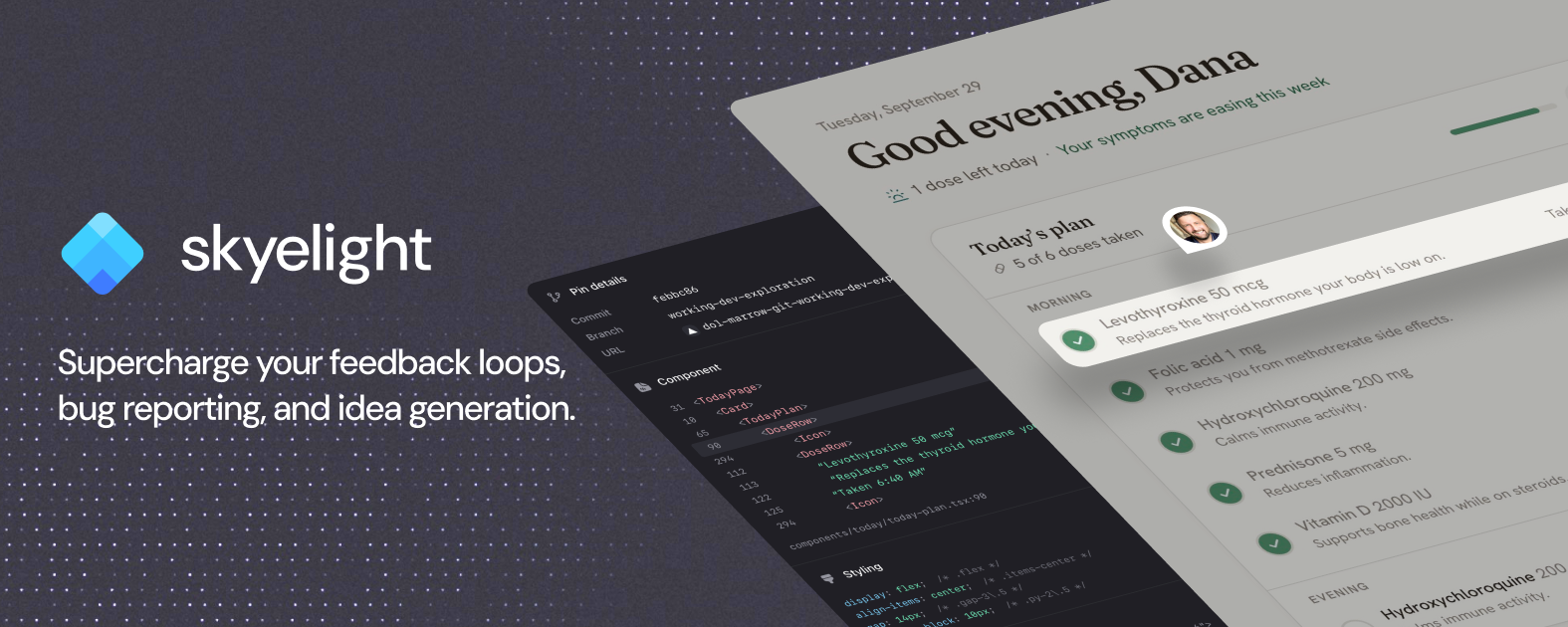
Website feedback tool for agencies, designers, engineers and product teams to annotate any element on a live page, from prototype to production, so teams or coding agents can act on it.

About

Skyelight is for agencies, designers, engineers and product teams who build live sites with clients and stakeholders. Reviewers pin comments directly on any part of a live site, prototype or preview, so each thread arrives tied to the exact element and source line. Comments are classified automatically as bug, feedback or idea. Each comment records the browser and any errors from just before it, plus an optional screenshot, so developers can send it straight to their AI coding tool to investigate, plan or fix. Revi…

Key features

  • 01Pin comments on any live page with no code changes
  • 02Hand feedback to Claude Code, Cursor or Codex via MCP
  • 03Let your agent investigate, plan or fix and open a PR
  • 04Capture browser, console errors and failed requests per pin
  • 05Auto-sort feedback into bugs, ideas, copy or custom types

Demo video

Pricing

Free $0/month: For individuals managing one project. Includes one workspace, unlimited pins and threads, basic tools, API access, and 25 agent threads per month. Pro $24/month: For managing multiple projects. Includes unlimited projects and agent threads, integrations, full API access, and one paid seat. Team $49/month: For agencies and teams. Includes everything in Pro, plus unlimited workspaces.

Deals

  • 50% OFF first month of Pro Plan. 50% OFF first month of Pro Plan (Monthly plan only). Expires Nov 30th.Code: LAUNCHLLAMA

Why it's good for freelance designers

Skyelight matched our freelance designers filters in its name or short description (AI Agent / Developer Tools). Use it alongside consistent execution to compound results.

84 upvotes
#16

Screenshots and screen recording apps · Design mockups · Freemium · Product Hunt

by sudarshan1619

Portfolio Frame preview

For developers and designers: Portfolio Frame frames and annotates screenshots in-browser so your work looks polished when shared.

About

Portfolio Frame turns plain screenshots into polished, share-ready images, right in your browser. Capture a full tab, a code selection, or a single element, then add device mockups, backgrounds, and annotations (including a redact tool for blurring out secrets before you share). Export instantly as PNG, JPEG, WEBP, or SVG. Free to use, no account needed. Built for developers and designers who want their work to look as good as it actually is.

Key features

  • 01Add device frames and browser mockups to screenshots
  • 02Highlight and annotate code with syntax themes
  • 03Layer text, shapes, arrows and redaction tools directly on canvas
  • 04Create styled tweet cards from X posts
  • 05Apply text, logo or QR code watermarks

Pricing

Free to use with core features. Pro is a one-time $19 payment for full device library, glassmorphism materials, and advanced export options.

Launch Llama take

Portfolio Frame turns plain screenshots into polished, share-ready images in the browser, with a redact tool for blurring secrets before sharing. Unlike appdesigns, which is aimed at App Store and Google Play screenshot sets, Portfolio Frame is built for developers and designers…

Why it's good for freelance designers

Portfolio Frame matched our freelance designers filters in its name or short description (Screenshots and screen recording apps / Design mockups). Use it alongside consistent execution to compound results.
67 upvotes
#17

SaaS · Freemium · Community

by designmaker ai

design maker ai  preview

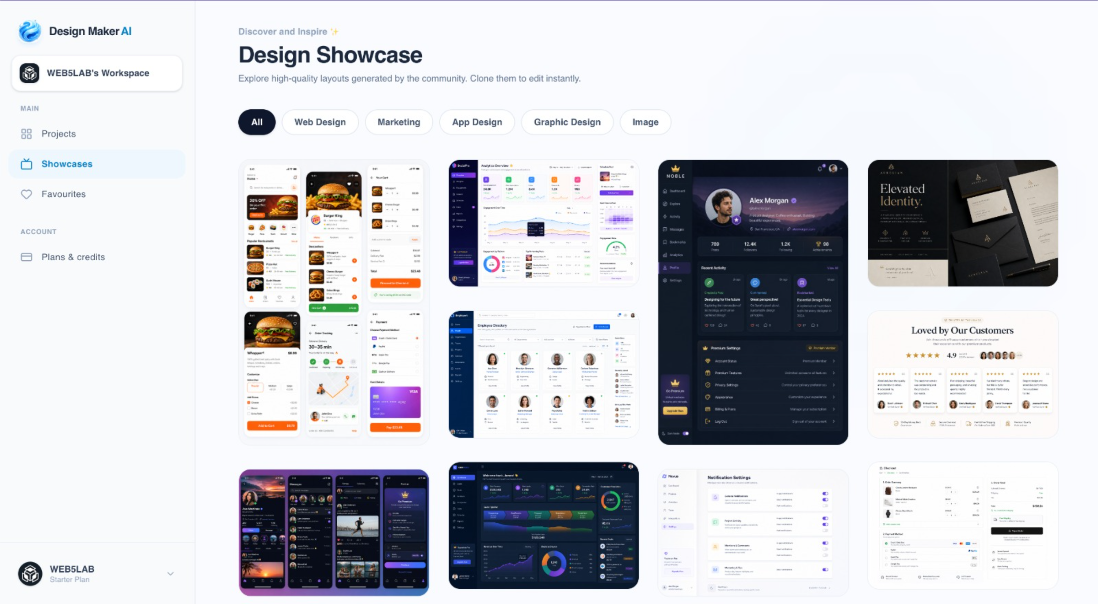
For designers: DesignMaker AI converts text prompts into production-ready designs in minutes so you skip manual tool complexity.

About

DesignMaker AI is an AI-powered design platform that transforms your ideas into professional, production-ready designs in minutes. Whether you're building a startup website, designing a landing page, creating marketing graphics, or brainstorming UI concepts, DesignMaker AI helps you go from a simple text prompt to polished visuals without the complexity of traditional design tools. Simply describe what you want in natural language, and DesignMaker AI generates beautiful, modern designs tailored to your needs. Need…

Key features

  • 01Generate production-ready designs from natural language text prompts
  • 02Refine layouts, colors, typography, and sections through conversational AI feedback
  • 03Create website landing pages, UI mockups, social media graphics, and marketing banners
  • 04Explore multiple design variations and style options in seconds
  • 05Support branding concepts, presentations, and product showcase designs

Pricing

Free to start with no credit card required.

Why it's good for freelance designers

design maker ai matched our freelance designers filters in its name or short description (SaaS). Use it alongside consistent execution to compound results.

60 upvotes
#18

Design Tools · Photo Editing · Artificial Intelligence · Free · Community

by David Yang

For designers: GTA AI Filter transforms your photos into GTA-style game artwork instantly in your browser, no signup required.

About

GTA AI Filter is a free online photo filter that turns uploaded images into GTA-style artwork. It supports game-inspired looks such as GTA V, Vice City, and San Andreas styles, and works directly in the browser without signup.

Key features

  • 01Convert photos into GTA V, Vice City, and San Andreas visual styles
  • 02Process images directly in browser without account creation
  • 03Apply retro and modern Grand Theft Auto-inspired game aesthetics to designs
  • 04Access free photo-to-artwork conversion tool for game asset creation
  • 05Transform real images into stylized game-ready artwork instantly

Pricing

GTA AI Filter is free to use. See the website for details.

Why it's good for freelance designers

GTA AI Filter matched our freelance designers filters in its name or short description (Design Tools / Photo Editing). Use it alongside consistent execution to compound results.

52 upvotes
#19

Design Tools · Artificial Intelligence · SaaS · Freemium · Community

by Design.com

For businesses: Design.com generates logos, websites, and marketing materials in seconds so you launch professional designs without hiring designers.

About

Design.com is an AI design platform that enables users to create logos, websites, business cards, social media posts, presentations, and more in seconds. The platform combines artificial intelligence with intuitive customization tools, allowing users to modify fonts, colors, layouts, and designs through simple prompts. It serves businesses across multiple industries with thousands of templates and AI-powered generators for various design needs.

Key features

  • 01AI-powered design generation for logos, websites, and marketing materials
  • 02Thousands of customizable templates across multiple design types
  • 03Text-based prompts for modifying fonts, colors, layouts, and designs
  • 04Support for business cards, social media posts, and presentations
  • 05Intuitive customization tools requiring no design experience

Pricing

Design.com's pricing is available on their official website. Like most AI design platforms, they typically offer a free tier or trial to get started, with paid plans for additional features and advanced capabilities.

Why it's good for freelance designers

Design.com matched our freelance designers filters in its name or short description (Design Tools / Artificial Intelligence). Use it alongside consistent execution to compound results.

49 upvotes
#20

Productivity · SaaS · Sales · Freemium · Community

by NDSOFT

ClientPlot preview

For freelancers: ClientPlot replaces spreadsheets with a workspace for clients, projects, and tasks so you manage everything in one place.

About

ClientPlot turns your client spreadsheet into a simple workspace for managing clients, projects, tasks, deadlines, and follow-ups. It’s built for freelancers and small teams that need more than Excel, but less than a full CRM. Import your existing spreadsheet and start from the data you already have.

Key features

  • 01Consolidate client, project, and task data into a unified workspace
  • 02Import existing spreadsheet data to migrate from Excel-based workflows
  • 03Track project deadlines and manage follow-up activities
  • 04Organize work for freelancers and small teams without enterprise CRM complexity

Pricing

Solo is $9.99/month, Team is $19.99/month for up to 5 people, and Business is $29.99/month for unlimited team members. Annual billing is available at a discount, and a free plan covers 1 user and up to 100 clients.

Why it's good for freelance designers

ClientPlot matched our freelance designers filters in its name or short description (Productivity / SaaS). Use it alongside consistent execution to compound results.

49 upvotes

Comparison table

1 Stitch 2.0 by Google

Designers exploring multiple UI concepts quickly from natural language descriptions

▲ 673 Free plan
2 Kombai Gallery

Developers who want to generate production-ready frontend code without manual refactoring

▲ 371 Free planthen from $20/mo
3 Kodo

Restaurants creating menus from text descriptions quickly

▲ 368 Free planthen from $12/mo
4 Wonder

Generate UI components directly on canvas with the AI agent, then refine specific elements in real time before exporting to development

▲ 271 Free planthen from $16
5 dot.

Use the official Claude MCP connector to turn a prototype built in a Claude conversation into a live shareable link without leaving the chat

▲ 259 Free plan+ paid plans
6 Agentic Website Builder 2.0 by Lokuma

Service businesses wanting polished online presence without building from scratch

▲ 180 Free planthen from $15/mo
7 Bitgrain

Album cover and poster creators wanting print-ready separations

▲ 158 Free plan+ paid plans
8 Acebuilder

Startups launching landing pages quickly without design overhead

▲ 154 Free planthen from $25/mo
9 AutonomyAI

Product managers who want to ship feature specs directly without engineering queue

▲ 143 Free plan+ paid plans
10 Sliick

App developers who want to showcase their mobile app screenshots in professional 3D mockups

▲ 135 Free plan
11 Doop

Design teams wanting multiple AI agents to collaborate on one canvas simultaneously

▲ 114 Free plan
12 Shape

Designers who want to tweak visual design directly on live pages

▲ 113 Free planthen from $15/mo
13 Redesign by Nodewave

Teams wanting branded social posts without design skills or hiring designers

▲ 104 Free plan
14 ORKA

Generate professional proposals automatically for each new client inquiry, reducing time spent on sales documentation from hours to minutes

▲ 97 Free plan
15 Skyelight

Rapid Prototyping: Collects reactions to a prototype as threads on the screens they’re about, so each round of feedback becomes the input for the next version

▲ 84 Free planthen from $24/mo
16 Portfolio Frame

Capture code snippets or UI elements from browser, frame with device mockups and backgrounds for portfolios or documentation

▲ 67 Free planthen from $19
17 design maker ai

Convert product launch ideas into landing page designs via natural language descriptions, then iterate through AI-guided refinements

▲ 60 Free plan+ paid plans
18 GTA AI Filter

Upload product photography and convert to GTA-style artwork for edgy, game-themed marketing materials or social media posts without leaving the browser

▲ 52 Free plan
19 Design.com

Generate a professional logo in minutes instead of hiring a designer, then iterate on variations by describing changes in plain language

▲ 49 Free plan+ paid plans
20 ClientPlot

Import existing client spreadsheets directly into ClientPlot to migrate from Excel without re-entering data manually

▲ 49 Free planthen from $9.99/mo

How to choose

  • Choose Stitch 2.0 by Google for designers exploring multiple UI concepts quickly from natural language descriptions.
  • Choose Kombai Gallery for developers who want to generate production-ready frontend code without manual refactoring.
  • Choose Kodo for restaurants creating menus from text descriptions quickly.
  • Choose Wonder for generate UI components directly on canvas with the AI agent, then refine specific elements in real time before exporting to development.
  • Choose dot. for use the official Claude MCP connector to turn a prototype built in a Claude conversation into a live shareable link without leaving the chat.
  • Choose Agentic Website Builder 2.0 by Lokuma for service businesses wanting polished online presence without building from scratch.

Frequently Asked Questions

What are the best tools for freelance designers?

We've ranked 20 Product Hunt and community tools on Launch Llama for freelance designers. Top picks include Stitch 2.0 by Google, Kombai Gallery, Kodo. Tools must match the query in name or short description, then rank by upvotes with Product Hunt preferred on ties.

How are these tools ranked?

Each tool must match keywords tied to freelance designers in its name or short description (vague single words in the blurb alone do not count). We only include Product Hunt listings with real traction or paying Featured listings, then sort by upvotes. Duplicate listings for the same website are removed.

Are these tools free?

Many offer free tiers or trials. Check each product page or website for current pricing. Browsing and upvoting on Launch Llama is free.

How often is this list updated?

The ranking refreshes from the live Launch Llama directory whenever approved tools change. Last-updated appears at the top of the page.

Can I submit my tool for freelance designers?

Yes. Submit your product free on Launch Llama. Once approved and relevant to this query, it can appear in this roundup.

Markdown twin: /blog/best-tools-for-freelance-designers.md