Best 20 Tools for Calendar Scheduling (2026)

A curated, upvote-ranked list of tools founders use for calendar scheduling — scored from live Launch Llama directory listings, not generic directory spam.

Updated November 9, 2026 · Keyword match required, then ranked by upvotes

Quick answer

The best tools for calendar scheduling on Launch Llama right now include Acti, SuperX, Kalendar.work. We ranked 20 matching Product Hunt and community listings by upvotes after a keyword match.

Our picks at a glance

  • Most upvoted: Acti — ranked first by community upvotes on Launch Llama
  • Best free option: Kalendar.work — free
  • Most features listed: SuperX — 5 features on its listing

When founders ask ChatGPT or Claude for the best tools for calendar scheduling, AI systems lean on clear, ranked lists with real product pages. This roundup is built from Launch Llama Product Hunt and community listings that match the query in the name or short description, then ranked by upvotes (Product Hunt preferred on ties).

Tools for calendar scheduling (20)

Keyword match required, then ranked by upvotes.

#1

Productivity · Custom Keyboards · Artificial Intelligence · Free · Product Hunt

by Junbo Y.

Acti preview

For mobile users: Acti understands your intent and executes actions,from calendar tasks to Notion searches,without leaving your conversation.

About

Type what you need. Hold Acti Bar. Acti understands your intent and brings back the right result, link, or action - right where you are. Use Acti for live sports schedules, nearby restaurants, Notion docs, LinkedIn profiles, Meet links, Calendar actions, and custom workflows - without leaving the conversation.

Key features

  • 01Execute actions by holding the Acti Bar instead of typing
  • 02Integrate with 100+ apps and APIs for custom workflows
  • 03Create and deploy custom Skill Keys through Skill Builder
  • 04Perform actions within any text field across iOS and Android
  • 05Access pre-built skill sets tailored to different user types

Pricing

Free agentic keyboard available for download.

Launch Llama take

Acti is aimed at pulling live sports schedules, nearby restaurants, and calendar actions into a conversation, while Actem focuses on recording meetings and generating action items. Acti also retrieves calendar events and meeting links without switching apps, whereas You Have Time…

Why it's good for calendar scheduling

Acti matched our calendar scheduling filters in its name or short description (Productivity / Custom Keyboards). Use it alongside consistent execution to compound results.
846 upvotes
#2

Social Media · SaaS · Artificial Intelligence · Product Hunt

by Tibo

For X creators: SuperX combines viral inspiration, trend research, and scheduling to grow your audience with built-in analytics.

About

SuperX is an all-in-one growth toolkit for 𝕏. Get daily inspiration based on viral posts in your niche, trend-based research, and fast rewrites in your voice. Schedule posts at the best time, engage with the right accounts to get discovered, and track what works with built-in analytics.

Key features

  • 01Generate AI-written posts matched to your writing style
  • 02Schedule posts for optimal times based on audience activity
  • 03Discover viral post formats and trending topics in your niche
  • 04Automate engagement and growth tasks like retweets and DMs
  • 05Track performance metrics and audience behavior patterns

Pricing

Pricing plans are listed on the site, with a free sign-up option. One user review mentions a cost of $40/mo.

Launch Llama take

SuperX is an all-in-one growth toolkit for X covering post ideas, scheduling, and analytics. Unlike Ghosti X, which describes no risky bot automation, SuperX lists automated engagement tasks like retweets and DMs.

Why it's good for calendar scheduling

SuperX matched our calendar scheduling filters in its name or short description (Social Media / SaaS). Use it alongside consistent execution to compound results.

807 upvotes
#3

Productivity · SaaS · Developer Tools · Free · Product Hunt

by Talha Masood

For teams: Kalendar.work replaces Calendly with unlimited event types, custom branding, and no per-seat fees. Own your scheduling tool.

About

Kalendar is a free, fully customizable Calendly replacement for teams that want control, not lock-in. Create booking links, manage availability, add your own branding, and run unlimited event types without per-seat pricing or artificial limits. Kalendar is built on Founding.dev and can be adapted to your workflows as your needs grow. It’s designed to be owned, extended, and used long-term not rented.

Key features

  • 01Sync bookings with Google Calendar and Outlook automatically
  • 02Create unlimited meeting types without restrictions
  • 03Customize booking page with your brand colors and logo
  • 04Send branded confirmation emails and reminders
  • 05Allow attendees to reschedule or cancel bookings

Pricing

Free forever with no credit card required. Includes custom branding, unlimited event types, and calendar sync at no cost.

Launch Llama take

Kalendar.work focuses on booking links, availability, and branding for teams that want control, while Skedvio centers on calendar connection and live availability checks to prevent conflicts. Kalendar.work is described as designed to be owned, extended, and used long-term rather…

Why it's good for calendar scheduling

Kalendar.work matched our calendar scheduling filters in its name or short description (Productivity / SaaS). Use it alongside consistent execution to compound results.

351 upvotes
#4

Productivity · Task Management · Calendar · Paid · Product Hunt

by Nunzio Martinello

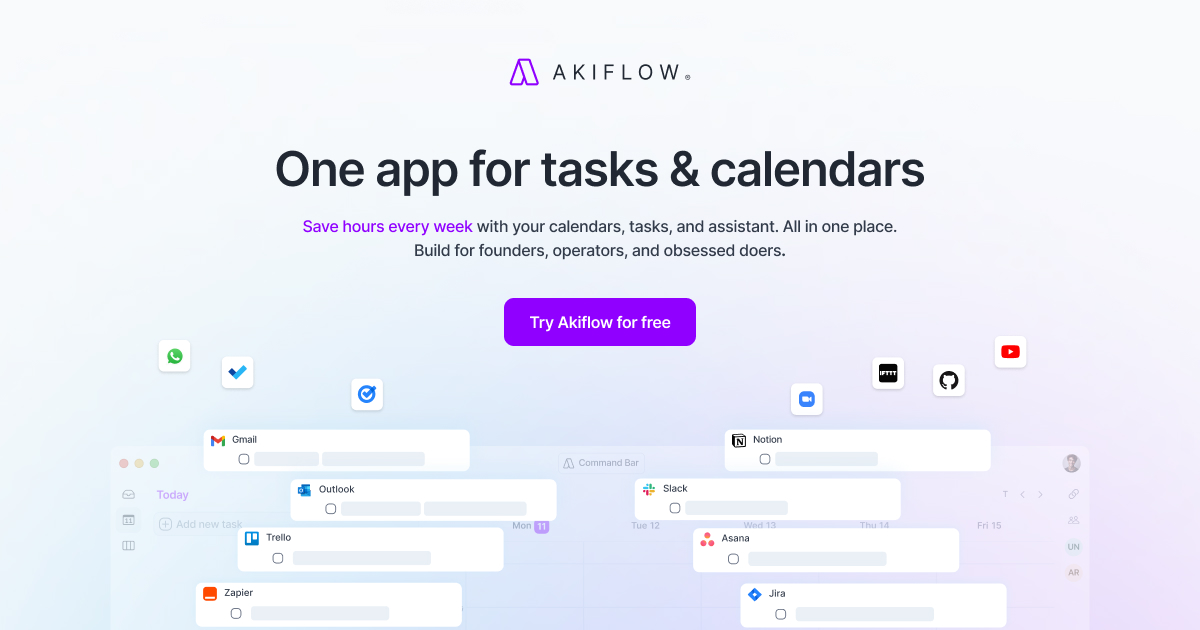
Akiflow preview

For busy professionals: Akiflow unifies tasks and calendars with Claude and ChatGPT so you block time and stay organized from one app.

About

Akiflow is a time-blocking planner that combines tasks, calendars, and AI in one application. It helps busy professionals plan focused days and manage their work effectively. The product integrates work and personal schedules while providing an AI assistant for planning support.

Key features

  • 01Sync work and personal calendars in one place
  • 02Organize tasks with mindful planning categories
  • 03Time-block your day automatically
  • 04Access an on-demand AI executive assistant
  • 05Integrate email and other apps into inbox

Pricing

Akiflow offers a 7-day free trial. Pro costs $34/month billed monthly or $19/month billed yearly. No free plan available after trial ends.

Launch Llama take

Akiflow and Routine both combine tasks and calendars in one application, with Akiflow also providing an AI assistant for planning support. Unlike Planndu, which works completely offline and does not require a login, Akiflow syncs work and personal calendars in one place.

Why it's good for calendar scheduling

Akiflow matched our calendar scheduling filters in its name or short description (Productivity / Task Management). Use it alongside consistent execution to compound results.

261 upvotes
#5

Productivity · Artificial Intelligence · Audio · Freemium · Product Hunt

by Julien Quintard

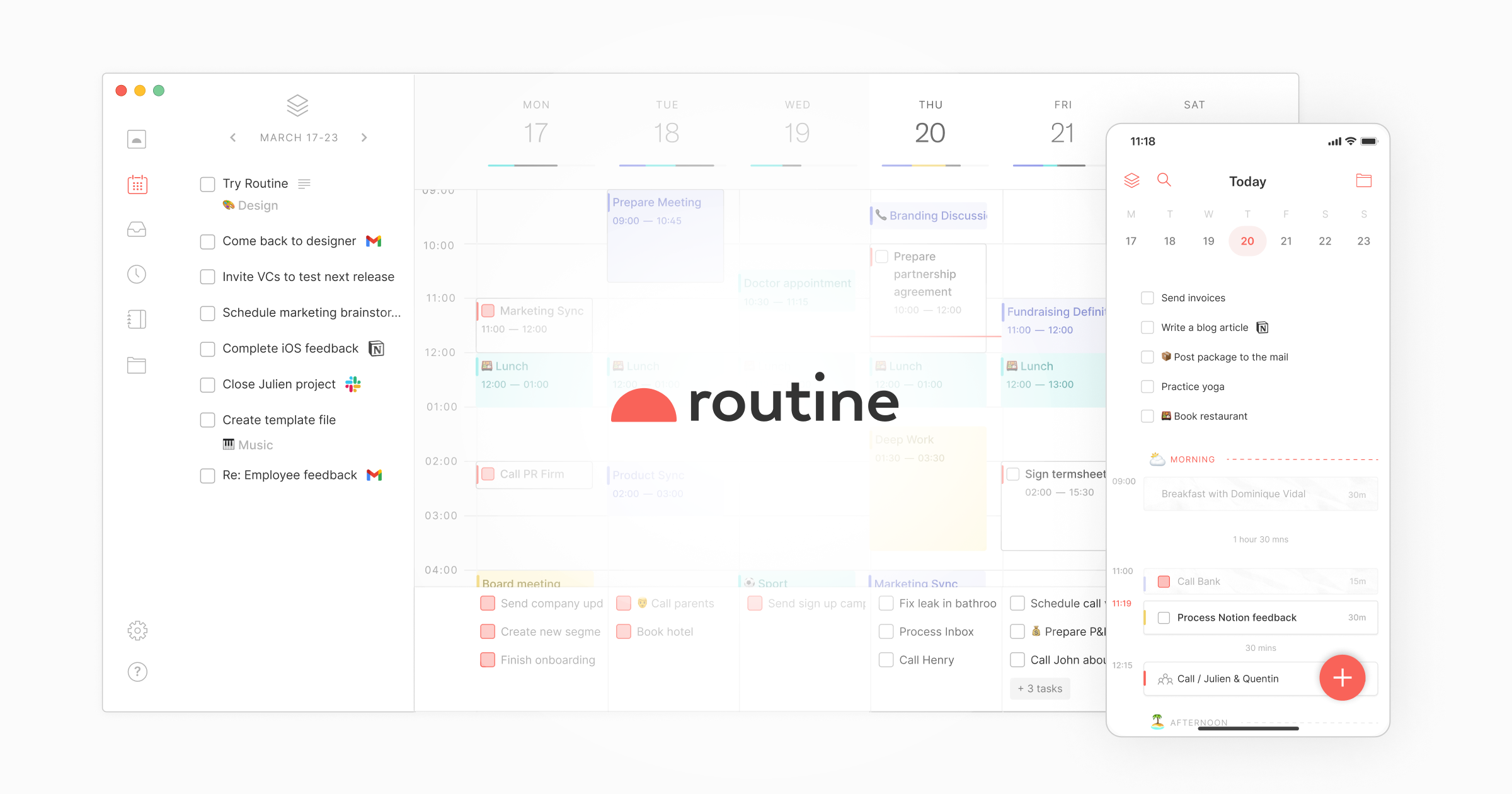
Routine preview

For busy professionals: Routine lets you control tasks, calendar, and projects by voice so you manage work hands-free while multitasking.

About

Routine is an AI-powered workspace that combines tasks, calendars, and notes in one application. It helps users plan their day and manage their work more efficiently. The product serves ambitious professionals and teams looking to centralize their work.

Key features

  • 01Centralize work from multiple apps into a universal inbox
  • 02Automatically transcribe and summarize meetings
  • 03Build AI automations connecting tools and organizing information
  • 04Block time for important tasks on a single planning screen

Pricing

Free plan available forever with basic features. Personal plan costs $5/month, Professional costs $10/month, Business costs $15/seat/month, and Enterprise pricing available upon contact.

Launch Llama take

Routine combines tasks, calendars, and notes in one application, while Macro consolidates email, team chat, documents, tasks, calendar, CRM and agents into a single system.

Why it's good for calendar scheduling

Routine matched our calendar scheduling filters in its name or short description (Productivity / Artificial Intelligence). Use it alongside consistent execution to compound results.

242 upvotes
#6

Productivity · Artificial Intelligence · Vercel Day · Freemium · Product Hunt

by Yair Cohen

E.Y.E. by Expert Chase preview

For busy professionals: E.Y.E. consolidates to-do, calendar, fitness, finance, and habit tracking into one AI assistant that learns from your real data, replacing 10+ separate apps.

About

We're on a mission to make AI actually useful in real life. We help people organize every aspect of their everyday life in one place with our AI, E.Y.E. He draws on users’ real-life data and answers based on that data, not generic responses. We’re here to replace all to-do apps, calendar apps, food trackers, sleep trackers, habit trackers, finance trackers, fitness trackers, notes, everything. One subscription. Unlimited AI. Plus Integrations. btw EYE stands for “Empower Your Everyday”.

Key features

  • 01Process real-time voice input
  • 02Manage tasks and calendar events
  • 03Integrate with Apple and Google services
  • 04Answer questions based on user's personal data

Pricing

One subscription includes unlimited AI and integrations.

Launch Llama take

E.Y.E. by Expert Chase aims to organize everyday life in one place, drawing on users’ real-life data rather than generic responses. Unlike Hello Aria, which works through messaging apps like WhatsApp and Telegram, E.Y.E. by Expert Chase presents itself as a replacement for separa…

Why it's good for calendar scheduling

E.Y.E. by Expert Chase matched our calendar scheduling filters in its name or short description (Productivity / Artificial Intelligence). Use it alongside consistent execution to compound results.

237 upvotes
#7

Mac · Productivity · Meetings · Freemium · Product Hunt

by Tom

QuakPit preview

For Mac users: Quakpit sends animated animals across your screen before meetings start so you never miss a calendar event again.

About

Quakpit is a macOS menu bar app that connects to your calendar and sends an animal-piloted plane flying across your screen before your meetings start. A duck, a dinosaur, a pigeon, a capybara, or a dog, your choice, cruises across your display towing a banner with your meeting name and how long you have left. Hard to ignore. Impossible to hate. Free to download & open source. Connect your calendar, pick your animal, never miss a meeting.

Key features

  • 01Connect to calendar sources and automatically launch reminders on schedule
  • 02Customize characters, plane colors, banner themes, and notification messages
  • 03Set advance notification timing of five or ten minutes before meetings

Pricing

Free forever with core features. Pro costs $4.99 as a one-time payment for additional characters, colors, themes, and multi-calendar support.

Launch Llama take

QuakPit is a macOS menu bar app that connects to your calendar and sends an animal-piloted plane across your screen before meetings start. Calerto for Mac uses full-screen meeting alerts, while QuakPit shows a flying animal towing a banner with the meeting name and time remaining…

Why it's good for calendar scheduling

QuakPit matched our calendar scheduling filters in its name or short description (Mac / Productivity). Use it alongside consistent execution to compound results.

236 upvotes
#8

Email · Productivity · Calendar · Freemium · Product Hunt

by James Ketteringham

Timely preview

For busy professionals: Timely pulls your calendar availability in seconds across timezones so you share it instantly.

About

Pull your availability from connected calendars, with a single keystroke, within whichever timezone suits your recipient best. No opening the calendar, no timezone maths, and it handles multiple execs too. It's completely private and sits locally on your machine, connecting only to Outlook and Google.

Key features

  • 01Generate paste-ready availability in seconds from a keyboard shortcut
  • 02Connect multiple Outlook and Google Calendar accounts
  • 03Find overlapping free slots across multiple calendars
  • 04Display calendar events in a day grid view
  • 05Apply safety limits and buffers around meetings

Pricing

Free 7-day trial available. Timely Pro costs £5/month or $5/month when billed monthly, with annual billing option available.

Launch Llama take

Timely pulls availability from connected Outlook and Google calendars so users can share it in paste-ready form with a keyboard shortcut. Very Good Calendar Sync focuses on keeping calendars in step in the background on Mac, while Timely is aimed at sharing availability across ti…

Why it's good for calendar scheduling

Timely matched our calendar scheduling filters in its name or short description (Email / Productivity). Use it alongside consistent execution to compound results.

195 upvotes
#9

Sales · CRM · Paid · Product Hunt

by One Chowdhury

Octolane preview

For sales leaders: Octolane reads your email and calendar, auto-detects deals, and drafts follow-ups via chat so your team closes more without manual CRM work.

About

Octolane is chat-first Self-driving AI CRM: say "follow up with David" or "show me stuck deals" and it does the thing. self-driving underneath. reads your gmail and calendar, auto-detects deals, drafts follow-ups, updates fields. What's new: slash-command chat, meeting recorder, visitor signal, kanban pipeline, MCP server with ~60 tools.

Key features

  • 01Learn from your revenue team's decisions to improve agent performance over time
  • 02Propose actions across accounts and stages for human approval
  • 03Preserve your team's judgment and decision-making patterns
  • 04Handle routine account work while keeping your team in control

Pricing

Octolane is a paid product. See the website for current pricing.

Launch Llama take

Octolane is a chat-first Self-driving AI CRM where typed commands such as follow up with David get carried out by the product. Lightfield builds its CRM from emails, meetings, and calls, while Octolane's listing emphasizes proposing actions for human approval.

Why it's good for calendar scheduling

Octolane matched our calendar scheduling filters in its name or short description (Sales / CRM). Use it alongside consistent execution to compound results.
173 upvotes
#10

Calendar apps · Freemium · Product Hunt

by Dave Kelly

Dates by Agenda Hero preview

For event organizers: Dates by Agenda Hero replaces scattered docs and sheets with one shared calendar so everyone stays coordinated.

About

Say hello to Dates. The joyful way to plan the dates you share. The school calendar you share with 500 other families. The family calendar you share with everyone at home. The sales kickoff agenda you share with 70 colleagues. Right now, those dates are stuck in docs, sheets, PDFs, and email. Because there hasn't been a better way. Until today.

Key features

  • 01Convert text, images, and PDFs into calendar events
  • 02Add events to Google, Apple, and Outlook calendars
  • 03Create shareable calendars for teams and groups
  • 04Sync multiple calendar sources and feeds
  • 05Filter and hide unwanted events from synced feeds

Pricing

Free plan available forever with no credit card required. Plus costs $5/month, Family costs $10/month, and Organizations costs $20/month.

Launch Llama take

Dates by Agenda Hero turns dates stuck in docs, sheets, PDFs, and email into calendar events that can be added to Google, Apple, and Outlook calendars. Unlike Domistiq, a mobile app that brings chores, calendars, and lists together for family life, Dates by Agenda Hero centers on…

Why it's good for calendar scheduling

Dates by Agenda Hero matched our calendar scheduling filters in its name or short description (Calendar apps). Use it alongside consistent execution to compound results.

103 upvotes
#11

Freemium · Product Hunt

by Dawid W

Grimo AI preview

For busy professionals: Grimo AI turns one sentence into tasks, calendar events, and notes automatically so nothing gets lost across apps.

About

Grimo AI turns one spoken or typed sentence into tasks, calendar events, and notes — no forms, no switching apps. Say the words and Grimo files it exactly where it belongs, dated and prioritized. Built for messy weeks: a calendar that shows overlaps at a glance, hands-free voice mode for when your hands are full, and one chat thread so nothing gets lost across five different apps. Free to start. iOS only.

Key features

  • 01Convert spoken or typed sentences into tasks, calendar events, and notes
  • 02Automatically extract priority and due dates from natural language
  • 03Read back your day and move calendar items hands-free
  • 04Display overlapping calendar events and busy weeks at a glance
  • 05Organize notes and tasks in a single chat thread

Pricing

Free plan with unlimited tasks, calendar and notes. Premium available at $4.99/month with higher conversation allowance.

Launch Llama take

Grimo AI turns a spoken or typed sentence into tasks, calendar events, and notes, and its calendar shows overlapping events at a glance. Routine also lets users control tasks, calendar, and projects by voice, whereas Grimo AI is listed as iOS only.

Why it's good for calendar scheduling

Grimo AI matched our calendar scheduling filters in its name or short description (founder tools). Use it alongside consistent execution to compound results.

81 upvotes
#12

Productivity · SaaS · Automation · Freemium · Community

by anfaal

PaintOps preview

For painting contractors: PaintOps replaces spreadsheets with one system for quotes, scheduling, and payments so you close jobs faster.

About

PaintOps is business management software built only for painting contractors. It replaces the notepads, spreadsheets, and generic apps most painters juggle with one system that covers the whole job, from the first phone call to the final payment. Estimating comes first. Build a quote from the surfaces you actually paint, including walls, ceilings, trim, doors, siding, fascia, and decks, and set coats, sheen, and color on every line. The app works out paint quantities from surface area and coverage, and once you en…

Key features

  • 01Build detailed quotes by selecting specific surfaces (walls, ceilings, trim, doors, siding, fascia, decks) with custom coats, sheen, and color
  • 02Calculate paint quantities and pricing automatically based on surface area and desired margin
  • 03Send multiple quote options with e-signature capability for client approval
  • 04Manage schedules across day, week, and month views with drag-and-drop job rescheduling
  • 05Assign crews or subcontractors and automate client date confirmations

Pricing

$29/month flat for the painting contractor plan, with a 30-day free trial and no credit card required.

Why it's good for calendar scheduling

PaintOps matched our calendar scheduling filters in its name or short description (Productivity / SaaS). Use it alongside consistent execution to compound results.

58 upvotes
#13

Poll dates, confirm one, get instant replies

Productivity · SaaS · Automation · Free · Community

by Miguel Marcos

Pickadate preview

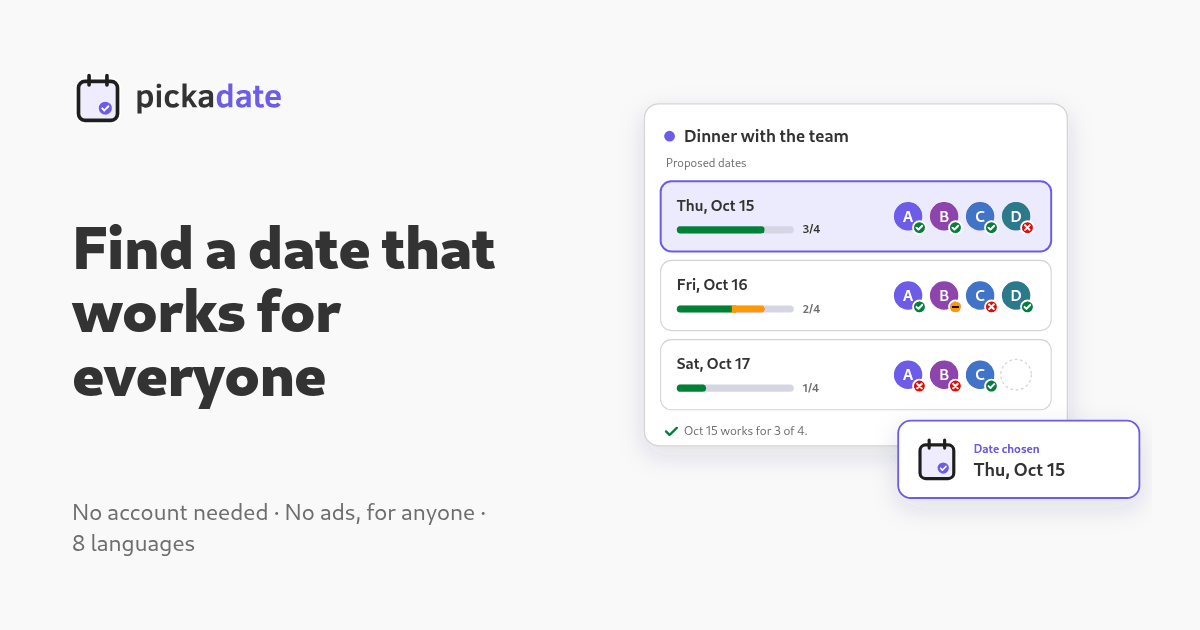
Helps groups find a date that works for everyone by sharing one link for date polling, RSVP tracking, and shift scheduling without requiring signups.

About

Pickadate streamlines group scheduling through four distinct workflows: propose multiple dates for voting, confirm attendance for fixed events, manage shift availability, or open registration with capacity limits. Invitees reply directly on a visual card without signing up, and all responses consolidate on one page with instant email confirmations. It supports 8 languages and works across desktop and mobile.

Key features

  • 01Poll multiple dates and see voting results in real-time without account signup
  • 02Track RSVP attendance for fixed-date events with optional guest counts
  • 03Manage shift rosters with availability tracking across multiple time slots
  • 04Open registration with customizable capacity limits per session
  • 05Share invites as visual cards via any communication channel

Pricing

Pickadate is free to use. See the website for details.

Why it's good for calendar scheduling

Pickadate matched our calendar scheduling filters in its name or short description (Productivity / SaaS). Use it alongside consistent execution to compound results.
37 upvotes
#14

Artificial Intelligence · Productivity · Free · Community

by Yash Budhia

Macy preview

For busy professionals: Macy connects your apps, calendar, and WhatsApp to watch everything and text you first so nothing falls through the cracks.

About

Macy connects your apps, your WhatsApp, and your calendar. She watches everything, remembers what matters, and texts you first. Free during early access.

Key features

  • 01Monitor app activity and calendar events across connected platforms
  • 02Send WhatsApp notifications proactively before you miss deadlines or events
  • 03Consolidate alerts from multiple apps into a single messaging interface
  • 04Track priorities across apps so important items stay visible
  • 05Deliver reminders through WhatsApp instead of scattered app notifications

Pricing

Macy is free to use. See the website for details.

Why it's good for calendar scheduling

Macy matched our calendar scheduling filters in its name or short description (Artificial Intelligence / Productivity). Use it alongside consistent execution to compound results.

36 upvotes
#15

SaaS · Productivity · Paid · Community

by Ben

For families: Domistiq centralizes chores, calendars, and lists so everyone stays coordinated without constant reminders.

About

Domistiq is a mobile app for organizing family life. It is aimed at families and brings chores, calendars, and lists together so households stay coordinated. Users can connect existing Google, Apple, or Microsoft calendars, and school bell schedules, events, and cafeteria menus can be added for supported schools. Domistiq states that it does not share user data with third parties. New users can start with a 7-day free trial before buying a subscription.

Key features

  • 01Syncs Google, Apple, and Microsoft calendars
  • 02Recurring chores on fixed intervals or specific dates
  • 03Assigns chores and tasks to family members
  • 04Push notifications for events, overdue chores, and deadlines
  • 05Creates events from voice, photos, or forwarded email

Pricing

Domistiq is a paid product. See the website for current pricing.

Why it's good for calendar scheduling

Domistiq matched our calendar scheduling filters in its name or short description (SaaS / Productivity). Use it alongside consistent execution to compound results.

36 upvotes
#16

Productivity · SaaS · Freemium · Community

by Petros Manesis

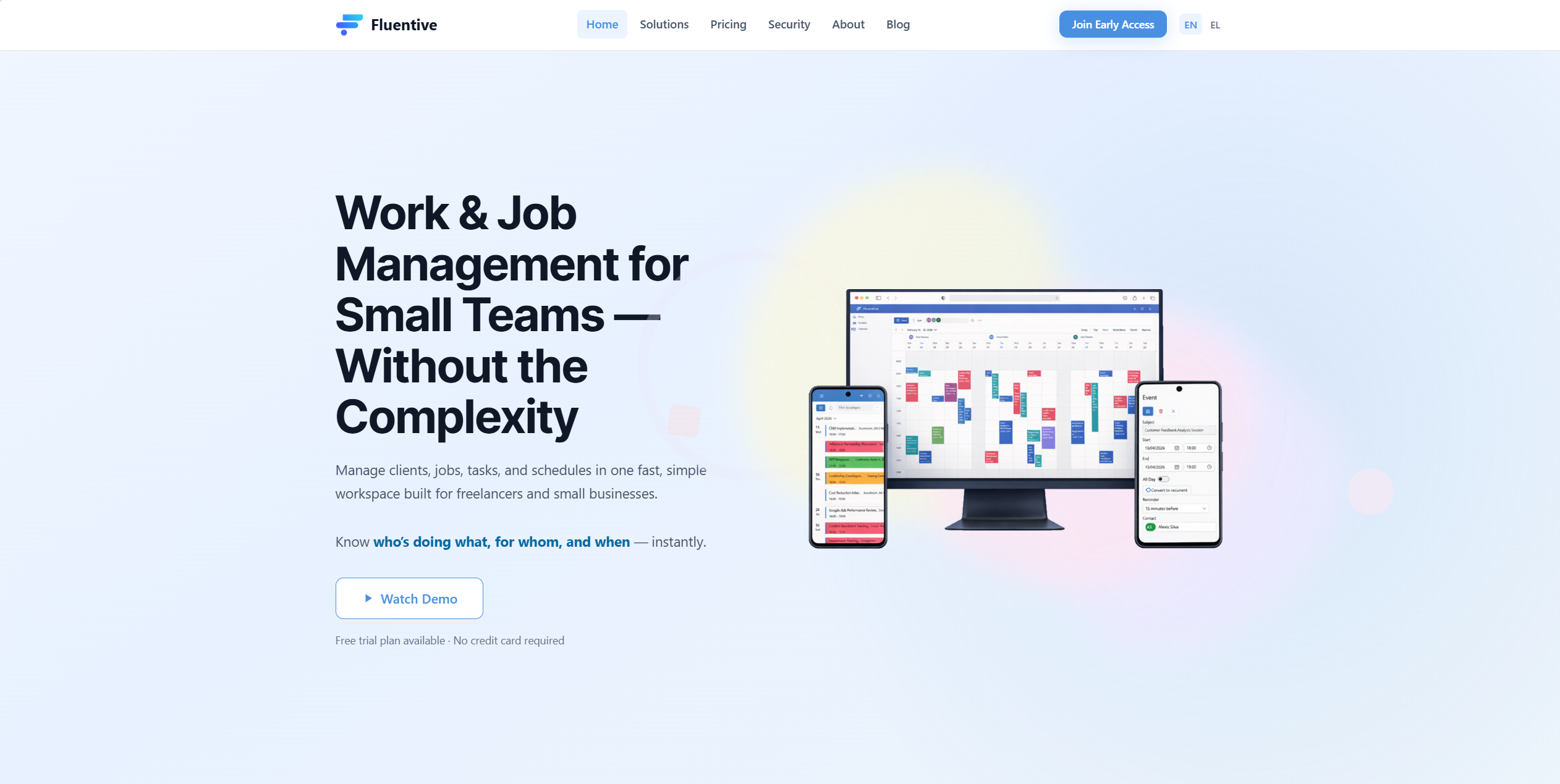
Fluentive preview

For freelancers and small teams: Fluentive combines scheduling, client management, task tracking, and team chat in one workspace across web and mobile.

About

Manage clients, jobs, tasks, and schedules in one fast, simple workspace built for freelancers and small businesses. It combines calendar scheduling, client management, task tracking, automated reminders, and team collaboration in a single web-based application. Available on web, iOS, and Android with free and paid plans.

Pricing

14-day free trial with no credit card required.

Why it's good for calendar scheduling

Fluentive matched our calendar scheduling filters in its name or short description (Productivity / SaaS). Use it alongside consistent execution to compound results.

35 upvotes
#17

Finance · Paid · Community

by Sage Vinson

SoloDesks preview

Job management for a business of one. SoloDesks handles quoting, invoicing, and job scheduling so you spend less time on admin and more time earning.

About

SoloDesks is job management for a business of one: quoting, invoicing and job scheduling for solo tradespeople, plumbers, electricians, painters and decorators, landscapers, handymen, cleaners, carpenters and tilers. It is built for one person working alone, not for a firm with staff to manage.

Key features

  • 01Create and send quotes to customers for trade jobs
  • 02Generate invoices and track payments from completed work
  • 03Schedule jobs and manage your calendar
  • 04Track job details and customer information in one place
  • 05Manage quoting, invoicing, and scheduling without hiring staff

Pricing

Free plan includes 10 quotes and 10 invoices a month, with unlimited jobs and clients. Pro removes those limits and adds automatic payment reminders; yearly billing saves £48 in year one.

Deals

  • 100 percent free(pro plan) for 3 months if you message [email protected] telling that u from launchllma

Why it's good for calendar scheduling

SoloDesks matched our calendar scheduling filters in its name or short description (Finance). Use it alongside consistent execution to compound results.

34 upvotes
#18

Productivity · SaaS · Startups · Paid · Community

by Lex Mulier

For co-owning families: Ripazo is a private dashboard for vacation home groups with shared calendars, checklists, expenses, contacts, and task management.

About

Ripazo is a private, invite-only dashboard for families and friends who co-own a vacation home. Everything your group needs lives on one page, themed and named for your house: a shared booking calendar, arrival and departure checklists, expenses with receipts, contacts and house info, photo albums, tasks, activities and a bulletin board.

Pricing

Ripazo offers a free way to start, according to the 'Start for free' call to action.

Why it's good for calendar scheduling

Ripazo matched our calendar scheduling filters in its name or short description (Productivity / SaaS). Use it alongside consistent execution to compound results.

33 upvotes
#19

Productivity · Freemium · Community

by Christopher Schopf

Ronin Reborn preview

For goal-driven professionals: Ronin Reborn gamifies habits and routines as a dark fantasy JRPG, plus includes business OS with CRM, calendar, and notes.

About

A dark fantasy JRPG that tracks your habits and makes achieving your goals and doing your daily routines an exciting adventure. You can chat with the characters, get training advice, and even go on missions with your team. Tap into the social aspects for accountability partners or to show others that you can beat their streak before they beat yours. Gamify your business as well with our Signal Corps business OS. Includes a CRM, Calendar App, Notes App, and de-stress Protocol.

Pricing

The core habit tracker is free forever with no card required. Annual counsel is $36 per year, cancel anytime.

Why it's good for calendar scheduling

Ronin Reborn matched our calendar scheduling filters in its name or short description (Productivity). Use it alongside consistent execution to compound results.

32 upvotes
#20

Productivity · SaaS · Education · Freemium · Community

by Julien Williams

Dojo preview

For solo trainers: Dojo turns your expertise into a corporate-ready storefront with scheduling, invoicing, and PO management in one link.

About

Dojo turns your expertise into a corporate-ready storefront — one link, a clean training menu, invoices with PO numbers, a scheduler that fills the room. So the businesses already shopping for training book you.

Pricing

Free to start with no card or subscription required.

Why it's good for calendar scheduling

Dojo matched our calendar scheduling filters in its name or short description (Productivity / SaaS). Use it alongside consistent execution to compound results.

30 upvotes

Comparison table

1 Acti

Get live sports schedules and nearby restaurants without leaving conversations

▲ 846 Free plan
2 SuperX

Indie hackers who want to ship faster and test ideas in public

▲ 807 from $40/mo
3 Kalendar.work

Consultants who need a branded scheduling tool without monthly fees

▲ 351 Free plan
4 Akiflow

Busy professionals who want to save hours every week managing calendars and tasks

▲ 261 Free planthen from $19/mo
5 Routine

Founders who want to consolidate multiple tools and focus on moving the needle daily

▲ 242 Free planthen from $5/mo
6 E.Y.E. by Expert Chase

People who want to organize multiple aspects of daily life in one application

▲ 237 Free plan+ paid plans
7 QuakPit

Remote workers who need visual alerts that work during fullscreen video calls

▲ 236 Free planthen from $4.99
8 Timely

Professionals who need to quickly share their availability across timezones without opening calendar apps

▲ 195 Free planthen from $5/mo
9 Octolane

Revenue teams wanting to automate routine account work while maintaining human judgment on key decisions

▲ 173 Paid
10 Dates by Agenda Hero

Schools sharing calendars with families who need event information

▲ 103 Free planthen from $5/mo
11 Grimo AI

People with hands full or on the move who need to capture tasks quickly

▲ 81 Free planthen from $4.99/mo
12 PaintOps

Select actual surfaces with paint specs; app calculates quantities and back-solves pricing for your target margin

▲ 58 Free planthen from $29/mo
13 Pickadate

Polling a group of friends to find a date that works for everyone for a dinner or trip without creating accounts

▲ 37 Free plan
14 Macy

Connect your work apps and calendar to Macy to receive WhatsApp alerts when deadlines approach or calendar conflicts occur, ensuring nothing slips through

▲ 36 Free plan
15 Domistiq

Syncing a family's Google, Apple, or Microsoft calendars so everyone sees the same week of events in one place

▲ 36 Paid
16 Fluentive

Scheduling client appointments and recurring sessions on a shared team calendar viewed side-by-side by each member

▲ 35 Free plan+ paid plans
17 SoloDesks

A plumber quotes a bathroom renovation job and sends the estimate to the customer

▲ 34 Free plan+ paid plans
18 Ripazo

Coordinating a shared vacation home booking calendar so family members can request stays and admins can confirm or deny them

▲ 33 Paid
19 Ronin Reborn

Turning daily workouts, reading, and early alarms into tracked habits with streaks that build a shield over time

▲ 32 Free planthen from $36/yr
20 Dojo

Share one booking link so corporate clients can browse programs, pick dates, and pay by card or purchase order

▲ 30 Free plan+ paid plans

How to choose

  • Choose Acti for get live sports schedules and nearby restaurants without leaving conversations.
  • Choose SuperX for indie hackers who want to ship faster and test ideas in public.
  • Choose Kalendar.work for consultants who need a branded scheduling tool without monthly fees.
  • Choose Akiflow for busy professionals who want to save hours every week managing calendars and tasks.
  • Choose Routine for founders who want to consolidate multiple tools and focus on moving the needle daily.
  • Choose E.Y.E. by Expert Chase for people who want to organize multiple aspects of daily life in one application.

Frequently Asked Questions

What are the best tools for calendar scheduling?

We've ranked 20 Product Hunt and community tools on Launch Llama for calendar scheduling. Top picks include Acti, SuperX, Kalendar.work. Tools must match the query in name or short description, then rank by upvotes with Product Hunt preferred on ties.

How are these tools ranked?

Each tool must match keywords tied to calendar scheduling in its name or short description (vague single words in the blurb alone do not count). We only include Product Hunt listings with real traction or paying Featured listings, then sort by upvotes. Duplicate listings for the same website are removed.

Are these tools free?

Many offer free tiers or trials. Check each product page or website for current pricing. Browsing and upvoting on Launch Llama is free.

How often is this list updated?

The ranking refreshes from the live Launch Llama directory whenever approved tools change. Last-updated appears at the top of the page.

Can I submit my tool for calendar scheduling?

Yes. Submit your product free on Launch Llama. Once approved and relevant to this query, it can appear in this roundup.

Markdown twin: /blog/best-tools-for-calendar-scheduling.md