Updated 2026-11-13 · 8 of 8 PDF Editor tools on Launch Llama compared
Quick answer: The best PDF Editor tools in 2026, by Launch Llama community upvotes, are Dummy Ipsum, DocRedactNow, Fix42. If you want to start free, DocRedactNow has a free plan. We compared 8 of the 8 PDF Editor tools listed on Launch Llama on pricing, features and use cases.
Our picks at a glance
- Best overall: Dummy Ipsum — the most upvoted PDF Editor tool on Launch Llama
- Best free option: DocRedactNow — free plan; paid from $9.99/year
- Best to see in action: Bagofa — has a demo video you can watch below
- Most features listed: Fix42 — 5+ features on its listing
The 8 best PDF Editor tools in 2026
1. Dummy Ipsum — best for filling a web or app mockup with Lorem Ipsum placeholder text while the real copy is still being written
Pricing: Free · Free plan: Yes · Upvotes: 33 · Rating: 4.3/5 from 4 reviews
In Dummy Ipsum's words
The site groups its tools into a Lorem Ipsum Generator, Random Strings, and Password Generator, along with a QR Code Generator, Word Counter, Percentage Calculator, and PDF tools for merging, splitting, compressing, and password-protecting files. The tools are presented as simple pages you open and use, with no registration required. A blog of practical guides covers topics such as converting phone photos to PDF and choosing a safer PIN.
Key features
- Generate Lorem Ipsum placeholder text for mockups and page layouts
- Create random character strings and secure passwords on demand
- Build QR codes and count words in your text
- Merge, split, and compress PDF files in the browser
- Convert phone photos and images into a single PDF file
Use cases
- Filling a web or app mockup with Lorem Ipsum placeholder text while the real copy is still being written.
- Turning a phone photo of a document into a PDF in the browser when a form only accepts PDF uploads.
- Creating a secure password or PIN, or generating a QR code, without installing a separate app.
2. DocRedactNow — best for removing personal data and credentials from documents before sharing them with outside parties
Pricing: Free plan; paid from $9.99/year · Free plan: Yes · Upvotes: 19 · Rating: 4.5/5 from 2 reviews
In DocRedactNow's words
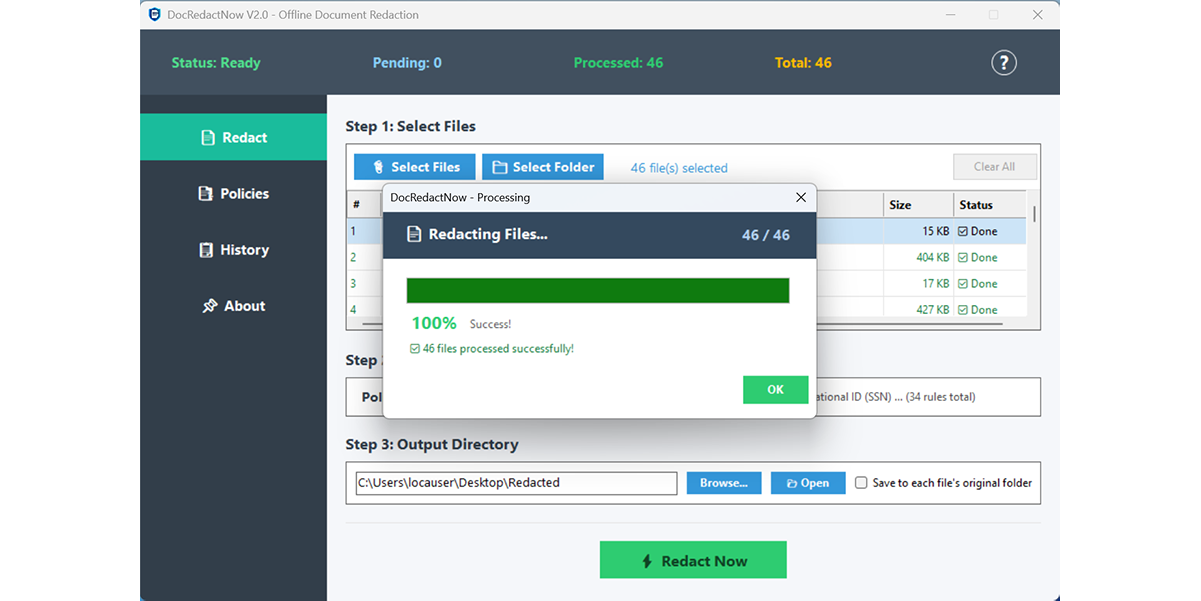
The tool ships with 34 built-in detection patterns and pre-configured policies such as GDPR Basic, Financial Privacy, and Credential Cleanup. Users can also write custom regex rules in the Policy Manager and save them for reuse. Every change is logged, and reports can be exported as CSV or TXT for compliance records.Built with native C# for lightweight performance, ensuring your sensitive files never leave your local machine.
Key features
- Detects 34 built-in patterns including emails, phone numbers, and credit cards
- Processes entire folders of TXT, CSV, DOCX, XLSX, PPTX, and text PDFs in one click
- Applies pre-built policies like GDPR Basic or custom regex rules via Policy Manager
- Logs every redaction and exports reports as CSV or TXT for compliance records
- Runs fully offline so files never leave the local machine
Use cases
- Removing personal data and credentials from documents before sharing them with outside parties.
- Creating GDPR-style redacted copies of contracts or resumes using consistent rules.
- Stripping API keys and tokens from logs or spreadsheets before they go to a vendor.
Pricing details: Free 14-day trial, then $9.99/year or $19.99 lifetime.
3. Fix42 — best for compressing a PDF so it can be emailed or uploaded to a form with a size limit
Pricing: Free · Free plan: Yes · Upvotes: 3
In Fix42's words
Fix42 offers 93 free tools across eight categories, including PDF, image, video, data and developer utilities. Some tools run entirely in the browser, while others upload your file to Fix42's server, and the tools list marks which is which. The HTML to Video Converter renders HTML/CSS animations frame by frame on the server to produce an MP4 rather than screen-recording them. The site was built by a single developer.
Key features
- Merge several PDFs into one file in a chosen order
- Compress PDFs and videos to fit email or upload size limits
- Convert images between PNG, JPG and WebP with a quality setting
- Open, search and sort CSV files too large for a spreadsheet
- Pretty-print and validate JSON, showing the error position when parsing fails
Use cases
- Compressing a PDF so it can be emailed or uploaded to a form with a size limit.
- Turning an image into braille ASCII art to paste into Discord, WhatsApp or X.
4. Awesome Toolkit — best for shrinking a batch of phone photos from several MB each to under 1 MB before sending them by email
Pricing: Free plan; paid from $19.95/month · Free plan: Yes · Upvotes: 2
In Awesome Toolkit's words
Each tool runs in the browser, so files you convert or compress stay on your device instead of being uploaded to a server. Files processed by one tool are available in other open tabs, so you can compress a PDF and then open the merge tool without re-uploading it. The Workflow Builder lets you chain steps such as background removal, resizing and WebP conversion on a canvas, then run them on a dropped file in one click. QR codes can be static or dynamic, with shape, color, logo and frame options.
Key features
- Compress JPG, PNG and WebP images in batches with a quality slider
- Merge, split and reorder PDFs, and convert PDF pages to images
- Trim, compress and convert videos, or turn clips into GIFs
- Chain tools into visual workflows that run on a dropped file
- Create static or dynamic QR codes with custom shapes and colors
Use cases
- Shrinking a batch of phone photos from several MB each to under 1 MB before sending them by email.
- Merging a report, an appendix and scanned pages into one PDF without installing software.
- Generating a QR code for a cafe menu or event page, with a dynamic option to change the link later.
Pricing details: Free plan, Pro from $19.95/mo
5. Filevale — best for turning iPhone HEIC photos into JPGs so they open on any device

Pricing: Free · Free plan: Yes · Upvotes: 2
In Filevale's words
Each tool runs in the browser using WebAssembly, so files are processed on your own device and the page states that nothing is uploaded to a server. Tools are grouped into image, PDF, video and audio, documents, archives, and QR code categories, and a 'Choose a file' option picks the right tool automatically. Batch files and ZIP downloads are supported, and the product is also offered as an App Store download, with a Mac version listed as coming soon.
Key features
- Converts HEIC photos to JPG or PNG, and images between JPG, PNG, WebP and AVIF
- Merges, splits, compresses, rotates and signs PDFs directly in the browser
- Converts PDFs to Word, Excel, PowerPoint, image formats and plain text
- Opens ZIP, RAR, 7Z and TAR archives and creates new ZIP files
- Compresses MP4 videos and extracts MP3 audio from MP4 files
Use cases
- Turning iPhone HEIC photos into JPGs so they open on any device.
- Signing a PDF by drawing or uploading a signature and placing it on the page.
- Extracting a ZIP or RAR archive without installing separate extraction software.
6. NoUploadConverter — best for converting iPhone HEIC photos to JPG or PNG without sending personal photos to a cloud service
Pricing: Free · Free plan: Yes · Upvotes: 2
In NoUploadConverter's words
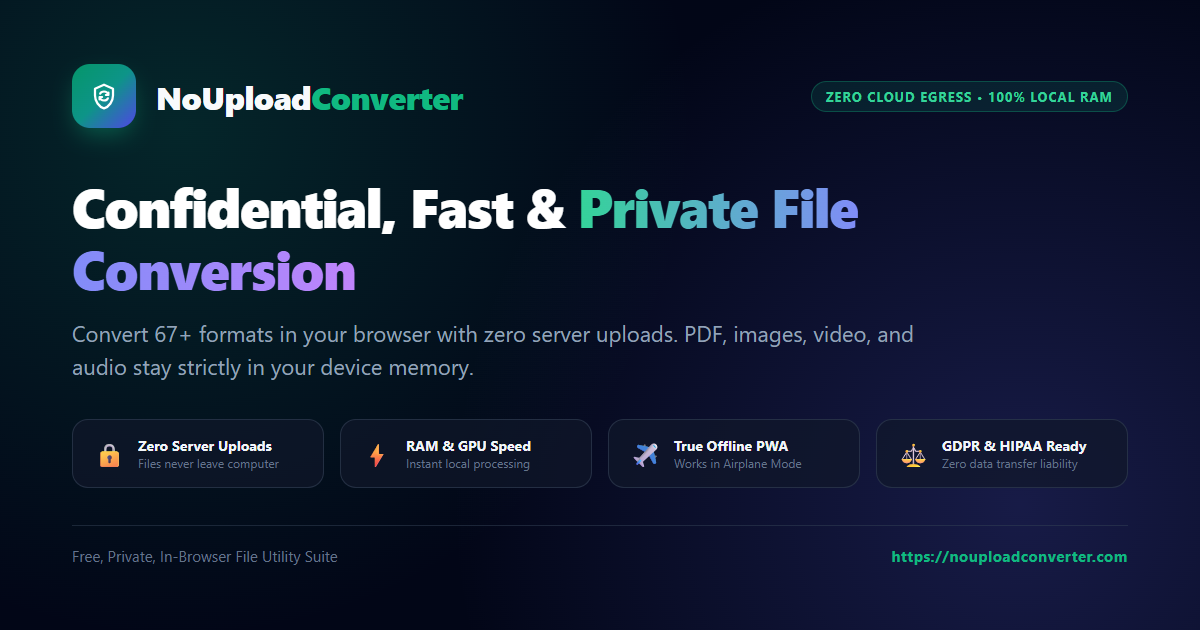
The site groups 67 tools into image, PDF, video, audio, GIF, and archive categories, including WebP to JPG, HEIC to PNG, PDF merge and split, and MP4 to MP3. It can be installed as a PWA on desktop or mobile and keeps working offline once loaded, because processing runs on the device's own hardware. The tools are free, with unlimited file size and no paid plans shown on the page.
Key features
- Converts WebP, HEIC, JFIF, and SVG images to JPG, PNG, or SVG formats
- Compresses PDFs up to 85% and images up to 80% with live preview
- Merges, splits, rotates, and reorders PDF pages directly in the browser
- Processes files in device memory so nothing is uploaded to a server
- Installs as a PWA with offline access to its full set of 67 tools
Use cases
- Converting iPhone HEIC photos to JPG or PNG without sending personal photos to a cloud service.
- Shrinking a heavy PDF or photo to meet an upload size limit for a form or email.
- Merging several PDFs into one document and removing unwanted pages before sharing.
7. Bagofa — best for shrinking a photo to an exact 100KB or smaller size for an online application upload
Pricing: Free · Free plan: Yes · Upvotes: 2
In Bagofa's words
The site groups its tools into image tools, PDF tools and file converters, with dedicated pages for resizing to specific physical dimensions and compressing to target file sizes. Converters cover formats such as JPG, PNG, WebP, HEIC, PDF and Word, and the PDF section handles compressing, merging, splitting, rotating, cropping and reordering pages. The interface is offered in several languages, including Spanish, Japanese, German and French.
Key features
- Compress JPG, PNG, WebP, HEIC and other images to exact KB targets
- Resize images by pixel, cm, mm or inch dimensions, including common ID photo sizes
- Convert between JPG, PNG, WebP, HEIC, PDF and Word formats
- Merge, split, rotate, crop and compress PDF files online
- Remove image backgrounds and upscale or enlarge photos
Use cases
- Shrinking a photo to an exact 100KB or smaller size for an online application upload.
- Merging several scanned pages into one PDF, then splitting out only the pages you need.
- Converting an iPhone HEIC photo to JPG or PNG so it opens on Windows or a website.
8. Fileopia — best for merging several scanned pages into one PDF and compressing it to fit an email attachment
Pricing: Free · Free plan: Yes · Upvotes: 2
In Fileopia's words
Fileopia is a large catalog of free online utilities, with PDF tools such as merge, split, OCR, redact, and Sign PDF at the core. Image tools cover compression, resizing, format conversion, background removal, and upscaling, and the wider catalog includes video, audio, spreadsheet, QR code, and calculator tools. The page describes the tools as browser-based and notes that file size limits vary by tool.
Key features
- Merge, split, rotate, and compress PDF files
- Convert PDFs to Word, Excel, PowerPoint, JPG, and other formats
- Sign, redact, protect, and unlock PDF documents
- Resize, crop, compress, and convert images across many formats
- Generate QR codes and barcodes from text, URLs, and contact details
Use cases
- Merging several scanned pages into one PDF and compressing it to fit an email attachment.
- Converting a PDF to Word or Excel so its contents can be edited.
- Resizing a photo to fit a YouTube thumbnail or Instagram post dimensions.
Comparison table
| # | Tool | Rating | Upvotes | Price |
|---|---|---|---|---|
| 1 | Dummy Ipsum Filling a web or app mockup with Lorem Ipsum placeholder text while the real copy is still being written |
Rated 4.3 out of 5 from 4 reviews4.3(4) | ▲ 33 | Free plan |
| 2 | DocRedactNow Removing personal data and credentials from documents before sharing them with outside parties |
Rated 4.5 out of 5 from 2 reviews4.5(2) | ▲ 19 | Free planthen from $9.99/yr |
| 3 | Fix42 Compressing a PDF so it can be emailed or uploaded to a form with a size limit |
No reviews yet | ▲ 3 | Free plan |
| 4 | Awesome Toolkit Shrinking a batch of phone photos from several MB each to under 1 MB before sending them by email |
No reviews yet | ▲ 2 | Free planthen from $19.95/mo |
| 5 | Filevale Turning iPhone HEIC photos into JPGs so they open on any device |
No reviews yet | ▲ 2 | Free plan |
| 6 | NoUploadConverter Converting iPhone HEIC photos to JPG or PNG without sending personal photos to a cloud service |
No reviews yet | ▲ 2 | Free plan |
| 7 | Bagofa Shrinking a photo to an exact 100KB or smaller size for an online application upload |
No reviews yet | ▲ 2 | Free plan |
| 8 | Fileopia Merging several scanned pages into one PDF and compressing it to fit an email attachment |
No reviews yet | ▲ 2 | Free plan |
How we compared them
This is a comparison built from listing data, not a hands-on review: we have not tested these tools ourselves. Every product here is listed on Launch Llama, and the ranking uses what founders and their users have put on the record.
Tools are ordered by community upvotes. Duplicate listings are merged, and listings without a real description are left out. Pricing, features and use cases come from each product's listing and can change, so check the product's own site before you buy.
How to choose
- Choose Dummy Ipsum for filling a web or app mockup with Lorem Ipsum placeholder text while the real copy is still being written.
- Choose DocRedactNow for removing personal data and credentials from documents before sharing them with outside parties.
- Choose Fix42 for compressing a PDF so it can be emailed or uploaded to a form with a size limit.
- Choose Awesome Toolkit for shrinking a batch of phone photos from several MB each to under 1 MB before sending them by email.
- Choose Filevale for turning iPhone HEIC photos into JPGs so they open on any device.
- Choose NoUploadConverter for converting iPhone HEIC photos to JPG or PNG without sending personal photos to a cloud service.
Still comparing? Browse every tool in PDF Editor or see the best tools in other categories.
Frequently asked questions
What is the best PDF Editor tool in 2026?
Dummy Ipsum is the most upvoted PDF Editor tool on Launch Llama. Free browser tools for text, passwords and PDFs DocRedactNow and Fix42 round out the top three.
Is there a free PDF Editor tool?
Yes. 8 of the 8 tools in this comparison list a free plan, including Dummy Ipsum, DocRedactNow, Fix42.
How were these PDF Editor tools ranked?
By community upvotes on Launch Llama, after merging duplicate listings and dropping listings without a real description. We have not tested these tools hands-on; pricing and features come from each product's listing.
How many PDF Editor tools are listed on Launch Llama?
8 PDF Editor tools with full listings at the time of writing. This page compares the top 8; the rest are on the PDF Editor category page.