
Updated 2026-11-18 · 14 of 14 Health & Fitness tools on Launch Llama compared
Quick answer: The best Health & Fitness tools in 2026, by Launch Llama community upvotes, are Naptick AI, SuperShrimp, LookAway. If you want to start free, prostir zvuku has a free plan. We compared all 14 Health & Fitness tools listed on Launch Llama on pricing, features and use cases.
Our picks at a glance
- Best overall: Naptick AI — the most upvoted Health & Fitness tool on Launch Llama
- Best free option: prostir zvuku — free plan + paid tiers
- Best to see in action: Cadentiq — has a demo video you can watch below
- Most features listed: SuperShrimp — 5+ features on its listing
The 14 best Health & Fitness tools in 2026
1. Naptick AI — best for founders and professionals managing nighttime stress

Pricing: Paid · Free plan: No · Upvotes: 490
In Naptick AI's words
Naptick is a smart bedside AI sleep companion designed for founders, professionals, light sleepers, and anyone struggling with nighttime stress or doomscrolling. It combines circadian light therapy, 1000+ adaptive soundscapes, room condition intelligence, app-locking, and an on-device AI sleep coach to help users fall asleep faster and wake up refreshed. Unlike passive sleep trackers, Naptick is built phone-free by design and actively helps improve sleep before the night begins.
Key features
- Deliver circadian light therapy to regulate sleep cycles
- Provide over 1000 adaptive soundscapes for sleep
- Monitor and optimize room condition intelligence for sleep
- Offer on-device AI sleep coaching
Use cases
- Founders and professionals managing nighttime stress
- Light sleepers seeking faster sleep onset
2. SuperShrimp — best for office workers who want to monitor and improve their posture while sitting at their desks

Pricing: From $17 · Free plan: No · Upvotes: 330
In SuperShrimp's words
SuperShrimp is a posture monitoring application that uses your webcam and on-device AI to analyze your posture in real-time. It helps people working at computers maintain good posture by providing alerts and analytics to track their sitting habits.
Key features
- Analyze posture and provide real-time scores from 0 to 100
- Alert users when posture drops with non-intrusive notifications
- Track posture habits with detailed analytics over time
- Earn XP rewards for maintaining good posture
- Run locally on device without storing images or requiring internet
Use cases
- Office workers who want to monitor and improve their posture while sitting at their desks.
- Computer users seeking to prevent back pain caused by prolonged sitting with poor posture.
Pricing details: SuperShrimp costs $17 as a one-time payment at launch price, with plans to increase to $29.
3. LookAway — best for remote professionals who want to prevent tension headaches and eye strain during long workdays

Pricing: From $19 · Free plan: No · Upvotes: 279
In LookAway's words
LookAway is a smart break reminder for Mac that helps reduce eye strain and screen fatigue. It combines break, blink, and posture reminders with context awareness and iPhone sync, so your breaks stay in sync across devices and never interrupt you at the wrong time.
Key features
- Send screen break reminders that adapt to your work
- Pause automatically during meetings, calls, and focused work
- Sync breaks to iPhone and iPad during Mac breaks
- Customize timers, sounds, backgrounds, and break messages
- Run automations with AppleScripts or Shortcuts on break events
Use cases
- Remote professionals who want to prevent tension headaches and eye strain during long workdays
- Mac users who want to follow their optician's advice about resting their eyes regularly
- Knowledge workers who get absorbed in tasks and end up with strained eyes
Pricing details: One-time purchase licenses starting at $19.
4. prostir zvuku — best for people seeking focus during work sessions can create and return to customized sound environments

Pricing: Free plan + paid tiers · Free plan: Yes · Upvotes: 277
In prostir zvuku's words
Prostir zvuku is a spatial nature sound mixer for Mac and iPhone that lets users build customized soundscapes with rain, fire, ocean, wind, birds, and streams. It helps people create focused, restful, or sleep-oriented environments by placing sounds spatially around them rather than in front of them.
Key features
- Place individual sounds spatially on a canvas to customize room acoustics.
- Access controls from Mac menu bar or iPhone Lock Screen without opening the app.
- Set timers that gradually fade soundscapes instead of stopping abruptly.
- Anchor spatial audio to head position using supported AirPods for immersive tracking.
- Sync the same soundscape across Mac and iPhone devices via iCloud.
Use cases
- People seeking focus during work sessions can create and return to customized sound environments.
- Users wanting persistent soundscapes can save rooms and access them across their Mac and iPhone.
Pricing details: Free plan includes one sound per category, spatial canvas, head tracking, up to 2 layers, and a 5-minute timer.
5. simply — best for people overwhelmed by complex diets and conflicting nutrition advice
Pricing: See website · Upvotes: 263
In simply's words
simply is a nutrition app that delivers practical daily nutrition tips created by certified nutritionists. it’s designed for people who want to improve their health but feel overwhelmed by complex diets, conflicting advice, and restrictive meal plans. instead of promoting fad diets, simply provides small, actionable tips users can apply in everyday life, helping them build sustainable and healthier habits over time.
Key features
- Deliver daily nutrition tips created by certified nutritionists
- Provide actionable tips users can apply in everyday life
- Help users build sustainable and healthier habits over time
Use cases
- People overwhelmed by complex diets and conflicting nutrition advice
- Those seeking to avoid restrictive meal plans and fad diets
6. HyperSleep — best for people who struggle to stop social media use before bed
Pricing: Free plan; paid from $4.99/month · Free plan: Yes · Upvotes: 221
In HyperSleep's words
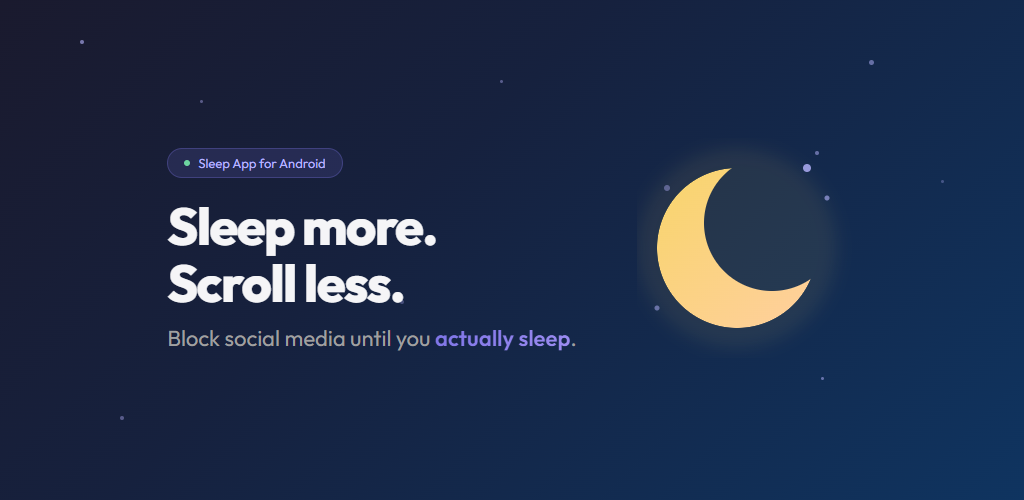
Every screen-time app fails for the same reason: you have to turn it on and at 1am, you won't. HyperSleep flips it. Your social apps stay locked until multi-sensor detection verifies you actually slept. It auto-starts at bedtime, runs 100% on-device, and turns "scroll less" from willpower into an outcome you earn. Android.
Key features
- Block social media apps until sleep is verified
- Cross-reference four independent sensors to detect sleep
- Choose which apps to lock with customizable blocking
- Set flexible bedtime schedules and activation options
- Track sleep streaks and quality scores each morning
Use cases
- People who struggle to stop social media use before bed
- Users wanting phone sleep detection without a smartwatch
Pricing details: Free 5-day trial. Monthly plan $4.99/month, yearly plan $29.99/year, or lifetime purchase $79.99.
7. ZenTrack — best for log habits, health metrics, and expenses in one interface to spot spending and wellness correlations

Pricing: Free plan + paid tiers · Free plan: Yes · Upvotes: 91
In ZenTrack's words
ZenTrack is a productivity app that combines task management, expense tracking, and health monitoring in one place. The app provides a distraction-free interface for tracking habits, finances, and fitness without unnecessary complexity.
Key features
- Track expenses alongside notes and health data
- Provide a distraction-free interface for focused tracking
- Enable fast and intuitive tracking workflows
Use cases
- Log habits, health metrics, and expenses in one interface to spot spending and wellness correlations.
- Capture notes, attach expenses and health logs to see your routines and financial habits in one dashboard.
- Track recurring expenses while monitoring health trends to identify spending that supports wellness priorities.
Pricing details: Free plan available with all core features.
8. Moya Health — best for people with skin conditions tracking triggers like dairy or weather to manage flares
Pricing: Free · Free plan: Yes · Upvotes: 15
In Moya Health's words
Moya is a health companion for life with a chronic condition. Check in about your day in under a minute: symptoms, sleep, stress, food and meds, with weather pulled in automatically. Over time Moya lays your entries back out so you can see what tends to show up together, and turns them into reports you can bring to appointments. Built by a doctor who's also a patient. Private by design: no account, health data stays on your phone. Free on iOS. Skin conditions first, you vote what's next.
Key features
- Log symptoms, sleep, mood, energy and meals
- Identify patterns between logged entries automatically
- Generate reports to bring to medical appointments
- Store all health data locally on your device
- Export or delete your complete health record anytime
Use cases
- People with skin conditions tracking triggers like dairy or weather to manage flares
- Chronic health patients identifying patterns in symptoms, sleep, meals and stress over weeks
- Patients preparing data summaries to discuss with doctors during appointments
Pricing details: Free on iOS and Android.
9. Dialedin — best for upload lab PDFs and see every bloodwork result on a single timeline across repeated tests
Pricing: Free plan + paid tiers · Free plan: Yes · Upvotes: 2
In Dialedin's words
Dialedin is for people who get regular blood tests and want to see them in one place. Upload a lab PDF and a model reads it into individual markers; you check every row before it's saved. The same marker from different labs ends up as one line, even when the labs name it differently.
You log what you take and when, and a short daily check-in records how you felt. Each result then sits next to what you were on at the time it was drawn, so you can see which levels line up with your better weeks. Sleep and heart rate can come in from your phone, and before an appointment you can export your history as a PDF for your doctor.
Key features
- Read lab PDFs into markers, checked by you before saving
- Put results from different labs on one line per marker
- Log what you take and a short daily check-in on how you felt
Use cases
- Upload lab PDFs and see every bloodwork result on a single timeline across repeated tests.
- Log daily mood and energy alongside supplements and medications to spot patterns over time.
- Find out which blood markers track your best days and by how much.
Pricing details: Free during beta, then a free plan. Full app €9/mo or €59/yr
10. Vitalityfit — best for comparing prices for over-the-counter medicines like Gingobeta or Cetirizin Aristo across 11 German online shops and pharmacies
Pricing: Free · Free plan: Yes · Upvotes: 2
In Vitalityfit's words
Vitalityfit compares prices for health products, from pharmacy products and supplements to care products, across German online shops and pharmacies. Search by product name, PZN or EAN, pick a pack size, and see the cheapest offers with shop, price, delivery time and availability.
The same prices are available to AI assistants. The Vitalityfit MCP server (https://vitality-fit.de/mcp, Streamable HTTP) is public, read-only, free and needs no sign-up. It has two tools, search_products and search_product_offers, and is listed in the official MCP Registry as de.vitality-fit/prices. It works in Claude (custom connector), Claude Code, ChatGPT (developer mode) and any other MCP client.
Use cases
- Comparing prices for over-the-counter medicines like Gingobeta or Cetirizin Aristo across 11 German online shops and pharmacies.
- Finding the cheapest shop for a basket of several health products, including shipping costs, before ordering.
- Finding discount codes and current sale offers from partner pharmacies and health shops before buying.
11. Breakly - Screen Time Limit — best for stopping late-night doomscrolling on iPhone by scheduling a bedtime break that locks Instagram, X, and other distracting apps
Pricing: Free plan + paid tiers · Free plan: Yes · Upvotes: 2
In Breakly - Screen Time Limit's words
Breakly is an iOS app that fights doomscrolling by scheduling short and long breaks that lock you out of distracting apps. It is built for people who want to cut down on mindless scrolling and take back their attention. You set up mini breaks and long breaks, and when a break starts, the apps you chose to block stay locked until it ends. The free core version covers the essentials of scheduled breaks. A subscription adds an app whitelist, custom intervals, scheduled auto-start and Strict Mode for firmer enforcement. Breakly is made by Good Orbit Labs and is available on the App Store, with a free trial for the subscription.
Key features
- Schedule mini and long breaks that lock distracting apps
- App whitelist, custom intervals and scheduled auto-start
- Strict Mode for firmer enforcement (subscription)
Use cases
- Stopping late-night doomscrolling on iPhone by scheduling a bedtime break that locks Instagram, X, and other distracting apps.
- Blocking TikTok, YouTube, and Reddit during work hours when frequent phone pickups keep breaking focus.
- Enforcing an uninterruptible Strict Mode break so a self-set screen time rule cannot be overridden when willpower runs out.
Pricing details: Free core version; subscription with free trial for premium features
See Breakly - Screen Time Limit pricing, reviews and alternatives →
12. Bedline — best for pausing distracting iPhone apps at a set bedtime so the feed stays blocked until morning, even when tapped

Pricing: From $1.49/week · Free plan: No · Upvotes: 2
In Bedline's words
You choose which apps to pause, then set a bedtime, a morning time, and separate schedules for weekdays and weekends. When a blocked app is opened, a blocking screen appears in place of the feed, and a press-and-hold temporary unlock is available for exceptions that re-pauses automatically when it ends. Your Screen Time choices stay on your iPhone, and the page presents this as a calmer wind-down routine rather than a strict rule.
Key features
- Block chosen distracting apps automatically at your set bedtime
- Set separate bedtime and morning times for weekdays and weekends
- Show a blocking screen instead of your feed when apps are opened
- Grant a temporary press-and-hold unlock that re-pauses apps automatically
- Restore blocked apps at your morning time each day
Use cases
- Pausing distracting iPhone apps at a set bedtime so the feed stays blocked until morning, even when tapped.
- Temporarily unlocking blocked apps for a single night with a press-and-hold confirmation, after which they re-pause automatically.
Pricing details: Bedline starts at $1.49/week, $3.99/month, or $17.99/year, with a $34.99 lifetime option and a 7-day free trial on subsc
13. Cadentiq — best for logging a daily walk that starts from the Move tab and records steps, distance and pace automatically
Pricing: Free plan + paid tiers · Free plan: Yes · Upvotes: 2
In Cadentiq's words
Walks start and stop from a Move tab, with auto-pause, a route drawn as a shape without place names, and live goal rings for workouts. Focus sessions in calm timed rounds grow a garden, and habit reminders can be marked done, minimum, or skipped from the notification without opening the app. A habit you ignore for five days goes quiet until you log it again.
Key features
- Track walks with auto-pause, live route drawing, steps, distance and pace
- Time workouts such as strength, run, cycling, HIIT, swim and hike with goal rings
- Mark habits done, minimum, or skipped from one-tap reminder notifications
- Sync steps and water from Health Connect so logged activity fills in automatically
- Grow a focus garden during timed work rounds with breaks built in
Use cases
- Logging a daily walk that starts from the Move tab and records steps, distance and pace automatically.
- Building or quitting a habit with a worst-day minimum so a hard day still counts as kept.
- Running timed focus rounds that grow a garden while you work through calm blocks.
Pricing details: Free to start, with Pro. Prices in Google Play.
14. Starbucks Calorie Calculator — best for checking calories, sugar, and caffeine for a custom Starbucks drink before ordering at the counter
Pricing: Free · Free plan: Yes · Upvotes: 2
In Starbucks Calorie Calculator's words
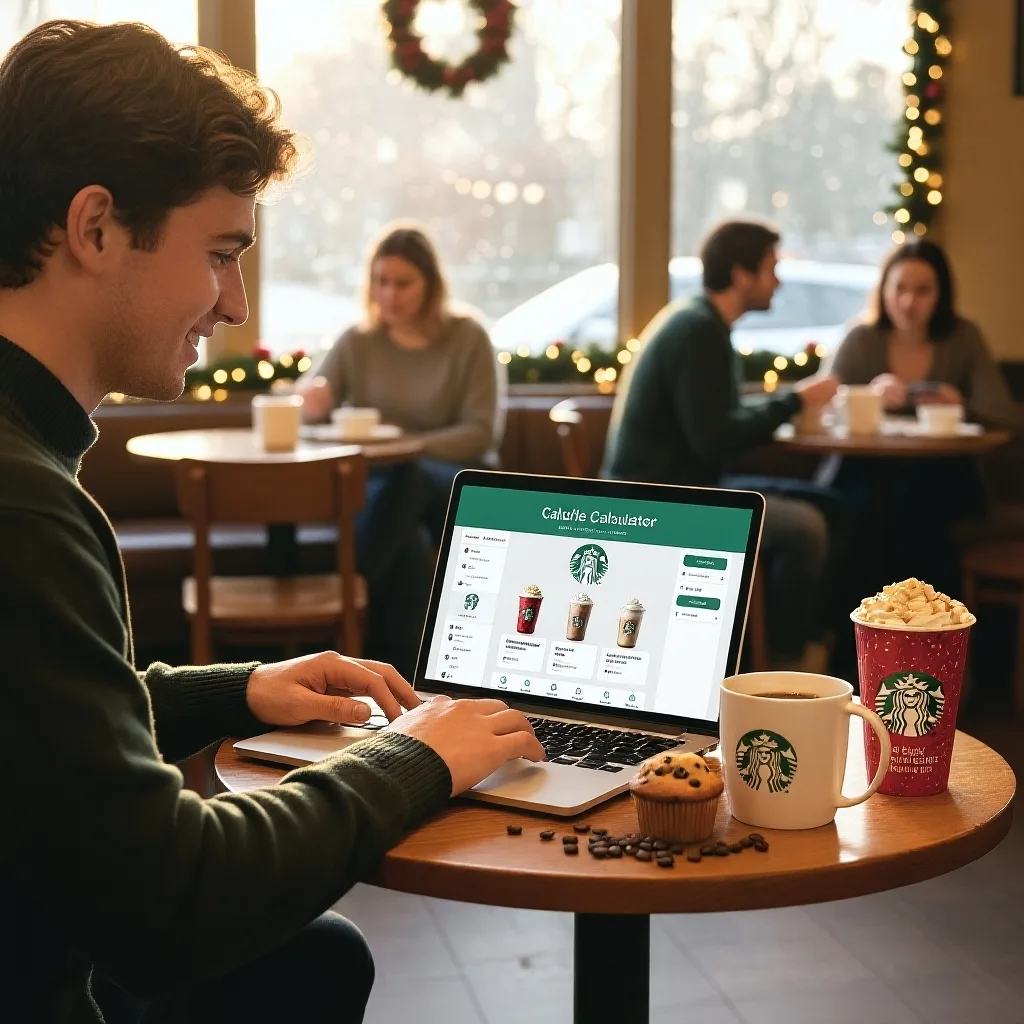
The tool covers 500+ Starbucks items, from everyday espresso drinks to seasonal specials such as the Lavender Oat Latte and Horchata Almondmilk Frappuccino. The page says its nutrition figures come from official sources or published nutritional guides and are updated regularly to match the current menu. No sign-up is required, and the Health Tracker automatically totals each logged drink against your daily progress.
Key features
- Browse 500+ Starbucks drinks, including seasonal specials like the Lavender Oat Latte
- Change size, swap milk, and adjust syrup pumps to recalculate nutrition instantly
- Show calories, fat, carbs, protein, sugar, and caffeine for your exact order
- Log morning and afternoon drinks to track daily calorie progress automatically
- Display current US pricing before you reach the counter
Use cases
- Checking calories, sugar, and caffeine for a custom Starbucks drink before ordering at the counter.
- Logging each Starbucks drink through the Health Tracker to monitor daily calorie totals.
- Comparing current US prices and nutrition for seasonal menu items before buying.
See Starbucks Calorie Calculator pricing, reviews and alternatives →
Comparison table
| # | Tool | Upvotes | Price |
|---|---|---|---|
| 1 | Naptick AI Founders and professionals managing nighttime stress |
▲ 490 | Paid |
| 2 | SuperShrimp Office workers who want to monitor and improve their posture while sitting at their desks |
▲ 330 | from $17 |
| 3 | LookAway Remote professionals who want to prevent tension headaches and eye strain during long workdays |
▲ 279 | from $19 |
| 4 | prostir zvuku People seeking focus during work sessions can create and return to customized sound environments |
▲ 277 | Free plan+ paid plans |
| 5 | simply People overwhelmed by complex diets and conflicting nutrition advice |
▲ 263 | See site |
| 6 | HyperSleep People who struggle to stop social media use before bed |
▲ 221 | Free planthen from $4.99/mo |
| 7 | ZenTrack Log habits, health metrics, and expenses in one interface to spot spending and wellness correlations |
▲ 91 | Free plan+ paid plans |
| 8 | Moya Health People with skin conditions tracking triggers like dairy or weather to manage flares |
▲ 15 | Free plan |
| 9 | Dialedin Upload lab PDFs and see every bloodwork result on a single timeline across repeated tests |
▲ 2 | Free plan+ paid plans |
| 10 | Vitalityfit Comparing prices for over-the-counter medicines like Gingobeta or Cetirizin Aristo across 11 German online shops and pharmacies |
▲ 2 | Free plan |
| 11 | Breakly - Screen Time Limit Stopping late-night doomscrolling on iPhone by scheduling a bedtime break that locks Instagram, X, and other distracting apps |
▲ 2 | Free plan+ paid plans |
| 12 | Bedline Pausing distracting iPhone apps at a set bedtime so the feed stays blocked until morning, even when tapped |
▲ 2 | from $1.49 |
| 13 | Cadentiq Logging a daily walk that starts from the Move tab and records steps, distance and pace automatically |
▲ 2 | Free plan+ paid plans |
| 14 | Starbucks Calorie Calculator Checking calories, sugar, and caffeine for a custom Starbucks drink before ordering at the counter |
▲ 2 | Free plan |
How we compared them
This is a comparison built from listing data, not a hands-on review: we have not tested these tools ourselves. Every product here is listed on Launch Llama, and the ranking uses what founders and their users have put on the record.
Tools are ordered by community upvotes. Duplicate listings are merged, and listings without a real description are left out. Pricing, features and use cases come from each product's listing and can change, so check the product's own site before you buy.
How to choose
- Choose Naptick AI for founders and professionals managing nighttime stress.
- Choose SuperShrimp for office workers who want to monitor and improve their posture while sitting at their desks.
- Choose LookAway for remote professionals who want to prevent tension headaches and eye strain during long workdays.
- Choose prostir zvuku for people seeking focus during work sessions can create and return to customized sound environments.
- Choose simply for people overwhelmed by complex diets and conflicting nutrition advice.
- Choose HyperSleep for people who struggle to stop social media use before bed.
Still comparing? Browse every tool in Health & Fitness or see the best tools in other categories.
Frequently asked questions
What is the best Health & Fitness tool in 2026?
Naptick AI is the most upvoted Health & Fitness tool on Launch Llama. For light sleepers: Naptick AI is a phone-free bedside sleep companion with circadian light, soundscapes, and AI coaching. SuperShrimp and LookAway round out the top three.
Is there a free Health & Fitness tool?
Yes. 9 of the 14 tools in this comparison list a free plan, including prostir zvuku, HyperSleep, ZenTrack.
How were these Health & Fitness tools ranked?
By community upvotes on Launch Llama, after merging duplicate listings and dropping listings without a real description. We have not tested these tools hands-on; pricing and features come from each product's listing.
How many Health & Fitness tools are listed on Launch Llama?
14 Health & Fitness tools with full listings at the time of writing. This page compares the top 14; the rest are on the Health & Fitness category page.