Updated 2026-11-16 · 15 of 20 Audio tools on Launch Llama compared
Quick answer: The best Audio tools in 2026, by Launch Llama community upvotes, are Noiz AI, Krisp, Vaani Developer Platform. If you want to start free, Krisp has a free plan. We compared 15 of the 20 Audio tools listed on Launch Llama on pricing, features and use cases.
Our picks at a glance
- Best overall: Noiz AI — the most upvoted Audio tool on Launch Llama
- Best free option: Krisp — free
- Most features listed: Vaani Developer Platform — 5+ features on its listing
The 15 best Audio tools in 2026
1. Noiz AI — best for content creators who want to add emotional voice narration to videos and media

Pricing: Free plan + paid tiers · Free plan: Yes · Upvotes: 479
In Noiz AI's words
Noiz AI is a text-to-speech platform that enables users to clone voices and create lifelike speech. The platform offers emotional text-to-speech, multilingual dubbing, and voice library features accessible through developer APIs.
Key features
- Clone voices using text-to-speech technology
- Control emotional tone in generated speech
- Access a library of pre-built AI voices
- Generate expressive voices in seconds
- Provide developer-ready APIs for integration
Use cases
- Content creators who want to add emotional voice narration to videos and media.
- Developers who need voice synthesis APIs for applications.
2. Krisp — best for remote teams who need clear calls without background noise distractions during video meetings

Pricing: Free · Free plan: Yes · Upvotes: 396
In Krisp's words
YouTube has speed control, captions, auto-translate — but no accent control. Now it does. Free Chrome extension, on-device AI, one toggle.
Key features
- Cancel background noise, echo, and cross-talk during calls
- Transcribe and record meetings and calls automatically
- Convert accents in real-time for clearer communication
- Sync meeting notes directly to CRM and productivity tools
Use cases
- Remote teams who need clear calls without background noise distractions during video meetings
- Global teams requiring transcripts and summaries in multiple languages
- Call centers needing to boost agent productivity with real-time voice assistance
3. Vaani Developer Platform — best for teams that want to build a phone voice agent without writing code
Pricing: See website · Upvotes: 383
In Vaani Developer Platform's words
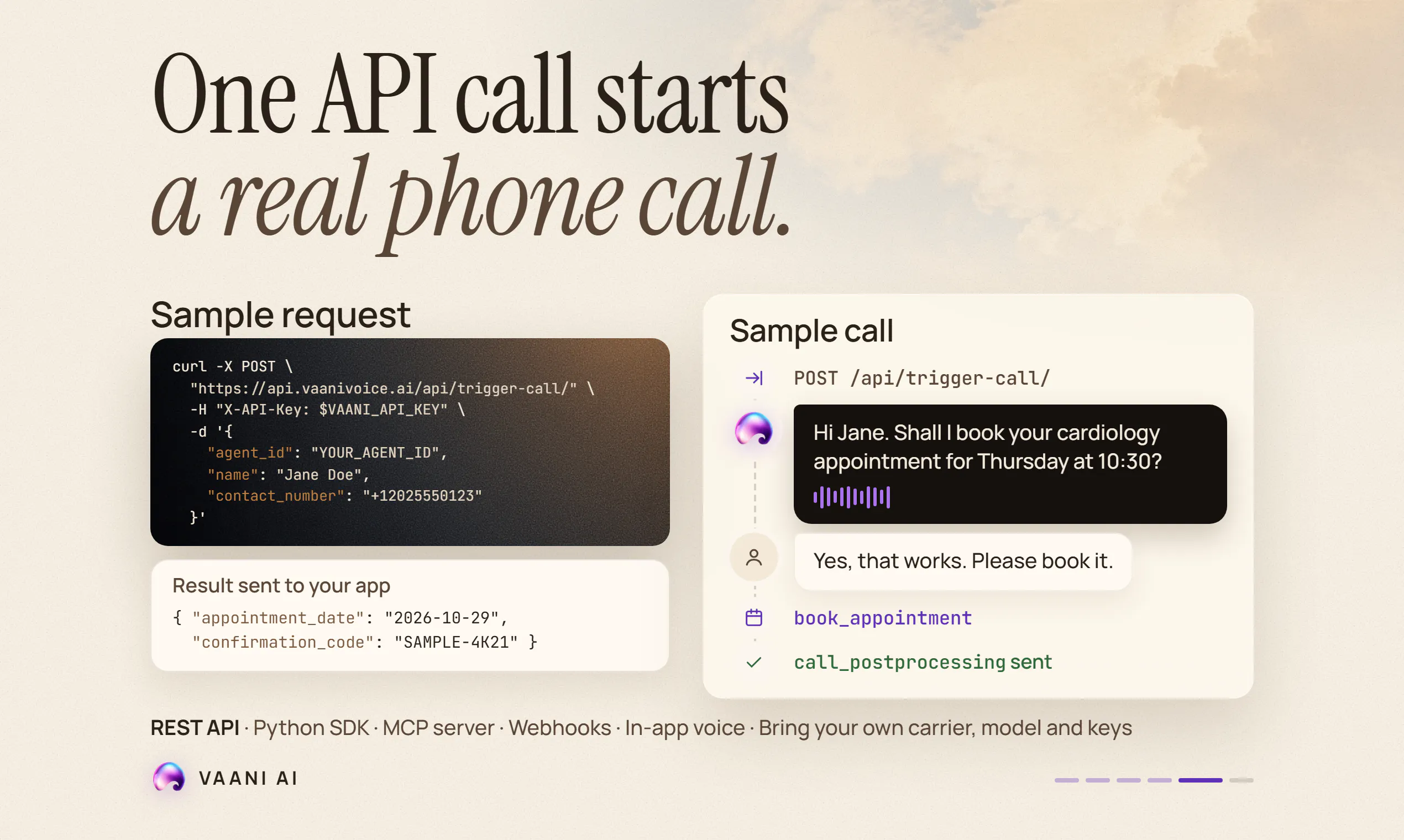
Build a voice agent that sounds and behaves human without writing a single line of code. Design the call flow, handle objections and edge cases, connect your tools and knowledge base, and go live on a real phone number. Every call ends with clean, structured data.
Key features
- Design the call flow for voice agents.
- Handle objections and edge cases in calls.
- Connect tools and a knowledge base to the agent.
- Go live on a real phone number.
- Produce structured data from every call.
Use cases
- Teams that want to build a phone voice agent without writing code.
- Businesses that want call results captured as structured data.
See Vaani Developer Platform pricing, reviews and alternatives →
4. Vaani — best for youTubers dubbing existing videos into Indic languages

Pricing: Free plan; paid from $49/month · Free plan: Yes · Upvotes: 355
In Vaani's words
Vaani is a voice-preserving AI dubbing tool to help you dub in 40+ languages, in one go, at a fraction of the cost of a traditional dub session. Where other tools give you a generic AI voice and lips that drift off-beat, Vaani clones your voice, preserves your music, and holds the meaning across languages, with frame-accurate lip sync. Built for anyone creating videos, from creators and brands to media companies, OTTs and studios.
Key features
- Clone speaker voice directly from source video
- Translate with scene-aware context across 40+ languages
- Add optional lip-sync to talking-head footage
- Support 13 Indic and 27 global languages
- Transcribe audio with speaker diarization
Use cases
- YouTubers dubbing existing videos into Indic languages
- EdTech companies scaling course libraries across multiple languages
- Broadcasters localizing news segments overnight
Pricing details: Free trial with 5 minutes Indic and 2 minutes global dubbing.
5. Smallest.ai — best for teams building production voice assistants and conversational AI applications

Pricing: Free plan; paid from $0.05 · Free plan: Yes · Upvotes: 346
In Smallest.ai's words
Introducing Lightning V3 — Smallest AI's most advanced text-to-speech model. With 100ms latency, a 3.89 WVMOS score, and support for English, Hindi, Spanish, Tamil and 15+ languages, V3 was preferred over OpenAI's GPT-4o-mini-TTS by listeners 76.2% of the time. Get audio output in 44.1 kHz and powers voice assistants, IVR systems, content creation and conversational AI with human-like speech. Instant voice cloning from just 10 seconds of audio. Real-time. Expressive. Enterprise-ready.
Key features
- Transcribe speech to text across 38+ languages with 64ms latency
- Convert text to speech at sub-100ms latency across 70+ languages
- Deploy voice agents that work in any language and channel
- Build speech-to-speech models that listen, reason, and respond in real time
- Clone voices from just 10 seconds of audio instantly
Use cases
- Teams building production voice assistants and conversational AI applications
- Enterprises operating production workloads requiring compliance and security
Pricing details: Free credits to start ($10). Pay-as-you-go pricing from $0.05 per minute depending on models selected. Enterprise plans available with custom pricing.
6. ElevenLabs — best for audiobook and podcast creators who want expressive narration voices
Pricing: Free plan + paid tiers · Free plan: Yes · Upvotes: 292
In ElevenLabs's words
ElevenLabs is an AI voice generator and voice agents platform that creates lifelike speech. It provides access to thousands of voices across many languages with APIs and SDKs for developers. The platform helps creators, developers, and enterprises build audio and conversational AI products.
Key features
- Generate expressive speech in 70+ languages
- Clone voices or design custom voices from prompts
- Generate studio-quality music in any genre or style
- Create or edit images and turn ideas into videos
- Deploy conversational agents across voice and chat channels
Use cases
- Audiobook and podcast creators who want expressive narration voices
- Customer support teams who want to deploy multilingual voice agents
Pricing details: Enterprise and contact-sales options are mentioned.
7. VoiceOS — best for professionals who want to reply to emails and messages faster using voice commands instead of typing

Pricing: Free plan; paid from $11.99/month · Free plan: Yes · Upvotes: 277
In VoiceOS's words
VoiceOS is a voice operating system and AI voice assistant for Mac and Windows that converts voice commands into actions across applications. It helps users complete tasks faster by speaking commands instead of typing, with capabilities beyond basic transcription.
Key features
- Execute tasks across apps by voice command
- Search for files and documents by natural language queries
- Set reminders and track tasks across time
- Dictate and automatically polish text for professional use
- Work seamlessly across Gmail, Slack, Notion, Google Docs and other apps
Use cases
- Professionals who want to reply to emails and messages faster using voice commands instead of typing.
- Developers who want to combine voice dictation with coding workflows and automation.
Pricing details: Free tier available with 100 dictation sessions and 25 Agent Mode sessions per week.
8. Monologue — best for developers writing code prompts and technical documentation hands-free
Pricing: Free plan; paid from $12/month · Free plan: Yes · Upvotes: 264
In Monologue's words
Monologue turns your voice into polished writing—inside the apps you already use. From coding in the terminal to sending a quick message to grandpa, Monologue is the shortest distance between speech and writing. Unlike basic dictation, Monologue doesn't just transcribe. It rewrites, removes filler words, adds punctuation, and adapts to context. Your texts sound like texts. Your emails sound human. Your notes turn into clean lists and structured thoughts.
Key features
- Dictate in any application you use
- Transcribe and summarize voice notes across devices
- Record meetings without adding a bot
- Adapt formatting to the application context
- Connect notes to AI agents through MCP, API, and CLI
Use cases
- Developers writing code prompts and technical documentation hands-free
- Meeting participants capturing discussion notes without inviting a bot
- Remote workers capturing thoughts and ideas while away from desk
Pricing details: Free trial available with 1,000 dictation words and 10 recorded notes.
9. River — best for B2B companies handling high volume of inbound leads needing immediate response

Pricing: Paid · Free plan: No · Upvotes: 263
In River's words
River enables B2B companies to sell with VoiceAI. When a lead enquires, our AI account executive joins a live call instantly, runs the product demo, handles objections, and closes - so no lead ever waits for a rep's calendar. Backed by founders of Ramp, Kalshi, and Lean.
Key features
- Answer calls and run product demos instantly
- Handle pricing objections and close deals under $25K
- Support conversations in 40+ languages
- Route qualified deals to your sales team
Use cases
- B2B companies handling high volume of inbound leads needing immediate response
- Sales teams closing deals under $25K without waiting for rep availability
- Companies with leads arriving outside business hours
10. Routine — best for founders who want to consolidate multiple tools and focus on moving the needle daily
Pricing: Free plan; paid from $5/month · Free plan: Yes · Upvotes: 242
In Routine's words
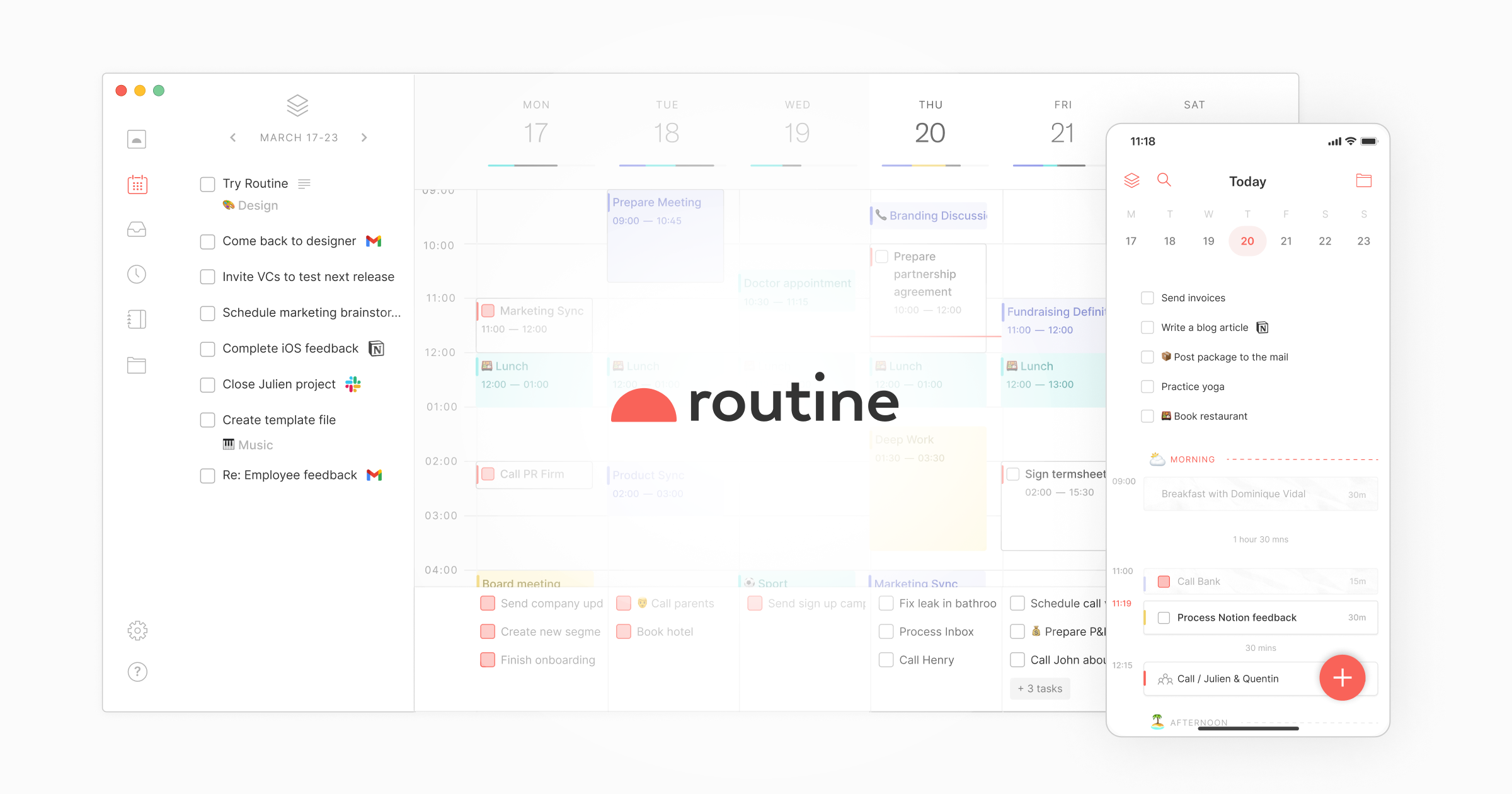
Routine is an AI-powered workspace that combines tasks, calendars, and notes in one application. It helps users plan their day and manage their work more efficiently. The product serves ambitious professionals and teams looking to centralize their work.
Key features
- Centralize work from multiple apps into a universal inbox
- Automatically transcribe and summarize meetings
- Build AI automations connecting tools and organizing information
- Block time for important tasks on a single planning screen
Use cases
- Founders who want to consolidate multiple tools and focus on moving the needle daily.
- Teams seeking to reduce costs by consolidating multiple apps into one workspace.
Pricing details: Free plan available forever with basic features.
11. Obi — best for B2B SaaS companies guiding customers through complex setup and integrations
Pricing: From $750/month · Free plan: No · Upvotes: 222
In Obi's words
Onboard every user like it’s your best live call. Obi is a voice AI agent that talks users through setup, answers questions in real time, and shares insights after every session. No clunky tours or videos—just real conversation, 24/7, at any scale. Try Obi on our website!
Key features
- Understand customer goals and create tailored onboarding plans
- See customer screen in real time and guide through product
- Guide customers through setup, integrations, and configuration
- Escalate to human team with full context when needed
- Track customer progress and identify blockers without asking
Use cases
- B2B SaaS companies guiding customers through complex setup and integrations
- Teams onboarding customers across multiple timezones without scheduling delays
- Customer success teams reducing time between signup and customer activation
Pricing details: Plans start at $750/month for Launch tier.
12. Parrot Speech-to-text API — best for real-time voice agents that need to respond naturally mid-conversation with low latency

Pricing: Paid · Free plan: No · Upvotes: 193
In Parrot Speech-to-text API's words
Introducing Parrot: Ringg’s speech-to-text model for production-grade voice agents. Capture Hindi-heavy and noisy real-world conversations with low-latency inference, stronger transcript quality, and Hindi validation built for downstream workflows.
Key features
- Deliver transcripts in real time for natural conversations.
- Normalize transcripts to reduce formatting inconsistencies before reaching AI agents.
- Support Hindi, English, and Hindi-English code-mixed speech recognition.
- Integrate via REST APIs, WebSocket streaming, or production-ready SDKs.
- Handle noisy telephony audio and Indian accents with optimized accuracy.
Use cases
- Real-time voice agents that need to respond naturally mid-conversation with low latency.
- Enterprise call centers handling noisy phone calls with Indian customers.
Pricing details: Usage-based pricing starting at ₹30 per hour for 0-500 hours of transcription, ₹25 per hour for over 500 hours.
See Parrot Speech-to-text API pricing, reviews and alternatives →
13. SkyWallpaper — best for turning a TV into an ambient display that shows photo or live wallpapers with the time and weather

Pricing: Free · Free plan: Yes · Upvotes: 31
In SkyWallpaper's words
SkyWallpaper turns idle TV screens into ambient display. Built specifically for the big screen, it brings together curated photo and live wallpapers, dynamic weather backgrounds that match your local sky, a subtle clock, and music search to play your favorite songs or playlists. You can also upload your own media to give your living room an always-on aesthetic window. Currently available only on Google Play Store for TV.
Join the discord server for app updates, announcements and more: https://discord.gg/HGYy8kxzU
Key features
- Display photo and live wallpapers or upload your own
- Live weather and time display
- Music search to play your favorite songs or playlists
Use cases
- Turning a TV into an ambient display that shows photo or live wallpapers with the time and weather.
- Music search to play your favorite songs or playlists.
14. Ripple.convert — best for compress a large video or image to a smaller file before sending it to someone, then share it via an expiring link
Pricing: Free · Free plan: Yes · Upvotes: 26
In Ripple.convert's words
Drop a file into the browser, pick an output format, and tune settings such as quality, target file size, resize width, or audio bitrate before converting. Files stay on your device unless you create a share link for the original or converted file. The free tier includes 20 credits per day, and share links expire automatically. We are trying to make it quicker and easier for anyone to convert files on the go.
Key features
- Convert images between JPG, PNG, WEBP, AVIF, and GIF formats
- Compress or convert videos to MP4, MOV, WEBM, AVI, or MKV
- Set audio bitrate from 128 to 320 kbps for MP3, AAC, OGG, or FLAC
- Convert TTF, OTF, WOFF, WOFF2, and EOT fonts for web or desktop use
- Create expiring share links for original or converted files
Use cases
- Compress a large video or image to a smaller file before sending it to someone, then share it via an expiring link.
- Convert audio between MP3, WAV, AAC, OGG, and FLAC with bitrate control without installing software.
- Convert TTF, OTF, or WOFF fonts into WOFF2 or other web font formats for a website.
15. SongByLink — best for finding the title and artist of a song heard in a TikTok, YouTube Shorts, Instagram Reels, Facebook, or X video by pasting its link

Pricing: Free plan; paid from $1.90 · Free plan: Yes · Upvotes: 18
In SongByLink's words
You paste a public video link and the tool extracts the audio track, then takes a clean 15-second sample for analysis. That sample is run through audio fingerprinting against a database of over 70 million songs, so the match is based on the original recording rather than a microphone capture. Because it works in the browser, there is nothing to install, and remixes that are moderately sped up or slowed down can still match back to the source track.
Key features
- Paste public TikTok, YouTube Shorts, Instagram Reels, Facebook, or X links to start
- Extract the audio track from a video and analyze a clean 15-second sample
- Match audio fingerprints against a database of over 70 million songs
- Return song title, artist, and album art for the identified track
- Link out to Spotify, Apple Music, YouTube, and Deezer to listen
Use cases
- Finding the title and artist of a song heard in a TikTok, YouTube Shorts, Instagram Reels, Facebook, or X video by pasting its link.
- Getting direct Spotify, Apple Music, YouTube, or Deezer links for a track discovered in a social video.
- Identifying songs in sped-up, slowed, or pitched remixes shared on social platforms.
Pricing details: Free to start: 10 credits on sign-up plus 5 daily credits.
Comparison table
| # | Tool | Upvotes | Price |
|---|---|---|---|
| 1 | Noiz AI Content creators who want to add emotional voice narration to videos and media |
▲ 479 | Free plan+ paid plans |
| 2 | Krisp Remote teams who need clear calls without background noise distractions during video meetings |
▲ 396 | Free plan |
| 3 | Vaani Developer Platform Teams that want to build a phone voice agent without writing code |
▲ 383 | See site |
| 4 | Vaani YouTubers dubbing existing videos into Indic languages |
▲ 355 | Free planthen from $49/mo |
| 5 | Smallest.ai Teams building production voice assistants and conversational AI applications |
▲ 346 | Free planthen from $0.05 |
| 6 | ElevenLabs Audiobook and podcast creators who want expressive narration voices |
▲ 292 | Free plan+ paid plans |
| 7 | VoiceOS Professionals who want to reply to emails and messages faster using voice commands instead of typing |
▲ 277 | Free planthen from $11.99/mo |
| 8 | Monologue Developers writing code prompts and technical documentation hands-free |
▲ 264 | Free planthen from $12/mo |
| 9 | River B2B companies handling high volume of inbound leads needing immediate response |
▲ 263 | Paid |
| 10 | Routine Founders who want to consolidate multiple tools and focus on moving the needle daily |
▲ 242 | Free planthen from $5/mo |
| 11 | Obi B2B SaaS companies guiding customers through complex setup and integrations |
▲ 222 | from $750/mo |
| 12 | Parrot Speech-to-text API Real-time voice agents that need to respond naturally mid-conversation with low latency |
▲ 193 | Paid |
| 13 | SkyWallpaper Turning a TV into an ambient display that shows photo or live wallpapers with the time and weather |
▲ 31 | Free plan |
| 14 | Ripple.convert Compress a large video or image to a smaller file before sending it to someone, then share it via an expiring link |
▲ 26 | Free plan |
| 15 | SongByLink Finding the title and artist of a song heard in a TikTok, YouTube Shorts, Instagram Reels, Facebook, or X video by pasting its link |
▲ 18 | Free planthen from $1.90 |
How we compared them
This is a comparison built from listing data, not a hands-on review: we have not tested these tools ourselves. Every product here is listed on Launch Llama, and the ranking uses what founders and their users have put on the record.
Tools are ordered by community upvotes. Duplicate listings are merged, and listings without a real description are left out. Pricing, features and use cases come from each product's listing and can change, so check the product's own site before you buy.
How to choose
- Choose Noiz AI for content creators who want to add emotional voice narration to videos and media.
- Choose Krisp for remote teams who need clear calls without background noise distractions during video meetings.
- Choose Vaani Developer Platform for teams that want to build a phone voice agent without writing code.
- Choose Vaani for youTubers dubbing existing videos into Indic languages.
- Choose Smallest.ai for teams building production voice assistants and conversational AI applications.
- Choose ElevenLabs for audiobook and podcast creators who want expressive narration voices.
Still comparing? Browse every tool in Audio or see the best tools in other categories.
Frequently asked questions
What is the best Audio tool in 2026?
Noiz AI is the most upvoted Audio tool on Launch Llama. For creators: Noiz AI generates expressive AI voices from prompts and images, turning your voice into unique characters in seconds. Krisp and Vaani Developer Platform round out the top three.
Is there a free Audio tool?
Yes. 11 of the 15 tools in this comparison list a free plan, including Noiz AI, Krisp, Vaani.
How were these Audio tools ranked?
By community upvotes on Launch Llama, after merging duplicate listings and dropping listings without a real description. We have not tested these tools hands-on; pricing and features come from each product's listing.
How many Audio tools are listed on Launch Llama?
20 Audio tools with full listings at the time of writing. This page compares the top 15; the rest are on the Audio category page.