
Updated 2026-11-19 · 12 of 12 AI photo enhancers on Launch Llama compared
Quick answer: The best AI photo enhancers in 2026, by Launch Llama community upvotes, are Sniploom, Picrevamp, NanoPic AI. If you want to start free, Picrevamp has a free plan. We compared all 12 AI photo enhancers listed on Launch Llama on pricing, features and use cases.
Our picks at a glance
- Best overall: Sniploom — the most upvoted AI photo enhancer on Launch Llama
- Best free option: Picrevamp — free plan + paid tiers
- Most features listed: NanoPic AI — 5+ features on its listing
The 12 best AI photo enhancers in 2026
1. Sniploom — best for restore old family photos that have faded or lost color over time
Pricing: Free · Free plan: Yes · Upvotes: 38 · Rating: 5/5 from 1 review
In Sniploom's words
Sniploom is a free, privacy-first collection of browser-based image and PDF tools. Brighten low-light photos, restore faded prints, correct overexposure, remove backgrounds, compress images, convert HEIC files, and process PDFs without creating an account. Whenever possible, files stay on the user’s device. Public stress tests show difficult examples and honest limitations, so users can judge real results before trusting important family or client images.
Key features
- Brighten underexposed photos and restore faded prints directly in browser
- Remove backgrounds from images without manual selection
- Correct overexposed photos to recover blown-out highlights
- Compress images and convert HEIC files to standard formats
- Process PDFs in browser while keeping files on your device
Use cases
- Restore old family photos that have faded or lost color over time
- Prepare client photos for delivery with background removal and enhancement
- Reduce image file sizes before uploading to portfolio or client galleries
2. Picrevamp — best for browsing and copying AI image prompts from a shared community feed to generate photorealistic portraits, fashion shots, or 3D miniature artwork

Pricing: Free plan + paid tiers · Free plan: Yes · Upvotes: 36
In Picrevamp's words
Picrevamp is an all-in-one AI creative suite that enables users to generate high-quality images, videos, and audio using advanced AI models. The platform offers smart templates, image upscaling up to 8K, background removal, AI editing tools, and text-to-speech generation. Users can start with free AI credits and access premium features through a credit-based pricing system.
Use cases
- Browsing and copying AI image prompts from a shared community feed to generate photorealistic portraits, fashion shots, or 3D miniature artwork.
- Finding prompt ideas by category such as cinematic, anime, cyberpunk, or TikTok-style content before creating images in another tool.
Pricing details: Free access to public prompts with SafeSearch on.
3. NanoPic AI — best for generate product mockups from text descriptions, then edit lighting and composition in one workspace before posting to social media
Pricing: Free plan + paid tiers · Free plan: Yes · Upvotes: 36
In NanoPic AI's words
NanoPic AI is a browser-based creative workspace for generating, editing and upscaling images, with image-to-video tools. Start from a text prompt or reference image, refine backgrounds, lighting and composition, and prepare visuals for social posts, thumbnails, product mockups, portraits and storyboards.
Key features
- Generate images from text prompts or reference images
- Edit backgrounds, lighting, and composition within the workspace
- Upscale images to higher quality and resolution
- Convert images to video content
- Prepare visuals optimized for social posts, thumbnails, and product mockups
Use cases
- Generate product mockups from text descriptions, then edit lighting and composition in one workspace before posting to social media.
- Create custom thumbnails for videos by generating base images, upscaling them for quality, and refining backgrounds without leaving the platform.
- Build storyboard sequences using image-to-video tools to visualize narrative flows for content planning and client presentations.
4. Rendrflow — best for upscaling and restoring old or low-resolution photos offline on a phone so images never leave the device
Pricing: Free plan + paid tiers · Free plan: Yes · Upvotes: 18
In Rendrflow's words
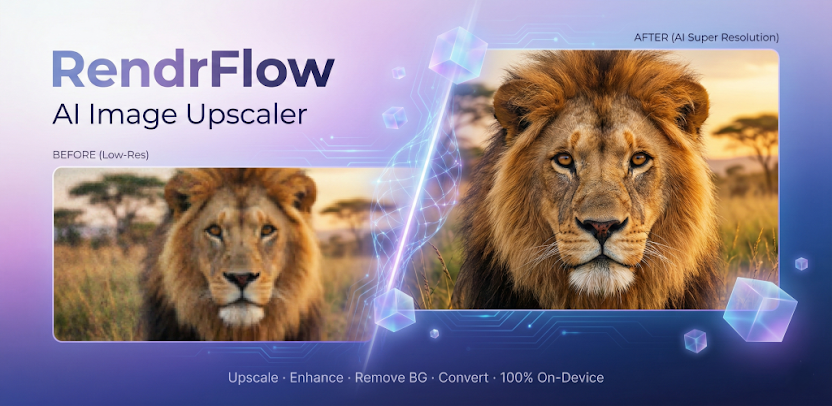
Transform low quality photos into high resolution masterpieces with RendrFlow, a powerful on-device AI photo editor built for privacy, speed, and offline use.
Unlike cloud based apps that upload your personal photos to external servers, RendrFlow processes everything right on your phone. Your images remain strictly private, secure, and fully under your control.
Use cases
- Upscaling and restoring old or low-resolution photos offline on a phone so images never leave the device.
- Enhancing photographers' images to studio-quality results without uploading them to a cloud service.
5. ResLeap — best for upscaling a photo to 8K while keeping textures and edges looking natural
Pricing: See website · Free plan: Yes · Upvotes: 18 · Rating: 4.3/5 from 3 reviews
In ResLeap's words
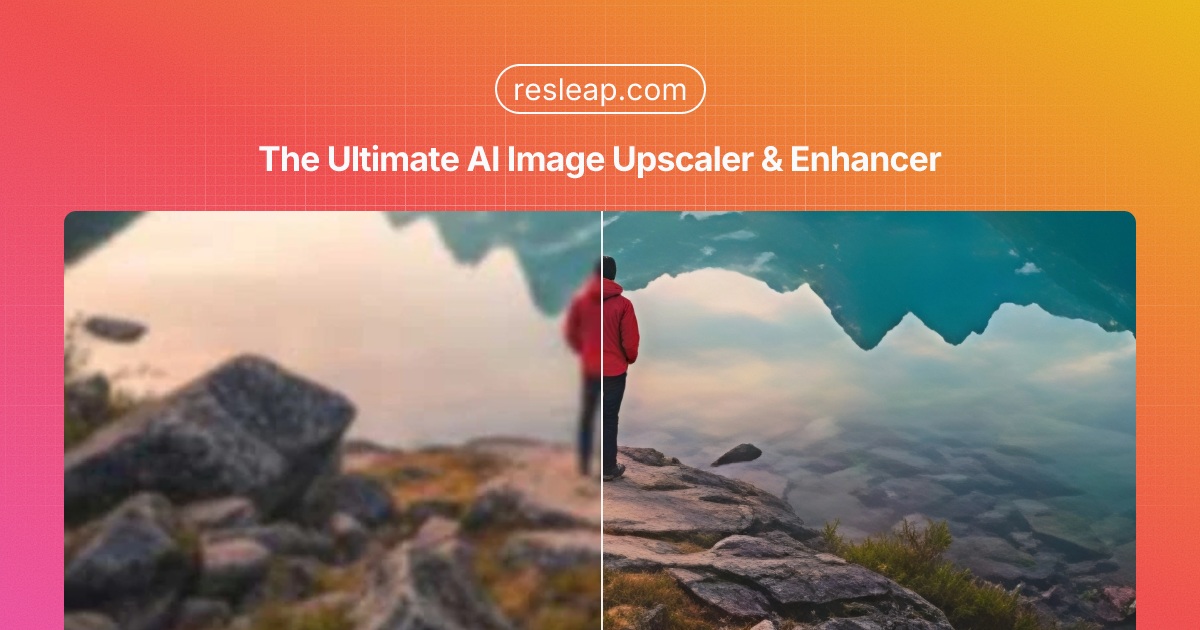
ResLeap enhances and upscales images online to 8K, keeping textures and edges looking natural. It works well on photos and AI art. Start with free credits, then Pro or Business if you need more, with no watermark and batch processing. ResLeap is an 8K AI image enhancer and upscaler online. Sharper images at 8K, with detail that still looks real. It enhances and upscales images to 8K with rich, natural detail. It works on photos and AI art, and free credits are available to try.
Key features
- Enhance and upscale images online to 8K
- Keep textures and edges looking natural
- Works on photos and on AI art
- Free credits to try the enhancer
- No watermark on Pro or Business plans
Use cases
- Upscaling a photo to 8K while keeping textures and edges looking natural.
- Enhancing AI art online so the detail still looks real.
- Trying the enhancer with free credits before Pro or Business.
Pricing details: Freemium. Free credits to try, then Pro or Business.
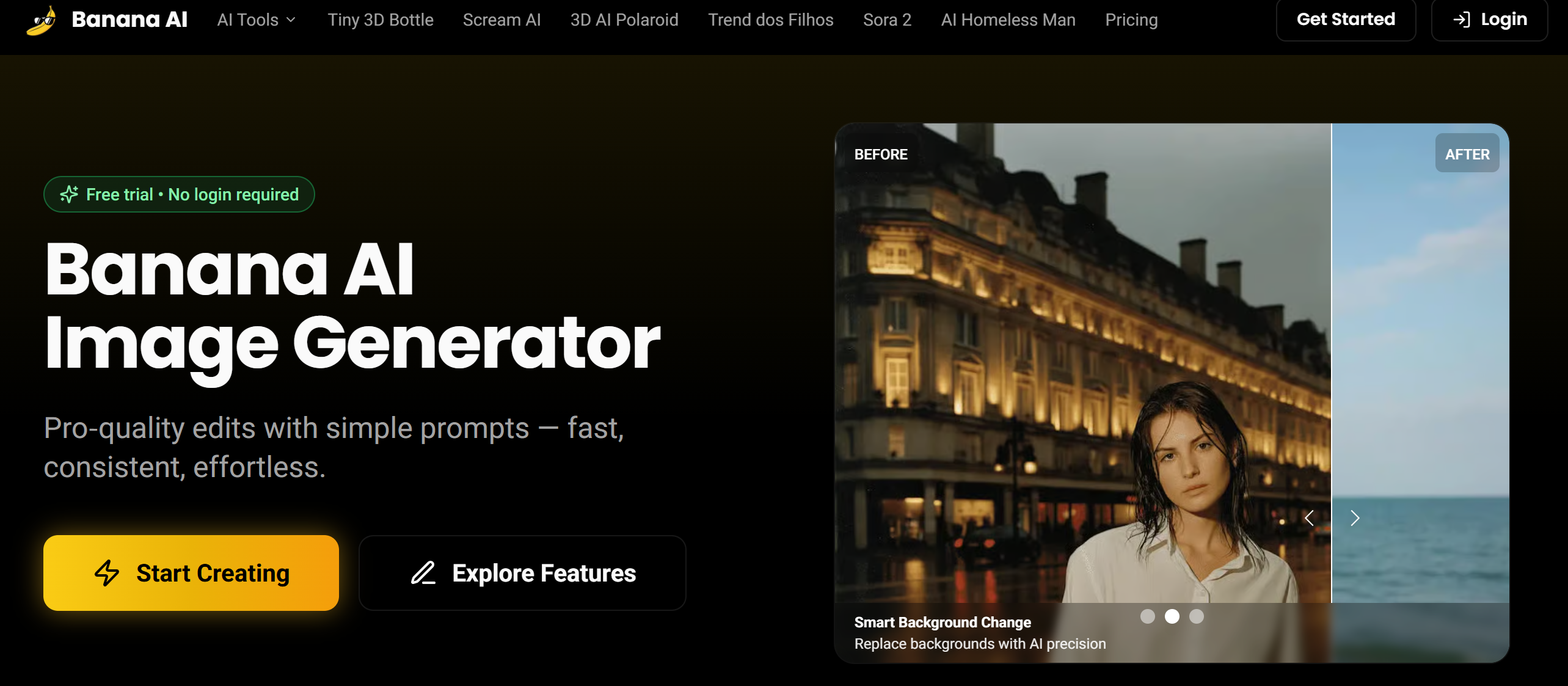
6. banana ai — best for removing tourists and crowds from travel photos with one-click background removal to create share-ready images
Pricing: Free plan + paid tiers · Free plan: Yes · Upvotes: 12
In banana ai's words
Artistic Style Transfer Apply the look of any artwork or photo to your image — preserving subject structure while transferring style, colors, and brush strokes.
Vintage Photo Restoration using Banana AI Vintage Photo Restoration Bring old memories back to life with Banana AI's advanced restoration capabilities. Remove scratches, enhance faded colors, and add missing details to preserve family history.
Use cases
- Removing tourists and crowds from travel photos with one-click background removal to create share-ready images.
- Creating consistent e-commerce product imagery by changing backgrounds and lighting across a catalog.
- Restoring old family photos by removing scratches, enhancing faded colors, and adding missing details.
Pricing details: Free trial with no login required.
7. AI Photo Editor — best for swapping the background or scene behind a product or pet photo by describing the new setting in a text prompt
Pricing: From $29.90 · Upvotes: 3 · Rating: 4/5 from 1 review
In AI Photo Editor's words
AI Photo Editor Online lets you edit photos with a prompt in the browser. Retouch portraits, upscale low-resolution images, remove backgrounds, correct colors, apply artistic filters, and use generative AI fill to add or extend content. All processing happens client-side with no upload and no account required — your photos stay private. Works on desktop and mobile, supports common formats like JPG, PNG, and WebP, and is completely free with no watermark.
Use cases
- Swapping the background or scene behind a product or pet photo by describing the new setting in a text prompt.
- Generating a lifestyle draft of a catalog product, such as placing a bottle on a kitchen table, to test an idea before a real shoot.
- Restoring old photos, unblurring images, or removing an unwanted person or object from a photo.
Pricing details: Free trial: sign in daily for 5 credits. A limited offer lists 500 credits at $29.90 (originally $59.80). Generation costs vary by model, from 2 to 18 credits per image.
8. Bimg AI: Nano Banana AI Platform — best for generating and editing product visuals from product and model references for e-commerce listings, ads, and social campaigns

Pricing: Paid · Free plan: No · Upvotes: 2
In Bimg AI: Nano Banana AI Platform's words
Bimg AI is an all-in-one AI creative platform built around Nano Banana, Nano Banana Pro, and Nano Banana 2. It allows users to generate images, edit photos with natural prompts, upscale low-resolution visuals, restore old photos, remove backgrounds, sharpen blurry images, explore Banana Prompts, and create videos with leading AI video models.
AI Image Editing: Edit images using text prompts and reference images while preserving important details. Background Removal: Instantly remove backgrounds from images with AI technology. Image Upscaling: Enhance image resolution with AI-powered upscaling. Old Photo Restoration: Restore faded and damaged photos to high quality. AI Video Generation: Create videos using advanced AI models for motion and storytelling. Banana Prompts: Access a library of reusable prompts to inspire creativity and streamline workflows.
Use cases
- Generating and editing product visuals from product and model references for e-commerce listings, ads, and social campaigns.
- Building storyboards and previsualization frames, then converting them into video with image-to-video generation.
- Enhancing photos by upscaling, removing backgrounds, restoring old faded photos, and unblurring images.
Pricing details: A 50% OFF limited-time offer is shown, and new users can get 20 free credits to try Pro with no credit card required.
See Bimg AI: Nano Banana AI Platform pricing, reviews and alternatives →
9. Restore Old Photos - Retrocap — best for repairing scratched, torn and faded old family photos on a phone in seconds

Pricing: Free plan + paid tiers · Free plan: Yes · Upvotes: 2
In Restore Old Photos - Retrocap's words
Restore Old Photos - Retrocap is an AI photo restoration app for iPhone and Android, built for anyone with a box of old family prints. Snap or upload an old photo and Retrocap repairs scratches, tears, stains and fading, recovers blurry faces in portraits and group shots, colorizes black-and-white images with natural tones, and upscales low-resolution scans into sharp HD pictures. No editing skills are needed: one tap gives a restored result in seconds that you can save or share. It is popular with genealogy and family-history enthusiasts digitizing albums, and with people preparing photos for anniversaries, memorials and gifts. Free to download, with an optional premium subscription for unlimited HD restorations.
Use cases
- Repairing scratched, torn and faded old family photos on a phone in seconds.
- Colorizing black-and-white or sepia photos in Natural, Vivid, Vintage or Cool styles.
- Animating old portraits with subtle movement and optional voice narration to share with family.
Pricing details: Free to download. Credits are available through a weekly or yearly subscription or one-time token packs.
See Restore Old Photos - Retrocap pricing, reviews and alternatives →
10. Unblur Image — best for recovering a sharp version of a shaky handheld night shot or a motion-blurred pet photo

Pricing: Free plan + paid tiers · Free plan: Yes · Upvotes: 2
In Unblur Image's words
Upload a blurry image up to 50MB and choose a model. UModel is the cloud AI, which uses daily free credits and offers 1K, 2K, or 4K output, while the free local model runs in the browser and keeps the photo on your device. The AI identifies the blur type, whether motion, defocus, Gaussian, or compression artifacts, and applies a matching restoration, with specialized face enhancement for portraits. Results appear in a side-by-side before-and-after slider, and the page states that downloads have no watermarks.
Key features
- Removes motion blur from camera shake and subject movement
- Restores out-of-focus areas while keeping natural background blur
- Enhances faces by rebuilding eye sharpness, skin texture, and hair
- Upscales low-resolution photos to 1K, 2K, or 4K output
- Runs a free local model in the browser without uploading the photo
Use cases
- Recovering a sharp version of a shaky handheld night shot or a motion-blurred pet photo.
- Making blurry scanned documents, screenshots, or photos of text readable again.
- Restoring vintage or damaged old photographs by removing blur, scratches, and artifacts.
Pricing details: Free daily credits for cloud UModel restoration, plus a free local model that needs no sign-in.
11. Enhance My Photo — best for sharpen and recover clarity in portrait photos using AI, with a choice of scene presets such as portrait detail or pet moments

Pricing: Free plan + paid tiers · Free plan: Yes · Upvotes: 2
In Enhance My Photo's words
Enhance My Photo is an online AI photo enhancer that brings out clearer details and richer colors in any image. Choose from six scene presets (portrait, product, scenery, pets, text, and everyday photos) to get optimized results. The tool offers both free and Pro quality levels, supports multiple export formats (JPEG, PNG, WebP), and processes images up to 16MP without watermarks. Sign in to save your enhancements or use it completely free as a visitor.
Use cases
- Sharpen and recover clarity in portrait photos using AI, with a choice of scene presets such as portrait detail or pet moments.
- Enhance product photos before changing their backgrounds, then export as JPG, PNG, or WebP without watermarks.
- Improve a faded or lightly damaged old photo scan, then optionally colorize a separate copy.
Pricing details: Free to use without signup, with paid plans offering more credits.
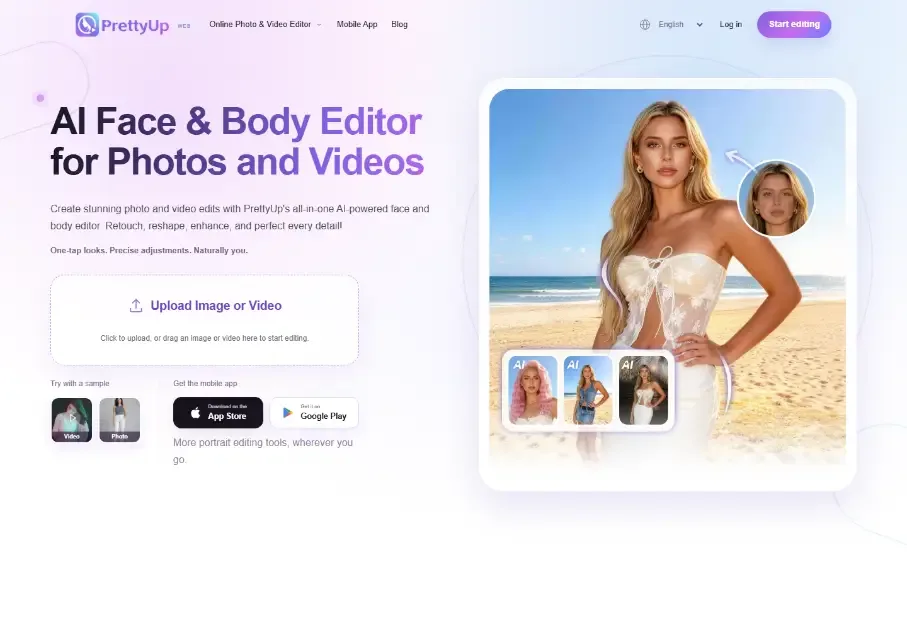
12. PrettyUp — best for retouching facial features and skin in a photo with one-tap looks and precise adjustments
Pricing: Free plan + paid tiers · Free plan: Yes · Upvotes: 2
In PrettyUp's words
PrettyUp is an online photo and video editor powered by AI that lets you retouch faces, refine body shape, and apply makeup, outfits and portrait effects to your images.
Features include face retouching tools, body shape refinement, virtual makeup application, outfit try-on, and AI-powered portrait effects. The editor works directly in your browser with no installation needed.
Use cases
- Retouching facial features and skin in a photo with one-tap looks and precise adjustments.
- Slimming body shape or looking taller in photos and refining body proportions in short videos before exporting.
- Trying on outfits, swapping clothes, or generating a bikini or formal attire look on a photo.
Pricing details: Sign-in gives everyday free AI credits for more AI edits.
Comparison table
| # | Tool | Rating | Upvotes | Price |
|---|---|---|---|---|
| 1 | Sniploom Restore old family photos that have faded or lost color over time |
Rated 5 out of 5 from 1 review5(1) | ▲ 38 | Free plan |
| 2 | Picrevamp Browsing and copying AI image prompts from a shared community feed to generate photorealistic portraits, fashion shots, or 3D miniature artwork |
No reviews yet | ▲ 36 | Free plan+ paid plans |
| 3 | NanoPic AI Generate product mockups from text descriptions, then edit lighting and composition in one workspace before posting to social media |
No reviews yet | ▲ 36 | Free plan+ paid plans |
| 4 | Rendrflow Upscaling and restoring old or low-resolution photos offline on a phone so images never leave the device |
No reviews yet | ▲ 18 | Free plan+ paid plans |
| 5 | ResLeap Upscaling a photo to 8K while keeping textures and edges looking natural |
Rated 4.3 out of 5 from 3 reviews4.3(3) | ▲ 18 | Free plan |
| 6 | banana ai Removing tourists and crowds from travel photos with one-click background removal to create share-ready images |
No reviews yet | ▲ 12 | Free plan+ paid plans |
| 7 | AI Photo Editor Swapping the background or scene behind a product or pet photo by describing the new setting in a text prompt |
Rated 4 out of 5 from 1 review4(1) | ▲ 3 | from $29.90 |
| 8 | Bimg AI: Nano Banana AI Platform Generating and editing product visuals from product and model references for e-commerce listings, ads, and social campaigns |
No reviews yet | ▲ 2 | Paid |
| 9 | Restore Old Photos - Retrocap Repairing scratched, torn and faded old family photos on a phone in seconds |
No reviews yet | ▲ 2 | Free plan+ paid plans |
| 10 | Unblur Image Recovering a sharp version of a shaky handheld night shot or a motion-blurred pet photo |
No reviews yet | ▲ 2 | Free plan+ paid plans |
| 11 | Enhance My Photo Sharpen and recover clarity in portrait photos using AI, with a choice of scene presets such as portrait detail or pet moments |
No reviews yet | ▲ 2 | Free plan+ paid plans |
| 12 | PrettyUp Retouching facial features and skin in a photo with one-tap looks and precise adjustments |
No reviews yet | ▲ 2 | Free plan+ paid plans |
How we compared them
This is a comparison built from listing data, not a hands-on review: we have not tested these tools ourselves. Every product here is listed on Launch Llama, and the ranking uses what founders and their users have put on the record.
We read the Launch Llama listings that mention AI photo enhancers and kept only the products whose listing shows that is what they do. They are ordered by community upvotes; duplicate listings are merged, and listings without a real description are left out. Pricing, features and use cases come from each product's listing and can change, so check the product's own site before you buy.
How to choose
- Choose Sniploom for restore old family photos that have faded or lost color over time.
- Choose Picrevamp for browsing and copying AI image prompts from a shared community feed to generate photorealistic portraits, fashion shots, or 3D miniature artwork.
- Choose NanoPic AI for generate product mockups from text descriptions, then edit lighting and composition in one workspace before posting to social media.
- Choose Rendrflow for upscaling and restoring old or low-resolution photos offline on a phone so images never leave the device.
- Choose ResLeap for upscaling a photo to 8K while keeping textures and edges looking natural.
- Choose banana ai for removing tourists and crowds from travel photos with one-click background removal to create share-ready images.
Still comparing? Browse every tool in Photo editing or see the best tools in other categories.
Frequently asked questions
What is the best AI photo enhancer in 2026?
Sniploom is the most upvoted AI photo enhancer on Launch Llama. For photographers: Sniploom enhances photos, removes backgrounds, and processes PDFs in your browser so your images stay private and look professional. Picrevamp and NanoPic AI round out the top three.
What is an AI photo enhancer?
An AI photo enhancer sharpens, upscales and repairs images: it fixes blur and noise, raises the resolution, restores old or damaged photos and often removes backgrounds or retouches faces. Some run in the browser, some offline on your device.
What should I look for in an AI photo enhancer?
Compare the maximum upscale resolution and whether details still look natural; privacy: whether images are processed on your device or uploaded; batch processing if you have many photos; and whether the free tier adds watermarks or limits downloads.
Is there a free AI photo enhancer?
Yes. 10 of the 12 tools in this comparison list a free plan, including Sniploom, Picrevamp, NanoPic AI.
How were these AI photo enhancers ranked?
By community upvotes on Launch Llama, after merging duplicate listings and dropping listings without a real description. We have not tested these tools hands-on; pricing and features come from each product's listing.
How many AI photo enhancers are listed on Launch Llama?
12 AI photo enhancers with full listings at the time of writing, and this page compares all of them. Browse the Photo editing category for related tools.