TapVid
For creators: TapVid turns your existing content into motion-driven explainer videos so you visualize ideas and products without filming or diffusion models.
Built by TapVid · Artificial Intelligence · Marketing · Design Tools · Paid
In category: #1533 of 2059 · Artificial Intelligence
TapVid is a Community listing on Launch Llama with 2 total upvotes, founded by TapVid who joined in Jul 2026, compared against 5 alternatives.
Community listing
Listing status
2upvotes
Community score
TapVid (Joined Jul 2026)
Founder
Compared against 5 alternatives
Market comparison
Launched on Launch Llama Jul 11, 2026 · #19 of 22 that day
About
What is TapVid
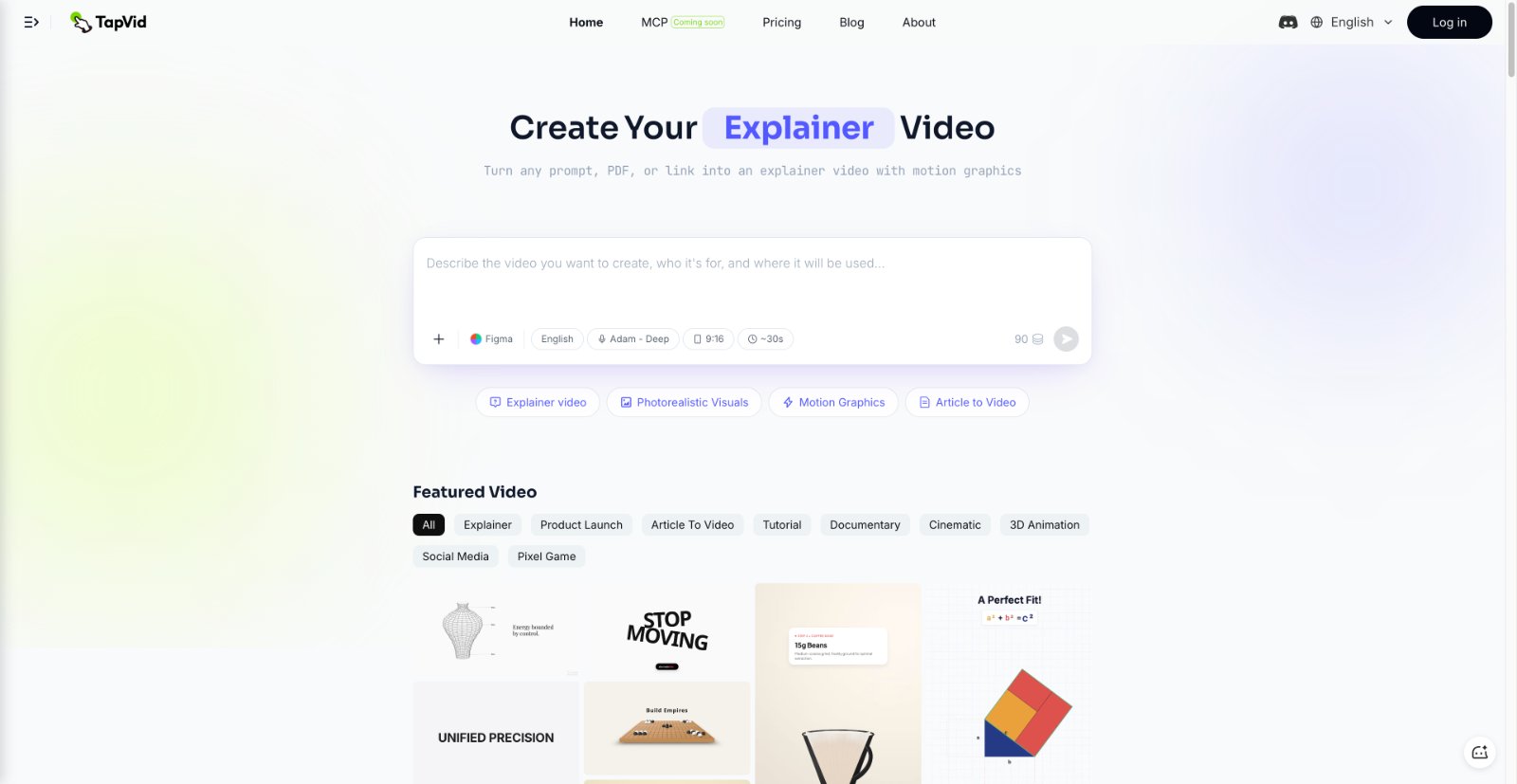
TapVid is a code-generated visual Explainer Video Engine that turns existing content into visualized, interactive explainer videos. Instead of generating random realistic footage from a prompt, TapVid starts with content you already have, such as a paragraph, article, PDF, script, product copy, PRD, or voiceover script, and turns it into a structured, motion-driven explainer video in minutes.
TapVid is not another AI video generator or a text-to-video tool for diffusion-style realistic footage. It focuses on code-generated visuals, motion logic, and clear explanation. It helps creators explain ideas, products, trends, news, brand stories, and educational concepts without starting from a blank timeline or relying on After Effects-style workflows.
Features of TapVid
Code-Generated Explainer Videos: Turn existing content into visualized explainer videos using code-driven motion and visual logic, not random diffusion-style footage.
Content-to-Video Workflow: Start from paragraphs, articles, PDFs, scripts, product copy, PRDs, or voiceover scripts and move to a structured explainer video in minutes.
Agent-Based Creation: Break content into script, storyboard, and motion to produce a clear, paced explainer video.
No After Effects Required: Create videos without starting from a blank timeline or needing motion design skills.
Creator-Friendly Remix Workflow: Reuse structure and pacing while keeping the content your own.
Use Cases of TapVid
Launch Video: Turn product copy or a PRD into a launch video fast, without a design team or After Effects skills.
Deep-Dive Explainer: Break complex ideas and abstract concepts into step-by-step visuals and motion graphics.
Article-to-Video: Convert an article or headline into a visualized video while the topic is still relevant.
Talking Head to Explainer: Transform a script or talking-head idea into a paced, motion-supported explainer video.
Animated Story / Logo Animation: Turn brand copy into a narrative animated short, or create logo animation with code-driven motion logic.
Trending Clone / Template Remix: Reuse the structure and pacing of a proven video format while keeping the content your own.
Use Cases
- Turning scripts, PDFs and brand assets into a motion-graphics explainer video with editable storyboard scenes
- Updating only changed shots of a product explainer after a release instead of re-making the whole video
- Producing a batch of product detail-page or ad videos for many SKUs through the API
Who it is for
- Product teams creating explainer videos for their products
- E-commerce and cross-border sellers producing videos for dozens of SKUs
- Content agencies and education providers delivering video series for clients or students
Pricing
TapVid is a paid product. See the website for current pricing.
FAQ
Is there a free AI explainer video generator?
Yes. TapVid is an AI explainer video generator that turns a prompt, PDF, or link into a finished video with motion graphics, no editing or design skills needed. You can start for free and upgrade as you grow.
Can AI turn a PDF into a video?
Yes. Upload a PDF, doc, or even a link, and TapVid automatically builds an outline, script, and motion-graphics video from it, turning your source material into a publish-ready clip in minutes.
How do I turn a script or prompt into a video automatically?
Just paste a prompt or script, and TapVid generates the full video for you: visuals, voiceover, and on-screen motion graphics, all in one shot. You go from idea to finished video without ever touching a timeline editor.
What's the best AI tool to make explainer videos without editing skills?
TapVid is built for non-editors. You describe what you want in plain language and get a structured explainer video back. Its Intelligent Edit feature lets you refine the result by typing, not by editing frames.
Does TapVid support voiceovers and subtitles?
Yes. TapVid generates AI voiceovers and subtitles automatically, with multiple languages and voices, so your video is ready to publish or localize right away.
What makes TapVid different from other AI video generators?
Most AI video tools just stitch stock clips together. TapVid generates structured motion-graphics explainers from your actual content, whether that's a prompt, PDF, or link, so the output explains your topic instead of looking generic.
What kinds of videos can I make with TapVid?
Explainer videos, tutorials, article-to-video, product launches, educational and training content, and social clips. You can export in formats like 16:9, with lengths ranging from short clips up to several minutes.
Can I export and share the final video?
Yes. On paid plans you can export watermark-free 1080p video and share it anywhere, or keep iterating with credits that roll over month to month.
Alternatives
 SnapDubPaste a long video, get vertical clips that keep the speaker in frame
 MedeoFor creators: Medeo turns chat descriptions into finished, story-driven videos so you skip editing timelines and create professional content instantly.
 MotionflareTurn your website into a stunning launch video in minutes
 TransClipperFor content creators: TransClipper transcribes and clips videos with AI so you extract insights and repurpose viral content in minutes.
More in Artificial Intelligence
New on Launch Llama
Launched this week · This month's launches · All products A–Z
Launch Llama stats
- 97views
Views and visits: last 90 days on Launch Llama.
Ask AI about TapVid
Supporters
1 founder
1 founder supported TapVid on Launch Llama.
Reviews
1 review
TapVid Breakdown has great potential! A few improvements could make it even better. I'd love to share my feedback and suggestions. WhatsApp: https://wa.me/447307349530 Telegram: t.me/rforrank
For bots & AI agents
Machine-readable versions of TapVid and Launch Llama. Fetch these instead of parsing this page.
This listing (.md) llms.txt llms-full.txt ai.txt Full catalog (.md) Endpoint index API docs MCP server MCP manifest Developer docs