
TeamSlide
For marketing teams: TeamSlide enforces brand compliance across PowerPoint decks so every presentation stays on-brand automatically.
Built by TeamSlide · Artificial Intelligence · Design Tools · Free
In category: #1296 of 1953 · Artificial Intelligence
TeamSlide is a Instant Launch listing on Launch Llama with 4 total upvotes, founded by TeamSlide who joined in Jul 2026, compared against 6 alternatives.
Instant Launch listing
Listing status
4upvotes
Community score
TeamSlide (Joined Jul 2026)
Founder
Compared against 6 alternatives
Market comparison
About
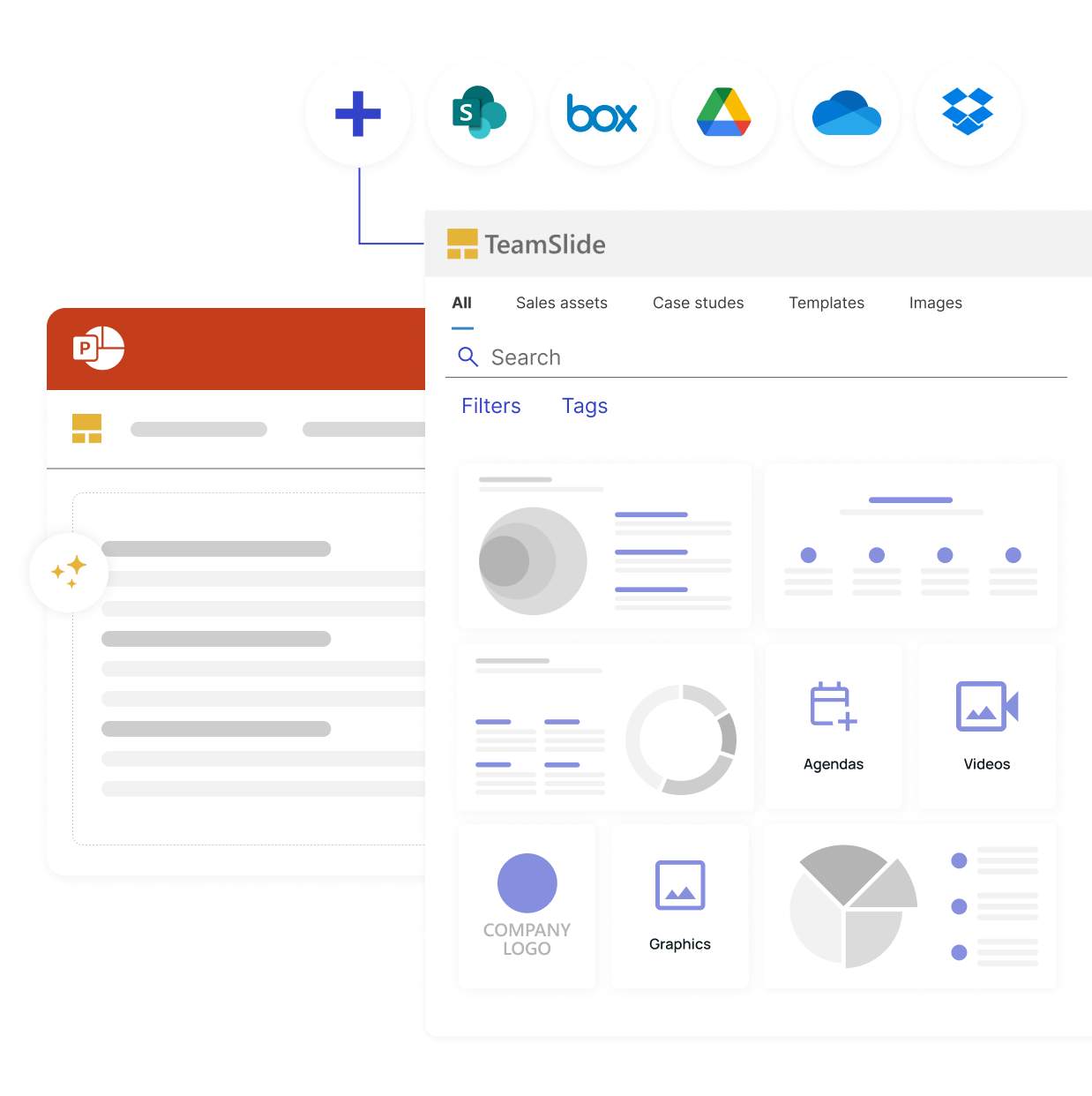
TeamSlide is a PowerPoint-native slide library & governance solution. It integrates with cloud storage (e.g., SharePoint), enabling teams to search/reuse approved, full-text searchable content in PowerPoint. It enforces brand compliance via templates, automated checks, and version control. An AI generator crafts brand-approved slides from notes. TeamSlide saves time, ensuring consistent, on-brand presentations for consulting, sales, finance, & marketing teams. Secure cloud/on-prem deployment.
Pricing
TeamSlide is free to use. See the website for details.
FAQ
What does TeamSlide do?
TeamSlide is a PowerPoint-native slide library and presentation management solution that helps teams create presentations faster and stay on-brand. It gives teams instant, in-app access to approved slides, images, and videos, with optional AI-powered slide generation built on your own brand templates. TeamSlide is used by consulting, sales, marketing, and finance teams to keep messaging consistent, cut turnaround time, and reduce the risk of outdated or off-brand content reaching clients.
Can we connect our existing content management systems?
Yes. TeamSlide connects directly with SharePoint, OneDrive, Box, Google Drive, and Dropbox, so your existing content stays exactly where it lives today - no migration required. You can choose specific sites and folders to sync, and pull in existing metadata and tags to make content searchable inside TeamSlide. Your CMS remains the single source of truth; TeamSlide adds a fast, slide-level search and access layer on top of it rather than replacing it.
Can we control which slides our teams see?
Yes. TeamSlide supports permissions at the library level, so you can control access by individual user or by group. This lets different teams or departments see only the libraries relevant to them, and you can update or adjust access at any time as your organization and content evolve. TeamSlide also supports SSO for enterprise identity and access management.
How do updates and version control work?
TeamSlide's version control automatically flags outdated slides the moment the source file is updated in your connected repository, so your team is never working from a stale version. Updating to the latest approved slide takes a single click. This removes the manual back-and-forth of checking file dates or asking colleagues which version is current, and reduces the risk of off-brand or outdated content reaching a client or prospect.
Do you offer cloud or on-premise deployment?
Both. TeamSlide can run fully in the cloud for the fastest setup, or be deployed on-premise (available at an added cost) for organizations that need full control over their environment. Either way, the same security standards apply: data is encrypted at rest and in transit using Microsoft Azure, and TeamSlide undergoes regular third-party penetration testing to identify and patch vulnerabilities before they become a risk.
Alternatives
 SupaslidesFor marketers: Supaslides generates on-brand animated carousels from your URL so you post engaging content across Instagram, TikTok, and LinkedIn instantly.
 AttentionclawFor creators and SaaS teams: AttentionClaw generates on-brand Instagram carousels and TikTok slideshows in minutes so you skip hours in design tools.
Ask AI about TeamSlide
Supporters
1 founder
1 founder supported TeamSlide on Launch Llama.