IraVoice for Mac
For Mac users: IraVoice converts speech to polished text on-device so your dictation stays private and ready to use.
Built by IraVoice · Artificial Intelligence · Desktop Apps · Free
In category: #1324 of 2052 · Artificial Intelligence
IraVoice for Mac is a Community listing on Launch Llama with 5 upvotes from 5 founders, founded by IraVoice who joined in Aug 2026, compared against 6 alternatives.
Community listing
Listing status
5upvotes
Community score
IraVoice (Joined Aug 2026)
Founder
Compared against 6 alternatives
Market comparison
Launched on Launch Llama Aug 3, 2026 · #73 of 100 that day
About
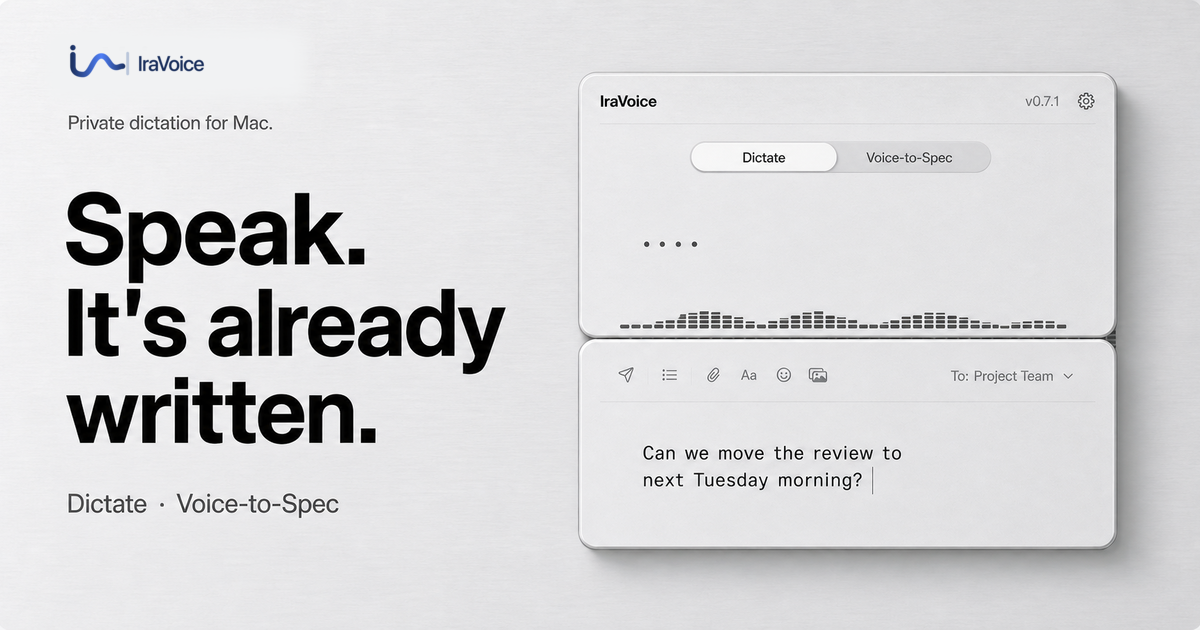
Private AI dictation for Apple-silicon Macs. Turn speech into polished text or agent-ready Markdown with on-device processing. Try IraVoice free for 3 days.
Use Cases
- Dictating emails and documents in Mail with speech converted to polished text on-device
- Prompting coding agents like Claude Code, Codex, or Cursor by voice with project identifiers such as useEffect and Dashboard.tsx spelled correctly
- Dictating into terminals and editors on Mac, Windows, or Linux without sending audio or transcripts to the cloud
Who it is for
- Developers who prompt coding agents or work in terminals and editors and want code names spelled correctly.
- Mac, Windows, and Linux users who want private, offline dictation for everyday writing.
- Privacy-conscious writers and professionals who do not want their voice or text sent to someone else's servers.
Pricing
IraVoice for Mac is free to use. See the website for details.
FAQ
What happens after the 3-day trial?
The trial starts with your first dictation and gives you three days of full use. After that, dictation pauses until you activate a license. Buy IraVoice Local once, then paste your key in the app. IraVoice Cloud is coming soon.
Does IraVoice upload my speech or text?
Not on IraVoice Local: speech recognition runs on your computer and no audio or text leaves it. The app contacts api.iravoice.com only for trial and license check-ins and update checks. IraVoice Cloud, coming soon, will send audio and text to IraVoice Cloud for Cloud recognition and AI polish; IraVoice’s servers never store them, Groq does not retain them, Anthropic deletes API inputs and outputs within 30 days, and neither trains on them.
Which computers are supported?
IraVoice 1.2.2 runs on macOS 13 or later on Apple silicon, Windows 10 or 11, 64-bit (x64), and 64-bit Linux from 2022 or later (Ubuntu 22.04, Debian 12, Fedora 36 and newer), in beta. Intel Macs are not supported yet.
How do I install it?
Download the installer for your platform. On a Mac, open the DMG, drag IraVoice to Applications, and allow Microphone and Accessibility when asked. On Windows, run the installer. On Linux, make the AppImage executable and open it, or install the .deb or .rpm. The speech model downloads on first run.
Why does Windows say “Windows protected your PC”?
The Windows installer isn’t code-signed yet, so Microsoft Defender SmartScreen warns about an app it doesn’t recognize. Choose More info, then Run anyway. Download IraVoice only from iravoice.com. Once it is installed, every update is checked against IraVoice’s own signing key before it installs, and the Mac app is signed and notarized by Apple.
Can I use it with Claude Code, Codex, or Cursor?
Yes. Dictate straight into the terminal or editor. IraVoice finds the Git project the app is working in and spells its code names the way the code does, so “use effect” becomes useEffect. Only names are read, and nothing leaves your computer.
How many computers can I use?
As many as you buy for: IraVoice Local is $79 once for one computer, $109 for two, or $149 for three, and a license works on that many computers at the same time. You can move it to a new computer from the License screen up to 3 times a year. Need more than 3 computers? Email [email protected] or use the contact form.
What is the difference between Local and Cloud?
IraVoice Local (from $79 once) is the plan on sale: it recognizes speech on your computer and includes every developer feature, and no audio or text leaves your computer. IraVoice Cloud is coming soon, planned at $10 a month or $100 a year. It will add Cloud recognition for top accuracy in any language and AI polish that cannot change your words. IraVoice’s servers never store Cloud audio or text; Groq does not retain inference data (its temporary abuse logging is switched off), Anthropic deletes API inputs and outputs within 30 days, and neither trains on them.
Is there a free trial?
Yes. Every download includes a 3-day free trial of full use. It starts with your first dictation, inside the app; no email or card is needed.
What if I need more than 3 computers?
Email [email protected] or use the contact form and say how many computers you need. Online checkout covers up to 3; for more, we will email you a way to pay.
Alternatives
 Better VoiceFor Mac users: Better Voice transcribes dictation and summarizes meetings locally without cloud uploads, so your notes stay private and organized in Apple Notes.
 YapHold a key, speak, and Yap types your words into any app. Speech recognition runs on your Mac or PC, so your audio is never uploaded.
 Mumble AIFor Mac users: Mumble AI combines meeting recording, transcription, note-taking, and dictation in one app with local and cloud AI modes.
More in Artificial Intelligence
New on Launch Llama
Launched this week · This month's launches · All products A–Z
Ask AI about IraVoice for Mac
Supporters
5 founders
5 founders contributed 5 upvotes to IraVoice for Mac on Launch Llama.


For bots & AI agents
Machine-readable versions of IraVoice for Mac and Launch Llama. Fetch these instead of parsing this page.
This listing (.md) llms.txt llms-full.txt ai.txt Full catalog (.md) Endpoint index API docs MCP server MCP manifest Developer docs