Cliphi
AI clip maker that turns your long videos into short clips
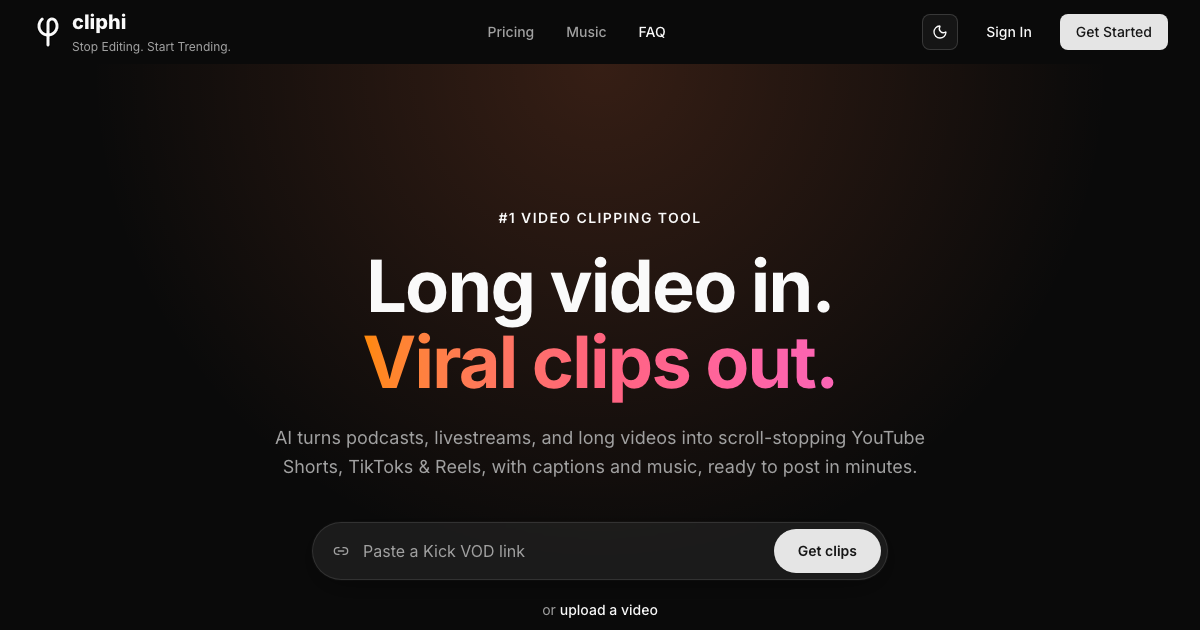
Helps podcasters, streamers, and creators cut long videos into captioned vertical clips for YouTube Shorts, TikTok, and Reels, scored for viral potential, ready to post in minutes.
Built by Cliphi Support
Weekly rank: #59
Cliphi is a Community listing on Launch Llama with 4 upvotes from 4 founders, +4 in the week of Nov 23–Nov 29, 2026, founded by Cliphi Support who joined in Nov 2026, compared against 3 alternatives.
Community listing
Listing status
4upvotes
+4 · Nov 23–Nov 29, 2026
Community score
Cliphi Support (Joined Nov 2026)
Founder
Compared against 3 alternatives
Market comparison
Launched on Launch Llama Nov 23, 2026 · #58 of 107 that day
About
You paste a YouTube, Twitch, Kick, or other supported link, or upload an MP4, MOV, or WebM file, and the AI picks out moments such as punchlines, hype plays, and insight drops. Each moment is rendered as a vertical clip with word-by-word animated captions, speaker tracking that keeps faces centered, and a custom AI-generated instrumental that ducks under speech. Livestream clips arrive while the stream is still running, and you can record a reaction or voiceover over any clip. Finished clips can be posted or scheduled directly to connected social accounts.
Key Features
- Scans long videos and picks out the most engaging moments automatically
- Tracks active speakers frame by frame to keep them centered in clips
- Adds word-by-word animated captions synced to speech in your brand style
- Generates a custom AI background track per clip with speech ducking
- Imports from YouTube, Twitch, Kick, TikTok, Google Drive, or direct upload
- Posts or schedules finished clips to YouTube Shorts, TikTok, and Reels
Use Cases
- Turning a recorded podcast episode into several vertical clips for YouTube Shorts, TikTok, and Reels
- Cutting highlight clips from a livestream while the broadcast is still running
- Adding a reaction or voiceover over an existing clip with captions generated automatically
Who it is for
- Podcasters and interview hosts repurposing episodes into short-form video
- Streamers on Twitch, Kick, or YouTube who want clips from live broadcasts
- Social media managers publishing clips across several platforms
Pricing
Cliphi lists pay-per-render pricing rather than a flat subscription, according to the feature list on the page. Full plan details are on the Pricing page.
FAQ
Is Cliphi an app I can download, or an APK?
Yes, on Android: get the Cliphi app on Google Play. Cliphi also works in any browser at cliphi.com, on your phone or computer, with nothing to install. Install the app only from Google Play: we don't publish an APK anywhere else, so a "Cliphi APK" from another site is not from us and we can't vouch for what it does.
Can I use Cliphi on my phone?
Yes. On Android, use the Cliphi app on Google Play or your browser. On iPhone, use Safari or any other browser. Paste a link, get clips, then download or post them, all from the phone. A bigger screen is more comfortable for long editing sessions, but nothing is desktop-only.
How do I download Cliphi, or my clips?
Use Cliphi in any browser at cliphi.com, or on Android get the Cliphi app on Google Play. Your clips are ordinary video files. Download any finished clip from its Download button, or post it directly to a connected YouTube, TikTok, Instagram, Facebook, Threads or X account.
How do I turn my podcast or long video into clips?
Paste any YouTube link: a podcast episode, gaming stream, interview, tutorial, or any long video. Cliphi's AI scans it, finds the most engaging moments, and turns each into a ready-to-post vertical clip with animated captions, AI background music, and active speaker tracking. Livestreams work too. Processing starts while the stream is still live.
Can I turn my podcast into TikToks, Reels, and Shorts?
Yes. Paste your podcast's YouTube URL (or any long-form video) and Cliphi generates vertical 9:16 clips optimized for TikTok, Instagram Reels, and YouTube Shorts. Every clip includes word-by-word captions, background music, and speaker framing, ideal for podcasts, gaming content, interviews, tutorials, and reviews.
How does the AI find the best moments?
Cliphi scans the whole video and analyzes speech, energy, and engagement signals. It surfaces moments most likely to go viral: punchlines in podcasts, hype plays in gaming, insight drops in interviews, emotional peaks in any content. Each moment gets a viral-potential score so you know what's worth posting first. Custom prompts let you hunt for specific kinds of moments too.
Can I post directly to social media?
Yes. Connect your social account to post clips directly from Cliphi or schedule them for later. You can also download each clip ready to post anywhere, with the right aspect ratio, captions, and post descriptions generated for you.
Do I need to edit the clips manually?
No. Every clip comes ready to post: animated captions, background music, speaker framing, and post descriptions are all generated for you. You can polish in our editor if you want (trim timing, swap music, add your logo), but most creators post clips exactly as generated.
Alternatives
 SnapDubPaste a long video, get vertical clips that keep the speaker in frame
 ClipperFor creators: Clipper uses AI to turn livestreams and VODs into clips and shorts with transcript search and captions so you publish highlights instantly.
 ClipTrend.aiFor creators: ClipTrend.ai converts images to viral short-form videos with 40+ templates so you generate social-ready content in seconds without prompt engineering.
New on Launch Llama
Launched this week · This month's launches · All products A–Z
Launch Llama stats
- 3,418views
- 2visits sent
- DA22
Views and visits: last 90 days on Launch Llama. DA: Domain Rating by Ahrefs.
Ask AI about Cliphi
Supporters
4 founders
4 founders contributed 4 upvotes to Cliphi on Launch Llama.


Reviews
4.0 · 1 review
looks stunning ! looking to have a real potential, go inspire you of remakeit.io the preview doesn't appear
For bots & AI agents
Machine-readable versions of Cliphi and Launch Llama. Fetch these instead of parsing this page.
This listing (.md) llms.txt llms-full.txt ai.txt Full catalog (.md) Endpoint index API docs MCP server MCP manifest Developer docs