
Sponsored: GeeLark paid for this review and gave us a premium account to test it. They didn't write or edit our verdict.
If you're a founder doing your own marketing, you probably run more social accounts than you planned to. There's the company TikTok, the founder account, a test account for the app, maybe a separate Instagram for a second market. Your phone can only be logged in to so many of them at once, and the apps work best on a phone.
GeeLark tries to fix this by renting you Android phones that live in the cloud. You open and control them from your computer. Each phone is a separate device with its own settings, apps and logins. I tested it on the Pro plan to see whether it's worth paying for as a small team, or overkill.
What GeeLark actually is
GeeLark runs in your browser at web-app.geelark.com, and there's a desktop app if you prefer one. A cloud phone is a real Android device running in a data centre, not an emulator on your laptop. You see its screen in a window, tap with your mouse, and install apps from Google Play or GeeLark's own app store, just as you would on a handset.
Each phone is called a profile. A profile has its own Android version (GeeLark offers Android 9 to 15), its own device details, its own location and its own proxy. So the TikTok account on profile one doesn't share a device with the Instagram account on profile two.
Around the phones, GeeLark adds the things a marketing team needs: automation templates, an AI content generator, a tool that copies your taps to many phones at once, an API, and team permissions. It also has an antidetect browser for platforms you'd rather run on desktop.
What you get on Pro
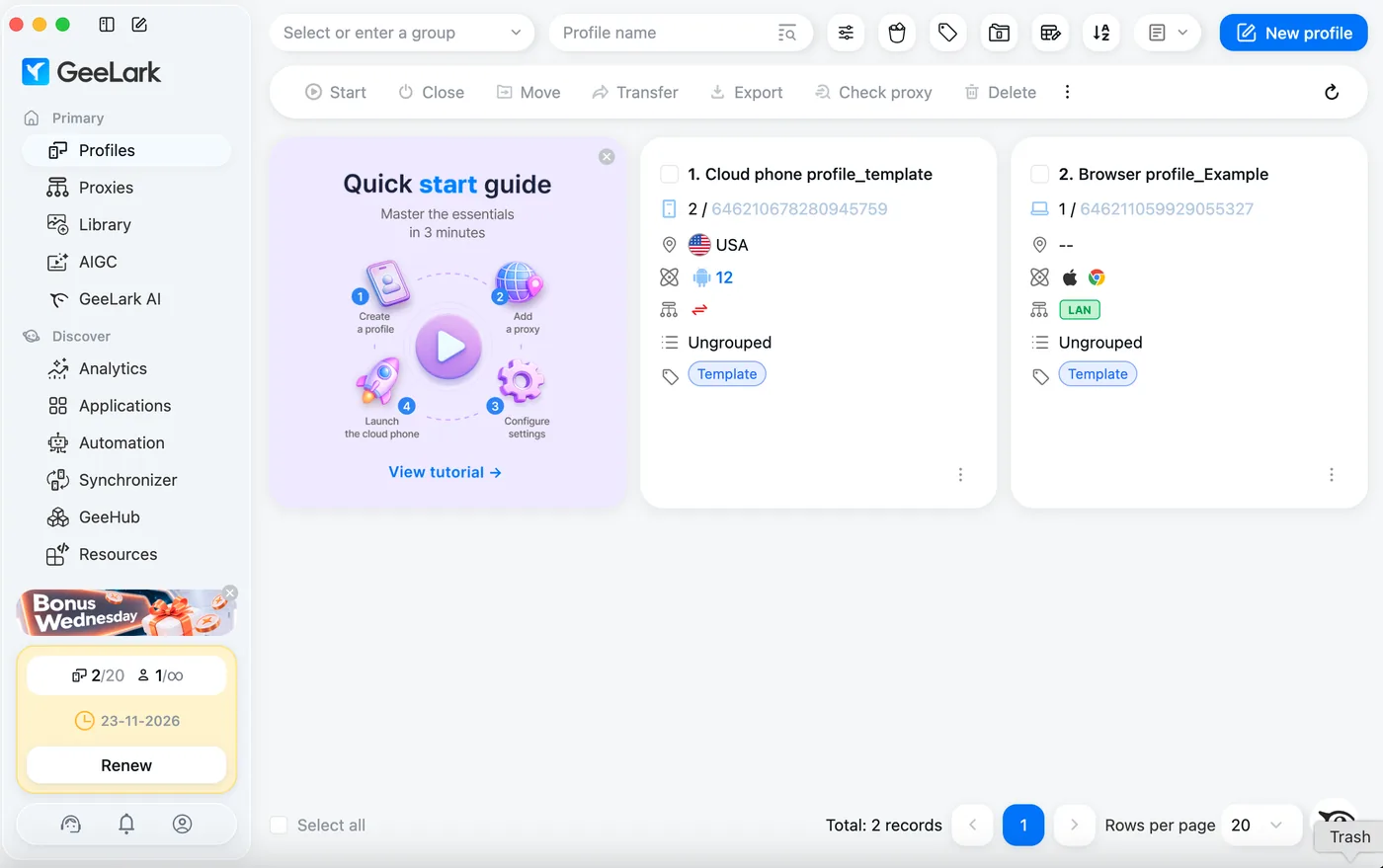
We reviewed GeeLark on the Pro plan, which GeeLark gave us for this post. The free plan is fine for a look around, but most of what makes GeeLark worth paying for as a team is on Pro:
- 20 profiles instead of 2, so every brand, client or market can have its own phone.
- Bulk profile creation and profile cloning: set one phone up the way you want, then copy it instead of configuring each one by hand.
- The Synchronizer, which mirrors your taps on one phone across all the others (more on that below).
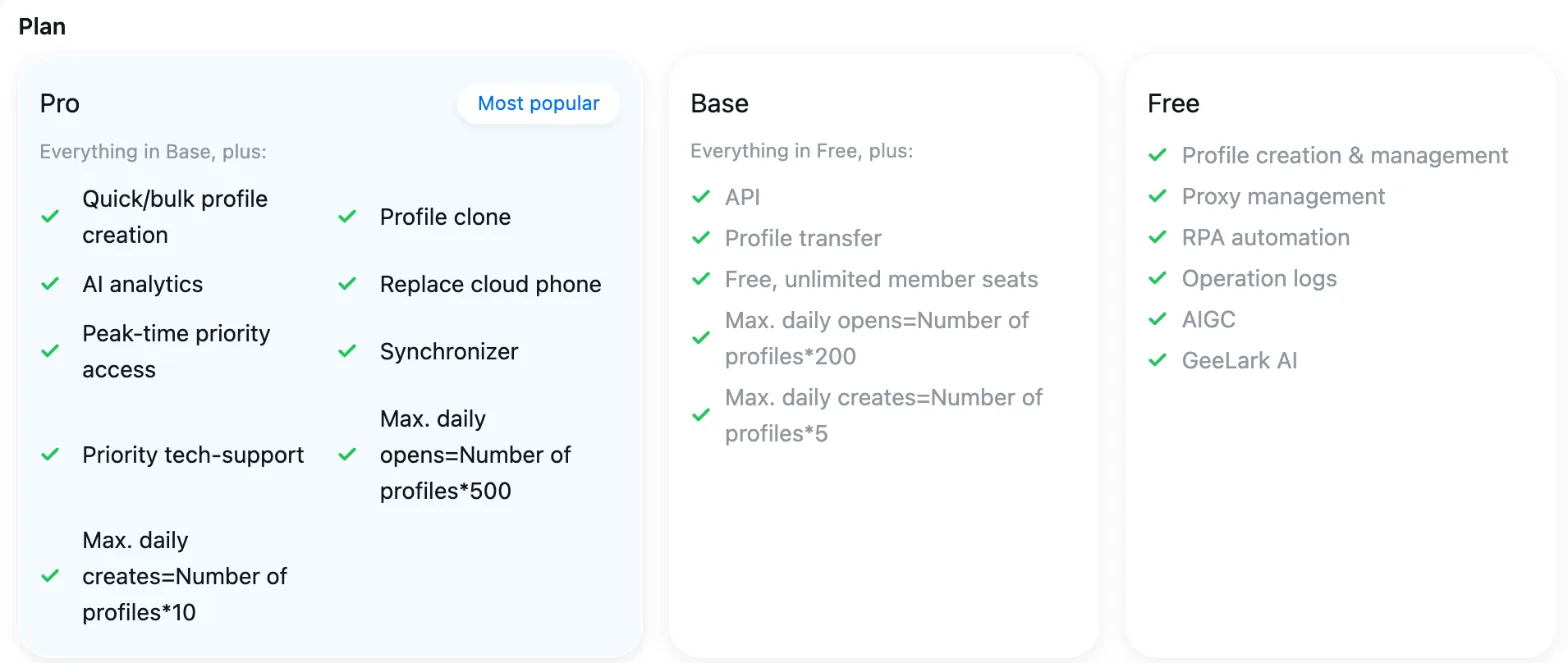
- Far higher limits. Our Pro account allows 10,000 phone opens and 200 new profiles a day, against 10 of each on the free plan.
- Replace cloud phone, for swapping a phone for a fresh device, plus AI analytics, peak-time priority access and priority support.
- Unlimited team seats and 60 bonus minutes of phone time a month.
Setting up your first cloud phone
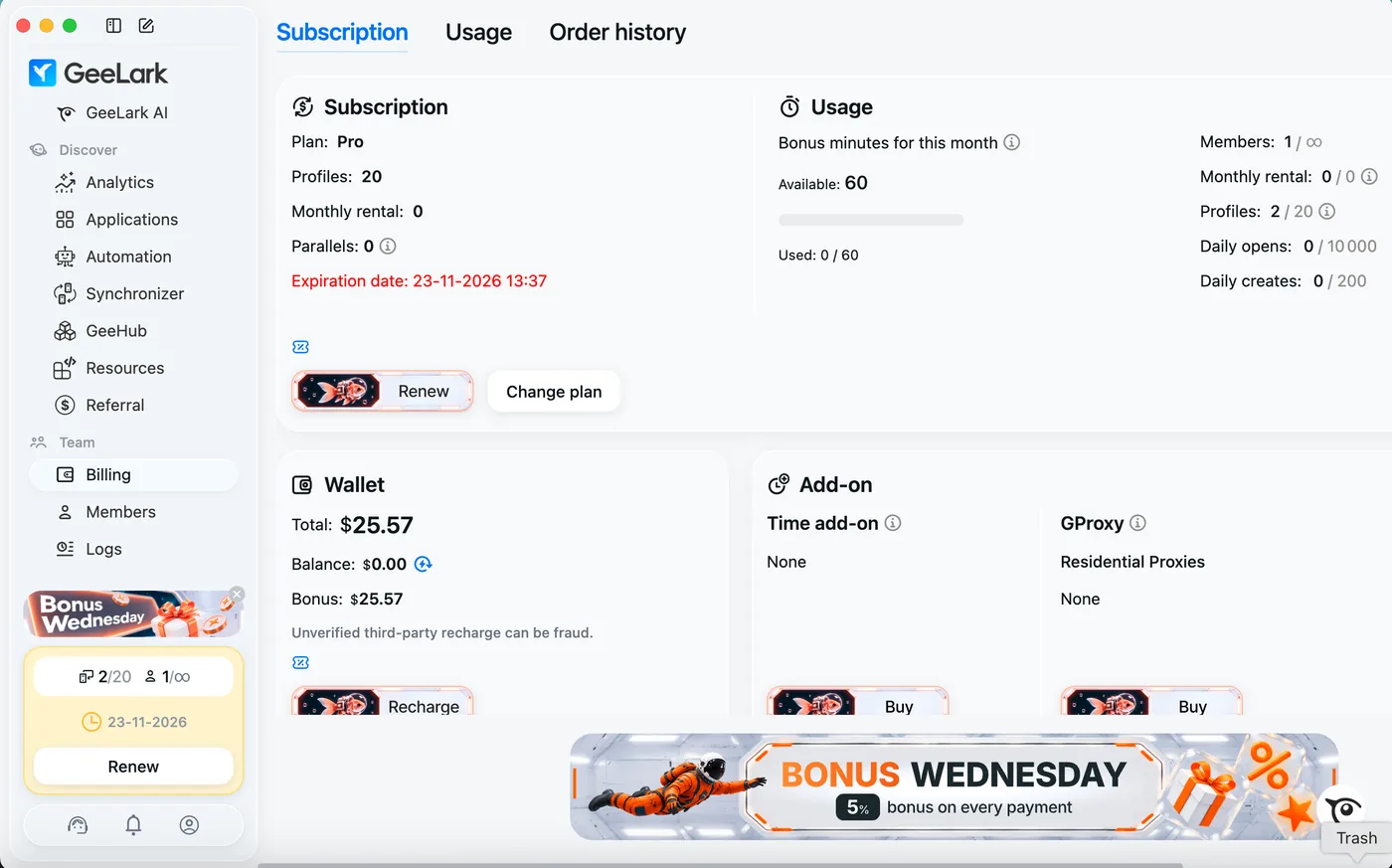
Signing up takes an email and a password, and you land straight on the Profiles page. The free plan gives you 2 profiles, and GeeLark fills them for you with examples: a US cloud phone on Android 12 and a browser profile, plus a three-minute quick start video. A nice touch, because an empty dashboard would leave you guessing.
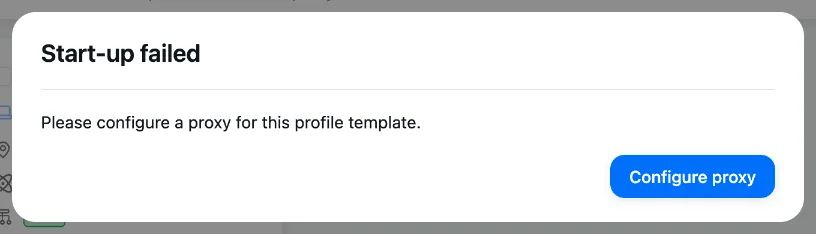
The one surprise: I hit Start on the example phone and got "Start-up failed: Please configure a proxy for this profile template." Every cloud phone needs a proxy before it boots, and you either bring your own or buy one under Billing. Budget for that from day one.
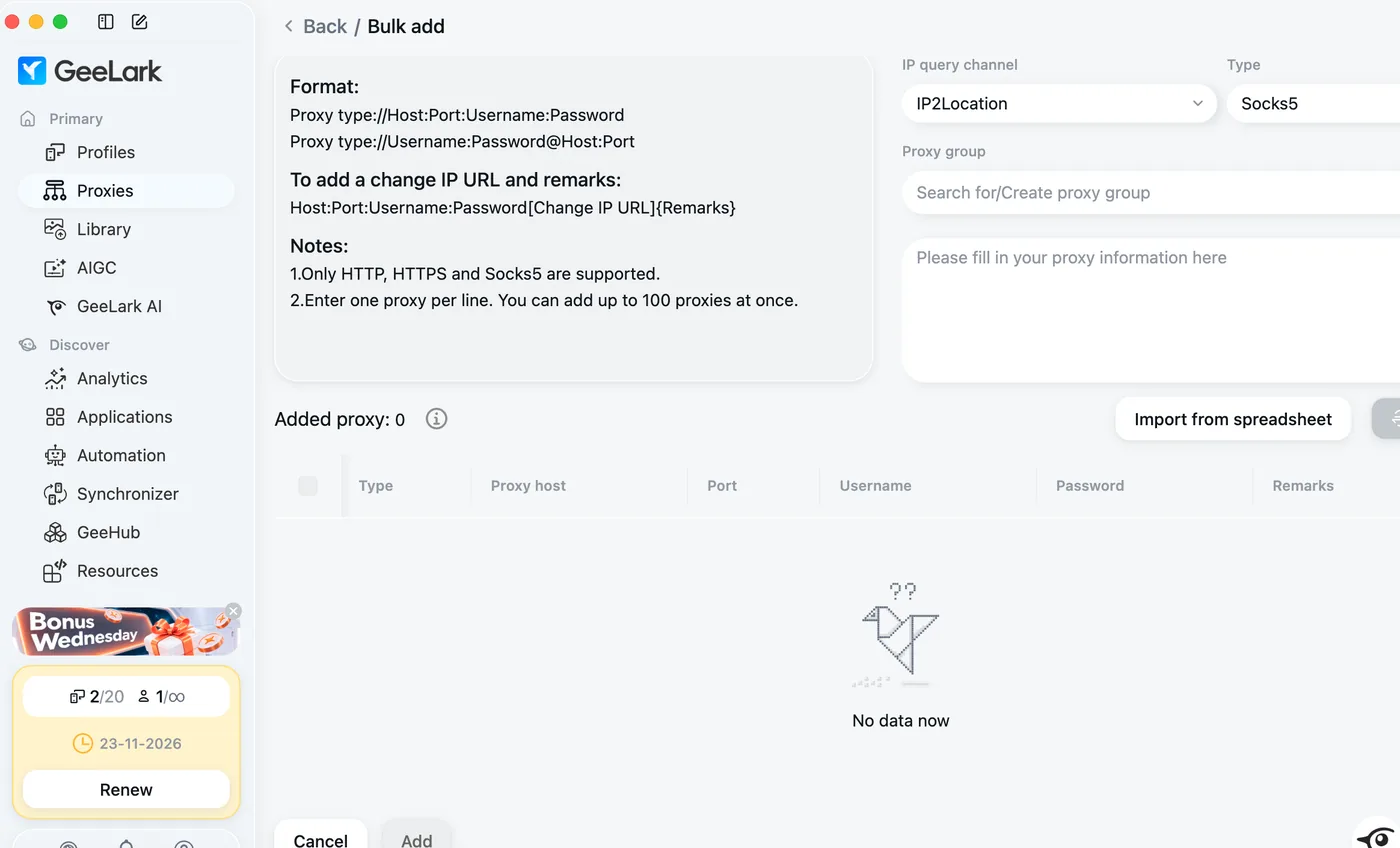
Adding proxies is quick once you have them. The Proxies page has a bulk add screen where you paste up to 100 proxies at once, one per line, in HTTP, HTTPS or SOCKS5 format. You can sort them into groups or import them from a spreadsheet, and GeeLark looks up where each IP is located so you can match a phone's region to its proxy.
Creating your own profile takes one screen. You pick the Android version, how you want to pay for phone time (per minute or a monthly rental), a location and a proxy from your saved list. Device name and phone number can be set by hand or auto-generated.
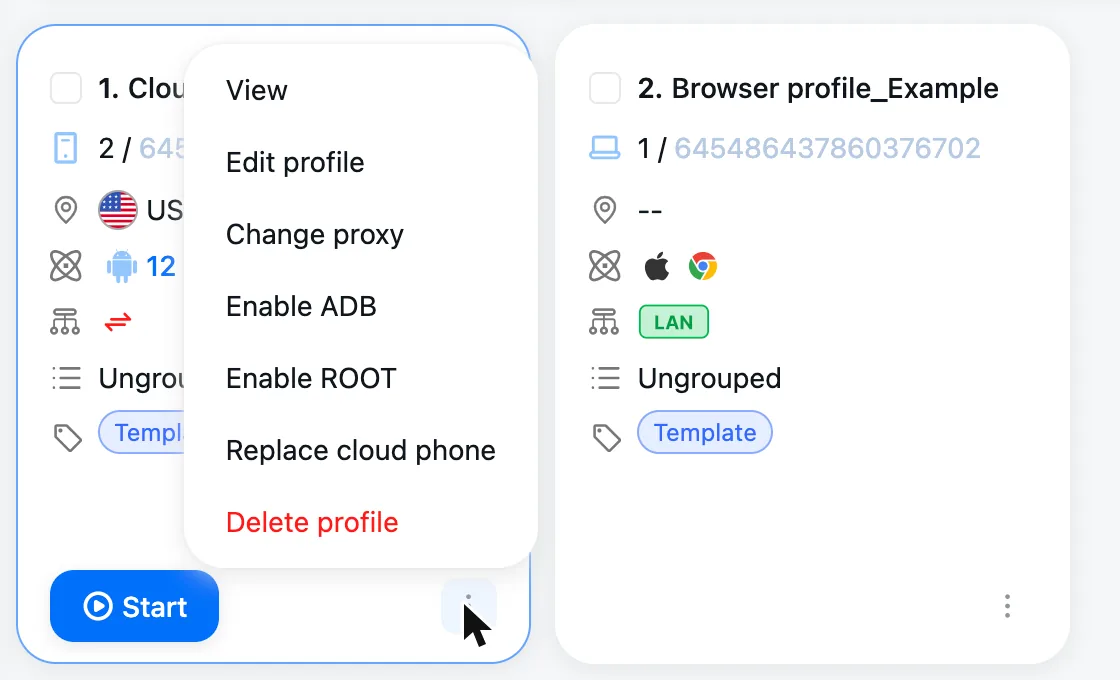
One thing to know before you start: the web app is good for managing billing, referrals and your list of profiles, but creating a new profile prompts you to download the GeeLark desktop app. We installed it on a Mac for the rest of our testing. It has every feature, and most of the screenshots in this review come from it.
One small thing I liked: the profile overview tells you exactly how phone time is charged before you use any. Bonus minutes from your plan are used first, then any time add-ons, then $0.007 a minute. On a paid plan, minute charges are capped at $1.20 a day per phone, so leaving a phone open by mistake can't run up a big bill.
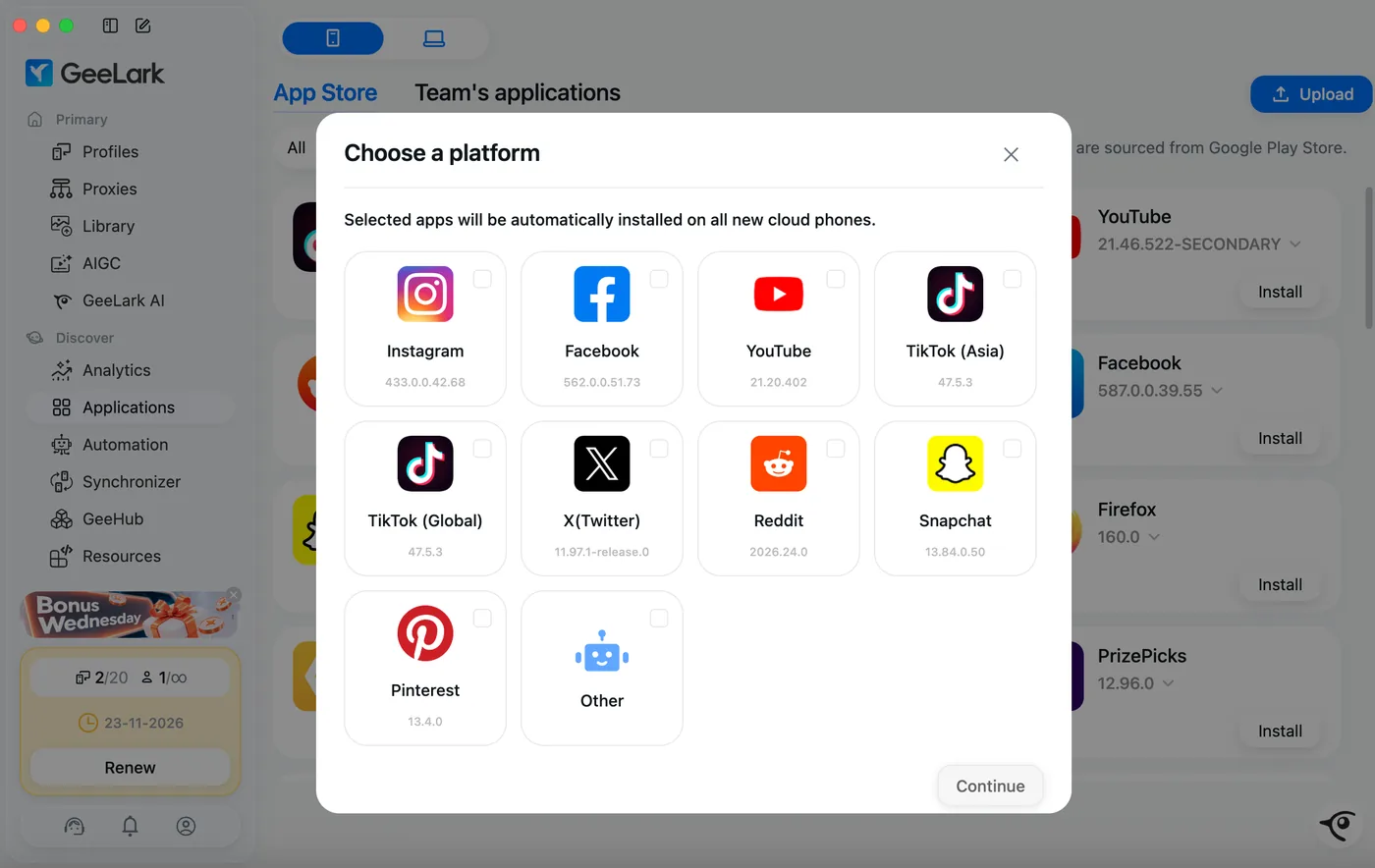
Apps live in the Applications tab. Its App Store lists apps sourced from the Google Play Store, and your team can upload its own. The first time you open it, GeeLark asks which platforms you use (Instagram, Facebook, YouTube, TikTok, X, Reddit, Snapchat, Pinterest) and installs those apps on every new cloud phone automatically, which saves a setup step on each one.
Automating the boring parts
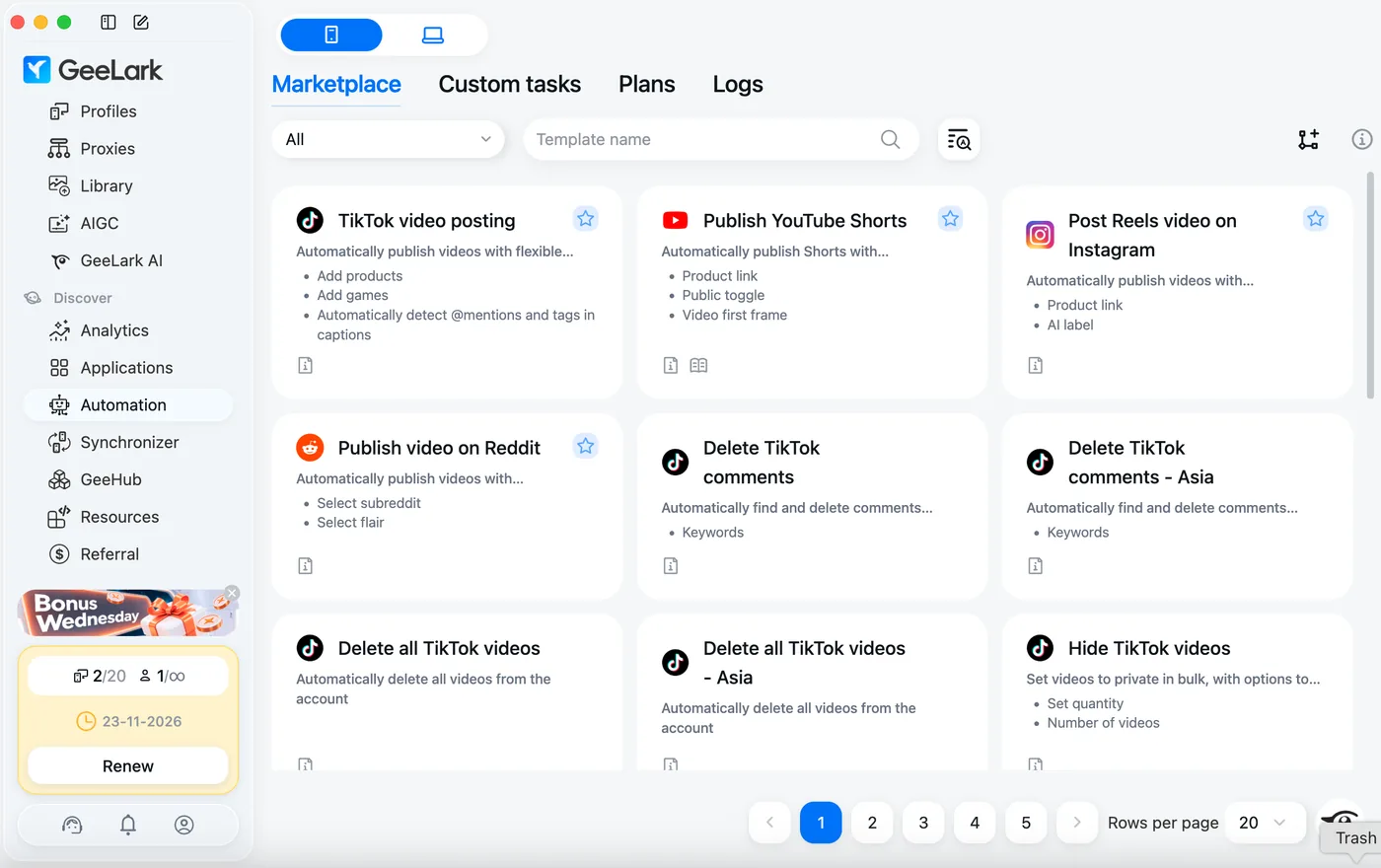
This is where GeeLark earns its price for a busy team. The Automation tab has a marketplace of ready-made RPA templates: post a video to TikTok, publish YouTube Shorts, post Instagram Reels, publish to Reddit, and more. You point a template at a group of phones, give it your videos and captions, and it does the tapping for you. There are clean-up templates too, such as deleting TikTok comments by keyword or hiding videos in bulk, and the Custom tasks tab is where you build your own flows if a template doesn't fit.
For jobs that don't fit a template, the Synchronizer mirrors what you do on one phone across the others you've selected. Scroll, tap or type in the main window and every other phone does the same. It's a Pro feature, and the one that saves the most time if you run the same routine on lots of accounts. Teams with developers can skip the UI and drive everything through the GeeLark API.
AI content tools
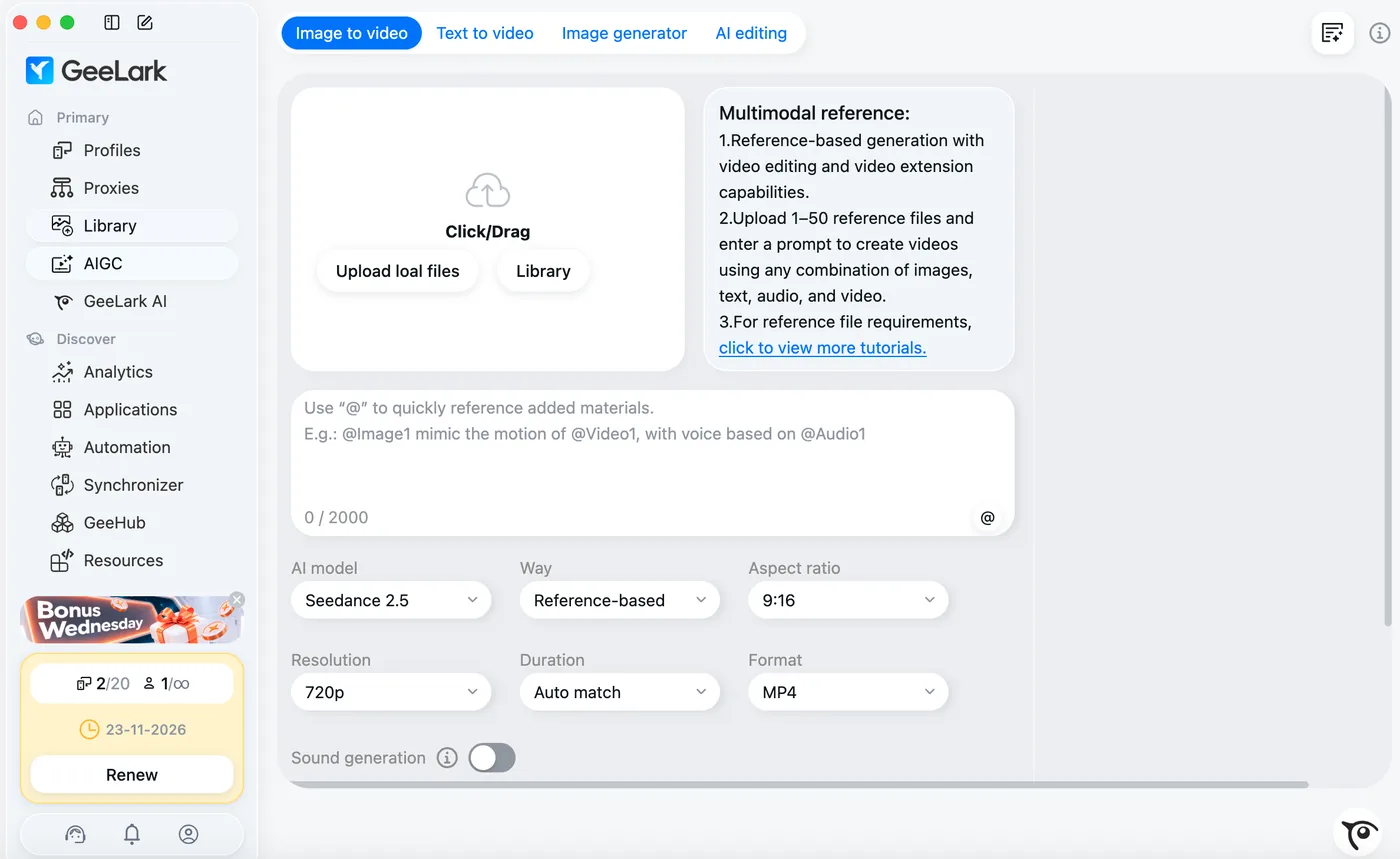
GeeLark has an AIGC section with text-to-video, image-to-video, an image generator and an AI video editor. It runs on outside models: GeeLark lists Veo, Sora, Nano Banana, Seedance, Kling and Hailuo. In the desktop app, image-to-video takes 1 to 50 reference files (images, text, audio or video) that you tag in your prompt with @. You then pick the model (ours defaulted to Seedance 2.5), aspect ratio (9:16 for shorts), resolution, length and whether to generate sound. Finished videos land in your Library, ready to push to a phone and post.
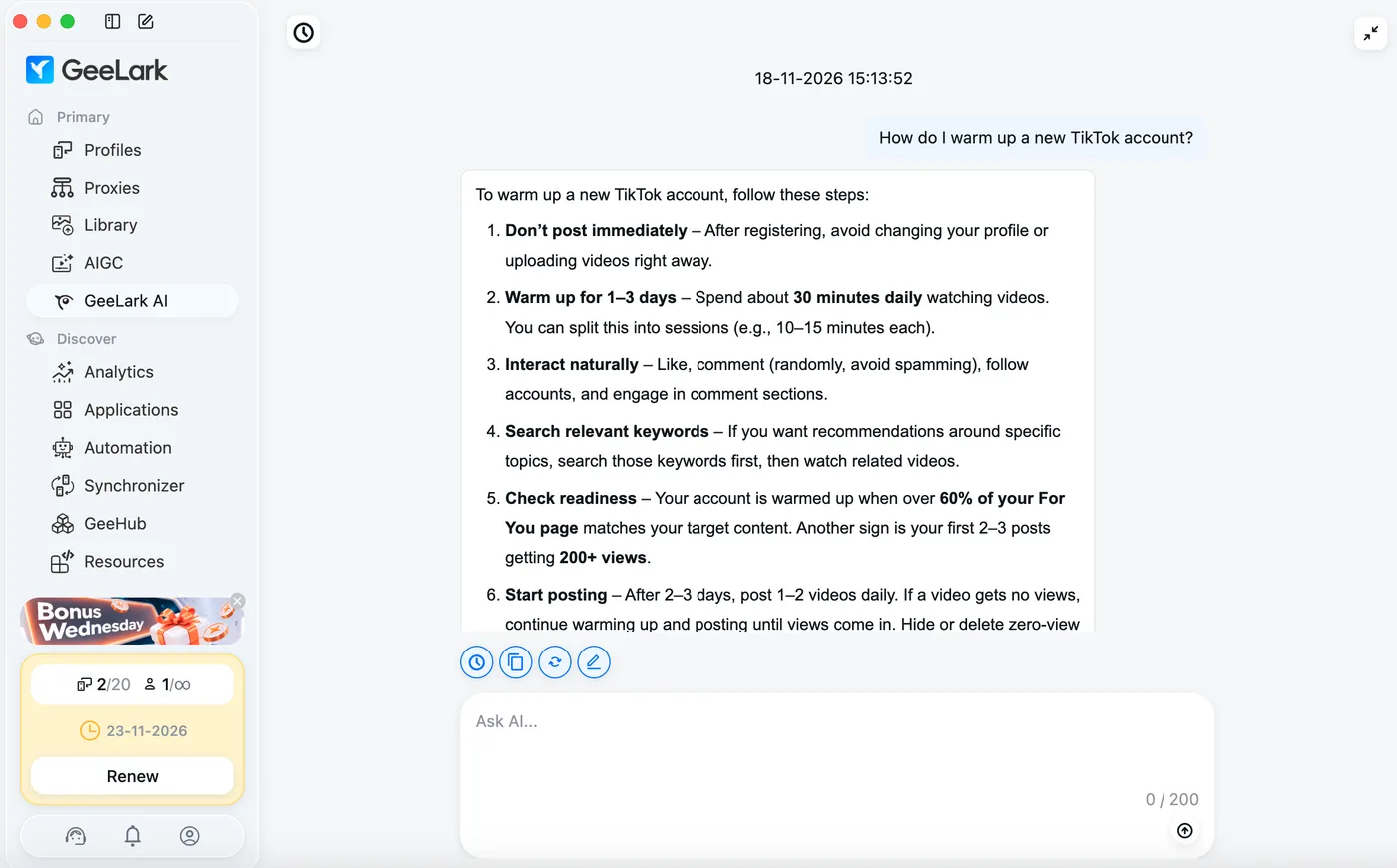
There's also a built-in assistant, GeeLark AI, powered by DeepSeek. It answers questions about the product and about growing accounts. We asked it how to warm up a new TikTok account and got a sensible plan: don't post straight away, watch videos for about 30 minutes a day for one to three days, like, comment and follow naturally, search your niche's keywords, and start with one or two posts a day once most of your For You page matches your niche.
Working as a team
Seats are free and unlimited on paid plans, which is unusual. You can make user groups, give each person a role, and share specific phones with specific people. A freelancer can post to the client accounts you hand them and nothing else.
Pricing
GeeLark charges in layers: a plan, then phone time, then proxies.
- Free: $0. 2 profiles, 1 seat. Includes profiles, proxy management, RPA automation, AIGC and GeeLark AI.
- Base: $5 a month for 5 profiles and 60 bonus minutes. Adds the API, profile transfer, roles and permissions, and ADB.
- Pro: $19 a month for 20 profiles and 60 bonus minutes. Adds bulk profile creation, profile cloning, the Synchronizer and analytics.
- Custom: for teams that need more than 10,000 profiles.
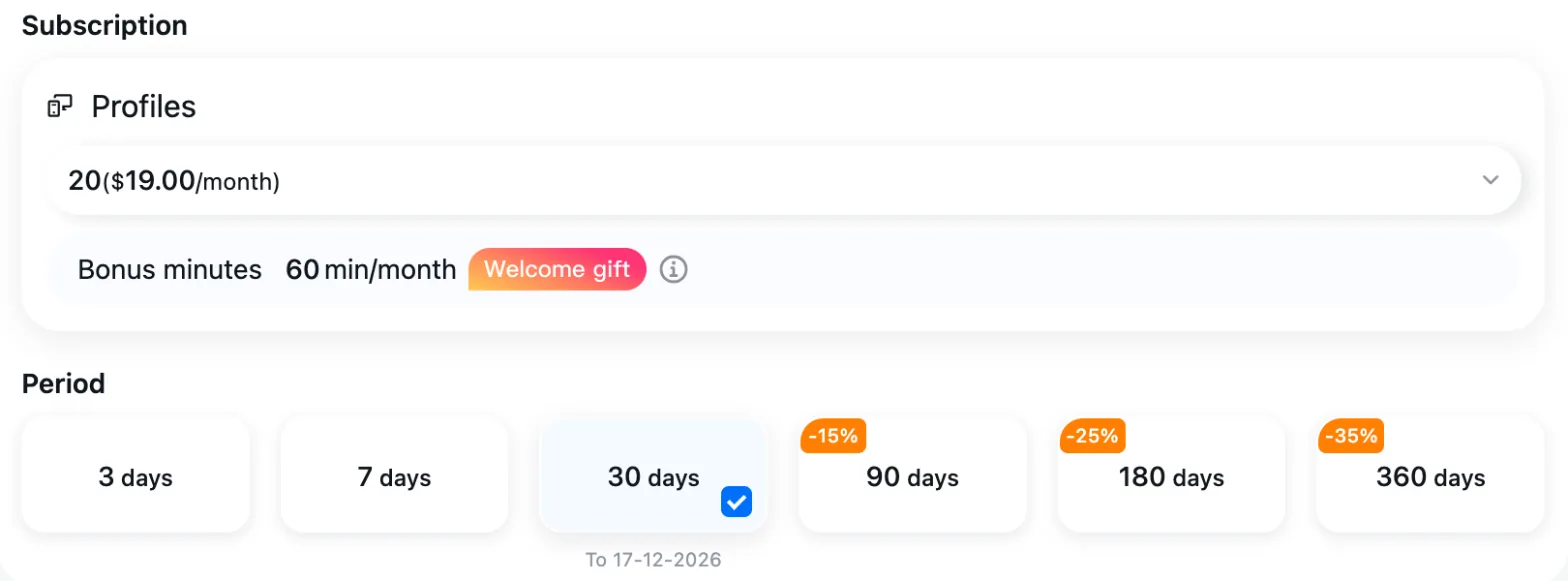
You don't have to commit to a month. The upgrade screen lets you buy Pro for 3, 7, 30, 90, 180 or 360 days, with 15% to 35% off the longer periods. I bought Pro for 7 days and paid $4.43. Phone time comes on top: $0.007 a minute after your bonus minutes (Pro includes 60 a month), or $29.90 per device per month for a monthly rental. Proxies are extra too. GeeLark's own residential proxy, GProxy, comes in a 20 GB pack for $85.50, or you can bring your own. Prices checked in the app on 16 November 2026.
Who it's for
GeeLark is a good fit if you:
- run several brand or client accounts on TikTok, Instagram, YouTube, Reddit or X and are tired of juggling phones;
- post the same short videos to many accounts and want to automate it;
- need to test your own Android app on different Android versions and regions without buying devices;
- have a small team or freelancers who need access to some accounts but not all.
It's probably too much if you run one or two accounts from your own phone. You'd be paying for minutes to do what your thumb already does for free.
One honest caveat: GeeLark gives you separate devices, but it doesn't change the platforms' rules. Read the terms of each network you post to, and use automation to save time, not to spam.
Should you use it?
If social is a real channel for your startup and you've outgrown one phone, GeeLark is worth trying. Sign up free to look around, then try Pro for a few days when you're ready to set up phones and run the posting templates. Pro is the plan to look at if you want the Synchronizer and bulk setup, and the short plans and daily cap on phone time make it easy to start small.