
Updated 2026-11-28 · 5 of 5 Text-to-Speech Software on Launch Llama compared
Quick answer: The best Text-to-Speech Software in 2026, by Launch Llama community upvotes, are Clary, Lazybird, VoicedByMe. If you want to start free, Lazybird has a free plan. We compared all 5 Text-to-Speech Software listed on Launch Llama on pricing, features and use cases.
Our picks at a glance
- Best overall: Clary — the most upvoted Text-to-Speech Software on Launch Llama
- Best free option: Lazybird — free plan + paid tiers
- Best to see in action: VoicedByMe — has a demo video you can watch below
- Most features listed: British Accent Generator — 5+ features on its listing
The 5 best Text-to-Speech Software in 2026
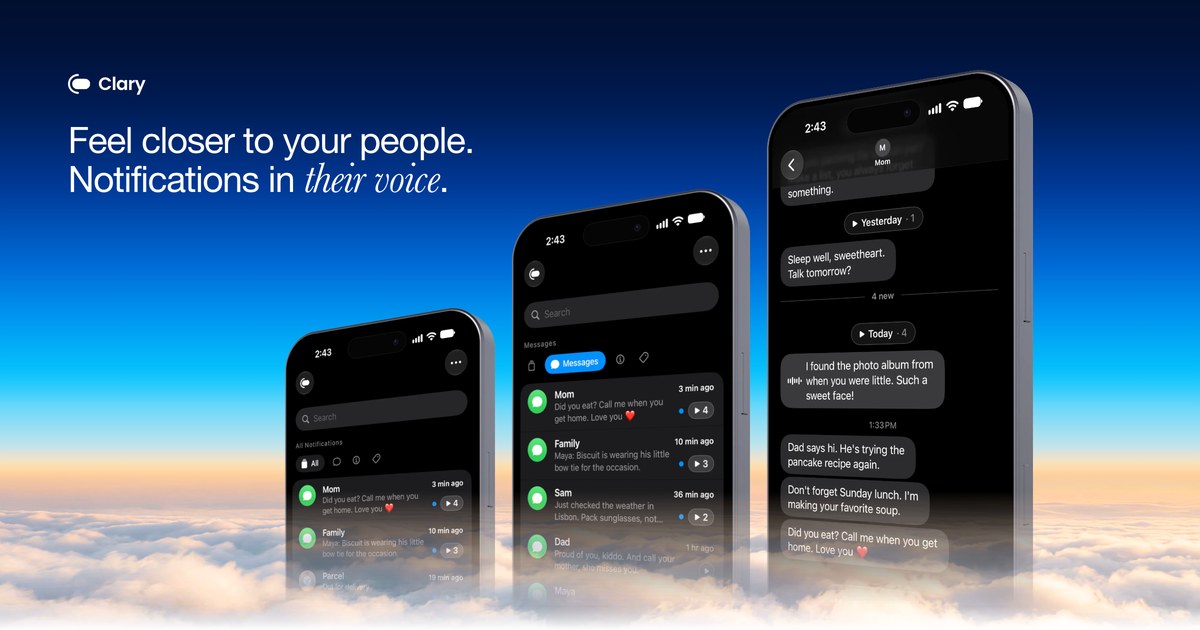
1. Clary — best for iPhone users who want to hear texts from family members in their own voices
Pricing: Free plan; paid from $29.99 · Free plan: Yes · Upvotes: 102
In Clary's words
Clary reads your iPhone notifications in the sender's own voice, from WhatsApp, iMessage and more. It uses voice cloning: each person records 20 seconds once, from a link, and agrees first, then Clary makes their voice on your iPhone. Tap a message to hear it in their voice, so you feel closer to your people. It also keeps your notifications as a history on your iPhone, sorted Gmail-style into Messages, Updates and Promotions. Free: history, sorting and 2 plays. Needs iPhone 15 Pro+ and iOS 27.
Key features
- Reads iPhone notifications in the sender's own voice
- Keeps notifications as a history on your iPhone
- Sorts notifications into Messages, Updates and Promotions
- Clones a sender's voice from one 20-second recording
- Searches kept notifications by word
Use cases
- iPhone users who want to hear texts from family members in their own voices
- iPhone users who want to keep notifications even after someone deletes them
Pricing details: Keeping and sorting notifications is free with 2 plays included.
2. Lazybird — best for turning onboarding scripts, SOPs, and course material into lesson voiceovers for training videos
Pricing: Free plan + paid tiers · Free plan: Yes · Upvotes: 19 · Rating: 4/5 from 2 reviews
In Lazybird's words
Paste a script, and long documents are automatically split into blocks and organized into sections. Test a short passage with different voices, adjust pacing, then generate the full track once it sounds right. Finished audio downloads for use in video editors, courses, podcasts, phone systems, or apps, and the product is free to start without a credit card.
Key features
- Paste scripts directly or bring in drafts written in Word, Google Docs, or Notion
- Auto-split long scripts into blocks and organize large documents into sections
- Choose from 200+ AI voices, including celebrity and character-style voices
- Test a short section and adjust voice or pacing before generating the full audio
- Clone your own voice from a recording for recurring narration and branded audio
Use cases
- Turning onboarding scripts, SOPs, and course material into lesson voiceovers for training videos.
- Narrating product walkthroughs, feature updates, and tutorial explainers with a clean voiceover.
- Producing multilingual voiceovers from translated scripts or two-host podcast dialogue.
Pricing details: Free to start with no credit card required.
3. VoicedByMe — best for turning a book, PDF or Word file into a chaptered audiobook that runs in the background while you work
Pricing: Free plan; paid from $30 · Free plan: Yes · Upvotes: 5 · Rating: 4/5 from 1 review
In VoicedByMe's words
VoicedByMe turns written words into speech that sounds like you. Read a short passage aloud once, and the app learns your voice right on your computer: no uploads, no account, no subscription. From then on, highlight text anywhere and press a shortcut to hear it, point it at something on your screen, or open a document and follow along as each sentence lights up. Whole books become chaptered audiobooks for your phone. Prefer someone else? Choose from 70 ready-made voices, from calm narrators to a Viking or a robot, or give scripts a different voice per character. It suits anyone who would rather listen than read: writers checking drafts, students reviewing notes, people with dyslexia or tired eyes. It works in English, Spanish and German.
Key features
- Read selected text aloud in any app with Ctrl Alt R, starting in under a second
- Turn typed messages into voice notes for Slack, WhatsApp, Discord or Teams
- Convert EPUB, PDF, Word and Markdown files into chaptered audiobooks
- Read on-screen content, including images, videos and scanned pages, with Ctrl Alt O
- Clone a voice from a 20-second recording and assign voices to script characters
Use cases
- Turning a book, PDF or Word file into a chaptered audiobook that runs in the background while you work.
- Recording voice notes for Slack, WhatsApp, Discord or Teams by selecting typed text and pressing Ctrl Alt V, without using a microphone.
- Having Claude Code or Codex announce in your own voice when a task finishes or needs your input.
Pricing details: $30 one time payment, free for a day
4. British Accent Generator — best for create UK English voiceovers for explainer videos, product demos, ads, and creator content

Pricing: Free plan + paid tiers · Free plan: Yes · Upvotes: 5
In British Accent Generator's words
The tool lists 315 individually profiled British voices, each with an age range, accent label, and a short description of its delivery style. Users preview a voice's sample, paste a script, generate the read, then listen in the browser, refine the wording, and download the audio. Regional accents are labeled separately, so Scottish, Welsh, and Northern Irish voices are not treated as generic UK English.
Key features
- Preview individual British voice samples before generating audio
- Filter voices across RP, young British, Scottish, Welsh, and Northern Irish accents
- Convert full sentences and paragraphs to UK English speech with pauses preserved
- Listen to generated takes in the browser and refine wording before exporting
- Download finished British English audio for videos, lessons, or presentations
Use cases
- Create UK English voiceovers for explainer videos, product demos, ads, and creator content.
- Build British pronunciation examples and lesson narration for English learning materials.
- Generate narration for training, onboarding, and internal product walkthroughs.
Pricing details: The Free plan allows scripts up to 100 characters, and each conversion costs 10 credits.
See British Accent Generator pricing, reviews and alternatives →
5. Ramsa Speech — best for powering IVR and contact-center greetings with natural Emirati replies for live customer calls
Pricing: Paid · Free plan: No · Upvotes: 3
In Ramsa Speech's words
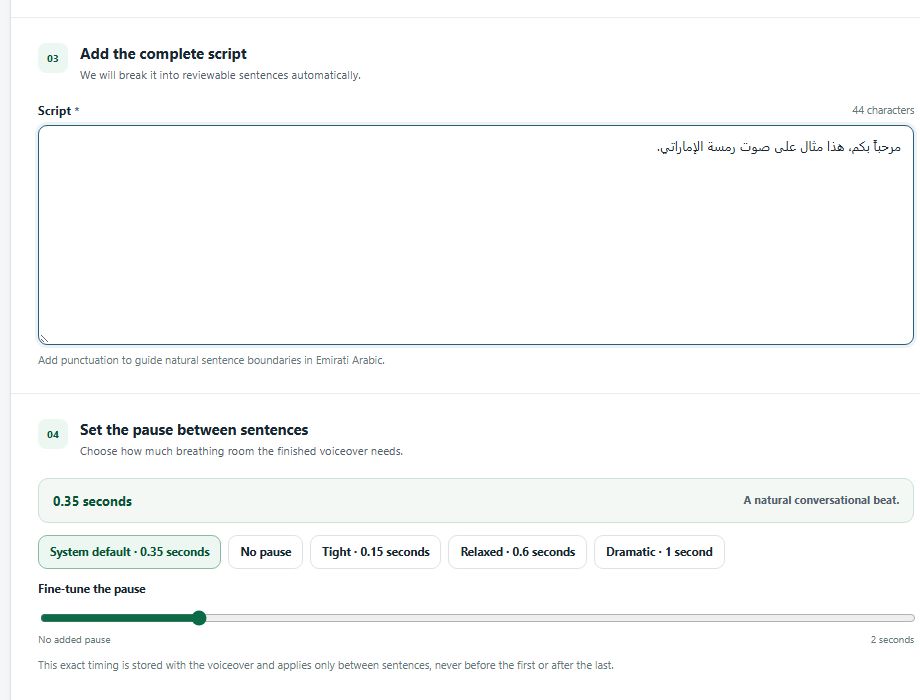
Ramsa is an AI speech platform built specifically for Emirati Arabic. It turns text into spoken audio with the local pronunciation, rhythm, and everyday expressions that make a voice feel familiar. Organizations can use Ramsa to give AI assistants, virtual receptionists, and customer service applications an Emirati voice. It also produces voiceovers for advertising, videos, training materials, podcasts, and other recorded content. For organizations that want their own distinctive voice, Ramsa offers custom voice cloning with the speaker’s consent. The voice can be reserved exclusively for the organization and used across its services and content. Ramsa is available through a shared cloud service or can be deployed within an organization’s own cloud or premises. Contact us for pricing.
Key features
- Stream Emirati speech in real time for AI assistants and live conversations
- Produce voiceovers for ads, videos, and narration
- Apply Emirati pronunciation, rhythm, and everyday expressions to generated speech
- Clone a chosen voice actor's voice with their consent for custom voices
- Reserve a custom voice exclusively for an organization
Use cases
- Powering IVR and contact-center greetings with natural Emirati replies for live customer calls.
- Narrating ads, explainers, and training videos in an Emirati voice.
- Giving an AI receptionist or assistant a consistent local voice during live conversations.
Pricing details: Contact for pricing
Comparison table
| # | Tool | Rating | Upvotes | Price |
|---|---|---|---|---|
| 1 | Clary iPhone users who want to hear texts from family members in their own voices |
No reviews yet | ▲ 102 | Free planthen from $29.99 |
| 2 | Lazybird Turning onboarding scripts, SOPs, and course material into lesson voiceovers for training videos |
Rated 4 out of 5 from 2 reviews4(2) | ▲ 19 | Free plan+ paid plans |
| 3 | VoicedByMe Turning a book, PDF or Word file into a chaptered audiobook that runs in the background while you work |
Rated 4 out of 5 from 1 review4(1) | ▲ 5 | Free planthen from $30 |
| 4 | British Accent Generator Create UK English voiceovers for explainer videos, product demos, ads, and creator content |
No reviews yet | ▲ 5 | Free plan+ paid plans |
| 5 | Ramsa Speech Powering IVR and contact-center greetings with natural Emirati replies for live customer calls |
No reviews yet | ▲ 3 | Paid |
How we compared them
This is a comparison built from listing data, not a hands-on review: we have not tested these tools ourselves. Every product here is listed on Launch Llama, and the ranking uses what founders and their users have put on the record.
Tools are ordered by community upvotes. Duplicate listings are merged, and listings without a real description are left out. Pricing, features and use cases come from each product's listing and can change, so check the product's own site before you buy.
How to choose
- Choose Clary for iPhone users who want to hear texts from family members in their own voices.
- Choose Lazybird for turning onboarding scripts, SOPs, and course material into lesson voiceovers for training videos.
- Choose VoicedByMe for turning a book, PDF or Word file into a chaptered audiobook that runs in the background while you work.
- Choose British Accent Generator for create UK English voiceovers for explainer videos, product demos, ads, and creator content.
- Choose Ramsa Speech for powering IVR and contact-center greetings with natural Emirati replies for live customer calls.
Still comparing? Browse every tool in Text-to-Speech Software or see the best tools in other categories.
Frequently asked questions
What is the best Text-to-Speech Software in 2026?
Clary is the most upvoted Text-to-Speech Software on Launch Llama. iOS notifications in sender's own voice from WhatsApp & more Lazybird and VoicedByMe round out the top three.
Is there free Text-to-Speech Software?
Yes. 4 of the 5 tools in this comparison list a free plan, including Clary, Lazybird, VoicedByMe.
How were these Text-to-Speech Software ranked?
By community upvotes on Launch Llama, after merging duplicate listings and dropping listings without a real description. We have not tested these tools hands-on; pricing and features come from each product's listing.
How many Text-to-Speech Software are listed on Launch Llama?
5 Text-to-Speech Software with full listings at the time of writing. This page compares the top 5; the rest are on the Text-to-Speech Software category page.