Updated 2026-11-16 · 15 of 34 MCP tools on Launch Llama compared
Quick answer: The best MCP tools in 2026, by Launch Llama community upvotes, are North Noir, Citehound, Typenode. If you want to start free, Citehound has a free plan. We compared 15 of the 34 MCP tools listed on Launch Llama on pricing, features and use cases.
Our picks at a glance
- Best overall: North Noir — the most upvoted MCP tool on Launch Llama
- Best free option: Citehound — free plan; paid from $39/month
- Best to see in action: Teamhood — has a demo video you can watch below
- Most features listed: Typenode — 5+ features on its listing
The 15 best MCP tools in 2026
1. North Noir

Pricing: Free plan + paid tiers · Free plan: Yes · Upvotes: 132 · Rating: 4.2/5 from 10 reviews
In North Noir's words
North Noir flips video production by having AI models write drawing code for every frame, then review and refine their own output before you edit on a traditional timeline. The AI writes the visual logic as code, validates its frames, and iteratively improves them. You then use a real multi-section timeline editor to assemble and polish the final film.
Key features
- Generate video frames through AI-written drawing code
- AI model self-review and automatic frame redrawing
- Edit AI-generated video on a real multi-section timeline
- Choose which AI model writes the drawing logic
- Iterative frame refinement before final editing
2. Citehound — best for scanning a website to see which AI crawlers can reach it and what blocks AI assistants from reading its pages
Pricing: Free plan; paid from $39/month · Free plan: Yes · Upvotes: 112
In Citehound's words
As users shift from traditional Google search to AI answer engines like ChatGPT, Claude, Perplexity, and Gemini, traditional SEO is no longer enough. If your site isn't optimized for AI crawlers, answer engines either skip your brand or hallucinate your capabilities.
Citehound is an AI Readiness and Generative Engine Optimization (GEO) platform that analyzes how machine-readable and citation-worthy your website is.
Key features
- AI Readiness Score (0–100): Instant automated audit evaluating how easily ChatGPT, Claude, and Perplexity discover, parse, and cite your website.
- llms.txt & AI Crawler Audit: Technical diagnostic checking bot permissions for major AI crawlers (GPTBot, ClaudeBot, PerplexityBot) and validation.
- Competitor GEO Benchmarking
- robots.txt policy and sitemap access for 10 AI crawlers, plus llms.txt.
- Citation-Worthy Content Analysis
Use cases
- Scanning a website to see which AI crawlers can reach it and what blocks AI assistants from reading its pages.
- Fixing technical readiness gaps such as robots.txt, structured data and metadata so ChatGPT, Perplexity and Claude can cite the site.
- Comparing two websites' AI readiness scores side by side before choosing which to improve.
Pricing details: Citehound's free scan is available with no sign-up.
3. Typenode — best for build custom MCP tools for Claude and ChatGPT that enforce your team’s business rules
Pricing: From $5 · Free plan: No · Upvotes: 90 · Rating: 4.2/5 from 11 reviews
In Typenode's words
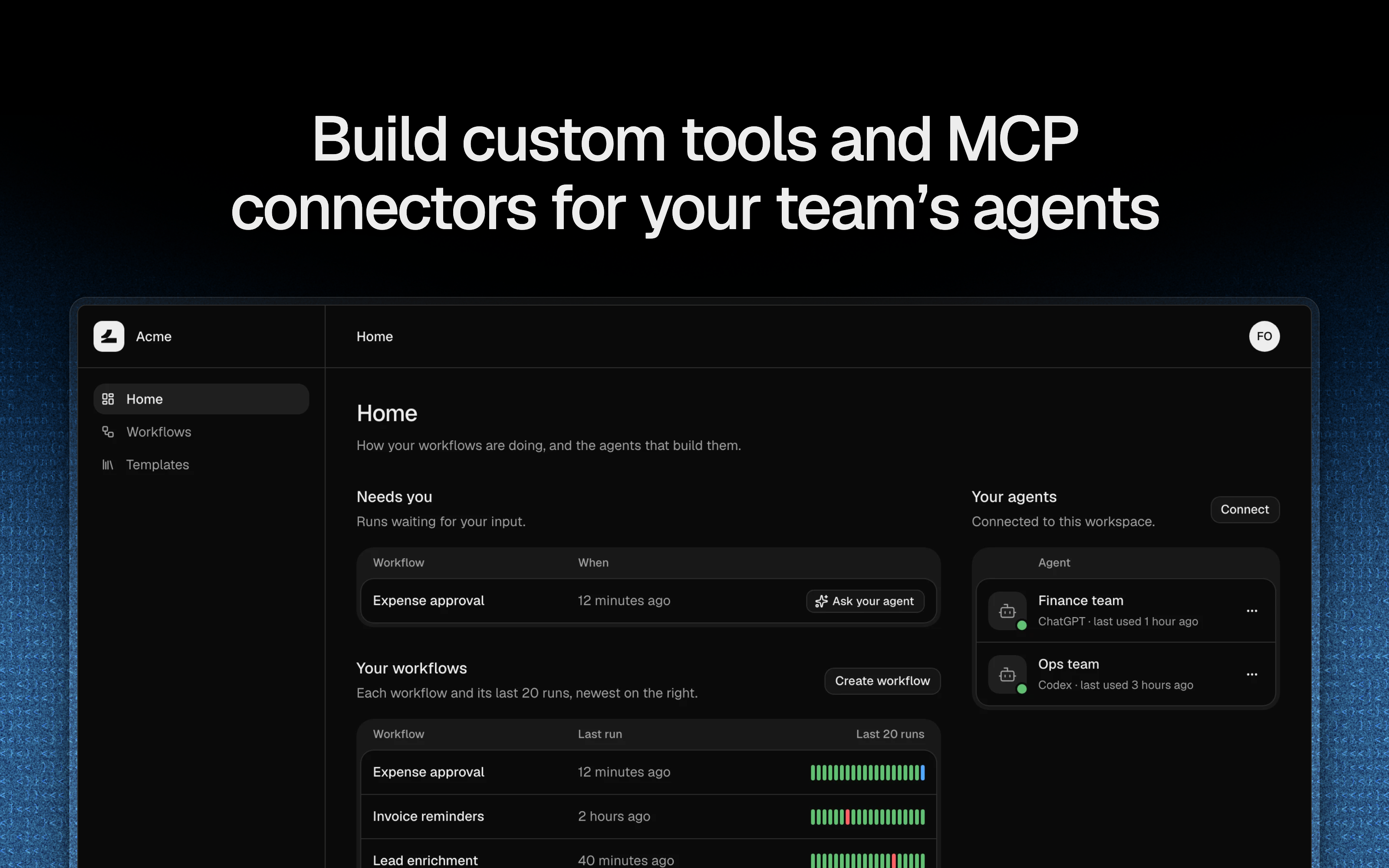
Typenode lets you build custom tools and MCP connectors for your team’s agents. Describe what you need to Claude or ChatGPT. Give everyone’s agents the same toolkit, follow one playbook, and work within the boundaries you set.
Developers work in code, terminals, and GitHub, where AI can already do much of the work. Everyone else works across internal tools and SaaS platforms, where what AI can do depends on the connections and permissions each vendor provides.
Key features
- Build with your AI: Describe what you need to Claude, ChatGPT, or another supported agent. It builds and edits the tools and workflows.
- Enforced business rules: Build checks into each tool so it validates inputs, checks eligibility, and applies rules based on who’s asking before taking action.
- Hosted MCP connectors: Share your tools through custom MCP connectors, with hosting handled by Typenode.
- Shared skills: Maintain team instructions in one place so agents can retrieve the latest version without teammates updating separate copies.
- Access per person: Choose who can run each tool, who can inspect it, and who can change it. Give teammates the access their responsibilities require.
Use cases
- Build custom MCP tools for Claude and ChatGPT that enforce your team’s business rules
- Turn an internal tool’s API into a hosted MCP connector for your team
- Share agent skills and support playbooks through a centrally managed MCP connector
Pricing details: 7-day free trial. Keep running what you've built for $5/2,000 runs. Keep building with a subscription from $20/month.
4. Mailwell — best for consolidating Gmail, iCloud, Outlook and other accounts into one calm inbox on a Mac while keeping mail stored locally
Pricing: From $59 · Free plan: No · Upvotes: 74 · Rating: 4.8/5 from 4 reviews
In Mailwell's words
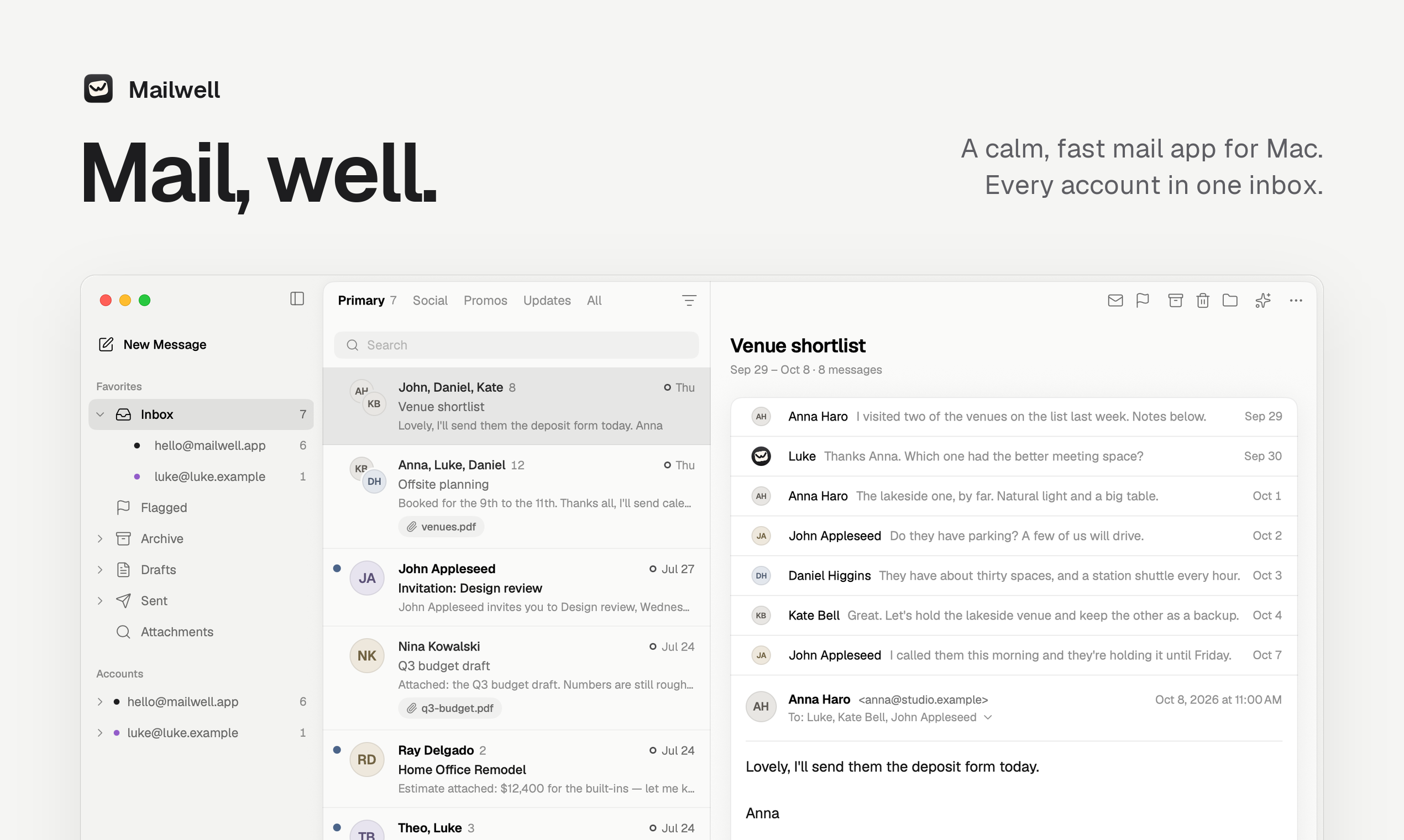
Mailwell is a native email app for the Mac, written in Swift. It connects straight to your mail servers and keeps your mail on your Mac, so your messages and passwords never pass through anyone else's servers.
It works with Gmail, iCloud, Yahoo and AOL (with an app password and a short guided setup), Fastmail and Kagi Mail over JMAP with instant push, Microsoft 365 and Outlook.com, Proton Mail through Bridge, and any other IMAP or JMAP account.
Key features
- All your accounts in one window: Gmail, iCloud, Outlook, Fastmail, Proton, IMAP and JMAP
- Mail stored on your Mac, with fast local search (from:, subject:, has:attachment)
- Every action saved on your Mac first, so quitting or going offline never loses it
- Snooze, Send Later, Undo Send, one-click unsubscribe and rules in plain words
- Optional AI, off by default: summaries and writing help via Apple Intelligence or your key
Use cases
- Consolidating Gmail, iCloud, Outlook and other accounts into one calm inbox on a Mac while keeping mail stored locally.
- Splitting receipts out of a busy inbox into their own tab by searching for them and moving matching mail there.
- Sending replies and archiving conversations quickly with keyboard shortcuts, snippets and Undo Send on macOS.
Pricing details: Free for 14 days with no card needed, then a lifetime license for $59 for the first 50 people.
5. MCP Shelf — best for submit your own MCP server through the Suggest a server form. Community entries are written up and join the shelf once they pass its install check

Pricing: See website · Upvotes: 66 · Rating: 4.6/5 from 9 reviews
In MCP Shelf's words
MCP Shelf is a curated directory of Model Context Protocol (MCP) servers for AI assistants such as Claude, Cursor and ChatGPT. Instead of listing everything, it keeps a short shelf of servers worth installing, grouped by what they do: developer tools, browser and web data, databases and more. Each listed config is checked against the project's own package, and setup guides walk you through adding a server to each client. There are no paid placements. It is for people who want useful MCP servers in their assistant without researching every option themselves.
Key features
- Sorts a short, curated set of servers into shelves such as developer tools, browser data, and databases
- Labels each server with its test status, such as package checked, started in our test, or needs setup first
- Provides setup guides for adding servers to Claude Code, Cursor, Claude Desktop, and ChatGPT
- Flags what each database and cloud server can modify, so you can begin with narrower access
- Ranks servers by upvotes from signed-in members and refreshes the ranking daily
Use cases
- Submit your own MCP server through the Suggest a server form. Community entries are written up and join the shelf once they pass its install check.
- Point new users of your server to the shelf's Claude Code, Cursor, Claude Desktop or ChatGPT setup guides when you explain how to add it.
- Track new additions in your category by following the RSS feed or reading catalog.json, which the site publishes for agents.
6. connectsafely — best for boost reach on your own LinkedIn posts by having real professionals engage with them soon after publishing
Pricing: Free plan; paid from $10/month · Free plan: Yes · Upvotes: 42 · Rating: 5/5 from 1 review
In connectsafely's words
Most people know LinkedIn works when you show up every day.
Key features
- In the app, Claude, API and CLI.
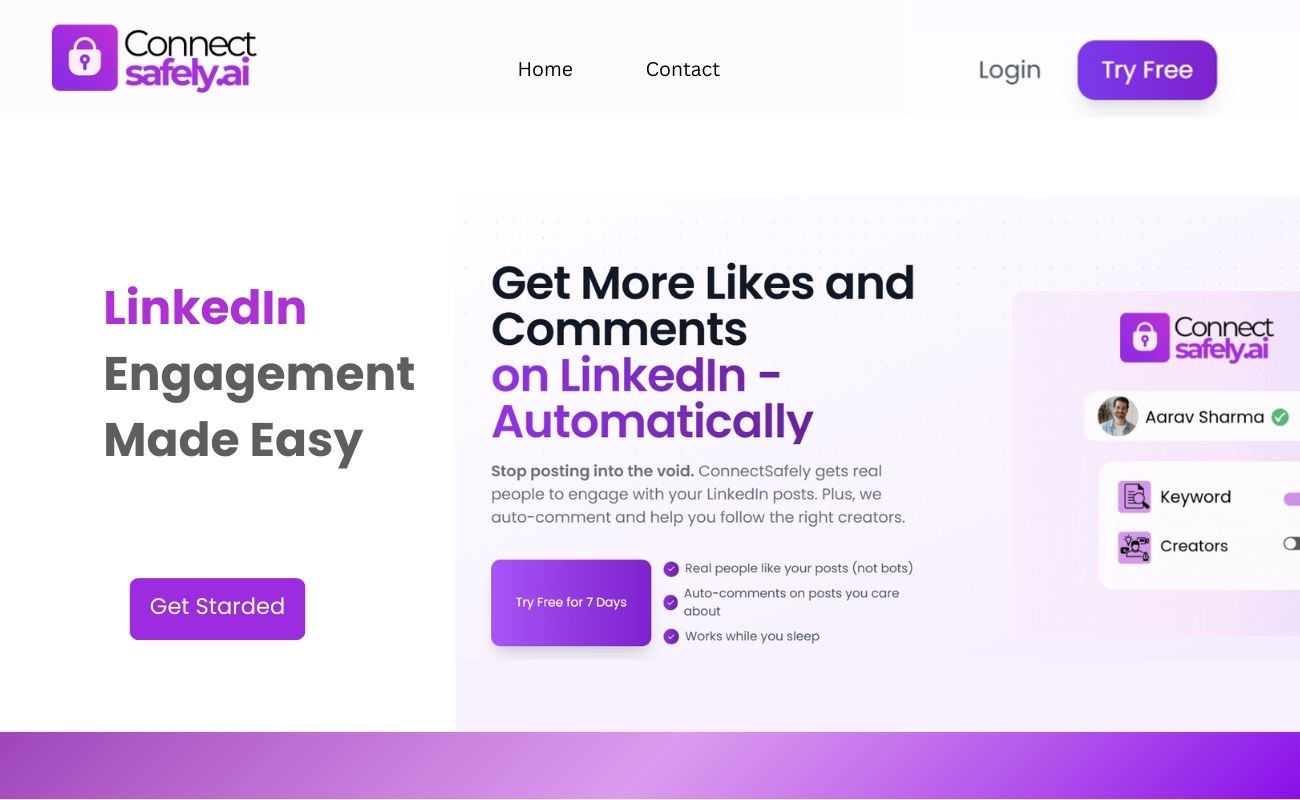
- AI Agent comments on prospects' posts in your voice.
- Let AI Do It Hook up ChatGPT or Claude and let them run your LinkedIn for you.
- Works in Claude Desktop Add our MCP server and talk to LinkedIn right from Claude.
Use cases
- Boost reach on your own LinkedIn posts by having real professionals engage with them soon after publishing.
- Get noticed by the followers of LinkedIn creators your ideal clients follow, through AI comments written in your voice.
- Monitor LinkedIn for posts on chosen business topics and comment on them so potential clients see your name.
Pricing details: Lead Database access starts at $99/mo. API access starts at $10/mo, and a 7-day free trial is offered.
7. Free Email Marketing for Creators — best for send a weekly newsletter to subscribers using a drag-and-drop editor with merge tags and scheduled delivery
Pricing: Free · Free plan: Yes · Upvotes: 22 · Rating: 4/5 from 2 reviews
In Free Email Marketing for Creators's words
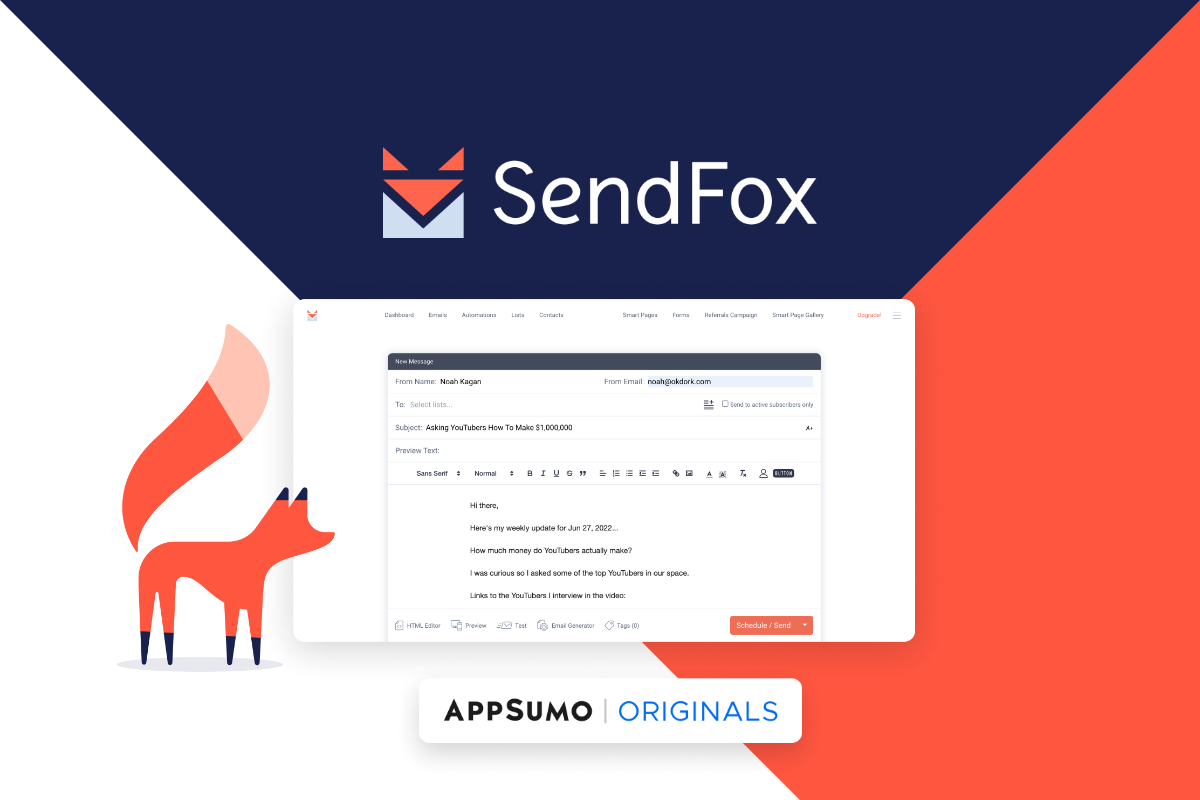
Create your newsletter and grow your audience with SendFox. Start free with email campaigns, a signup form, a landing page, and one automation.
Key features
- Create your newsletter and grow your audience with SendFox.
- Start free with email campaigns, a signup form, a landing page, and one automation..
- Free Email Marketing for Creators
- Free for up to 1,000 contacts and 3,000 email sends per month.
Use cases
- Send a weekly newsletter to subscribers using a drag-and-drop editor with merge tags and scheduled delivery.
- Turn new blog posts or social content into a ready-to-send newsletter automatically via Smart Campaigns.
- Add a signup form or landing page and a welcome email automation to grow a mailing list without building a website.
See Free Email Marketing for Creators pricing, reviews and alternatives →
8. FeatQ — best for turning feature requests from app store reviews and support tickets into one voteable board so you build the most-requested feature first
Pricing: From $19/month · Free plan: No · Upvotes: 21 · Rating: 4.3/5 from 3 reviews
In FeatQ's words
FeatQ is a hosted feature-request board for founders and software teams building with coding agents.
Key features
- Collect feature requests and votes with just an email address, no voter accounts
- Pull the top-voted request as a build-ready spec over MCP from Claude Code, Cursor or Codex
- Mark a request done to publish the changelog and email every voter automatically
Use cases
- Turning feature requests from app store reviews and support tickets into one voteable board so you build the most-requested feature first.
- Letting merchants or users vote on requests by email with no account, then emailing voters when their requested feature ships.
- Having a coding agent such as Claude Code or Cursor pull the top-voted request as a spec over MCP and build it.
Pricing details: From $19/mo per board ($144/yr or $199 lifetime)
9. Krafto
Pricing: Free plan + paid tiers · Free plan: Yes · Upvotes: 17 · Rating: 5/5 from 1 review
In Krafto's words
Krafto is a premium creative-asset store — fonts, motion graphics, templates, presets, 3D assets, ebooks and courses — plus an MCP server (https://mcp.trykrafto.xyz/mcp) that plugs the whole library into AI agents like ChatGPT, Claude and Cursor. Search the catalog, inspect formats and licensing, and download assets you own, right from your AI workflow. Free tier available; paid plans from $5/month.
10. Arcmira: YouTube Transcript Search — best for find timestamped quotes from YouTube videos and podcasts about a topic such as datacenters for research

Pricing: Free plan + paid tiers · Free plan: Yes · Upvotes: 16 · Rating: 4.5/5 from 2 reviews
In Arcmira: YouTube Transcript Search's words
Arcmira is an SF-based AI company and the search engine for the spoken web. Give your AI the ability to find who said what with timestamps, discover what is being discussed across videos and livestreams, and research organic recommendations and sponsored ad reads. Search indexed YouTube and podcast transcripts for quotes, people, products and topics. Follow speaker appearances across channels and find source passages for research, sponsorship analysis or clip selection. Coverage depends on indexed content; check model-assisted classifications against the linked source. Premium transcripts add speaker identification and are distinct from creator captions. Free and paid plans are available. A paid read uses credits from your plan, then your on-demand budget. Arcmira: https://arcmira.com API docs: https://arcmira.com/docs MCP setup: https://arcmira.com/docs/mcp-server
Key features
- Find timestamped quotes and source passages
- Connect through the web app, API, SDKs, CLI or MCP
- Find speaker appearances, mentions and sponsors across indexed videos
Use cases
- Find timestamped quotes from YouTube videos and podcasts about a topic such as datacenters for research.
- Track which speakers and channels are discussing a subject, and get alerts when new appearances occur.
- Check claims made in videos against cited sources like EPA and Berkeley Lab data.
See Arcmira: YouTube Transcript Search pricing, reviews and alternatives →
11. AnswerLine — best for checking which brands and products ChatGPT, Gemini and Copilot recommend for a given prompt, such as the best CRM for a small sales team
Pricing: See website · Upvotes: 14 · Rating: 4/5 from 1 review
In AnswerLine's words
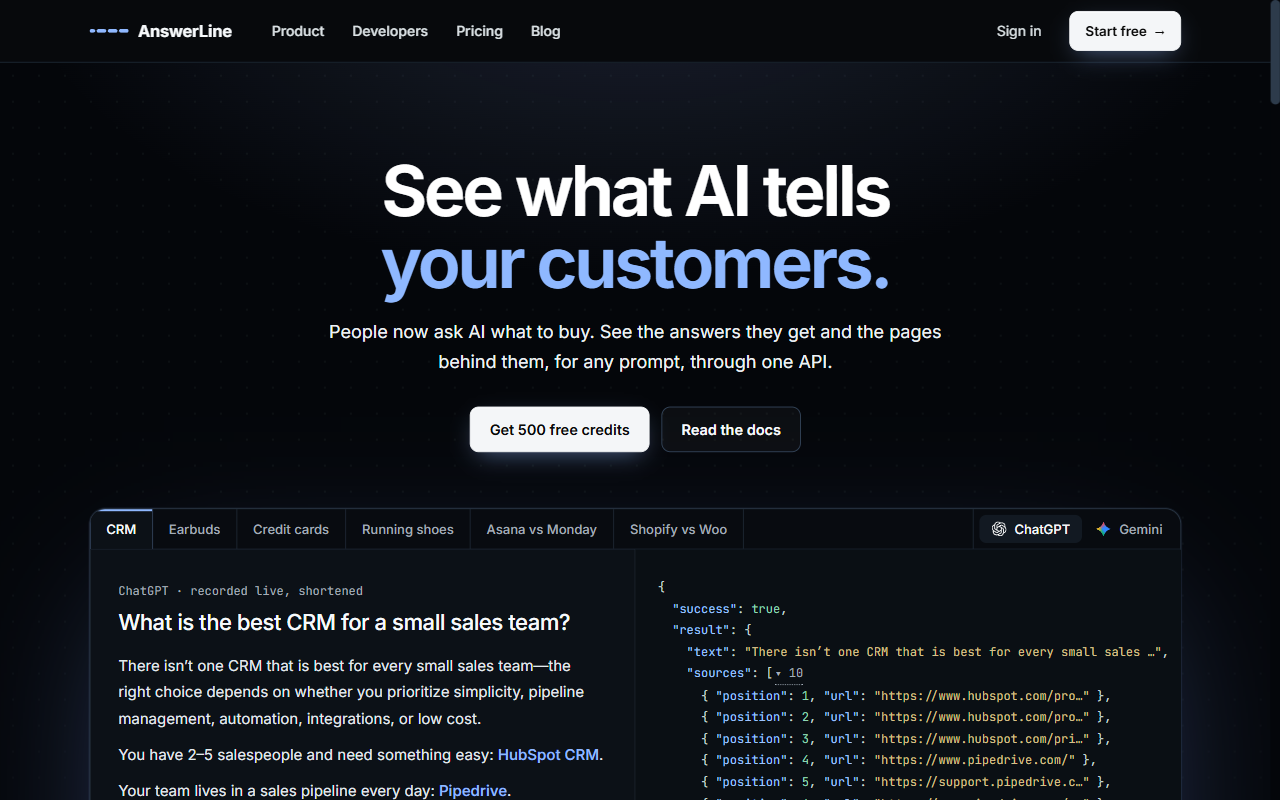
AnswerLine is an API that returns what ChatGPT, Gemini, Copilot and Google AI features (AI Overviews, AI Mode, News) answer for any prompt, as structured JSON with cited source URLs and country targeting. For SEO teams, agencies, developers and brands tracking AI visibility. One call returns the answer text plus the pages each engine cited. Free tier: 500 credits. TypeScript and Python SDKs plus an MCP server for direct AI-assistant integration.
Key features
- See the answers they get and the pages behind them, for any prompt, through one API.
- recorded live, shortened What is the best CRM for a small sales team?
- Your team lives in a sales pipeline every day: Pipedrive .
- hubspot.com HubSpot CRM hubspot.com Sales Software for Small Business
Use cases
- Checking which brands and products ChatGPT, Gemini and Copilot recommend for a given prompt, such as the best CRM for a small sales team.
- Seeing which third-party pages AI answers cite, so you know where your brand is being mentioned.
- Tracking AI visibility for SEO or agent workflows through the API, SDKs or MCP server.
Pricing details: A free trial is offered via the Try it free button.
12. AI Social Media Manager for ChatGPT and Claude — best for planning a week of social posts and drafting them in your voice for each connected account, then approving each one before it publishes
Pricing: Free plan; paid from $5 · Free plan: Yes · Upvotes: 13 · Rating: 3/5 from 1 review
In AI Social Media Manager for ChatGPT and Claude's words
An AI social media manager inside ChatGPT and Claude. Drafts start from each account's recent posts, you approve each one, and they publish to 8 platforms.
Key features
- AI Social Media Manager for ChatGPT & Claude
- Ask your AI for this week's posts.
- It drafts one for each account, starting from what that account already posts.
- Plan next week from our changelog for LinkedIn, X and Instagram.
Use cases
- Planning a week of social posts and drafting them in your voice for each connected account, then approving each one before it publishes.
- Repurposing an existing video into posts for several networks, such as a Reel, a pin and a TikTok, from one request.
- Scheduling a local business's specials in Spanish to Instagram and Facebook at a set time, with posts drafted by the AI assistant.
Pricing details: 2 social accounts are free, then $5 a month per additional account, with no tiers or seats.
See AI Social Media Manager for ChatGPT and Claude pricing, reviews and alternatives →
13. Teamhood — best for checking each engineer's total booked hours across all projects before assigning them new work

Pricing: Paid · Free plan: No · Upvotes: 12 · Rating: 4.5/5 from 2 reviews
In Teamhood's words
Each person gets set working hours, part-time contracts, vacations, and half days, and the planned hours flow around their time off when tasks are moved or reshaped. Managers can open a colleague's page to see every open item across projects against their contracted week and four weeks of booked hours. Teamhood also includes an MCP server, so assistants like Claude, ChatGPT, or Copilot can read planned hours and log time under the user's own permissions.
Key features
- Set weekly working hours, part-time contracts, and time off for each person
- Reshape task hours around vacations and ramp-ups using curve presets
- Show each colleague's booked hours against capacity across four weeks
- Let Claude, ChatGPT, or Copilot read plans and create or update tasks via MCP
- Sync working hours and absences from HR or ERP systems
Use cases
- Checking each engineer's total booked hours across all projects before assigning them new work.
- Replacing an out-of-date spreadsheet resource plan with capacity planning built into project schedules.
- Shifting a rollout or task around a colleague's vacation while the planned hours flow around the time off.
Pricing details: First month free with no credit card required.
14. Zeptap — best for letting an AI agent reply to DMs, post Stories, and book rides on your real iPhone by operating its apps
Pricing: From $25/month · Free plan: No · Upvotes: 8 · Rating: 5/5 from 1 review
In Zeptap's words
If you can do it on your iPhone, your AI can too.
Zeptap is a Mac app that hands your iPhone to an AI agent. It opens apps, reads the screen, taps, swipes and types in your real apps and signed-in accounts, so the jobs you keep picking up your phone for get done without you.
Key features
- Works in your real apps and signed-in accounts
- Opens apps, reads the screen, taps, swipes and types
- Moves work between apps, like WhatsApp to Instagram
- Bring your own AI: your Claude or ChatGPT plan, or any MCP agent
- Watch it live from your Mac and pause it before it sends
Use cases
- Letting an AI agent reply to DMs, post Stories, and book rides on your real iPhone by operating its apps
- Having an agent unsubscribe from newsletters, find a place to stay, or make a running playlist on your phone
- Testing mobile apps by driving the real iPhone screen with taps, swipes, and typing via an AI agent
Pricing details: $25/mo, or $99 lifetime (first hour free)
15. HyperGSC — best for asking an AI assistant which pages are one small update away from more clicks using real Search Console data
Pricing: Free plan; paid from $15/month · Free plan: Yes · Upvotes: 8 · Rating: 4/5 from 1 review
In HyperGSC's words
HyperGSC helps website owners, marketers and SEO teams analyze Google Search Console performance through AI assistants. Review clicks, impressions, rankings, CTR, indexing and sitemap observations, and research keywords, competitors and backlinks. Connect your Search Console properties over remote MCP with OAuth authentication. Free and paid plans are available.
Use cases
- Asking an AI assistant which pages are one small update away from more clicks using real Search Console data.
- Explaining a Google Search Console traffic drop by checking which pages and queries gained or lost clicks.
- Checking whether Google has indexed key pages and inspecting canonicals and schema from the same workflow.
Pricing details: Free plan for one Search Console property with basic tools.
Comparison table
| # | Tool | Rating | Upvotes | Price |
|---|---|---|---|---|
| 1 | North Noir AI draws every frame, then you edit |
Rated 4.2 out of 5 from 10 reviews4.2(10) | ▲ 132 | Free plan+ paid plans |
| 2 | Citehound Scanning a website to see which AI crawlers can reach it and what blocks AI assistants from reading its pages |
No reviews yet | ▲ 112 | Free planthen from $39/mo |
| 3 | Typenode Build custom MCP tools for Claude and ChatGPT that enforce your team’s business rules |
Rated 4.2 out of 5 from 11 reviews4.2(11) | ▲ 90 | from $5 |
| 4 | Mailwell Consolidating Gmail, iCloud, Outlook and other accounts into one calm inbox on a Mac while keeping mail stored locally |
Rated 4.8 out of 5 from 4 reviews4.8(4) | ▲ 74 | from $59 |
| 5 | MCP Shelf Submit your own MCP server through the Suggest a server form. Community entries are written up and join the shelf once they pass its install check |
Rated 4.6 out of 5 from 9 reviews4.6(9) | ▲ 66 | See site |
| 6 | connectsafely Boost reach on your own LinkedIn posts by having real professionals engage with them soon after publishing |
Rated 5 out of 5 from 1 review5(1) | ▲ 42 | Free planthen from $10/mo |
| 7 | Free Email Marketing for Creators Send a weekly newsletter to subscribers using a drag-and-drop editor with merge tags and scheduled delivery |
Rated 4 out of 5 from 2 reviews4(2) | ▲ 22 | Free plan |
| 8 | FeatQ Turning feature requests from app store reviews and support tickets into one voteable board so you build the most-requested feature first |
Rated 4.3 out of 5 from 3 reviews4.3(3) | ▲ 21 | from $19/mo |
| 9 | Krafto One creative library. Everything you make — now for your AI |
Rated 5 out of 5 from 1 review5(1) | ▲ 17 | Free plan+ paid plans |
| 10 | Arcmira: YouTube Transcript Search Find timestamped quotes from YouTube videos and podcasts about a topic such as datacenters for research |
Rated 4.5 out of 5 from 2 reviews4.5(2) | ▲ 16 | Free plan+ paid plans |
| 11 | AnswerLine Checking which brands and products ChatGPT, Gemini and Copilot recommend for a given prompt, such as the best CRM for a small sales team |
Rated 4 out of 5 from 1 review4(1) | ▲ 14 | See site |
| 12 | AI Social Media Manager for ChatGPT and Claude Planning a week of social posts and drafting them in your voice for each connected account, then approving each one before it publishes |
Rated 3 out of 5 from 1 review3(1) | ▲ 13 | Free planthen from $5 |
| 13 | Teamhood Checking each engineer's total booked hours across all projects before assigning them new work |
Rated 4.5 out of 5 from 2 reviews4.5(2) | ▲ 12 | Paid |
| 14 | Zeptap Letting an AI agent reply to DMs, post Stories, and book rides on your real iPhone by operating its apps |
Rated 5 out of 5 from 1 review5(1) | ▲ 8 | from $25/mo |
| 15 | HyperGSC Asking an AI assistant which pages are one small update away from more clicks using real Search Console data |
Rated 4 out of 5 from 1 review4(1) | ▲ 8 | Free planthen from $15/mo |
How we compared them
This is a comparison built from listing data, not a hands-on review: we have not tested these tools ourselves. Every product here is listed on Launch Llama, and the ranking uses what founders and their users have put on the record.
Tools are ordered by community upvotes. Duplicate listings are merged, and listings without a real description are left out. Pricing, features and use cases come from each product's listing and can change, so check the product's own site before you buy.
How to choose
- Choose Citehound for scanning a website to see which AI crawlers can reach it and what blocks AI assistants from reading its pages.
- Choose Typenode for build custom MCP tools for Claude and ChatGPT that enforce your team’s business rules.
- Choose Mailwell for consolidating Gmail, iCloud, Outlook and other accounts into one calm inbox on a Mac while keeping mail stored locally.
- Choose MCP Shelf for submit your own MCP server through the Suggest a server form. Community entries are written up and join the shelf once they pass its install check.
- Choose connectsafely for boost reach on your own LinkedIn posts by having real professionals engage with them soon after publishing.
- Choose Free Email Marketing for Creators for send a weekly newsletter to subscribers using a drag-and-drop editor with merge tags and scheduled delivery.
Still comparing? Browse every tool in MCP or see the best tools in other categories.
Frequently asked questions
What is the best MCP tool in 2026?
North Noir is the most upvoted MCP tool on Launch Llama. AI draws every frame, then you edit Citehound and Typenode round out the top three.
Is there a free MCP tool?
Yes. 8 of the 15 tools in this comparison list a free plan, including North Noir, Citehound, connectsafely.
How were these MCP tools ranked?
By community upvotes on Launch Llama, after merging duplicate listings and dropping listings without a real description. We have not tested these tools hands-on; pricing and features come from each product's listing.
How many MCP tools are listed on Launch Llama?
34 MCP tools with full listings at the time of writing. This page compares the top 15; the rest are on the MCP category page.