Design Extractor
Under reviewTurn any website's look into an agent-ready style guide
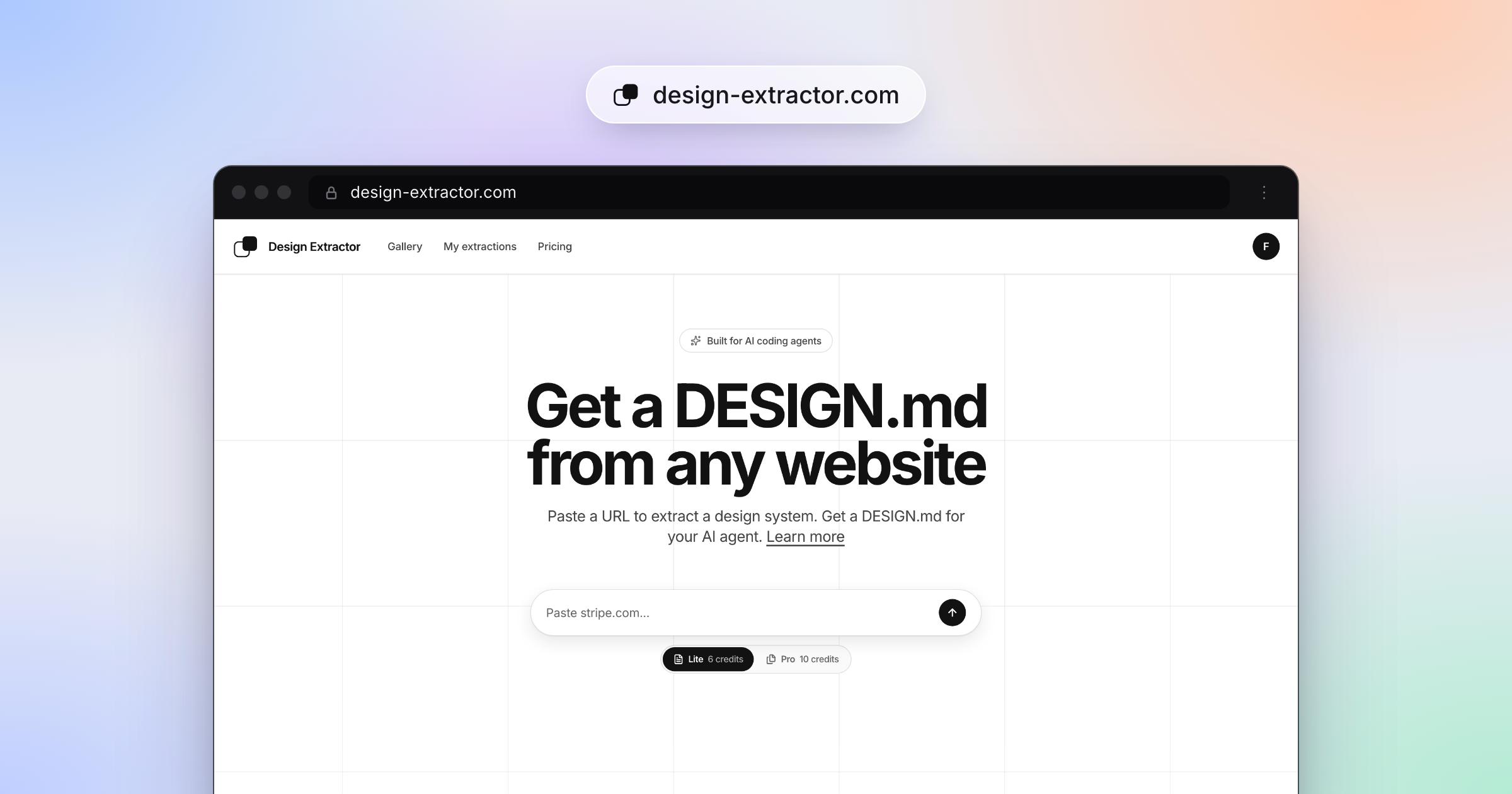
Extracts colors, typography, spacing, and components from any public URL into a DESIGN.md that AI coding agents like Claude and Cursor can use as a style guide.
Built by Fadel · Design Tools
Coming soon on Launch Llama Tools
Design Extractor is a Community listing on Launch Llama with 0 total upvotes, founded by Fadel who joined in Oct 2026, compared against 6 alternatives.
Community listing
Listing status
0upvotes
Community score
Fadel (Joined Oct 2026)
Founder
Compared against 6 alternatives
Market comparison
Extracts colors, typography, spacing, and components from any public URL into a DESIGN.md that AI coding agents like Claude and Cursor can use as a style guide.
About
Paste a URL and the tool returns a DESIGN.md that pairs YAML design tokens with a markdown rationale covering brand colors, type, shapes, and components. Because it is plain markdown with tokens, any agent can read it without a plugin or SDK. A Chrome extension extracts from the tab you have open, and an MCP server at /api/mcp lets Claude Code, Codex, Cursor, or n8n run extractions directly.
Key Features
- Extracts colors, typography, spacing, shapes, and components from any public URL
- Outputs a DESIGN.md with YAML design tokens and a markdown brand rationale
- Runs as a Chrome extension to extract styles from the tab you are on
- Connects Claude Code, Codex, Cursor, and n8n to extractions through an MCP server
- Saves each extraction to My extractions under the same account and credits
Use Cases
- Giving an AI coding agent a reference site's visual style to follow when building a new interface
- Dropping a DESIGN.md into a repo or docs folder so agents match an existing brand's look
- Pulling the design system from a public site open in Chrome for use as a style reference
Who it is for
- Developers using AI coding agents such as Claude Code, Cursor, or Codex
- Product and front-end teams that want agents to match a reference brand's design system
Pricing
See the Design Extractor website for current pricing.
FAQ
What is a DESIGN.md?
A DESIGN.md is a plain-text design system document that AI coding agents read to generate consistent UI. It is the design counterpart to AGENTS.md: humans and agents can both read it, edit it, and enforce it. Under the hood it has two layers. YAML front matter holds machine-readable design tokens like colors, typography, and spacing. The markdown body explains the design rationale.
What's inside a DESIGN.md?
A DESIGN.md usually includes eight canonical sections in order: Overview, Colors, Typography, Layout, Elevation and Depth, Shapes, Components, and Do's and Don'ts. The YAML front matter encodes the exact token values. The markdown body explains how and why to apply them. Sections can be omitted if they are not relevant, and extra domain-specific sections can be added.
How do I get a DESIGN.md from a URL?
Paste any public website URL into Design Extractor and click extract. Sign up, buy a credit pack, and each extraction spends a few credits. The result is a DESIGN.md you can copy. Drop the DESIGN.md into your repo and your AI agent reads it as a style reference for Claude, Cursor, Copilot, or Stitch.
Which AI coding tools can use DESIGN.md?
Any AI coding tool that reads markdown files from your project directory can use DESIGN.md. That includes Claude Code, Cursor, GitHub Copilot, and other coding assistants with file access. Drop the DESIGN.md into your project root or a docs folder and reference it in your prompt.
What websites can I extract?
Any publicly accessible website. Design Extractor analyzes the live page as rendered in a browser. It works with static sites, SPAs, and server-rendered pages. The site must be reachable via a standard HTTP/HTTPS URL.
What if a website only loads in certain countries?
Some sites, such as government portals and local shops, only open for visitors from certain countries. If an extraction fails because the site refused the visit, the result page says so and suggests the countries where the site does load. Pick one and the page is loaded by a browser in that country, then extracted as usual. A run from another country costs the tier price plus a small surcharge, shown before you start, and a run that still fails is refunded. The same option is available in the Chrome extension and through the MCP server.
Is there a Chrome extension?
Yes. The Design Extractor extension for Chrome reuses the session you signed in with on the site: no separate login. Its popup shows your credit balance, and one click sends the page in your current tab to the same extraction as the form on the home page, in Lite or Pro, for the same credits. The finished DESIGN.md opens on the site and appears in My extractions. In this first version the page has to be public: the server captures it, so pages behind a login, on localhost or on a private network are not supported yet. Editing and download still happen on the site.
Can I use it from Claude Code, Codex or Cursor?
Yes. Design Extractor is also an MCP server. In claude.ai, Claude Desktop or ChatGPT add the server URL as a connector and sign in with your account; in Claude Code, Codex, Cursor or the Agent SDK connect with one command (the docs page has the block for each, with an API key from your account page where the client needs one), and ask it to extract a site. The agent starts the run, checks back after about a minute, and gets the DESIGN.md text to save into your repo, for the same credits as on the site. Claude Code and Codex can also install it as a plugin, which adds a skill that applies a DESIGN.md to a codebase.
Alternatives
 Agent MarkupFor developers: Agent Markup generates llms.txt and structured data so LLMs and AI agents understand your website instantly.
 Zipit WebFor developers: Zipit Web extracts code, design tokens, fonts, and UI components from any website instantly so you ship faster without manual recreation.
More in Design Tools
New on Launch Llama
Launched this week · This month's launches · All products A–Z
Ask AI about Design Extractor
For bots & AI agents
Machine-readable versions of Design Extractor and Launch Llama. Fetch these instead of parsing this page.
This listing (.md) llms.txt llms-full.txt ai.txt Full catalog (.md) Endpoint index API docs MCP server MCP manifest Developer docs