Arc
Your mobile AI assistant on any screen
Built by Mamata · Free
Arc is a Product Hunt listing on Launch Llama with 76 total upvotes, founded by Mamata who joined in Sep 2026, compared against 5 alternatives.
Product Hunt listing
Listing status
76upvotes
Community score
Mamata (Joined Sep 2026)
Founder
Compared against 5 alternatives
Market comparison
Launched on Launch Llama Sep 30, 2026 · #34 of 45 that day





About
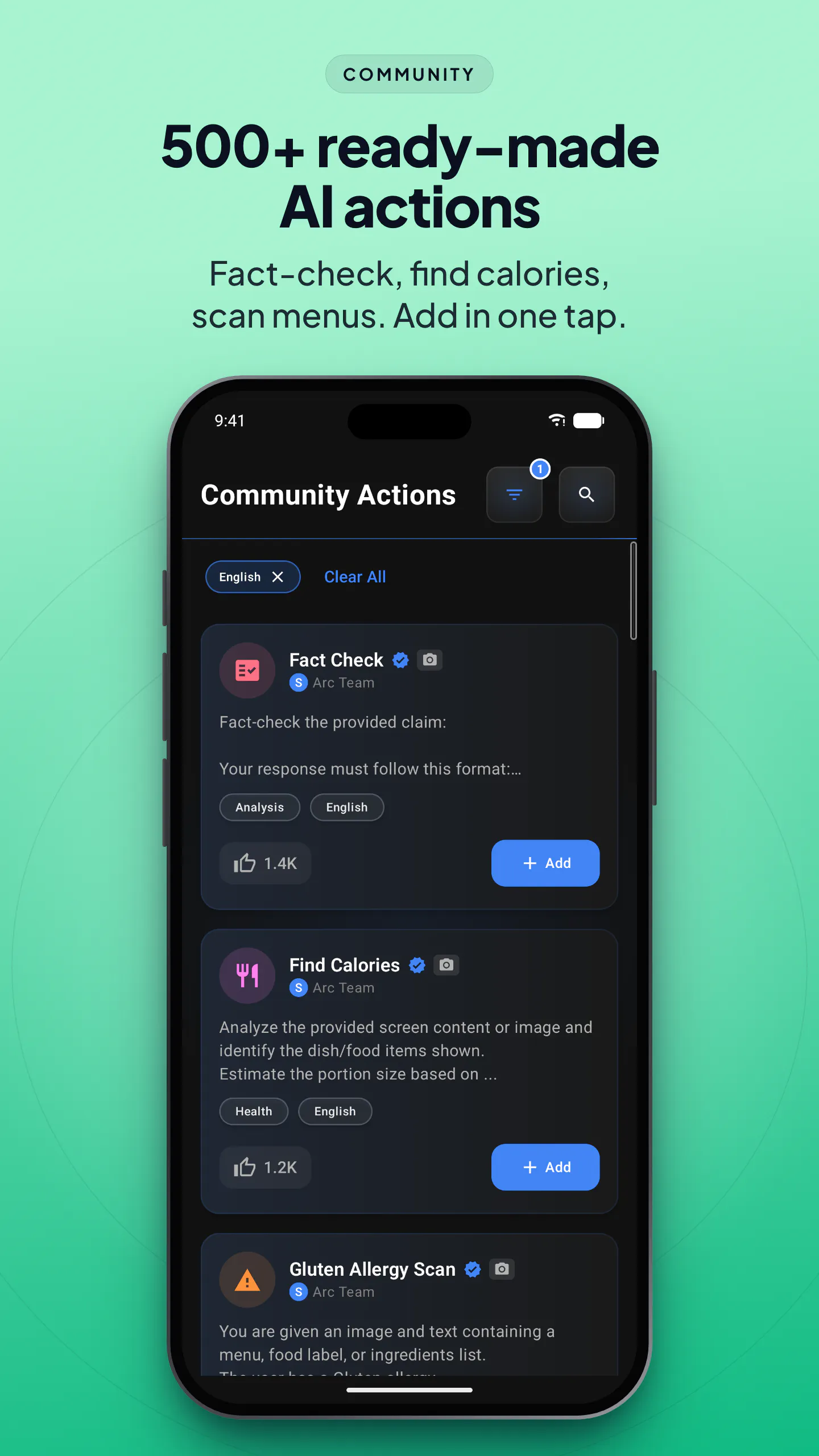
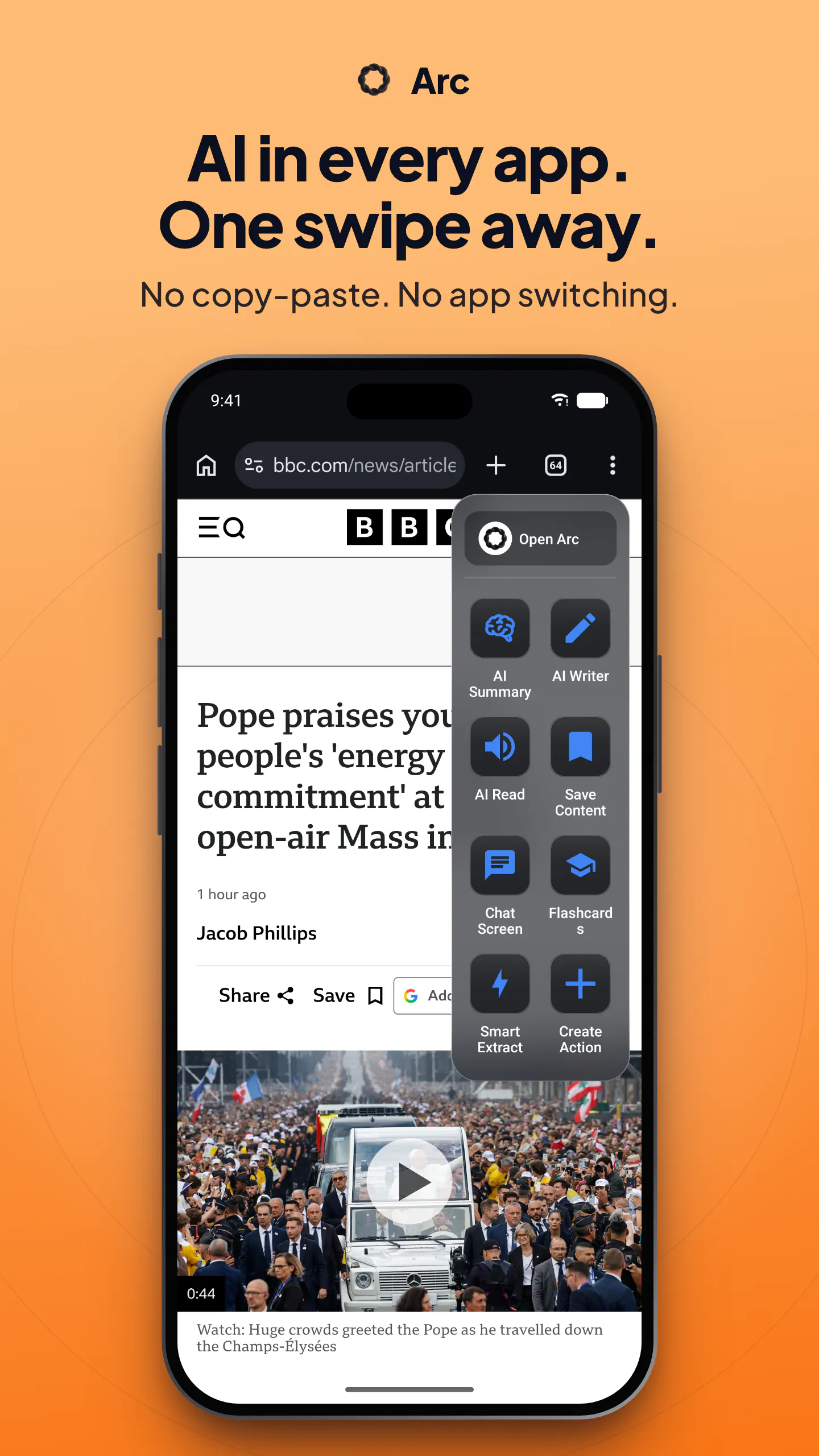
Arc puts AI on top of every app you use, now on Android and Mac. A floating overlay reads your screen, so you never copy, paste or switch apps. Run one-tap actions to fact check an article, analyze a sheet or find calories in a food photo, or build your own. New: 500+ community actions, Info Vault so AI Writer fills in your details, AI Call Analysis, Flashcards from anything you read, and Smart Extract to pull data off your screen.
Follow Arc: X (Twitter)
Launch Llama's Take
Based on Launch Llama data as of
Arc has 76 upvotes, including the votes it received on Product Hunt. It has been listed on Launch Llama since September 2026. No Launch Llama members have upvoted it yet and it has no reviews yet.
Arc vs Zeptap
Arc adds AI as a floating overlay on Android and Mac, so you can run one-tap actions like fact checking an article without copying, pasting or switching apps. Unlike Zeptap, which is a Mac app that hands your iPhone to an AI agent, Arc works over the apps already on your Android or Mac screen.
| Arc | Zeptap | Pushary | Arceris Ai Security Gateway | |
|---|---|---|---|---|
| What it does | Your mobile AI assistant on any screen | Zeptap lets AI use your real iPhone the way you do: open app | For AI developers: Pushary approves agent requests from your phone so Claude, Cursor, and Gemini CLI keep running without manual terminal… | AI security gateway that masks PII in real time |
| Pricing | Free | Paid | Freemium | Paid |
| Free plan | Yes, free to use | No free plan listed | Yes, free plan | No free plan listed |
| Category | AI Chatbots | AI Agent | Productivity | Automation tools |
| Upvotes on Launch Llama | 76 | 8 | 401 | 2 |
| Listed on Launch Llama | September 2026 | October 2026 | July 2026 | November 2026 |
Key Features
- Summarize articles, emails and documents into key points
- Rewrite and reply to messages within any app
- Read text aloud with automatic language detection
- Extract dates, contacts, links and codes from screens
- Create custom one-tap actions from your prompts
- Generate flashcard decks from pages and documents
Use Cases
- Researchers who want to turn reading into flashcard decks for studying
- Email and chat users who want to write better replies without switching apps
- People who need to extract structured data like dates and contacts from documents
Who it is for
- Mobile and desktop users who read long articles, PDFs and email threads and want quick summaries in place.
- People who write frequent replies and messages across many apps and want inline rewriting and drafting help.
- Users who want text-to-speech listening or accessibility support for any on-screen content.
Pricing
Free plan available with 7 requests per week. No account needed.
FAQ
What is an AI assistant app that works on your screen?
It is an assistant that acts on whatever app you already have open, instead of making you copy text into a chatbot. Arc puts a floating sidebar on Android and a Control+Space panel on Mac; it reads the current window and summarizes it, reads it aloud, rewrites your text, or runs a prompt you saved.
Is Arc free?
Yes. Arc is free with 7 requests per week on basic features. A premium subscription unlocks unlimited summaries, text-to-speech, AI chat and workflow automation, and one subscription covers every platform. There are no ads and no expiring trial.
Which platforms does Arc run on?
Android, macOS and Windows are available today, and iPhone is in development. Your saved items and subscription carry across the platforms you use.
Does Arc monitor my screen in the background?
No. Arc reads screen content only when you tap an action yourself. It disables itself automatically in around 400 sensitive apps including banking, crypto and password managers, and you can add your own exclusions.
What can I actually do with it?
Summarize any article or document, listen to it with natural text-to-speech, rewrite or reply to messages in place, extract dates, contacts and codes off a screen, turn study material into flashcards, and build your own one-tap AI actions with custom prompts.
Do I need to create an account?
No! You can use Arc as a guest. Google Sign-In is optional and only needed for cloud backup and community features.
Are screenshots automatically captured?
No. Screenshots require your explicit permission and are only taken when you initiate an action that needs them.
Which apps work with Arc?
Arc works with virtually any app. However, it automatically disables itself in nearly 400 sensitive apps (banking, crypto, password managers) by default.
Is my data private?
Yes. Screen content is processed for AI responses but never stored on our servers. Your saved content stays on your device unless you choose Google Drive backup.
What are Custom Actions?
Custom Actions let you create your own AI commands. Write a prompt and save it to your sidebar for one-tap access.
Alternatives
 Arceris Ai Security GatewayProtect sensitive data and control what AI agents can access and do
 screenRIGFree, easy, powerful digital signage your AI agent runs. Tell your AI agent what a screen should show, and it builds the content and puts it on the screen. Free, with unlimited screens.
New on Launch Llama
Launched this week · This month's launches · All products A–Z
Featured in
- The 13 Best AI Chatbots Tools in 2026 (Compared) — ranked #5
Ask AI about Arc
For bots & AI agents
Machine-readable versions of Arc and Launch Llama. Fetch these instead of parsing this page.
This listing (.md) llms.txt llms-full.txt ai.txt Full catalog (.md) Endpoint index API docs MCP server MCP manifest Developer docs