AI teammate for MSP service operations
For MSP teams: Rallied automates ticket resolution across your PSA and service stack so your team handles more requests without manual work.
Built by Amaresh Ray · Artificial Intelligence · Freemium
In category: #884 of 2048 · Artificial Intelligence
AI teammate for MSP service operations is an Instant Launch listing on Launch Llama with 23 total upvotes, founded by Amaresh Ray who joined in Aug 2026, compared against 3 alternatives.
Instant Launch listing
Listing status
23upvotes
Community score
Amaresh Ray (Joined Aug 2026)
Founder
Compared against 3 alternatives
Market comparison
Launched on Launch Llama Aug 13, 2026
About
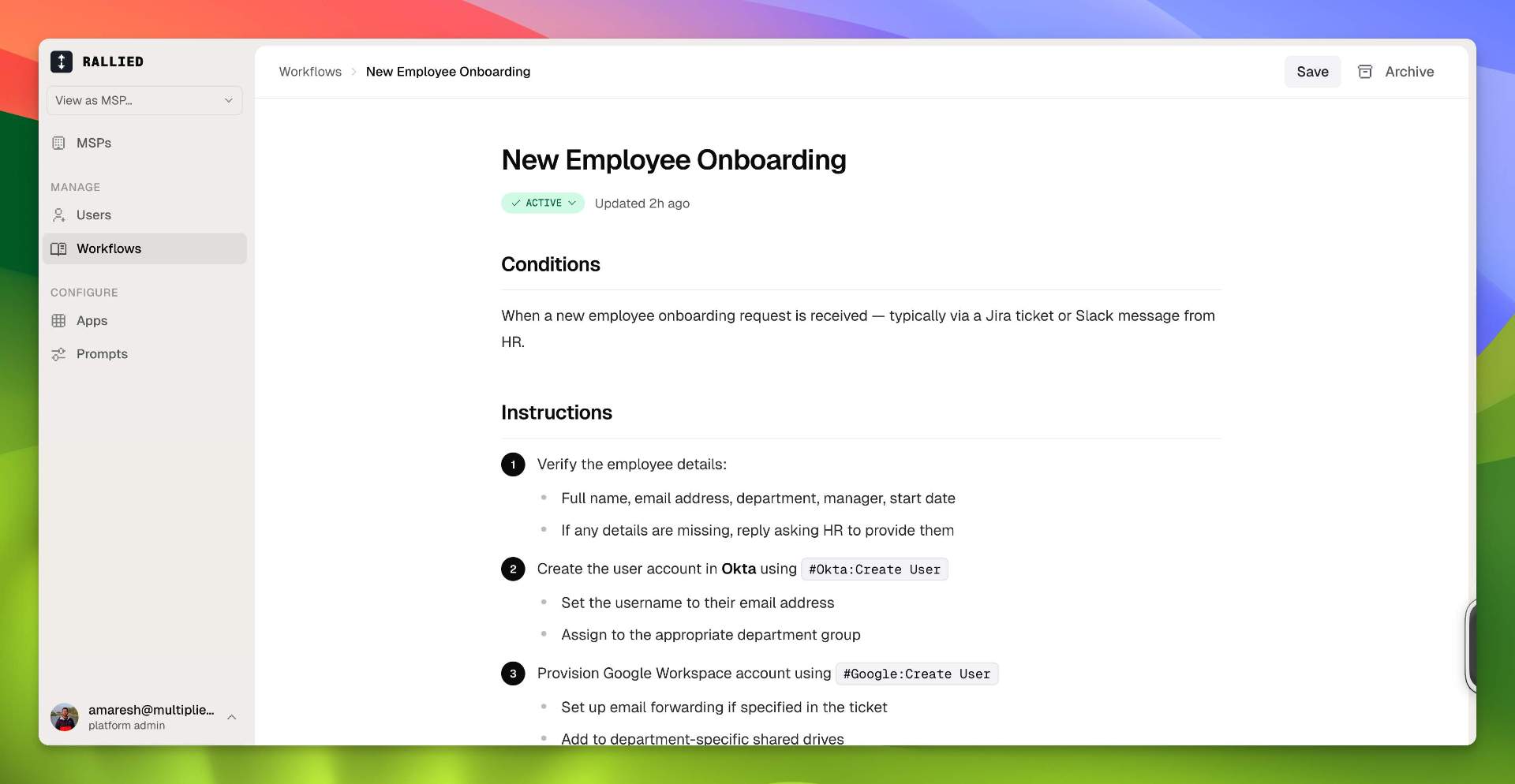
Rallied is an AI agent that resolves requests in your PSA. Rallied understands every ticket, automates next steps, and gets work done across your service desk stack, from your PSA to Microsoft 365, Pax8, RMM, and documentation.
Use Cases
- Automatically resolving L1 and L2 MSP tickets end to end inside the PSA, including endpoint diagnosis and RMM script runs
- Running client onboarding and offboarding workflows, such as offboarding a departing user, handled from the ticket without manual steps
- Triaging incoming tickets by gathering context, categorizing them, and routing them to the right technician
Who it is for
- MSP service operations teams handling L1 and L2 support tickets
- MSP owners and COOs looking to take on more clients without adding headcount
- L2 technicians who want to stop spending time on routine lockouts and access requests
Pricing
AI teammate for MSP service operations offers a free plan plus paid tiers. See the website for current pricing.
FAQ
How long does it take to get started?
Most MSPs connect their PSA and go live in under a week. Rallied starts in Plan Mode, showing what it would do without making changes, so you can check its work on real tickets first.
What do we have to build or maintain?
Nothing on client machines, and no workflow library to build before it starts working. Rallied reads your PSA and documentation live and handles tickets with its own judgment from day one. When you want something done a specific way, you write it in plain English. That’s the only authoring there is, and it’s optional.
Every client we support does things differently. Do we have to change how we work?
No. Rallied holds separate instructions at three levels: your MSP, each client, and each integration. Write the rule the way you’d brief a tech: “for Parkview, always CC the office manager on mailbox changes.” It applies to that client only, and everyone else keeps your defaults.
Which PSAs do you support?
ConnectWise PSA, HaloPSA, Autotask, SuperOps, and Jira Service Management. Rallied begins work when a ticket reaches the status you choose.
What happens when Rallied isn’t sure?
It hands the ticket to a tech. The diagnosis, client history, and next steps are already in the notes, so nobody starts from scratch.
How much control do we have?
You can allow, require approval for, or disable each action, and set different rules for different clients. Password resets might run automatically while onboarding waits for approval. New connections start with conservative defaults, and you widen access as the agent earns it.
Can we try it before we commit?
Most MSPs start in Plan Mode, where Rallied posts what it would do on every ticket without changing anything, so you can check its judgment against real tickets in your own queue before it touches a system.
How does pricing work?
Rallied is $150 a month, billed monthly, with 2,000 credits included. Each ticket is charged once, for the most work the agent did on it: 1 credit when it only works on the ticket itself (replies, notes and status updates), 3 credits when it looks up or changes things in your other systems, such as checking a user or resetting a password, and 8 credits when it works across 3+ systems using 6+ different actions, or runs a script. A typical month covers about 700 tickets.
Why charge by the ticket instead of per endpoint or per user?
Because endpoints and users don't tell you what the work was. A ticket costs 1, 3 or 8 credits depending on how much work the agent did on it. Tickets it couldn't finish, wasn't allowed to act on or took no action on are never charged. If your credits run out, the agent pauses, posts an internal note on the ticket and picks up again when you add credits or the month resets. Auto top-up is optional.
Couldn’t we just build this ourselves?
You can build a convincing demo in a weekend. The hard part is everything that follows: client-by-client guardrails, vendor API changes, and making sure the whole team can run it without relying on the one person who built it.
Alternatives
More in Artificial Intelligence
New on Launch Llama
Launched this week · This month's launches · All products A–Z
Ask AI about AI teammate for MSP service operations
Supporters
1 founder
1 founder supported AI teammate for MSP service operations on Launch Llama.
For bots & AI agents
Machine-readable versions of AI teammate for MSP service operations and Launch Llama. Fetch these instead of parsing this page.
This listing (.md) llms.txt llms-full.txt ai.txt Full catalog (.md) Endpoint index API docs MCP server MCP manifest Developer docs