Updated 2026-11-16 · 6 of 6 Financial planning tools on Launch Llama compared
Quick answer: The best Financial planning tools in 2026, by Launch Llama community upvotes, are Tool Factory, TickerLandia, Yaya Tools. If you want to start free, TickerLandia has a free plan. We compared 6 of the 6 Financial planning tools listed on Launch Llama on pricing, features and use cases.
Our picks at a glance
- Best overall: Tool Factory — the most upvoted Financial planning tool on Launch Llama
- Best free option: TickerLandia — free
- Most features listed: Yaya Tools — 5+ features on its listing
The 6 best Financial planning tools in 2026
1. Tool Factory — best for calculating weighted average cost and unrealized profit or loss across multiple stock purchase lots
Pricing: Free · Free plan: Yes · Upvotes: 9
In Tool Factory's words
Tools are grouped into Finance, SEO, Developer, Convert, and Household Math sections, and each one is a standalone page you can open and use. Processing happens locally, so files such as HEIC photos are decoded in your browser and never sent to a server. The UTM builder can also generate a batch of links from a CSV file, which is useful when launching many campaigns at once.
Key features
- Calculates stock average cost, break-even price, and unrealized P/L from multiple share lots
- Builds UTM campaign URLs, including batch generation from a CSV file
- Generates robots.txt rules with allow/disallow groups, sitemap URLs, and AI crawler extras
- Converts .heic and .heif photos to PNG files directly in the browser
- Validates EU VAT number format, country, and check digits, without a VIES lookup
Use cases
- Calculating weighted average cost and unrealized profit or loss across multiple stock purchase lots.
- Building UTM-tagged campaign URLs individually or in batches from a CSV file.
- Converting HEIC or HEIF photos to PNG files directly in the browser without uploading them.
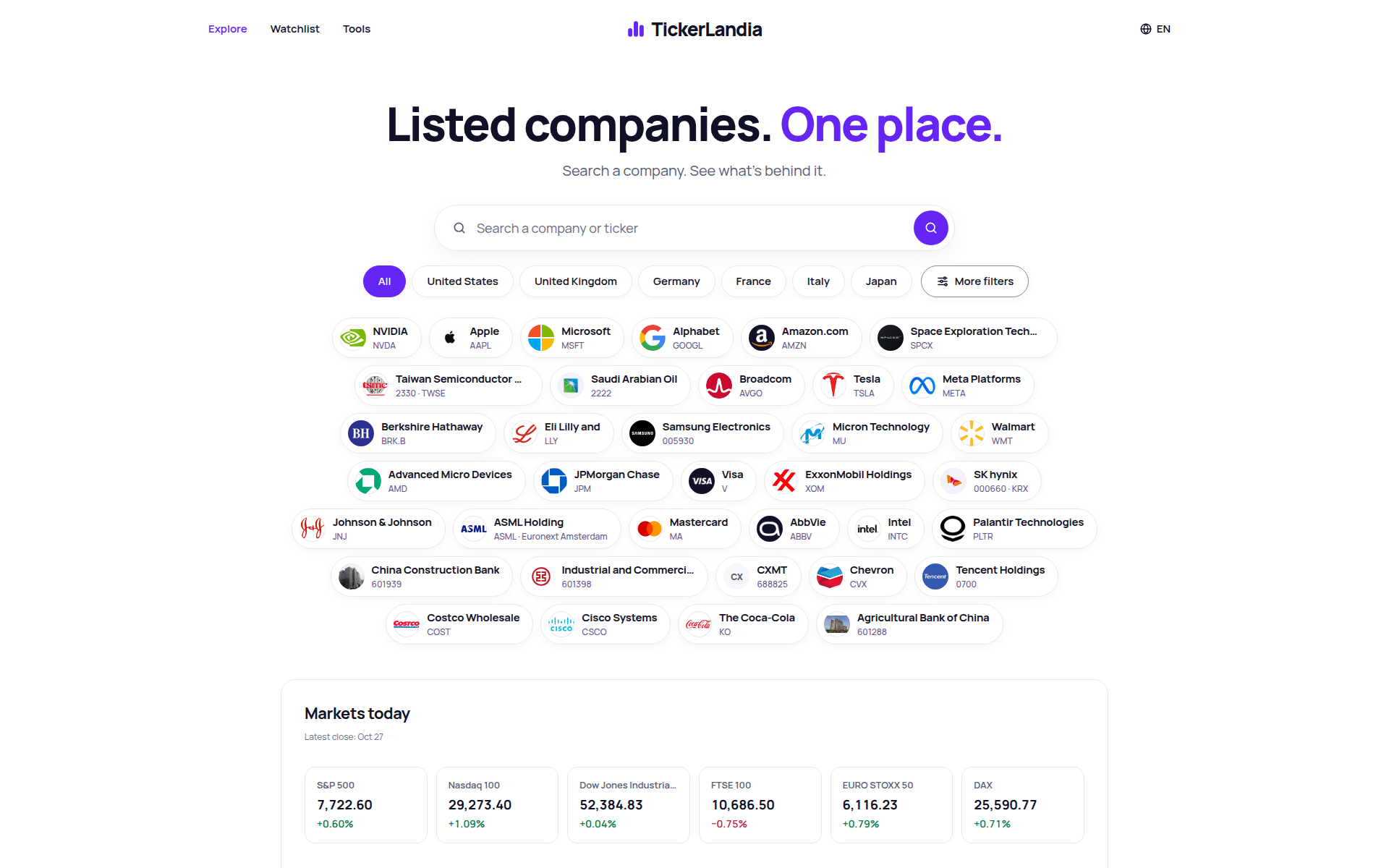
2. TickerLandia — best for looking up a listed company's price, financial statements and valuation multiples before deciding on an investment
Pricing: Free · Free plan: Yes · Upvotes: 3
In TickerLandia's words
Company pages combine the share price with total returns that include reinvested dividends, so performance reflects more than the price alone. A calendar lists upcoming quarterly results and ex-dividend dates for the next 30 days, either worldwide or market by market. Free calculators cover a stock's return, the income a dividend stock could produce, and your average cost after several purchases, with no account needed and the methodology explained on the site.
Key features
- Search any listed company or ticker across 34 markets
- View price, charts and up to 10 years of financial statements
- Compare valuation multiples and total returns with dividends reinvested
- Track upcoming earnings and ex-dividend dates on calendars
- Run stock return, dividend income and average cost calculators
Use cases
- Looking up a listed company's price, financial statements and valuation multiples before deciding on an investment.
- Checking upcoming earnings dates and ex-dividend dates for the next 30 days.
- Estimating a stock's return or projected dividend income with the free calculators.
3. Yaya Tools — best for calculate an hourly employee's overtime pay or weekly hours from a time card

Pricing: Free · Free plan: Yes · Upvotes: 2
In Yaya Tools's words
Tools are grouped into categories such as Pay & Work, Finance & Shopping, Health & Fitness, Math & Conversion, Date & Time, Text Tools, and Developer tools, with a ⌘K search palette plus recent and favorite lists for quick access. Calculators like the Time Card and Overtime Pay tools turn hours and hourly rates into weekly totals and pay estimates. The site describes its utilities as browser-based and private by design, so the same pages cover both everyday calculations and developer tasks like JWT decoding and regex testing.
Key features
- Calculate tips, tax, totals, and split restaurant bills
- Estimate loan payments, compound growth, and debt payoff timelines
- Track daily work times and compute weekly hours and overtime pay
- Decode JWT tokens and format or diff JSON in the browser
- Generate passwords, GUIDs, QR codes, and hashes on demand
Use cases
- Calculate an hourly employee's overtime pay or weekly hours from a time card.
- Work out a restaurant tip, tax, and bill split in seconds without signing up.
- Estimate loan payments, compound interest, or a debt payoff timeline with a fixed monthly payment.
4. CBSA Salary Calculator — best for estimating net pay before accepting a CBSA Border Services Officer posting in a specific province
Pricing: Free · Free plan: Yes · Upvotes: 2
In CBSA Salary Calculator's words
You pick a FB classification and pay step, then your province or territory, and the tool builds a gross-to-net estimate from the Treasury Board FB pay scales. Optional toggles add shift premiums, overtime, bilingual bonus, and union dues. The results include a pay stub style breakdown of pension, federal and provincial tax, CPP or QPP, and EI, and the page notes that it is an estimate, not an official pay statement.
Key features
- Calculates bi-weekly, monthly and annual take-home pay for each FB level and step
- Applies the $5,000 Appendix L meal premium and province or territory tax rates
- Adds night and weekend shift premiums, overtime, and bilingual bonus to pay
- Deducts PSPP pension, CPP/QPP, EI, federal and provincial tax, and union dues
- Shows a copy-ready pay stub summary with gross earnings and deduction breakdown
Use cases
- Estimating net pay before accepting a CBSA Border Services Officer posting in a specific province.
- Comparing take-home pay across Step 1 to Step 4 of the FB-03 pay ladder.
- Checking how shift premiums and overtime change a bi-weekly Phoenix pay stub.
See CBSA Salary Calculator pricing, reviews and alternatives →
5. CryptoIsland — best for glance at live BTC, ETH and SOL spot and futures prices from Binance, OKX and Hyperliquid in the Mac notch without opening a browser
Pricing: Free plan; paid from $19.9/year · Free plan: Yes · Upvotes: 1
In CryptoIsland's words
CryptoIsland puts live crypto markets, read-only positions, and price/P&L alerts into your Mac's notch (Dynamic Island). Built for Apple silicon on macOS 14+. Keys stay on your Mac—no trading, no transfers.
Key features
- Live crypto prices in the Mac notch
- Read-only portfolio positions
- Price and P&L alerts
- Keys stay on your Mac
- No trading or transfers
Use cases
- Glance at live BTC, ETH and SOL spot and futures prices from Binance, OKX and Hyperliquid in the Mac notch without opening a browser.
- Track read-only P&L, entry, mark price and leverage for OKX, Binance or Hyperliquid positions in the notch display.
- Receive price and position P&L alerts with optional sound while working on the Mac.
Pricing details: Free plan includes live markets, watchlists and price alerts, with one 48-hour Pro trial per Mac.
6. Tobbo — best for check whether a planned purchase fits your budget by asking Tobbo "Can I spend it?" before buying, using your connected bank data

Pricing: From $29.90/month · Free plan: No · Upvotes: 0
In Tobbo's words
Tobbo connects to your bank and card accounts through Open Finance in a read-only way, without asking for your bank password, and categorizes each transaction automatically; fixing a category once turns it into a rule. Purchases and Pix can also be logged from Android bank notifications or receipt photos, and PDF, CSV or XLSX statements can be imported for banks that are not connected. Spending limits with 50%, 80% and 100% alerts, month-end projections, and Tobbo Kids for ages 4 to 12 round out the household features.
Key features
- Connect Brazilian banks and cards via Open Finance, read-only, without bank passwords
- Categorize every transaction automatically and turn your fixes into rules
- Answer 'Can I spend it?' with a yes or no based on your own account data
- Set daily spending limits with 50%, 80% and 100% alerts and month-end forecasts
- Track kids' digital allowance with jars, missions and lessons for ages 4 to 12
Use cases
- Check whether a planned purchase fits your budget by asking Tobbo "Can I spend it?" before buying, using your connected bank data.
- Track a couple's or family's shared spending while keeping each person's accounts private.
- Set a daily spending limit and get alerts at 50%, 80% and 100% of the monthly budget.
Pricing details: From R$ 29.90/mo after a 7-day trial
Comparison table
| # | Tool | Upvotes | Price |
|---|---|---|---|
| 1 | Tool Factory Calculating weighted average cost and unrealized profit or loss across multiple stock purchase lots |
▲ 9 | Free plan |
| 2 | TickerLandia Looking up a listed company's price, financial statements and valuation multiples before deciding on an investment |
▲ 3 | Free plan |
| 3 | Yaya Tools Calculate an hourly employee's overtime pay or weekly hours from a time card |
▲ 2 | Free plan |
| 4 | CBSA Salary Calculator Estimating net pay before accepting a CBSA Border Services Officer posting in a specific province |
▲ 2 | Free plan |
| 5 | CryptoIsland Glance at live BTC, ETH and SOL spot and futures prices from Binance, OKX and Hyperliquid in the Mac notch without opening a browser |
▲ 1 | Free planthen from $19.9/yr |
| 6 | Tobbo Check whether a planned purchase fits your budget by asking Tobbo "Can I spend it?" before buying, using your connected bank data |
▲ 0 | from $29.90/mo |
How we compared them
This is a comparison built from listing data, not a hands-on review: we have not tested these tools ourselves. Every product here is listed on Launch Llama, and the ranking uses what founders and their users have put on the record.
Tools are ordered by community upvotes. Duplicate listings are merged, and listings without a real description are left out. Pricing, features and use cases come from each product's listing and can change, so check the product's own site before you buy.
How to choose
- Choose Tool Factory for calculating weighted average cost and unrealized profit or loss across multiple stock purchase lots.
- Choose TickerLandia for looking up a listed company's price, financial statements and valuation multiples before deciding on an investment.
- Choose Yaya Tools for calculate an hourly employee's overtime pay or weekly hours from a time card.
- Choose CBSA Salary Calculator for estimating net pay before accepting a CBSA Border Services Officer posting in a specific province.
- Choose CryptoIsland for glance at live BTC, ETH and SOL spot and futures prices from Binance, OKX and Hyperliquid in the Mac notch without opening a browser.
- Choose Tobbo for check whether a planned purchase fits your budget by asking Tobbo "Can I spend it?" before buying, using your connected bank data.
Still comparing? Browse every tool in Financial planning or see the best tools in other categories.
Frequently asked questions
What is the best Financial planning tool in 2026?
Tool Factory is the most upvoted Financial planning tool on Launch Llama. Finance, UTM and robots.txt tools that run in your browser TickerLandia and Yaya Tools round out the top three.
Is there a free Financial planning tool?
Yes. 5 of the 6 tools in this comparison list a free plan, including Tool Factory, TickerLandia, Yaya Tools.
How were these Financial planning tools ranked?
By community upvotes on Launch Llama, after merging duplicate listings and dropping listings without a real description. We have not tested these tools hands-on; pricing and features come from each product's listing.
How many Financial planning tools are listed on Launch Llama?
6 Financial planning tools with full listings at the time of writing. This page compares the top 6; the rest are on the Financial planning category page.