Updated 2026-11-09 · 7 of 7 File storage and sharing apps on Launch Llama compared
Quick answer: The best File storage and sharing apps in 2026, by Launch Llama community upvotes, are CleanShot 5.0 with Studio Mode, DockDuck, Ripple.convert. If you want to start free, Ripple.convert has a free plan. We compared 7 of the 7 File storage and sharing apps listed on Launch Llama on pricing, features and use cases.
Our picks at a glance
- Best overall: CleanShot 5.0 with Studio Mode — the most upvoted File storage and sharing app on Launch Llama
- Best free option: Ripple.convert — free
- Most features listed: DockDuck — 5+ features on its listing
The 7 best File storage and sharing apps in 2026
1. CleanShot 5.0 with Studio Mode — best for support teams providing annotated screenshots and recordings to help customers troubleshoot issues

Pricing: From $10/user · Free plan: No · Upvotes: 278
In CleanShot 5.0 with Studio Mode's words
CleanShot is a screenshot and screen recording app for Mac with built-in annotation, cloud uploading, and scrolling capture capabilities. It helps remote teams and individuals share high-quality annotated screenshots and recordings for communication and collaboration.
Key features
- Record screen with webcam bubble, keystroke display, and audio capture.
- Export recordings as polished videos or quick GIFs.
- Edit videos with smart zooms and trim mistakes using Studio Mode.
- Capture full pages and scrollable content beyond screen boundaries.
- Markup screenshots and redact sensitive information before sharing.
Use cases
- Support teams providing annotated screenshots and recordings to help customers troubleshoot issues.
- Product builders creating demos and bug reports with polished screen recordings.
Pricing details: CleanShot Basic costs $35 as a one-time purchase with 1 GB cloud storage.
See CleanShot 5.0 with Studio Mode pricing, reviews and alternatives →
2. DockDuck — best for mac users who want to replace Finder with a faster, native file manager

Pricing: From $24.99/year · Free plan: No · Upvotes: 95
In DockDuck's words
DockDuck is the native macOS file manager Finder should be — fast, beautiful, and 100% Swift. Tabs, dual-pane, a pinned Start dashboard, tags, instant search, batch rename, and connect to servers(SFTP/SMB) — all in one window that opens the moment you click. Pay once, no subscription. Your files never leave your Mac.
Key features
- Browse files with tabs, pinned tabs, and multiple windows
- Search files instantly with filters and smart saved searches
- Compare two folders side by side before copying files
- Organize files with batch rename, tags, and color labels
- Connect to servers using SFTP, SMB, WebDAV and FTP
Use cases
- Mac users who want to replace Finder with a faster, native file manager
- Professionals managing files across multiple folders and servers
- Users who need to organize and batch rename many files efficiently
Pricing details: Pay once for lifetime access at $49, or annual plan at $24.99/year with manual renewal.
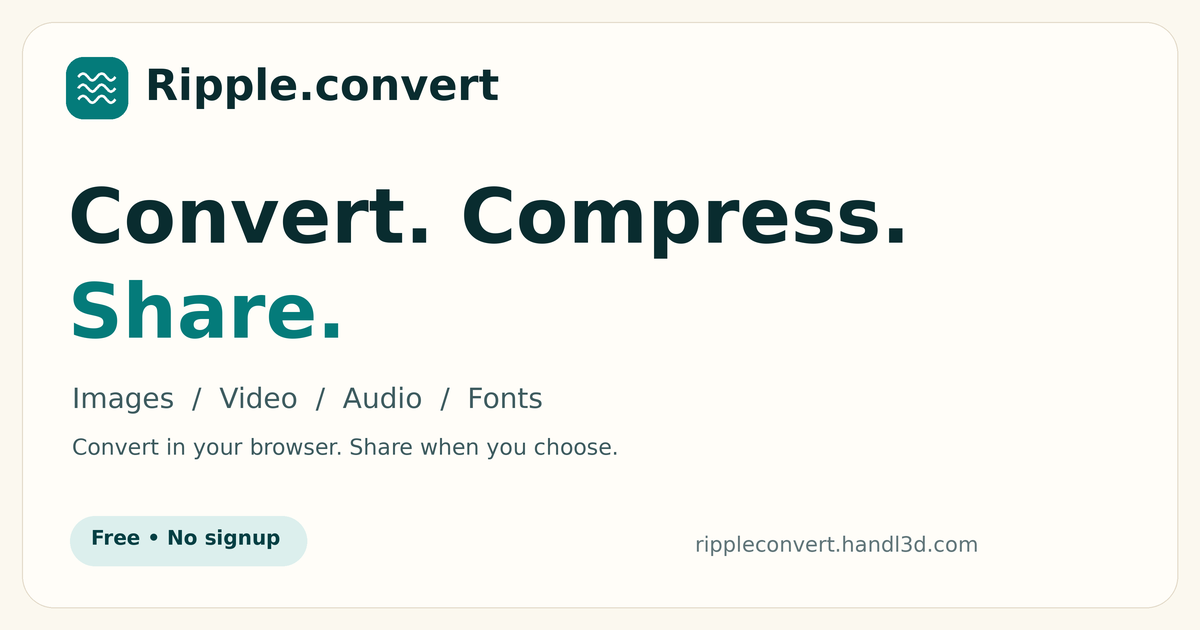
3. Ripple.convert — best for compress a large video or image to a smaller file before sending it to someone, then share it via an expiring link
Pricing: Free · Free plan: Yes · Upvotes: 26
In Ripple.convert's words
Drop a file into the browser, pick an output format, and tune settings such as quality, target file size, resize width, or audio bitrate before converting. Files stay on your device unless you create a share link for the original or converted file. The free tier includes 20 credits per day, and share links expire automatically. We are trying to make it quicker and easier for anyone to convert files on the go.
Key features
- Convert images between JPG, PNG, WEBP, AVIF, and GIF formats
- Compress or convert videos to MP4, MOV, WEBM, AVI, or MKV
- Set audio bitrate from 128 to 320 kbps for MP3, AAC, OGG, or FLAC
- Convert TTF, OTF, WOFF, WOFF2, and EOT fonts for web or desktop use
- Create expiring share links for original or converted files
Use cases
- Compress a large video or image to a smaller file before sending it to someone, then share it via an expiring link.
- Convert audio between MP3, WAV, AAC, OGG, and FLAC with bitrate control without installing software.
- Convert TTF, OTF, or WOFF fonts into WOFF2 or other web font formats for a website.
4. AnyCircumstances — best for storing important documents encrypted so chosen contacts can access them only if the user becomes unavailable

Pricing: Free · Free plan: Yes · Upvotes: 14 · Rating: 4/5 from 2 reviews
In AnyCircumstances's words
Files are encrypted on the user's device before upload, then stored as ciphertext on AWS infrastructure. Data stays encrypted and inaccessible to others until the user's chosen conditions are met. The service states it does not sell or monetize user data and limits internal access to automated processing, with any human access restricted and logged. Your digital privacy remains secure.
Key features
- Encrypts files on your device before they are uploaded
- Uses AES-256 for stored data and TLS for data in transit
- Lets you choose trusted recipients and exact release conditions
- Keeps all stored data encrypted until release conditions are met
- Removes deleted documents from active systems instead of retaining them
Use cases
- Storing important documents encrypted so chosen contacts can access them only if the user becomes unavailable.
- Setting check-in rules that determine when trusted recipients can release protected files.
- Creating a secure digital vault for emergency information that trusted contacts may need if the user cannot be reached.
5. ImageToURL — best for share a screenshot in a bug report, support ticket, or GitHub issue by pasting a hosted direct image link
Pricing: See website · Upvotes: 5
In ImageToURL's words
Drag in a file or paste a screenshot and ImageToURL hosts it and returns a direct URL plus Markdown, HTML, and BBCode snippets. Anonymous uploads are capped at 5 MB and 5 per day with a watermark and 7-day expiry; signing in extends retention to 15 days. A paid plan keeps links active as long as the plan stays active.
Use cases
- Share a screenshot in a bug report, support ticket, or GitHub issue by pasting a hosted direct image link.
- Embed an image in a README, docs page, forum post, or email signature using ready-made Markdown, HTML, or BBCode.
- Send a quick mockup or visual reference to a client or teammate during design review without re-attaching the file.
Pricing details: Basic anonymous uploads are free with no signup, limited to 5 MB and 5 per day, with a watermark and links kept for 7 days.
6. Filevale — best for turning iPhone HEIC photos into JPGs so they open on any device

Pricing: Free · Free plan: Yes · Upvotes: 0
In Filevale's words
Each tool runs in the browser using WebAssembly, so files are processed on your own device and the page states that nothing is uploaded to a server. Tools are grouped into image, PDF, video and audio, documents, archives, and QR code categories, and a 'Choose a file' option picks the right tool automatically. Batch files and ZIP downloads are supported, and the product is also offered as an App Store download, with a Mac version listed as coming soon.
Key features
- Converts HEIC photos to JPG or PNG, and images between JPG, PNG, WebP and AVIF
- Merges, splits, compresses, rotates and signs PDFs directly in the browser
- Converts PDFs to Word, Excel, PowerPoint, image formats and plain text
- Opens ZIP, RAR, 7Z and TAR archives and creates new ZIP files
- Compresses MP4 videos and extracts MP3 audio from MP4 files
Use cases
- Turning iPhone HEIC photos into JPGs so they open on any device.
- Signing a PDF by drawing or uploading a signature and placing it on the page.
- Extracting a ZIP or RAR archive without installing separate extraction software.
7. VaultShield — best for moving private photos and videos out of the Photos library into a locked vault on your iPhone
Pricing: Free · Free plan: Yes · Upvotes: 0
In VaultShield's words
Vault keys are derived with Argon2id from the unlock you set, and media is sealed with XChaCha20-Poly1305 before it is stored in a SQLCipher database. Optional encrypted iCloud backup can only be restored with a one-time recovery phrase, and vault folders are kept out of iCloud Backup. The in-app camera saves shots directly into the vault, and free on-device tools remove location data from photos and convert HEIC files.
Key features
- Encrypts photos and videos on the iPhone before they are stored in the vault
- Removes imported originals from Photos and moves them to Recently Deleted
- Unlocks with a drawn pattern, with optional Face ID added on top
- Locks itself as soon as you leave the app
- Sorts media into folders with their own locks and a disguised Calculator or Level icon
Use cases
- Moving private photos and videos out of the Photos library into a locked vault on your iPhone.
- Keeping passports, receipts and leases in the same locked vault as your photos.
- Sharing a family vault with a trusted person while keeping your other vaults private.
Comparison table
| # | Tool | Rating | Upvotes | Price |
|---|---|---|---|---|
| 1 | CleanShot 5.0 with Studio Mode Support teams providing annotated screenshots and recordings to help customers troubleshoot issues |
No reviews yet | ▲ 278 | from $10 |
| 2 | DockDuck Mac users who want to replace Finder with a faster, native file manager |
No reviews yet | ▲ 95 | from $24.99/yr |
| 3 | Ripple.convert Compress a large video or image to a smaller file before sending it to someone, then share it via an expiring link |
No reviews yet | ▲ 26 | Free plan |
| 4 | AnyCircumstances Storing important documents encrypted so chosen contacts can access them only if the user becomes unavailable |
Rated 4 out of 5 from 2 reviews4(2) | ▲ 14 | Free plan |
| 5 | ImageToURL Share a screenshot in a bug report, support ticket, or GitHub issue by pasting a hosted direct image link |
No reviews yet | ▲ 5 | See site |
| 6 | Filevale Turning iPhone HEIC photos into JPGs so they open on any device |
No reviews yet | ▲ 0 | Free plan |
| 7 | VaultShield Moving private photos and videos out of the Photos library into a locked vault on your iPhone |
No reviews yet | ▲ 0 | Free plan |
How we compared them
This is a comparison built from listing data, not a hands-on review: we have not tested these tools ourselves. Every product here is listed on Launch Llama, and the ranking uses what founders and their users have put on the record.
Tools are ordered by community upvotes. Duplicate listings are merged, and listings without a real description are left out. Pricing, features and use cases come from each product's listing and can change, so check the product's own site before you buy.
How to choose
- Choose CleanShot 5.0 with Studio Mode for support teams providing annotated screenshots and recordings to help customers troubleshoot issues.
- Choose DockDuck for mac users who want to replace Finder with a faster, native file manager.
- Choose Ripple.convert for compress a large video or image to a smaller file before sending it to someone, then share it via an expiring link.
- Choose AnyCircumstances for storing important documents encrypted so chosen contacts can access them only if the user becomes unavailable.
- Choose ImageToURL for share a screenshot in a bug report, support ticket, or GitHub issue by pasting a hosted direct image link.
- Choose Filevale for turning iPhone HEIC photos into JPGs so they open on any device.
Still comparing? Browse every tool in File storage and sharing apps or see the best tools in other categories.
Frequently asked questions
What is the best File storage and sharing app in 2026?
CleanShot 5.0 with Studio Mode is the most upvoted File storage and sharing app on Launch Llama. For Mac users: CleanShot 5.0 captures screenshots and recordings with built-in annotation and Quick Access so you share polished visuals instantly. DockDuck and Ripple.convert round out the top three.
Is there a free File storage and sharing app?
Yes. 4 of the 7 tools in this comparison list a free plan, including Ripple.convert, AnyCircumstances, Filevale.
How were these File storage and sharing apps ranked?
By community upvotes on Launch Llama, after merging duplicate listings and dropping listings without a real description. We have not tested these tools hands-on; pricing and features come from each product's listing.
How many File storage and sharing apps are listed on Launch Llama?
7 File storage and sharing apps with full listings at the time of writing. This page compares the top 7; the rest are on the File storage and sharing apps category page.