
Updated 2026-11-22 · 13 of 13 AI study tools on Launch Llama compared
Quick answer: The best AI study tools in 2026, by Launch Llama community upvotes, are Gauth Unlimited Digital Canvas, Socra, Brain Tracker. If you want to start free, Socra has a free plan. We compared all 13 AI study tools listed on Launch Llama on pricing, features and use cases.
Our picks at a glance
- Best overall: Gauth Unlimited Digital Canvas — the most upvoted AI study tool on Launch Llama
- Best free option: Socra — free plan + paid tiers
- Most features listed: Brain Tracker — 5+ features on its listing
The 13 best AI study tools in 2026
1. Gauth Unlimited Digital Canvas — best for students checking their math work and understanding mistakes

Pricing: See website · Upvotes: 471
In Gauth Unlimited Digital Canvas's words
Gauth is an all-in-one AI study platform, purpose-built for education. It combines step-by-step problem solving, interactive AI tutoring, and personalized study tools into one experience, so students can solve problems, understand concepts, and prepare more effectively. Since 2020, Gauth has surpassed 200 million downloads and supports a global community of students and lifelong learners.
Key features
- Solve STEM problems with step-by-step guidance
- Provide detailed explanations for each solution step
- Connect students with tutors available 24/7
- Turn subjects into visual learning experiences
Use cases
- Students checking their math work and understanding mistakes.
- Students solving difficult STEM homework assignments with explanations.
- Students preparing for exams through concept explanations and revision.
See Gauth Unlimited Digital Canvas pricing, reviews and alternatives →
2. Socra — best for students preparing for exams who need to master difficult concepts and understand material deeply
Pricing: Free plan + paid tiers · Free plan: Yes · Upvotes: 212
In Socra's words
Socra is an AI-powered Socratic tutor and learning platform that uses guided questioning instead of providing direct answers. It helps students, researchers, and lifelong learners truly understand subjects through Socratic dialogue and adaptive tutoring.
Key features
- Use Socratic questioning to make you recall and explain ideas in your own words.
- Turn learning dialogues into structured study notes and knowledge artifacts.
- Extract text from photos and screenshots through OCR for instant learning.
- Generate concept maps and structured knowledge outputs from conversations.
- Access the platform across web, iOS, and Android devices.
Use cases
- Students preparing for exams who need to master difficult concepts and understand material deeply.
- Writers and founders who think faster than they type and need to structure ideas into finished memos.
Pricing details: Free to start.
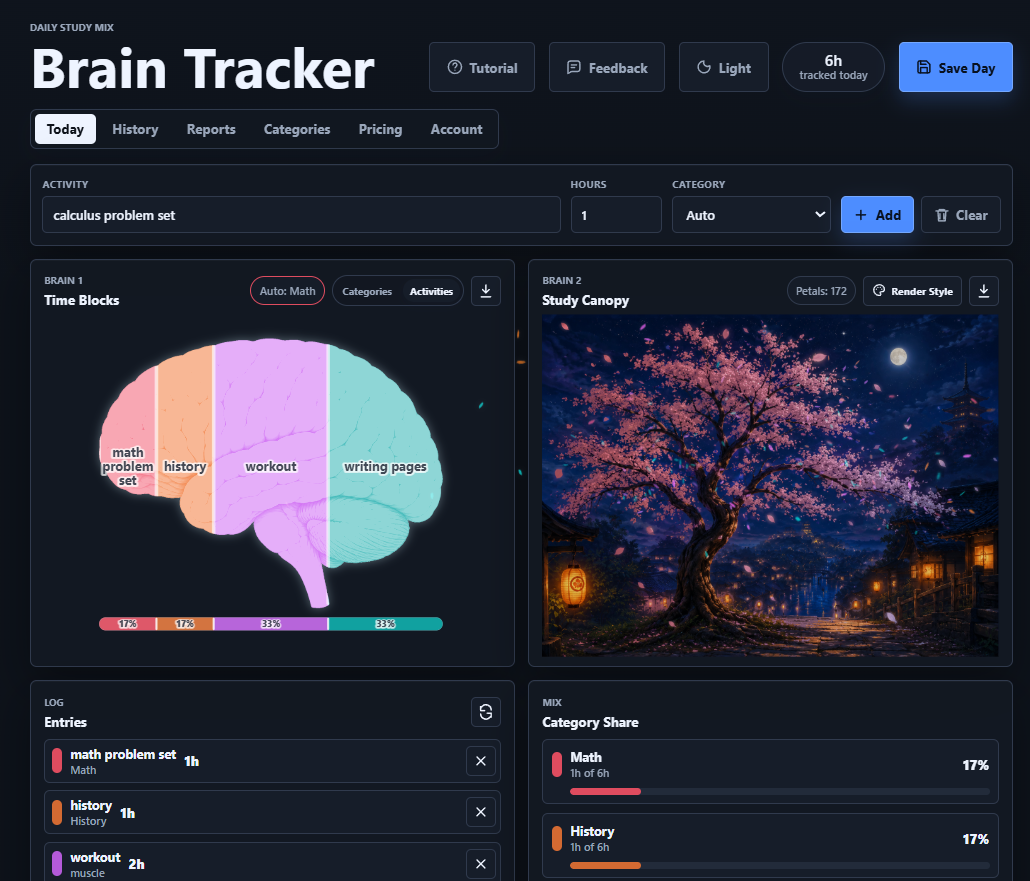
3. Brain Tracker — best for log daily study sessions by subject and visualize time allocation to identify topics consuming most focus and adjust your schedule
Pricing: Free plan; paid from $1.99/month · Free plan: Yes · Upvotes: 46 · Rating: 5/5 from 1 review
In Brain Tracker's words
Brainmaxxing is a visual study tracker that turns your work sessions into color-coded brain maps, trees, and progress snapshots. Instead of only seeing hours, streaks, or a plain task list, you can quickly see what your time actually went into across classes, projects, habits, or skills. Log an activity, choose a category, and Brainmaxxing builds a visual breakdown of your day so progress feels easier to understand and more satisfying to keep up with. It’s built for students, self-learners, and anyone who wants a more motivating way to track focus, consistency, and learning over time.
Key features
- Visualize study sessions as color-coded maps showing time allocation across categories
- Log activities and automatically categorize them by class, project, habit, or skill
- Generate progress snapshots that display learning consistency over time
- Track focus patterns through visual brain maps and tree representations
- Monitor study streaks and work session data beyond simple hour counts
Use cases
- Log daily study sessions by subject and visualize time allocation to identify topics consuming most focus and adjust your schedule.
- Track learning progress across multiple skills with color-coded categories and visual brain maps to see consistency patterns and celebrate streaks.
- Use daily visual snapshots to stay motivated during long study periods—seeing time mapped into tangible progress makes studying feel rewarding.
Pricing details: Brain Tracker has a free tier with saved history and basic views.
4. AIEasyStudy — best for student founders, edtech creators, and nonprofit leaders can use AIEasyStudy to support tutoring programs, educational workshops, and learning initiatives
Pricing: Free plan; paid from $9.99/month · Free plan: Yes · Upvotes: 40 · Rating: 5/5 from 13 reviews
In AIEasyStudy's words
AIEasyStudy turns study guides into personalized AI-powered practice for any subject. Upload notes to instantly generate MCQs, FRQs, similar practice questions, active-recall quizzes, and AI tutoring based on your materials. Unlike passive summary tools, AIEasyStudy focuses on helping students actively learn and retain information. Completely free with simple one-click sign in. Plus, we donate $1 toward CS education in underserved communities for every new user.
Key features
- AI-generated quiz questions from PDFs, notes, and study guides
- Active recall learning system designed for long-term retention
- Multiple-choice and free-response practice
- Works across subjects including STEM, humanities, and test prep
- Student-friendly interface built for efficiency and simplicity
Use cases
- Student founders, edtech creators, and nonprofit leaders can use AIEasyStudy to support tutoring programs, educational workshops, and learning initiatives.
Pricing details: AIEasyStudy offers a free version for students getting started, with additional premium features planned for advanced usage and expanded AI capabilities.
5. Aveliq — best for upload handwritten or typed notes via photo or text to get AI summaries, cutting study time for WAEC, JAMB, and NECO prep
Pricing: Free plan + paid tiers · Free plan: Yes · Upvotes: 38 · Rating: 5/5 from 1 review
In Aveliq's words
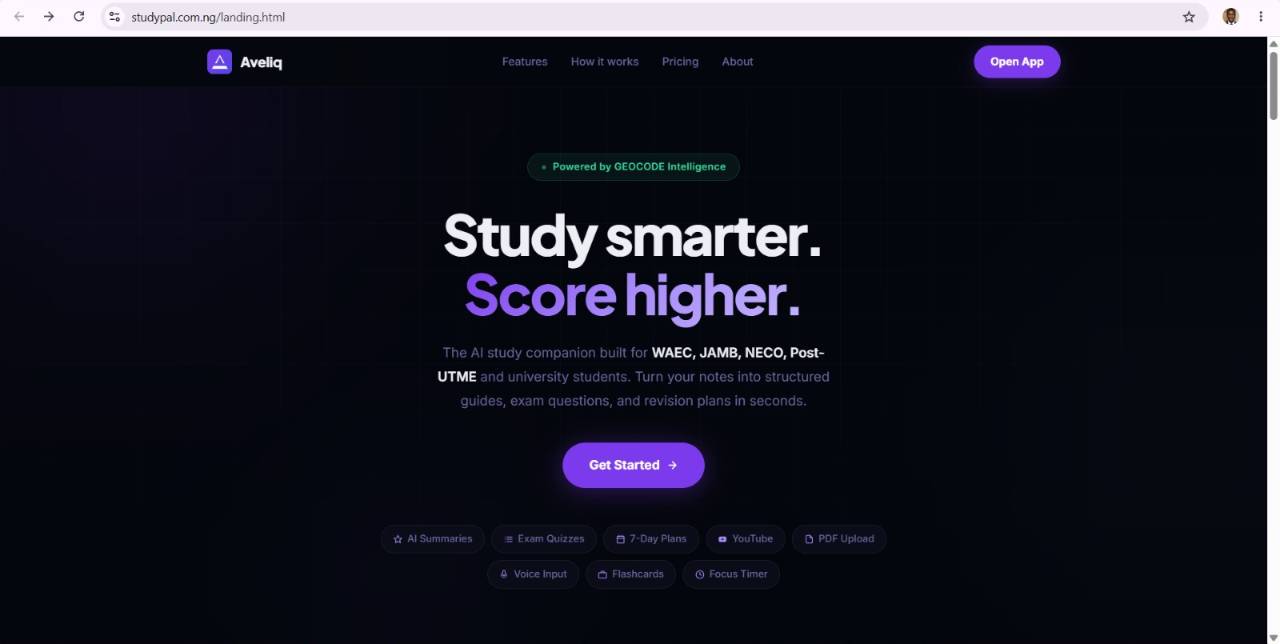
Aveliq is an AI study platform designed for Nigerian students preparing for exams like WAEC, JAMB, and NECO. It offers features including note summarization, quiz generation, past question practice, video analysis, and real-time study groups powered by Vexio AI. Students can upload notes via text, photo, or voice, and study offline with saved materials.
Key features
- Summarize notes automatically using AI to condense study material
- Generate quizzes from uploaded notes to test comprehension
- Practice past exam questions for WAEC, JAMB, and NECO
- Analyze videos to extract and organize key study points
- Join real-time study groups to collaborate with other students
Use cases
- Upload handwritten or typed notes via photo or text to get AI summaries, cutting study time for WAEC, JAMB, and NECO prep.
- Generate custom quizzes from uploaded notes to test knowledge gaps before taking actual past exams.
- Practice past exam questions directly in the app to familiarize with question formats and timing for Nigerian certification exams.
Pricing details: Free plan includes daily AI summaries, quizzes and revision plans, plus study groups and past questions.
6. Revast — best for turning uploaded lecture material into a mastery breakdown that shows which topics are strong and which need work before an exam
Pricing: Free plan + paid tiers · Free plan: Yes · Upvotes: 12
In Revast's words
Revast converts lectures and study files into structured notes, flashcards, and exam-style quizzes in minutes. Upload PDFs, slides, documents, YouTube links, or notebook photos; it transcribes, cleans handwriting, and matches your professor’s exam patterns with Professor mode highlighting gaps. Choose your output language for multilingual studying.
Search across all your materials, share flashcard decks, and stay focused with a built-in Pomodoro and study tracker.
Use cases
- Turning uploaded lecture material into a mastery breakdown that shows which topics are strong and which need work before an exam.
- Deciding what to study next by seeing exactly where you stand on your course content.
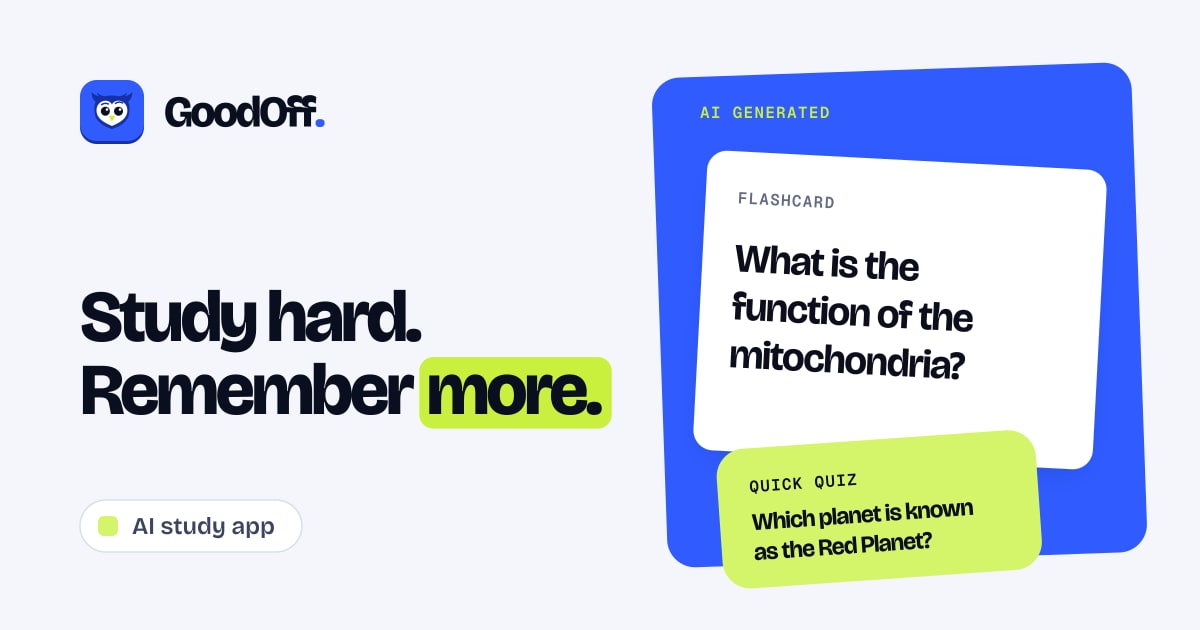
7. GoodOff — best for turning a week of class notes or lecture slides into a flashcard deck before a midterm
Pricing: Free plan; paid from $20/month · Free plan: Yes · Upvotes: 8
In GoodOff's words
GoodOff turns your notes, PDFs, slides, lectures, web pages and YouTube videos into editable flashcards and quizzes, then schedules every review with FSRS-6 spaced repetition so cards return right before you forget. Free plan on iOS, Android and web.
Pricing: Freemium. Free plan, plus Pro at $20/mo or $120/yr with a 7-day trial on the yearly plan.
Key features
- Generate flashcards, a quiz, and a study guide from PDFs, notes, or slides
- Edit generated cards and quiz questions before you study
- Ask Sage, an AI tutor, questions grounded in your own material
- Review cards on an FSRS spaced repetition schedule
- Build exam plans that count back from your test date
Use cases
- Turning a week of class notes or lecture slides into a flashcard deck before a midterm.
- Building a phased review plan with dated mock exams for a professional licensing test.
- Listening to an audio recap of a PDF during a commute.
Pricing details: Free plan, Pro $20/mo or $120/yr
8. StudyVisually — best for turning lecture slides or a PDF textbook chapter into a spaced-repetition deck before a school or university test
Pricing: Free plan; paid from $4 · Free plan: Yes · Upvotes: 7 · Rating: 5/5 from 2 reviews
In StudyVisually's words
Got a 60-page PDF and an exam next week? Drop it in. StudyVisually turns it into a deck in about a minute. Then pick how you want to study:
🗺️ Roadmap: see the whole topic and what's next.
Key features
- Seven ways to study: Roadmap, Learn, Flashcards, Quiz, Step by step, Interview and Daily mission, all from one deck.
- PDF or notes to deck: upload a file or paste text and get a full study deck in about a minute.
- Smart flashcards: spaced repetition brings each card back right before you forget it.
- Spoken answers with AI feedback: answer out loud in 60 seconds and see what you missed.
- 20-minute daily plan: a daily mission tells you what to study today and keeps your streak going.
Use cases
- Turning lecture slides or a PDF textbook chapter into a spaced-repetition deck before a school or university test.
- Revising for an exam with flashcards and short 20-minute daily study missions.
- Importing an existing Anki or Quizlet export to continue studying it in StudyVisually.
Pricing details: Free: $0. All 7 study modes, 5 AI decks a month, 3 AI feedback tries. Basic: $4 a month or $40 a year. 30 decks a month, 150 AI feedback a month. Premium: $8 a month or $80 a year. 100 decks a month, 500 AI feedback, bigger PDFs, scanned PDFs, spoken…
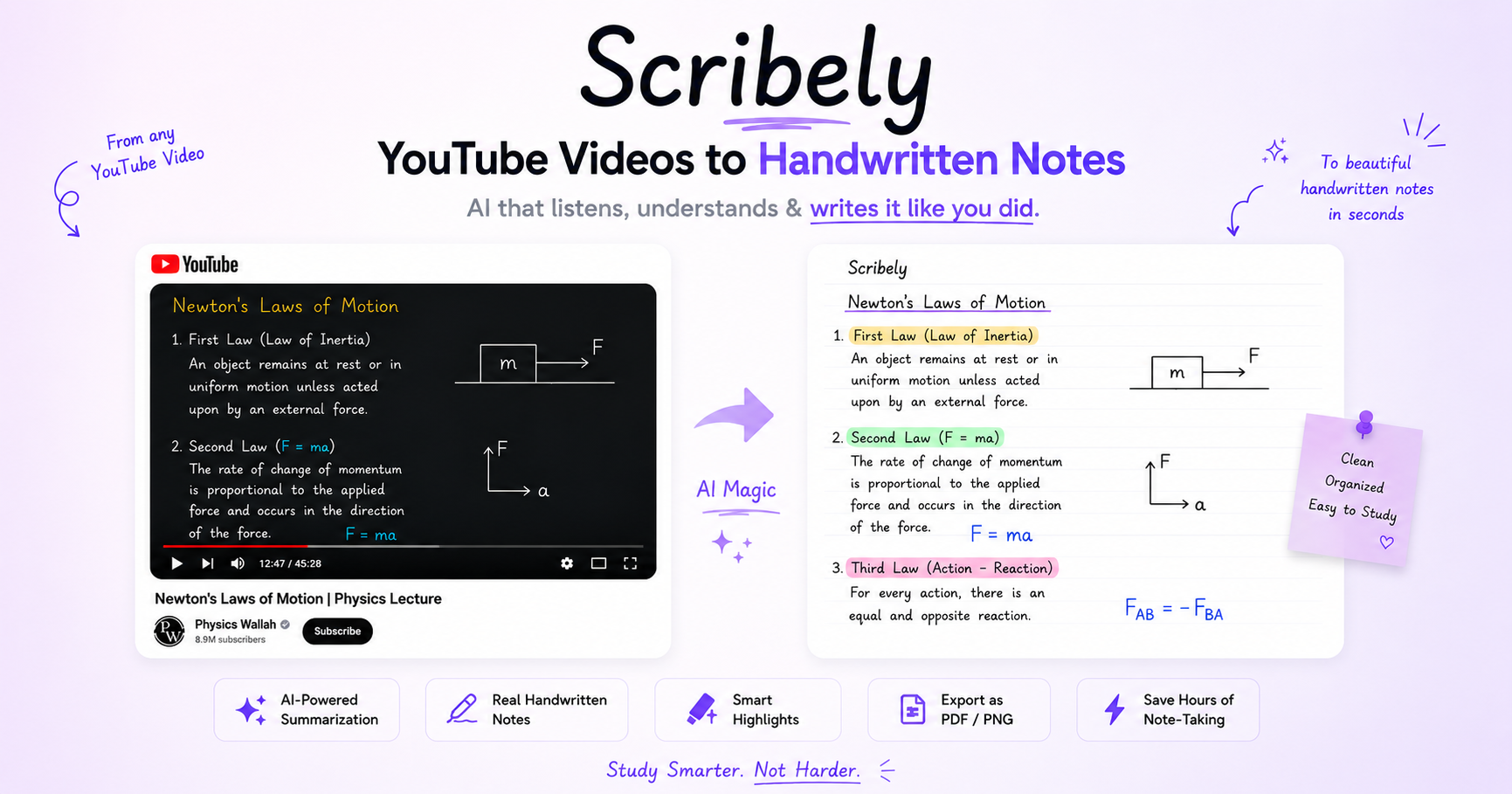
9. Scribely — best for turning a long YouTube lecture into handwritten-style study notes in seconds instead of manual note-taking
Pricing: Free · Free plan: Yes · Upvotes: 6
In Scribely's words
Scribely revolutionizes the way you take notes by converting YouTube transcripts into beautifully organized, handwritten-style study guides in seconds. Say goodbye to manual note-taking and embrace the power of AI to enhance your learning efficiency.
Key Features: 1. AI-Powered Note Taking: Automatically transforms YouTube video transcripts into structured, easy-to-study notes.
Use cases
- Turning a long YouTube lecture into handwritten-style study notes in seconds instead of manual note-taking.
- Creating one-page revision sheets from long YouTube lectures for last-minute exam review.
- Generating flashcards and multiple-choice quizzes from a video, PDF, or article to practise active recall.
10. FORKSAI
Pricing: Free plan + paid tiers · Free plan: Yes · Upvotes: 5
In FORKSAI's words
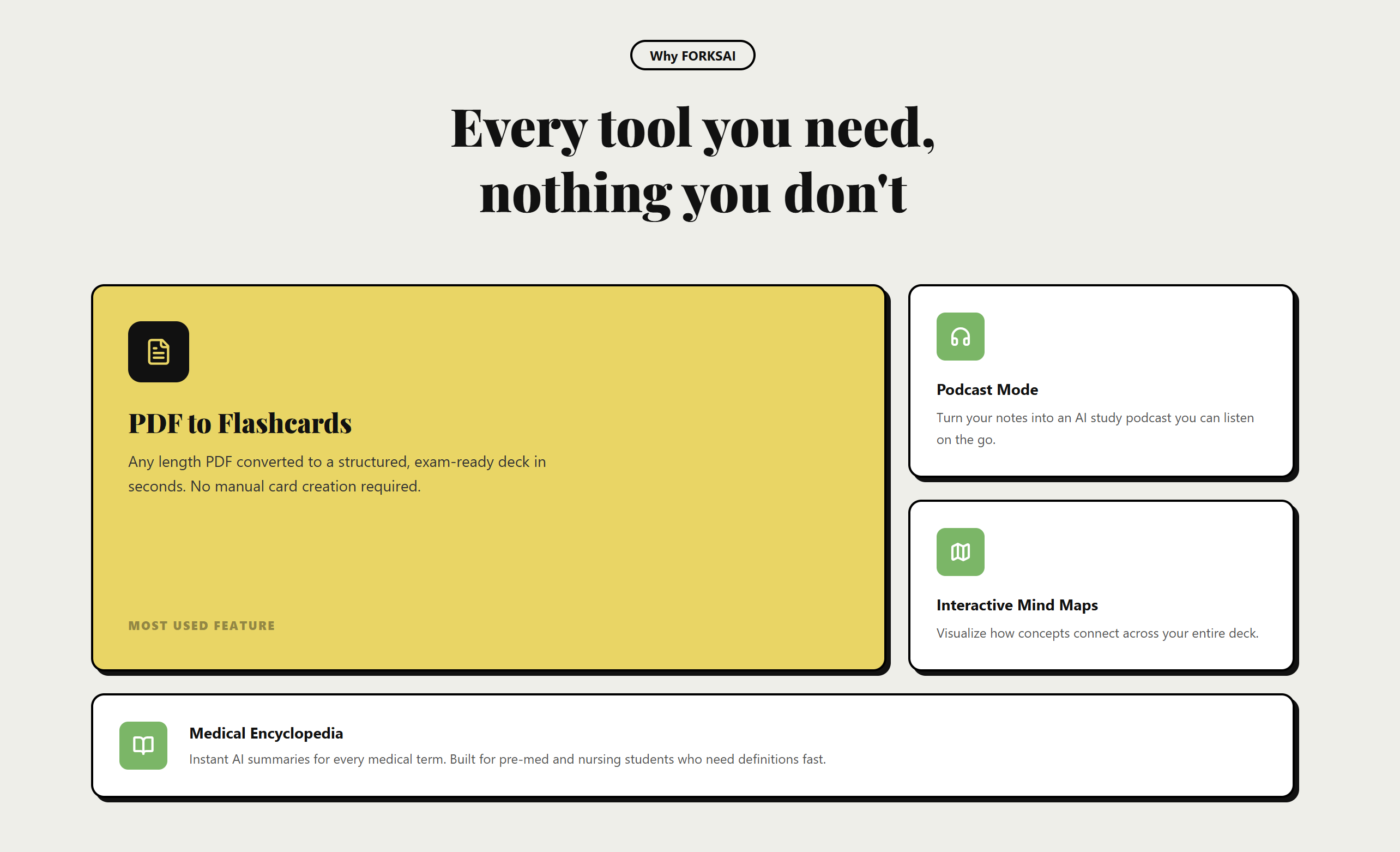
FORKSAI is an AI-powered study platform designed to help students learn faster and retain more information. Generate smart flashcards, AI podcasts, quizzes, notes, summaries, and study materials instantly from your content. Built for modern students with tools like Pomodoro timers, AI assistance, and personalized learning workflows to make studying more efficient and engaging.
11. ExamFlow — best for turning lecture PDFs and slides into editable AI flashcards for an upcoming course exam
Pricing: Free plan; paid from $12/month · Free plan: Yes · Upvotes: 2 · Rating: 1/5 from 1 review
In ExamFlow's words
ExamFlow helps students prepare more efficiently for exams by turning lecture materials into AI-generated flashcards and personalized study sessions. Upload PDFs, notes, and course materials, and ExamFlow automatically creates high-quality flashcards while avoiding duplicates. Unlike traditional flashcard apps, ExamFlow adapts your review schedule to your exam date, ensuring you focus on what matters before the exam instead of continuing reviews afterward. Organize courses and lectures, track your progress, and use proven spaced repetition techniques to improve retention and reduce study time. Whether you're preparing for university exams, certifications, or challenging courses, ExamFlow helps you stay organized, remember more, and study with confidence.
Use cases
- Turning lecture PDFs and slides into editable AI flashcards for an upcoming course exam.
- Building an exam-focused spaced repetition review schedule based on a set exam date.
Pricing details: Free plan with 8 PDF uploads and about 22 cards per month.
12. GeniusPal — best for turning a lecture deck or course PDF into a 10-question exam-style quiz to test yourself before a test
Pricing: Free plan + paid tiers · Free plan: Yes · Upvotes: 2
In GeniusPal's words
You upload a PDF, PowerPoint deck with speaker notes, Word file, or text source, and the tool writes a 10-question set with plausible wrong options drawn from the same material. A diagnostic round shows what you have locked in and what is still shaky, and redrilling targets only the questions you keep missing. You can also attach a past paper so the questions follow its structure and wording, while every fact and answer still comes from your own notes.
Key features
- Generates exam-style multiple-choice questions from uploaded notes, PDFs, and lecture slides
- Creates flashcards and written active-recall prompts from the same study material
- Writes tempting wrong answers from the same lecture and explains why each answer is right or wrong
- Scores a diagnostic round and tracks mastered versus shaky topics before exam day
- Reads a past paper's question style and applies it to questions built from your own notes
Use cases
- Turning a lecture deck or course PDF into a 10-question exam-style quiz to test yourself before a test.
- Drilling flashcards on the questions you keep missing ahead of an exam.
- Matching practice questions to a past paper's style while keeping every fact tied to your own notes.
Pricing details: Free to start, with 2 study sets free and no credit card required.
13. EchoLearn — best for turning a 2-hour lecture recording into a short designed PDF summary to study from
Pricing: Free plan; paid from $9/month · Free plan: Yes · Upvotes: 2
In EchoLearn's words
You can start from a microphone recording, a video or audio file, or a link to YouTube, TikTok, X, or a Zoom or Meet screen share. The system detects the spoken language automatically, handles accents and background noise, and returns a finished file such as a designed PDF, an MP4 with burned-in subtitles, or minutes. Audio is deleted once processing ends and is not stored on the company's servers or used to train models.
Key features
- Summarises lectures into a PDF with abstract, key points and term explanations
- Generates timed SRT subtitle files and MP4 videos with burned-in subtitles
- Translates subtitles into 15 languages
- Produces meeting minutes listing decisions, tasks and owners with full transcript
- Detects spoken language automatically and handles accents and background noise
Use cases
- Turning a 2-hour lecture recording into a short designed PDF summary to study from.
- Adding translated, timed subtitles to a video so it can reach viewers in another language.
- Getting a meeting's decisions and task owners written up at the end of a call.
Pricing details: Free plan includes 30 minutes of transcription and 30 minutes of meetings a month.
Comparison table
| # | Tool | Rating | Upvotes | Price |
|---|---|---|---|---|
| 1 | Gauth Unlimited Digital Canvas Students checking their math work and understanding mistakes |
No reviews yet | ▲ 471 | See site |
| 2 | Socra Students preparing for exams who need to master difficult concepts and understand material deeply |
No reviews yet | ▲ 212 | Free plan+ paid plans |
| 3 | Brain Tracker Log daily study sessions by subject and visualize time allocation to identify topics consuming most focus and adjust your schedule |
Rated 5 out of 5 from 1 review5(1) | ▲ 46 | Free planthen from $1.99/mo |
| 4 | AIEasyStudy Student founders, edtech creators, and nonprofit leaders can use AIEasyStudy to support tutoring programs, educational workshops, and learning initiatives |
Rated 5 out of 5 from 13 reviews5(13) | ▲ 40 | Free planthen from $9.99/mo |
| 5 | Aveliq Upload handwritten or typed notes via photo or text to get AI summaries, cutting study time for WAEC, JAMB, and NECO prep |
Rated 5 out of 5 from 1 review5(1) | ▲ 38 | Free plan+ paid plans |
| 6 | Revast Turning uploaded lecture material into a mastery breakdown that shows which topics are strong and which need work before an exam |
No reviews yet | ▲ 12 | Free plan+ paid plans |
| 7 | GoodOff Turning a week of class notes or lecture slides into a flashcard deck before a midterm |
No reviews yet | ▲ 8 | Free planthen from $20/mo |
| 8 | StudyVisually Turning lecture slides or a PDF textbook chapter into a spaced-repetition deck before a school or university test |
Rated 5 out of 5 from 2 reviews5(2) | ▲ 7 | Free planthen from $4 |
| 9 | Scribely Turning a long YouTube lecture into handwritten-style study notes in seconds instead of manual note-taking |
No reviews yet | ▲ 6 | Free plan |
| 10 | FORKSAI For students: FORKSAI generates AI flashcards, podcasts, quizzes, and summaries from your content to study faster and retain more. |
No reviews yet | ▲ 5 | Free plan+ paid plans |
| 11 | ExamFlow Turning lecture PDFs and slides into editable AI flashcards for an upcoming course exam |
Rated 1 out of 5 from 1 review1(1) | ▲ 2 | Free planthen from $12/mo |
| 12 | GeniusPal Turning a lecture deck or course PDF into a 10-question exam-style quiz to test yourself before a test |
No reviews yet | ▲ 2 | Free plan+ paid plans |
| 13 | EchoLearn Turning a 2-hour lecture recording into a short designed PDF summary to study from |
No reviews yet | ▲ 2 | Free planthen from $9/mo |
How we compared them
This is a comparison built from listing data, not a hands-on review: we have not tested these tools ourselves. Every product here is listed on Launch Llama, and the ranking uses what founders and their users have put on the record.
We read the Launch Llama listings that mention AI study tools and kept only the products whose listing shows that is what they do. They are ordered by community upvotes; duplicate listings are merged, and listings without a real description are left out. Pricing, features and use cases come from each product's listing and can change, so check the product's own site before you buy.
How to choose
- Choose Gauth Unlimited Digital Canvas for students checking their math work and understanding mistakes.
- Choose Socra for students preparing for exams who need to master difficult concepts and understand material deeply.
- Choose Brain Tracker for log daily study sessions by subject and visualize time allocation to identify topics consuming most focus and adjust your schedule.
- Choose AIEasyStudy for student founders, edtech creators, and nonprofit leaders can use AIEasyStudy to support tutoring programs, educational workshops, and learning initiatives.
- Choose Aveliq for upload handwritten or typed notes via photo or text to get AI summaries, cutting study time for WAEC, JAMB, and NECO prep.
- Choose Revast for turning uploaded lecture material into a mastery breakdown that shows which topics are strong and which need work before an exam.
Still comparing? Browse every tool in Education or see the best tools in other categories.
Frequently asked questions
What is the best AI study tool in 2026?
Gauth Unlimited Digital Canvas is the most upvoted AI study tool on Launch Llama. An AI tutor on an infinite whiteboard, not a chat thread Socra and Brain Tracker round out the top three.
What is an AI study tool?
AI study tools turn lectures, PDFs, notes and videos into things you can actually revise from: summaries, flashcards, quizzes and practice exams. Some act as a tutor that explains step by step instead of handing over answers.
What should I look for in an AI study tool?
Compare what you can feed it: PDFs, slides, recordings, YouTube links; spaced repetition for flashcards, so reviews come back at the right time; tutoring that explains rather than just answers; and whether your notes stay private.
Are AI study tools allowed for school or university?
Using them to revise, quiz yourself and understand material is generally fine. Submitting AI-written work as your own usually is not, so check your school’s policy.
Is there a free AI study tool?
Yes. 12 of the 13 tools in this comparison list a free plan, including Socra, Brain Tracker, AIEasyStudy.
How were these AI study tools ranked?
By community upvotes on Launch Llama, after merging duplicate listings and dropping listings without a real description. We have not tested these tools hands-on; pricing and features come from each product's listing.
How many AI study tools are listed on Launch Llama?
13 AI study tools with full listings at the time of writing, and this page compares all of them. Browse the Education category for related tools.