
Figma Specs
A container for your context that lives on the Figma canvas
Built by Aosheng Ran · Productivity · Design Tools · Freemium
In category: #157 of 1418 · Productivity
Figma Specs is a Product Hunt listing on Launch Llama with 228 total upvotes, founded by Aosheng Ran who joined in Nov 2026, compared against 6 alternatives.
Product Hunt listing
Listing status
228upvotes
Community score
Aosheng Ran (Joined Nov 2026)
Founder
Compared against 6 alternatives
Market comparison
Launched on Launch Llama Nov 1, 2026 · #16 of 25 that day
About
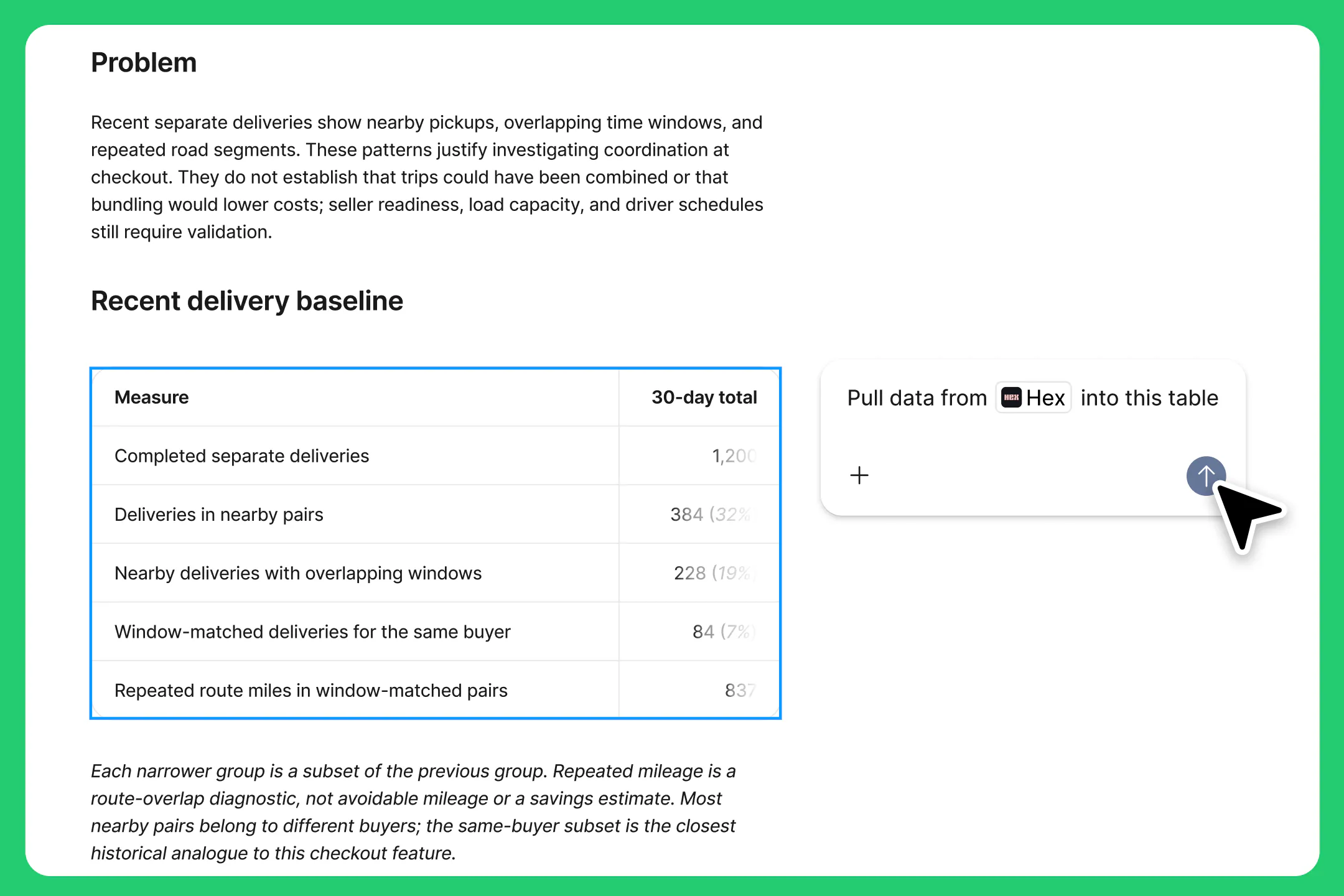
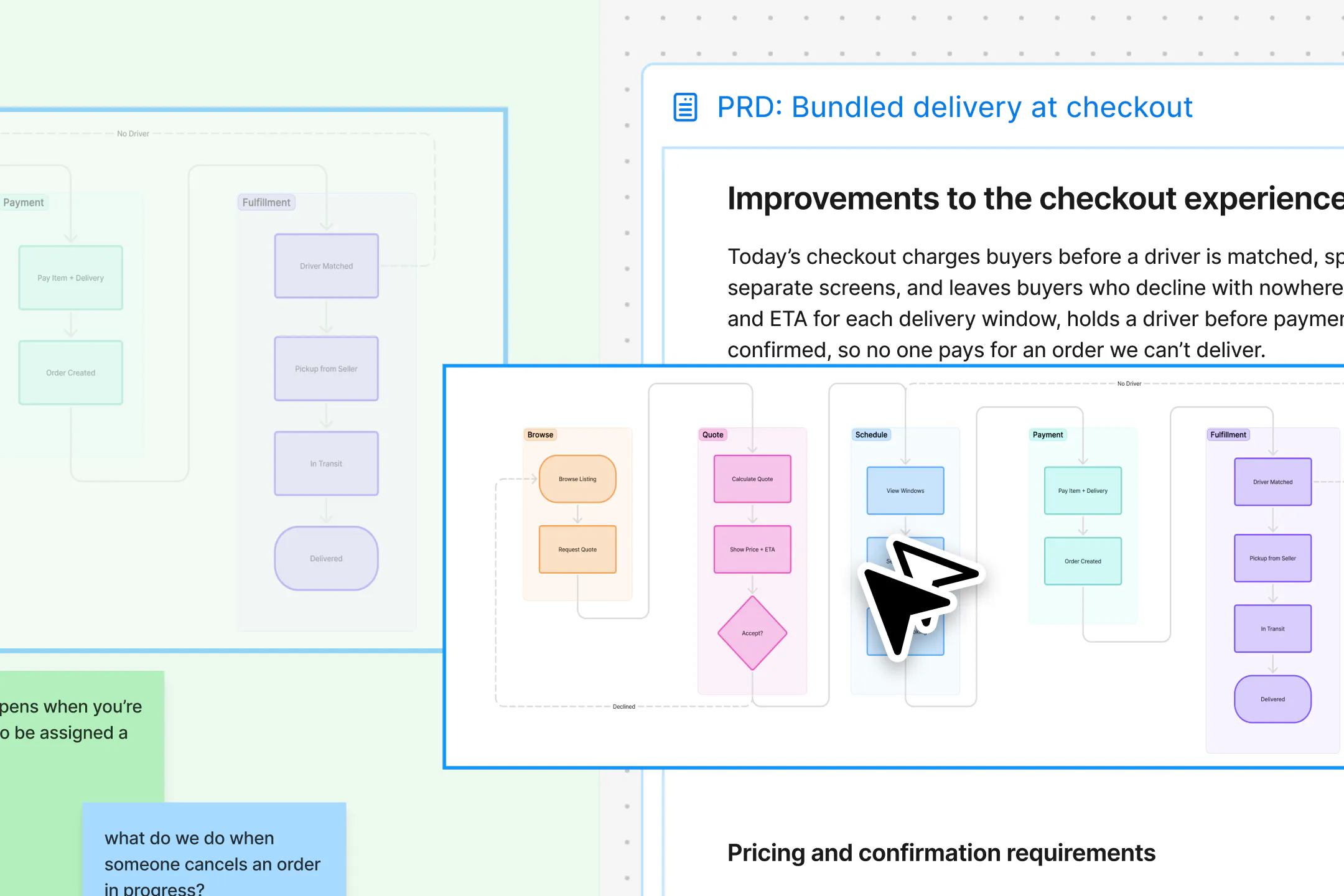
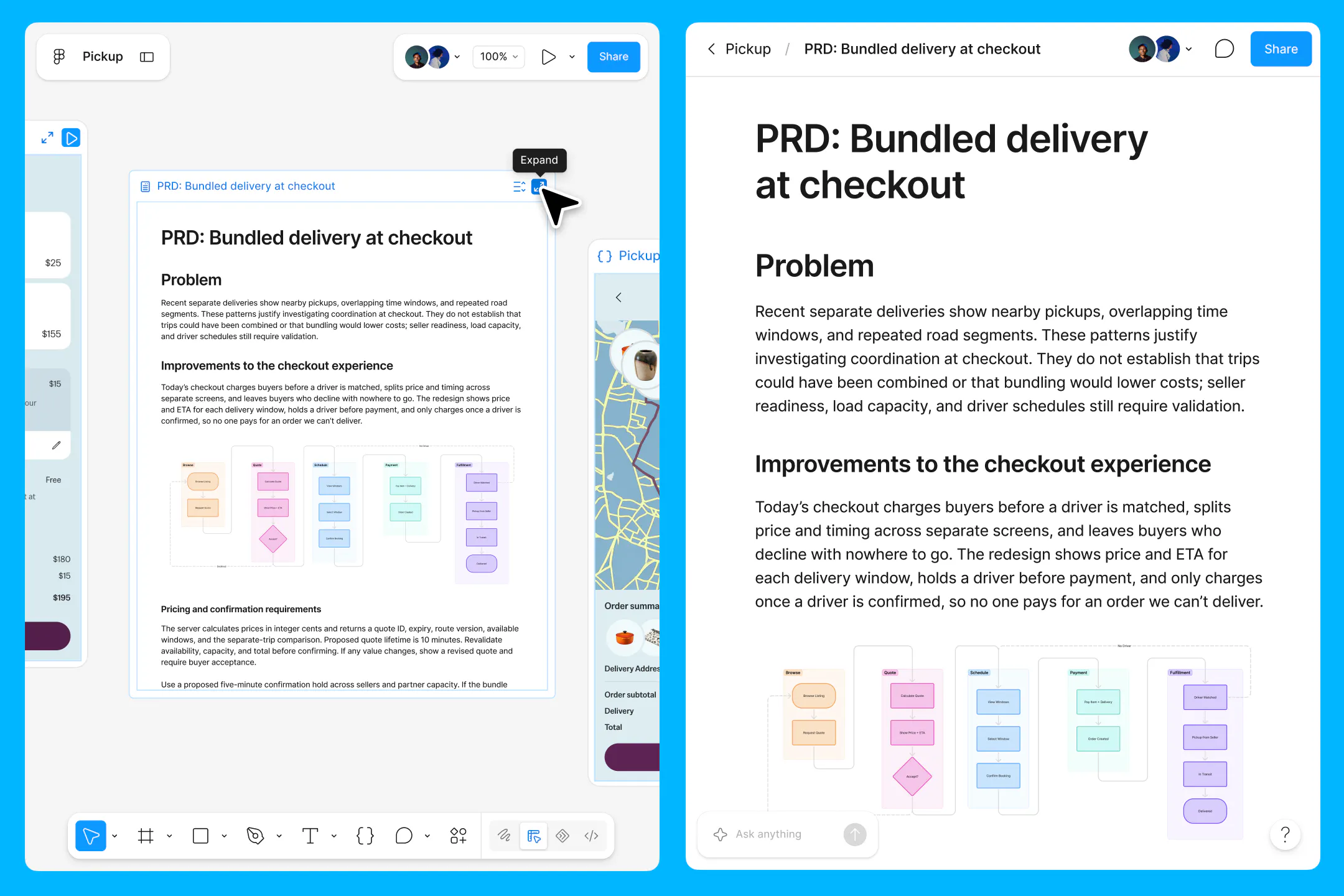
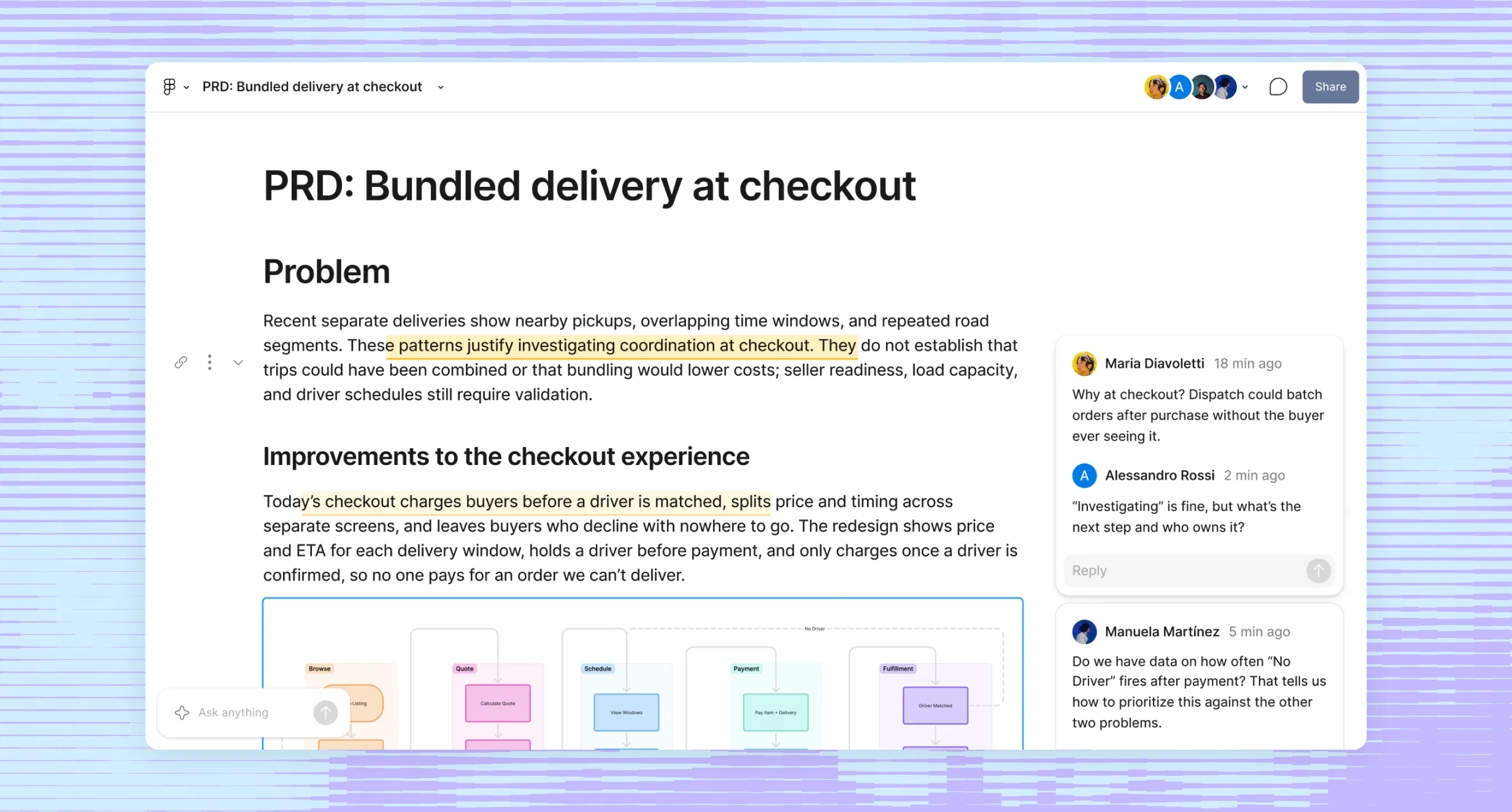
Figma Specs is a collaborative Markdown document that can live on its own or beside your designs. Embed Figma frames and FigJam diagrams, work through comments with teammates and agents, and pass the full context to coding agents through MCP.
Launch Llama's Take
Based on Launch Llama data as of
Figma Specs has 228 upvotes, including the votes it received on Product Hunt, which ranks it #157 of 1,418 Productivity tools on Launch Llama by upvotes, in the top quarter. It has been listed on Launch Llama since November 2026. No Launch Llama members have upvoted it yet and it has no reviews yet.
Figma Specs is a collaborative Markdown document that can live on its own or beside your designs, while Figma for Agents lets AI agents design directly on the Figma canvas.
Figma Specs vs Figma for Agents
Figma Specs is a collaborative Markdown document that can live on its own or beside your designs, while Figma for Agents lets AI agents design directly on the Figma canvas.
| Figma Specs | Figma for Agents | Export to Figma | Figr AI | |
|---|---|---|---|---|
| What it does | A container for your context that lives on the Figma canvas | For product teams: Figma for Agents lets AI agents access your design system, ensuring generated designs stay on-brand and aligned with y… | For designers and developers: Export to Figma converts live websites into editable designs in seconds, preserving layout, text, styles, a… | For product managers: Figr AI reviews UX, spots edge cases, and generates design-matched prototypes backed by 200K+ patterns. |
| Pricing | Freemium | Freemium | Freemium | Freemium |
| Free plan | Yes, free plan | Yes, free plan | Yes, free plan | Yes, free plan |
| Category | Design Tools | Design Tools | Design Tools | User Experience |
| Upvotes on Launch Llama | 228 | 566 | 2 | 483 |
| Listed on Launch Llama | November 2026 | April 2026 | May 2026 | February 2026 |
Key Features
- Embed Figma frames and FigJam diagrams in the document
- Work through comments with teammates and agents
- Pass full document context to coding agents through MCP
Use Cases
- Design and engineering teams who want coding agents to receive design context through MCP
- Teams who want to discuss the document with teammates and agents in comments
Pricing
Figma Specs is listed on Figma's plans page, where a Starter plan is free with limited access. Paid plans are priced per seat.
FAQ
What is a seat?
Seats give users access to Figma’s products. The different seats are designed to support different user workflows. The Full seat includes full access to all Figma products, including Figma Design, Figma Make, Figma Draw, Figma Motion, Figma Sites, Dev Mode, FigJam, Figma Slides, Figma Buzz, and Figma Specs. The Dev seat includes full access to Dev Mode, FigJam, Figma Slides, Figma Buzz, and Figma Specs. It also gives users view and comment access in Figma Design files. The Collab seat includes full access to FigJam, Figma Slides, Figma Buzz, and Figma Specs. It also gives users view and comment access in Figma Design files. It only includes basic inspection on Dev Mode. If you’re on a paid plan, you can also let others view and comment on your files without purchasing extra seats. This view and comment access only includes basic inspection on Dev Mode.
Where can I see a breakdown of my billing?
Only organization admins and billing group admins are able to view and manage billing. You can view a breakdown of your bill and manage seats from the Admin Dashboard in product. Learn more about billing
What happens if I add seats mid-year on an annual plan?
This depends on which plan you’re on. If you’re on a Professional plan, if you add new paid seats to your team during your annual subscription term, Figma charges you a separate monthly subscription for those seats at the monthly price. Once an admin approves a new seat, it will be automatically added to your next monthly invoice. The cost of the seat will be prorated based on the day it was approved until the end of your current monthly billing term. You will continue to get monthly invoices for newly added seats unless you proactively add those seats to your annual subscription or remove the seats. If you’re on an Organization or Enterprise plan, admins need to approve new seats that incur costs. By default, approved seats are included in your next invoice with prorated pricing, based on the date they were approved until the end of the annual subscription term. You’ll be invoiced quarterly for new seats added during your annual subscription term.
Can I purchase products individually?
We don’t offer the option to purchase products individually, but you can choose a plan and seats based on the products you’d like to use.
Can I inspect files without Dev Mode?
Yes, you can access inspect information as a free viewer. While you will have view-only access, you will be able to view measurements and property values, copy CSS, iOS, and Android code, export assets, comment on files, and collaborate via cursor chat. Learn more
What are AI credits and how do they work?
Figma AI uses a credit system that is shared across all Figma AI features and products. Every seat in Figma includes a monthly allotment of AI credits. The number of credits and which features you can use them with depends on your plan and seat type. Full seats include: 3,000 credits/month on the Professional plan 3,500 credits/month on the Organization plan 4,250 credits/month on the Enterprise plan All other seats (Collab, Dev, and View) and users on the Starter plan receive 500 credits/month. If you need more credits, you can purchase additional AI credits on your plan. For more details, check out our Help Center article on how AI credits work.
Is Figma available for government or public sector teams?
Yes! You can learn more on figma.com/government.
How do I downgrade or cancel my paid plan?
If you’re on the Professional plan, you can downgrade or cancel your plan your Admin Dashboard. If you’re on an Organization or Enterprise plan, please contact our Sales team to downgrade or cancel your plan. Learn more
Where can I learn more about security on Figma?
We follow extensive security practices to to protect your data and privacy. All plans meet recognized international security, privacy, and compliance standards. Learn more on figma.com/security.
Do you have a discount for schools or classrooms?
Yes! Learn more on figma.com/education.
Alternatives
 Printery - Print for FigmaFor designers: Printery converts Figma files to print-ready PDFs with CMYK, bleed, and crop marks so you skip rebuilding in InDesign.
New on Launch Llama
- Luo
- Dummy Ipsum
- Text to Handwriting
- Scritchy Scratchy
- ReadiBean
- VPSYOU
- AI Text Cleaner
- Square Image Generator
Launched this week · This month's launches · All products A–Z
Ask AI about Figma Specs
Third-party sources
- How Figma’s multiplayer technology works (2019)
Hacker News · August 16, 2025 · 176 points
- Figma will IPO on July 31
Hacker News · July 30, 2025 · 333 points
- Figma files for proposed IPO
Hacker News · July 1, 2025 · 515 points
- How we migrated onto K8s in less than 12 months
Hacker News · August 8, 2024 · 298 points
- Figma Slides
Hacker News · June 26, 2024 · 486 points
- Figma AI
Hacker News · June 26, 2024 · 240 points
- Figma’s Journey to TypeScript
Hacker News · May 3, 2024 · 261 points
- How Figma's databases team lived to tell the scale
Hacker News · March 14, 2024 · 568 points
For bots & AI agents
Machine-readable versions of Figma Specs and Launch Llama. Fetch these instead of parsing this page.
This listing (.md) llms.txt llms-full.txt ai.txt Full catalog (.md) Endpoint index API docs MCP server MCP manifest Developer docs