Best 20 Tools for AI Video Generation (2026)

A curated, upvote-ranked list of tools founders use for AI video generation — scored from live Launch Llama directory listings, not generic directory spam.

Updated November 9, 2026 · Keyword match required, then ranked by upvotes

Quick answer

The best tools for AI video generation on Launch Llama right now include Vozo AI — Video localization, Velo, Naoma AI Demo Agent. We ranked 20 matching Product Hunt and community listings by upvotes after a keyword match.

Our picks at a glance

When founders ask ChatGPT or Claude for the best tools for AI video generation, AI systems lean on clear, ranked lists with real product pages. This roundup is built from Launch Llama Product Hunt and community listings that match the query in the name or short description, then ranked by upvotes (Product Hunt preferred on ties).

Tools for AI video generation (20)

Keyword match required, then ranked by upvotes.

#1

SaaS · Artificial Intelligence · Video · Paid · Product Hunt

by CY

For video creators: Vozo AI translates on-screen text in videos while preserving layout and animation, completing multilingual localization without recreating visuals.

About

Fully translated videos — finally. Visual Translate adds the final layer — translating text inside videos — on top of voice dubbing, lip-sync, and subtitles. It detects and translates on-screen text, from slides and diagrams to callouts and labels, while preserving the original layout, style, and animation. Turn slide videos and explainers into multilingual versions and reach a global audience — without recreating visuals from scratch.

Key features

  • 01Dub videos with natural pronunciation and native accents in target languages
  • 02Match speaker lip movements to translated speech automatically
  • 03Generate translated subtitle files or embed subtitles directly into videos
  • 04Detect, erase and translate on-screen text while preserving layout and style
  • 05Support translation in 160+ languages with multimodal AI

Pricing

The page highlights a free option.

Why it's good for AI video generation

Vozo AI — Video localization matched our AI video generation filters in its name or short description (SaaS / Artificial Intelligence). Use it alongside consistent execution to compound results.

692 upvotes
#2

Productivity · Sales · Video · Freemium · Product Hunt

by Ajay Kumar

Velo preview

For sales teams: Velo turns screen recordings or prompts into polished videos with AI narration and 25+ language localization so you explain faster.

About

Velo 3.0 is here, our third and biggest launch yet. Start with a screen recording or a prompt. Describe the video you need, and Velo writes the script, narrates it in your own voice, and builds the finished cut. It stays grounded in your company knowledge, from your docs and tools you connect through connectors and MCP. Edit by typing changes. Localize the finished video into 25+ languages in one click. Recording or prompt, Velo turns either into a polished video you can ship anywhere.

Key features

  • 01Generate videos from company documents, knowledge bases, and product context
  • 02Automatically update existing videos when products or policies change
  • 03Create and edit videos collaboratively within shared team workspaces

Pricing

Velo offers a free plan with 1,500 credits per month. Pro costs $49/month with 3,000 credits. Ultra costs $200/month with 30,000 credits. Enterprise pricing is custom and available on contact.

Launch Llama take

Velo is an AI video platform that generates videos from company documents, knowledge bases, and product context, and updates existing videos when products or policies change. Unlike Intentio AI, which converts phone videos into visual procedures, Velo keeps its videos grounded in…

Why it's good for AI video generation

Velo matched our AI video generation filters in its name or short description (Productivity / Sales). Use it alongside consistent execution to compound results.

680 upvotes
#3

Marketing · Artificial Intelligence · YC Application · Product Hunt

by Dmitry Zakharov

For B2B SaaS teams: Naoma delivers personalized, live AI video demos 24/7 in-browser, qualifying prospects and routing them to sales or checkout automatically.

About

Turn “Book a demo” into “Get an AI demo now.” Naoma is the first video AI demo agent for B2B SaaS that delivers live, personalized demos in-browser 24/7 in any language. It clicks through real product flows, answers questions, qualifies prospects, and routes them to CRM, sales calendar, or checkout. Choose the avatar style: human-like, branded mascot, or a more formal look to engage your prospects.

Key features

  • 01Run personalized product demos instantly in 33 languages
  • 02Qualify prospects and route them to CRM or calendar automatically
  • 03Adapt demos to each customer's needs and context
  • 04Click through real product flows without manual intervention
  • 05Capture lead data and insights from prospect interactions

Pricing

See the Naoma AI Demo Agent website for current pricing.

Launch Llama take

Unlike CrafterQ AI, which is aimed at website owners who want agents that engage visitors broadly, Naoma AI Demo Agent focuses on demos that click through real product flows.

Why it's good for AI video generation

Naoma AI Demo Agent matched our AI video generation filters in its name or short description (Marketing / Artificial Intelligence). Use it alongside consistent execution to compound results.

635 upvotes
#4

Social Media · Marketing · Video · Developer Tools · Freemium · Product Hunt

by Tsz Hoi Lee

Jupitrr AI preview

For marketers: Jupitrr AI writes scripts, records with teleprompter, auto-edits with subtitles, and publishes videos to socials.

About

VideoOS is the all-in-one video marketing platform for businesses. Find trending topics in your niche, write scripts with AI, record with our Auto Jump Cut teleprompter, auto-edit with subtitles and B-roll, and publish directly to your socials. One app instead of five. Go from idea to posted video faster.

Key features

  • 01Write scripts in your tone with personalized AI scriptwriter
  • 02Automatically add B-roll, subtitles, and music to talking videos
  • 03Publish edited videos to YouTube, Instagram, TikTok, and LinkedIn
  • 04Record scripts with teleprompter app and auto jump-cut
  • 05Search for trending video topics in your niche

Pricing

Freemium with paid plans. Starter costs $18/month billed annually. Pro costs $39/month. Team costs $89/month. Free sample video available before subscribing.

Launch Llama take

Jupitrr AI is aimed at coaches and businesses that want to turn their own talking videos into social media content, with teleprompter recording, auto-editing, and publishing. Unlike jupa, which generates videos from typed prompts, and video ai, which generates AI videos from text…

Why it's good for AI video generation

Jupitrr AI matched our AI video generation filters in its name or short description (Social Media / Marketing). Use it alongside consistent execution to compound results.

384 upvotes
#5

Design Tools · Video · Freemium · Product Hunt

For creators: Higgsfield generates professional AI videos from text prompts with intuitive motion controls and creative editing.

About

Higgsfield is an AI-native creative suite that generates images, videos, and voice content from text prompts or references. It helps creators edit and upscale media, automate creative workflows with an AI agent, and generate content across web and mobile platforms.

Key features

  • 01Generate images and videos from text prompts
  • 02Transfer motion into new scenes or swap details
  • 03Create cinematic scenes with Cinema Studio
  • 04Automate creative workflows with AI agent powered by GPT-6 Astra
  • 05Access advanced video model for high-quality output

Pricing

Plans include a Lite tier with free generations and an Enterprise option, with a sign-up discount offered on the page.

Launch Llama take

Higgsfield is an AI-native creative suite that generates images, videos, and voice content from text prompts or references, while Higgsfield Genjutsu focuses on recasting video content with different characters and locations.

Why it's good for AI video generation

Higgsfield matched our AI video generation filters in its name or short description (Design Tools / Video). Use it alongside consistent execution to compound results.

320 upvotes
#6

Marketing · Artificial Intelligence · Photo & Video · Freemium · Product Hunt

by Devin Huynh

AutoEdit preview

For creators: AutoEdit turns raw footage into polished rough cuts 10x faster inside Premiere Pro by removing silences, filler words, and bad takes automatically.

About

AutoEdit helps content creators edit their videos 10x faster by turning raw footage into a clean rough cut in minutes. It works directly inside Adobe Premiere Pro as an AI Plugin. Claude AI understands content, automatically removing silences, filler words, bad takes, restarts, and repeated sections while generating captions and structuring timelines. Editors stay in control of creative decisions while AutoEdit handles the repetitive, boring work.

Key features

  • 01Remove silences, filler words, and repeated takes automatically
  • 02Generate captions without leaving Premiere Pro
  • 03Switch podcast camera angles automatically for multicam
  • 04Resize videos to vertical format without manual keyframing
  • 05Build rough cuts directly inside Premiere Pro

Pricing

Free plan available with 4 basic tools. Paid plans start at $9.99/month (Lite) up to $199/month, billed annually with discounts.

Launch Llama take

AutoEdit is an AI plugin that works inside Adobe Premiere Pro and removes silences, filler words, and repeated takes from raw footage. Unlike Vibecut, which takes uploaded raw footage and produces multiple finished versions, AutoEdit keeps editors in control of creative decisions…

Why it's good for AI video generation

AutoEdit matched our AI video generation filters in its name or short description (Marketing / Artificial Intelligence). Use it alongside consistent execution to compound results.

313 upvotes
#7

Marketing · Artificial Intelligence · Photo & Video · Productivity · Paid · Product Hunt

by Paul G

VIDEO AI ME preview

For marketers: VIDEO AI ME generates realistic AI videos from selfies or scripts in 70+ languages for ads, courses, and viral content.

About

VIDEO AI ME generates professional videos with AI actors from a single selfie or photo. It helps brands and marketers create ads and content in over 70 languages without hiring creators or editors. Users get full commercial rights to all generated videos included in their subscription.

Key features

  • 01Create AI video clones from a single photo or selfie
  • 02Produce content in 70+ languages with native lip-sync
  • 03Automatically add captions, trim dead air, and insert B-roll
  • 04Clone voices from audio samples or select from voice library

Pricing

VIDEO AI ME starts at $19/month billed annually (4 months free) or $29/month billed monthly. Pro plan is $66/month annually or $99/month monthly. Premium is $132/month annually or $199/month monthly. All plans include a full commercial license.

Launch Llama take

VIDEO AI ME generates professional videos with AI actors from a single selfie or photo, aimed at brands and marketers who want ads without hiring creators or editors. AI UGC Video Generator for TikTok & Meta Ads focuses on campaign-ready ads for TikTok and Meta, while VIDEO AI ME…

Why it's good for AI video generation

VIDEO AI ME matched our AI video generation filters in its name or short description (Marketing / Artificial Intelligence). Use it alongside consistent execution to compound results.

205 upvotes
#8

Hiring · SaaS · Artificial Intelligence · Product Hunt

by Zahra K

HackerEarth preview

For recruiters: HackerEarth OnScreen uses AI video avatars for unbiased, always-on interviews with real-time proctoring and cheat detection.

About

Introducing HackerEarth OnScreen, an AI hiring tool powered by always-on, zero-bias interview agents. OnScreen uses lifelike video avatars to create genuine two-way interactions, making every interview feel like a real conversation. These agents show up for every candidate, every time, never cancelling, never drifting, and never showing bias. With a smart browser, real-time video proctoring, and AI-likeness detection, OnScreen ensures every interview is verified and truly cheat-proof.

Key features

  • 01Run AI-powered assessments to evaluate candidate skills
  • 02Conduct automated interviews with AI agents and video avatars
  • 03Evaluate candidates using rubric-based evaluation methods
  • 04Access a pool of over 10 million developers for hiring
  • 05Detect cheating with smart browser and real-time video proctoring

Pricing

See the HackerEarth website for current pricing.

Launch Llama take

HackerEarth OnScreen offers automated interviews with AI agents and video avatars, while InterviewFlowAI automates first-round hiring with AI voice agents. HackerEarth describes always-on, zero-bias interview agents, whereas Interview Signal is a desktop app for the person runnin…

Why it's good for AI video generation

HackerEarth matched our AI video generation filters in its name or short description (Hiring / SaaS). Use it alongside consistent execution to compound results.

123 upvotes
#9

Freemium · Product Hunt

by Ben Chomsang

TryCase preview

For developers: TryCase tests your PRs with AI and returns video walkthroughs so you see changes before merging with confidence.

About

TryCase is an AI QA agent that automatically tests pull requests end-to-end and reports results on GitHub. It helps developers see what happens when code changes ship, without writing or maintaining test suites. The tool works by reading code changes, identifying affected user journeys, and testing them like a real user would.

Key features

  • 01Read pull requests to identify which user journeys are affected by changes
  • 02Test applications by opening them in a browser and clicking through journeys
  • 03Record video walkthroughs with captions showing what the app does
  • 04Report test results directly as GitHub pull request comments and checks

Pricing

Free tier includes 3 small or medium pull requests per month. Paid per-pull-request pricing starts at $1 for small changes, $2.50 for medium, and $5 for large. No subscription required.

Launch Llama take

TryCase is an AI QA agent that automatically tests pull requests end-to-end and reports results on GitHub. Unlike Replay, which lists writing tests automatically as a feature, TryCase states that it works without writing or maintaining test suites. Checksum AI generates and auto-…

Why it's good for AI video generation

TryCase matched our AI video generation filters in its name or short description (founder tools). Use it alongside consistent execution to compound results.

103 upvotes
#10

Cinematic AI video from text and images

Artificial Intelligence · Freemium · Community

by Seedance

Create cinematic AI videos with Seedance 2.5 using text, images, multi-shot direction, natural motion, and synchronized audio.

About

Seedance 2.5 is an AI video model that turns text prompts, reference images, and multi-shot direction into cinematic clips, with optional synchronized sound. Users write one prompt covering subject, action, setting, camera language, shot order, and sound direction. Optional image uploads can guide a character's identity, a product's appearance, composition, or art direction. It is aimed at creators who make short-form clips for channels such as Reels, TikTok, and YouTube. Its main use is ideas that need more than o…

Key features

  • 01Multi-shot storytelling with consistent characters and atmosphere
  • 02Text-to-video and image-to-video generation
  • 03Image animation that preserves subject and composition
  • 04Natural motion guided by plain-language camera and action direction
  • 05Synchronized ambience and sound effects with generated video

Pricing

Plans are Basic at $9.99/month for 1,000 credits, Pro at $19.99/month for 2,000 credits, and Elite at $39.99/month for 4,000 credits, all without watermarks and with commercial use. Credit packs and a free start are also mentioned.

Why it's good for AI video generation

Seedance 2.5 matched our AI video generation filters in its name or short description (Artificial Intelligence). Use it alongside consistent execution to compound results.

87 upvotes
#11

Artificial Intelligence · Community

by q q

ReelMuse.ai preview

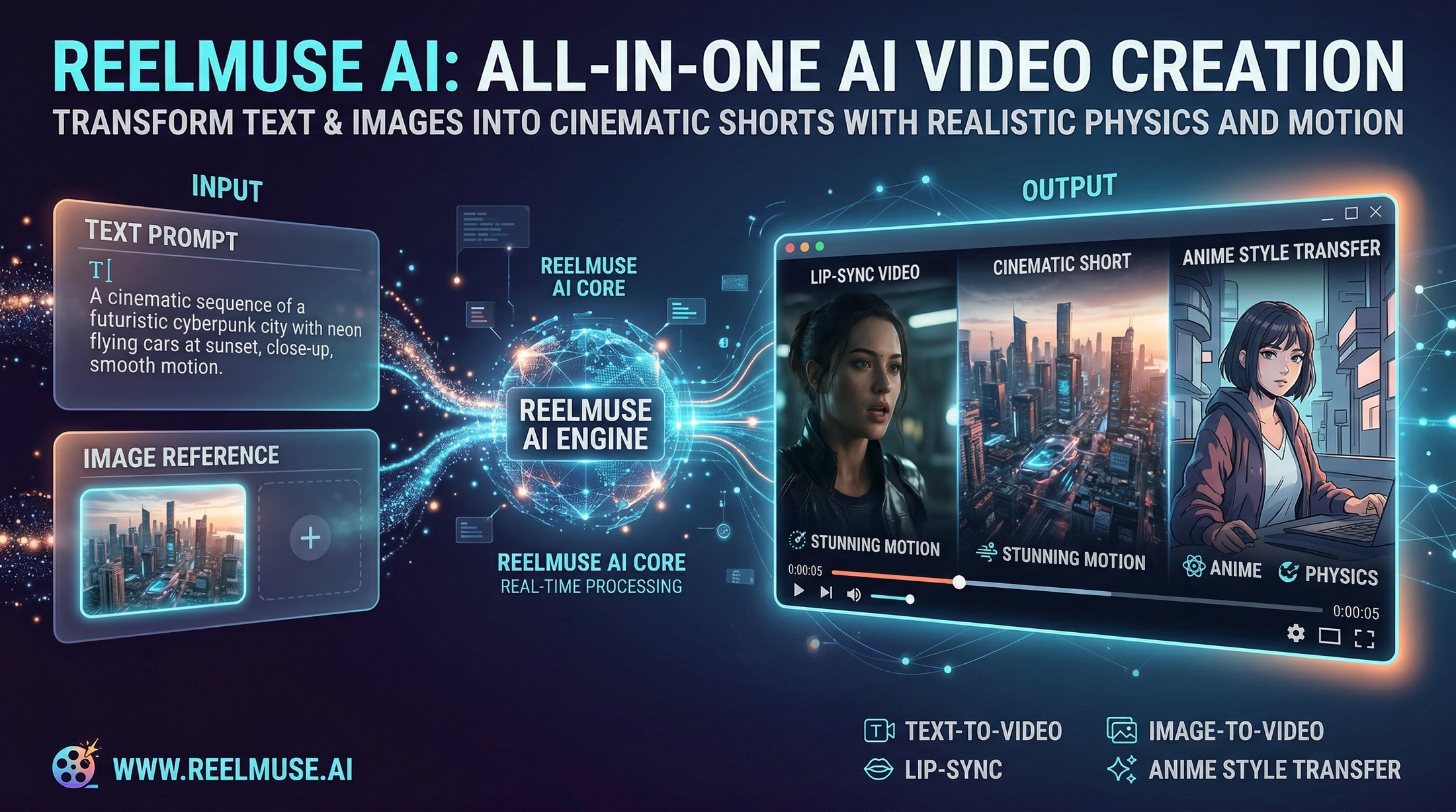
For creators: ReelMuse.ai generates videos, images, and audio with AI so you produce content 10x faster without hiring talent.

About

Create anything with AI. Generate videos, images, and audio with ReelMuse.ai’s powerful AI tools.

Key features

  • 01Generate videos using AI without manual production
  • 02Create images with AI-powered generation tools
  • 03Produce audio content with AI synthesis
  • 04Reduce content creation time through automation
  • 05Eliminate need for external talent hiring

Pricing

See the ReelMuse.ai website for current pricing.

Why it's good for AI video generation

ReelMuse.ai matched our AI video generation filters in its name or short description (Artificial Intelligence). Use it alongside consistent execution to compound results.

65 upvotes
#12

Video Tools · Artificial Intelligence · Free · Community

by David Yang

For video creators: Image to Video Prompt Generator builds AI video prompts so you generate motion and effects faster.

About

Image to Video Prompt helps creators generate and copy image-to-video prompts for AI video models including Grok, Kling, Vidu, Hailuo, Runway, and Veo. It includes prompt examples for character motion, dance videos, camera movement, and video prompt recipes.

Key features

  • 01Generate structured prompts optimized for image-to-video AI models
  • 02Access pre-built prompt examples for character motion, dance, and camera movement
  • 03Copy ready-to-use video prompt recipes for faster generation
  • 04Support prompts across multiple AI platforms including Runway, Kling, and Vidu
  • 05Streamline creative workflow from static images to motion video output

Pricing

Image to Video Prompt Generator is free to use. See the website for details.

Why it's good for AI video generation

Image to Video Prompt Generator matched our AI video generation filters in its name or short description (Video Tools / Artificial Intelligence). Use it alongside consistent execution to compound results.

53 upvotes
#13

Artificial Intelligence · Design Tools · Developer Tools · Freemium · Community

by krekz

Zilivo AI preview

For content creators: Zilivo combines AI image and video generation, editing, and motion transfer so you ship production-ready assets without juggling separate tools.

About

Zilivo is a multimodal creation engine combining AI image generation, AI video generation, image and video editing, motion transfer, and API access into one unified platform. Built for content creators, marketing teams, agencies, and developers who need production-ready visual assets without managing disconnected tools. The platform packages AI workflows as finished outputs rather than exposing individual models, enabling users to move from concept to publishable asset efficiently.

Key features

  • 01Generate images and videos with AI from text prompts
  • 02Edit images and videos within the same platform
  • 03Transfer motion between video subjects or assets
  • 04Access creation workflows via API for programmatic use
  • 05Package AI outputs as production-ready assets

Pricing

Yearly plans are advertised with savings of up to 50%.

Why it's good for AI video generation

Zilivo AI matched our AI video generation filters in its name or short description (Artificial Intelligence / Design Tools). Use it alongside consistent execution to compound results.

36 upvotes
#14

Artificial Intelligence · Freemium · Community

by Kamrul Agarwal

Happy Horse 1.1 AI Video Generator preview

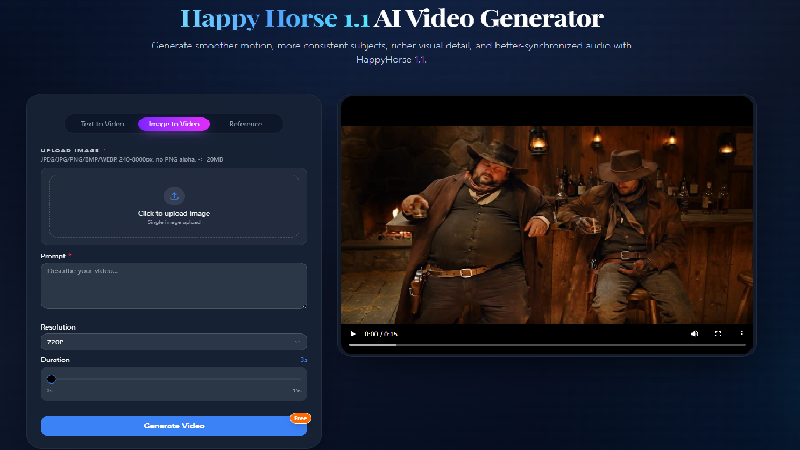
For creators: Happy Horse 1.1 generates cinematic videos from text and images with realistic motion and native audio so you produce professional content in minutes.

About

HappyHorse 1.1 is an advanced AI video generator designed to create cinematic videos from text prompts, images, and reference assets. Available on JXP, it brings together text-to-video, image-to-video, reference-driven generation, and AI video editing in a single creative workflow. The model focuses on realistic motion, native audio generation, and consistent storytelling, allowing creators to produce professional-quality videos with minimal effort. How does HappyHorse 1.1 work? HappyHorse 1.1 is powered by a unif…

Key features

  • 01Generate cinematic videos from text prompts with realistic motion
  • 02Animate still images and illustrations while maintaining visual quality
  • 03Create synchronized dialogue and sound effects with natural lip sync
  • 04Maintain consistent characters and visual style across multiple shots
  • 05Edit and extend existing clips without regenerating entire videos

Pricing

A free trial is offered on the page.

Why it's good for AI video generation

Happy Horse 1.1 AI Video Generator matched our AI video generation filters in its name or short description (Artificial Intelligence). Use it alongside consistent execution to compound results.

36 upvotes
#15

Artificial Intelligence · Automation · SaaS · Free · Community

by Emery Hayes

VideoSupport AI preview

For support teams: VideoSupport AI analyzes customer video explanations against your docs so you auto-resolve 75% of tickets without manual work.

About

VideoSupport AI lets customers explain their issues through video instead of lengthy text conversations. The platform uses AI to analyze videos against your documentation and automatically resolve 75% of support tickets. It integrates seamlessly with major CRMs and chat tools like HubSpot, Intercom, and Zendesk, with no app installation required.

Pricing

VideoSupport AI is free to use. See the website for details.

Why it's good for AI video generation

VideoSupport AI matched our AI video generation filters in its name or short description (Artificial Intelligence / Automation). Use it alongside consistent execution to compound results.

36 upvotes
#16

Artificial Intelligence · Social Media · Marketing · Freemium · Community

by Pranay Mahulikar

Meteorra AI preview

For content creators: Meteorra AI analyzes video metadata before publishing so you reach your target audience and maximize views from day one.

About

Meteorra AI analyzes video content ideas before publishing to identify target audience segments, top regions, keywords, hashtags, and optimal metadata. It provides pre-publish intelligence for YouTube, TikTok, and Instagram Reels creators to improve discoverability and reach the right audience from day one.

Key features

  • 01Analyze video metadata to identify target audience segments before publishing
  • 02Discover top geographic regions and keywords for content discoverability
  • 03Generate optimized hashtags tailored to your video content
  • 04Preview audience reach and performance potential before going live
  • 05Support YouTube, TikTok, and Instagram Reels metadata optimization

Pricing

Meteorra offers free use with 6 free uses across its tools and no signup needed.

Why it's good for AI video generation

Meteorra AI matched our AI video generation filters in its name or short description (Artificial Intelligence / Social Media). Use it alongside consistent execution to compound results.

36 upvotes
#17

Social Media · Other · Productivity · Freemium · Community

by Sumathi

For creators: Skrrol AI generates videos from images or text prompts, enabling fast content production without manual editing.

About

Generate AI video using Images or text

Key features

  • 01Generate videos from still images with AI
  • 02Create videos from text prompts
  • 03Produce content without manual video editing
  • 04Enable fast video creation for social media

Pricing

The studio is free with no time limit, and generators include a small free credit allowance. Paid plans start at €7.99 per month for 8,000 credits, with no contracts.

Why it's good for AI video generation

Skrrol AI matched our AI video generation filters in its name or short description (Social Media / Other). Use it alongside consistent execution to compound results.

36 upvotes
#18

Social Media · Developer Tools · Freemium · Community

by donney

For content creators: video ai generates AI videos from text prompts, turning scripts into ready-to-share social media content.

About

video ai is an AI video generator for text to video, image to video, and reference image to video. It is built for content creators who turn scripts into ready-to-share social media content. It can produce clips for TikTok ads, product demos, and social content. After a prompt is entered, the AI processes the request and creates a unique video. Finished videos can be downloaded in HD and shared anywhere. The site says professional videos generate in two to five minutes.

Key features

  • 01Text to video generation from written prompts
  • 02Image to video animation of uploaded images
  • 03Reference-guided generation using uploaded images or videos
  • 04Camera path, motion, and style extraction from references
  • 05Real-time tracking of video generation progress

Pricing

Plans are Basic at $9.90/month (280 credits), Pro at $29.90/month (960 credits), and Team at $79.90/month (2,850 credits), with 10 free credits to start and no credit card required.

Why it's good for AI video generation

video ai matched our AI video generation filters in its name or short description (Social Media / Developer Tools). Use it alongside consistent execution to compound results.

35 upvotes
#19

Artificial Intelligence · Design Tools · Developer Tools · Freemium · Community

by YINGTU TECHNOLOGY PTE. LTD.

For creators and developers: YingTu tests AI image and video outputs in a browser playground so you validate results before API integration.

About

YingTu is a browser-based AI image and video playground for creators and developers. It lets users test and compare supported prompts, reference inputs, image sizes, video durations and resolutions, task status, and downloadable outputs before integrating an API route. Opening the playground is free; generation requires a valid API key and follows the active account and route rules.

Pricing

Pay per image, billed by LaoZhang from $0.018 to $0.12 per image with no subscription. New users who sign in with Gmail get $0.1 of free credit for 30 days.

Why it's good for AI video generation

YingTu matched our AI video generation filters in its name or short description (Artificial Intelligence / Design Tools). Use it alongside consistent execution to compound results.

34 upvotes
#20

Artificial Intelligence · Design Tools · Marketing · Freemium · Community

by Sora2 Hub

For creators and marketers: Sora2 Hub generates AI videos and images from text or images using Sora 2, Veo, and Kling in one workspace.

About

Sora2 Hub is an all-in-one AI video and image generation platform built for creators, marketers, agencies, startup teams, and AI enthusiasts. The platform helps users create videos from text prompts or reference images, generate visual concepts, test product scenes, and produce social media content without switching between many separate AI tools. Sora2 Hub supports text-to-video, image-to-video, AI image generation, HD output, and practical marketing content production with models such as Sora 2, Veo 3.1, Kling AI…

Pricing

Sora2 Hub uses a flexible credit system where you pay only for what you use, and a free trial sandbox is available to test models.

Why it's good for AI video generation

Sora2 Hub matched our AI video generation filters in its name or short description (Artificial Intelligence / Design Tools). Use it alongside consistent execution to compound results.

33 upvotes

Comparison table

1 Vozo AI — Video localization

E-commerce sellers adapting product videos for different regions with local accents and translated offers

▲ 692 Paid
2 Velo

Sales teams creating product demo videos from changelogs and documentation

▲ 680 Free planthen from $49/mo
3 Naoma AI Demo Agent

B2B SaaS companies wanting to convert more website visitors into qualified demo requests

▲ 635 See site
4 Jupitrr AI

Coaches who want to turn raw talking videos into polished content for social media

▲ 384 Free planthen from $18/mo
5 Higgsfield

Visual effects creators generating big-budget effects like explosions and surreal transformations

▲ 320 Free plan+ paid plans
6 AutoEdit

YouTubers who want to remove dead air and repeated takes from long recordings

▲ 313 Free planthen from $9.99/mo
7 VIDEO AI ME

E-commerce sellers testing multiple ad variants weekly instead of hiring freelance creators

▲ 205 from $19/mo
8 HackerEarth

Companies seeking to streamline technical candidate screening and interviewing processes

▲ 123 See site
9 TryCase

Developers who want to verify visual changes and user journeys affected by code modifications

▲ 103 Free planthen from $1
10 Seedance 2.5

Generating multi-shot cinematic AI video clips from a text prompt, reference images, or a still image for social content such as Reels, TikTok, and YouTube

▲ 87 Free planthen from $9.99/mo
11 ReelMuse.ai

Use the video generation tool to produce short-form content for social platforms daily without waiting for filming or editing crews

▲ 65 See site
12 Image to Video Prompt Generator

Upload product images and generate AI video prompts for Runway or Veo to create motion demos for e-commerce without shooting video

▲ 53 Free plan
13 Zilivo AI

Use the unified image and video generation to create multiple asset variations in one workflow instead of switching between separate AI tools

▲ 36 Free plan+ paid plans
14 Happy Horse 1.1 AI Video Generator

Convert script drafts into cinematic videos using text-to-video to preview storytelling before production

▲ 36 Free plan+ paid plans
15 VideoSupport AI

Customers record their screen and voice to show a support agent a bug, such as a broken Export button, instead of typing long chat threads

▲ 36 Free plan
16 Meteorra AI

Analyze video metadata before uploading to YouTube to identify target audience segments and high-performing keywords for better discoverability on day one

▲ 36 Free plan+ paid plans
17 Skrrol AI

Use text prompts to generate short-form videos directly from script ideas, eliminating manual editing work for social media content calendars

▲ 36 Free plan+ paid plans
18 video ai

Generating short-form videos for TikTok ads and product demos from text prompts or product images

▲ 35 Free planthen from $9.90/mo
19 YingTu

Generate or edit AI images with Nano Banana Pro, GPT Image 2 or Seedream, paying per image from $0.018 with no subscription

▲ 34 Free planthen from $0.018
20 Sora2 Hub

Generating short AI videos and images from text prompts or reference images in one workspace for social media content

▲ 33 Free plan+ paid plans

How to choose

  • Choose Vozo AI — Video localization for E-commerce sellers adapting product videos for different regions with local accents and translated offers.
  • Choose Velo for sales teams creating product demo videos from changelogs and documentation.
  • Choose Naoma AI Demo Agent for B2B SaaS companies wanting to convert more website visitors into qualified demo requests.
  • Choose Jupitrr AI for coaches who want to turn raw talking videos into polished content for social media.
  • Choose Higgsfield for visual effects creators generating big-budget effects like explosions and surreal transformations.
  • Choose AutoEdit for youTubers who want to remove dead air and repeated takes from long recordings.

Frequently Asked Questions

What are the best tools for AI video generation?

We've ranked 20 Product Hunt and community tools on Launch Llama for AI video generation. Top picks include Vozo AI — Video localization, Velo, Naoma AI Demo Agent. Tools must match the query in name or short description, then rank by upvotes with Product Hunt preferred on ties.

How are these tools ranked?

Each tool must match keywords tied to AI video generation in its name or short description (vague single words in the blurb alone do not count). We only include Product Hunt listings with real traction or paying Featured listings, then sort by upvotes. Duplicate listings for the same website are removed.

Are these tools free?

Many offer free tiers or trials. Check each product page or website for current pricing. Browsing and upvoting on Launch Llama is free.

How often is this list updated?

The ranking refreshes from the live Launch Llama directory whenever approved tools change. Last-updated appears at the top of the page.

Can I submit my tool for AI video generation?

Yes. Submit your product free on Launch Llama. Once approved and relevant to this query, it can appear in this roundup.

Markdown twin: /blog/best-tools-for-ai-video-generation.md