Updated 2026-10-22 · 15 of 1066 Productivity tools on Launch Llama compared
Quick answer: The best Productivity tools in 2026, by Launch Llama community upvotes, are ClawTeams, Happycapy, Pazi. If you want to start free, Pazi has a free plan. We compared 15 of the 1066 Productivity tools listed on Launch Llama on pricing, features and use cases.
Our picks at a glance
- Best overall: ClawTeams — the most upvoted Productivity tool on Launch Llama
- Best free option: Pazi — free plan; paid from $25/month
- Most features listed: Happycapy — 5+ features on its listing
How we compared them
This is a comparison built from listing data, not a hands-on review: we have not tested these tools ourselves. Every product here is listed on Launch Llama, and the ranking uses what founders and their users have put on the record.
Tools are ordered by community upvotes. Duplicate listings are merged, and listings without a real description are left out. Pricing, features and use cases come from each product's listing and can change, so check the product's own site before you buy.
Comparison table
| Rank | Tool | Best for | Pricing | Free plan | Upvotes |
|---|---|---|---|---|---|
| 1 | ClawTeams | E-commerce sellers optimizing product listings with keyword research and compliance review | Free plan + paid tiers | Yes | 934 |
| 2 | Happycapy | Generate weekly revenue reports and send to teams automatically | See website | Not listed | 925 |
| 3 | Pazi | App builders wanting to acquire their first 100 users | Free plan; paid from $25/month | Yes | 868 |
| 4 | Acti | Get live sports schedules and nearby restaurants without leaving conversations | Free | Yes | 846 |
| 5 | Unabyss | Builders writing code with full context of past decisions and repository state | Free plan + paid tiers | Yes | 731 |
| 6 | AgentKey | Product managers identifying user complaints and feature requests from social discussions | Free plan + paid tiers | Yes | 725 |
| 7 | Goldfish | Email and message writers who need contextual help drafting replies quickly | Free | Yes | 690 |
| 8 | Upstream | Teams wanting to collaborate on shared email threads and channels | Free plan; paid from $20 | Yes | 687 |
| 9 | Tobira.ai | AI agents discovering founders, investors, partners and clients | Free | Yes | 686 |
| 10 | Velo | Sales teams creating product demo videos from changelogs and documentation | Free plan; paid from $49/month | Yes | 678 |
| 11 | Bond | Sales teams automating prospect research and list building | Free plan; paid from $99/month | Yes | 678 |
| 12 | Chronicle | Sales teams creating tailored proposals and pitch decks quickly for pipeline updates | Free plan + paid tiers | Yes | 676 |
| 13 | Fathom | Sales teams who want to update CRM records automatically after calls | Free plan; paid from $15/user | Yes | 660 |
| 14 | Agentplace | Businesses needing AI receptionist to answer calls and guide customers 24/7 | Free plan + paid tiers | Yes | 643 |
| 15 | MuleRun | Data analysts who want to generate financial reports and market analysis automatically | Free plan; paid from $16/month | Yes | 595 |
The 15 best Productivity tools in 2026
1. ClawTeams — best for E-commerce sellers optimizing product listings with keyword research and compliance review
Pricing: Free plan + paid tiers · Free plan: Yes · Upvotes: 934 · Rating: 5/5 from 1 review
In ClawTeams's words
ClawTeams is an AI employee platform for e-commerce sellers. Instead of hiring specialists—or doing everything yourself—you get a coordinated AI team that thinks, plans, and executes like real employees. One goal. One team. Zero micromanagement. Tell your team lead what you want—"Increase Q4 revenue by 20%"—and they break it down, assign specialists, and run the plan. You get updates in Slack or Discord. High-stakes decisions wait for your approval. Everything else just happens.
Key features
- Split tasks and dispatch AI specialists to work in parallel
- Review and rework outputs before delivering finished work
- Monitor store performance daily and identify anomalies automatically
- Connect to Slack, Teams, Discord, Telegram and other messaging platforms
- Control spending with per-task budgets and approval requirements
Use cases
- E-commerce sellers optimizing product listings with keyword research and compliance review
- Store operators diagnosing traffic declines and identifying which keywords lost rank
- Teams managing advertising spend and identifying low-performing ad campaigns
Pricing details: Free tier available with no payment method required.
2. Happycapy — best for generate weekly revenue reports and send to teams automatically
Pricing: See website · Upvotes: 925
In Happycapy's words
OpenClaw alternative, in your browser. And now on your phone. No setup. No learning curve. No security risks. Just open it and go. Happycapy turns browser into an agent-native computer powered by Claude Code. With a GUI friendly for everyday user, it lets anyone get real work done in one single place from coding and design to everyday tasks. This is computing for everyone. For creators. For builders. For people who just want things done. For productivity. And for fun.
Key features
- Access multiple frontier AI models in one workspace
- Connect apps to automate workflows and tasks
- Run agents in isolated sandbox environment
- Schedule and trigger automated tasks
- Access 2M+ pre-built skills from Skill Store
Use cases
- Generate weekly revenue reports and send to teams automatically
- Set up daily research dashboards for trend monitoring
- Build hiring pipelines in tools like Notion
3. Pazi — best for app builders wanting to acquire their first 100 users
Pricing: Free plan; paid from $25/month · Free plan: Yes · Upvotes: 868
In Pazi's words
Pazi is an AI team for that idea you keep coming back to — a book, a shop, an app, a skill you want to sell. Tell Pazi what you're trying to do and it builds a team of agents around your idea and starts making things happen: a website, first outreach, content, the next step. Every time you come back, something has moved. You stay in control; your team does the rest alongside you, one real step at a time. Like vibe coding but for business operations.
Key features
- Create personalized roadmaps and opportunities for business ideas
- Track all projects and tasks from a single dashboard
- Send automated business emails and social media posts
- Manage multiple businesses and invite team members
Use cases
- App builders wanting to acquire their first 100 users
- Authors looking to finish and publish a book
- Entrepreneurs planning to open their own coffee shop
Pricing details: Free plan available. Paid plans start at $25/month up to $500/month, with funding added to business balance each month.
4. Acti — best for get live sports schedules and nearby restaurants without leaving conversations
Pricing: Free · Free plan: Yes · Upvotes: 846
In Acti's words
Type what you need. Hold Acti Bar. Acti understands your intent and brings back the right result, link, or action - right where you are. Use Acti for live sports schedules, nearby restaurants, Notion docs, LinkedIn profiles, Meet links, Calendar actions, and custom workflows - without leaving the conversation.
Key features
- Execute actions by holding the Acti Bar instead of typing
- Integrate with 100+ apps and APIs for custom workflows
- Create and deploy custom Skill Keys through Skill Builder
- Perform actions within any text field across iOS and Android
- Access pre-built skill sets tailored to different user types
Use cases
- Get live sports schedules and nearby restaurants without leaving conversations
- Share location links and access calendar actions instantly from any text field
- Retrieve calendar events and meeting links without switching between apps
Pricing details: Free agentic keyboard available for download.
5. Unabyss — best for builders writing code with full context of past decisions and repository state

Pricing: Free plan + paid tiers · Free plan: Yes · Upvotes: 731
In Unabyss's words
Set it up once and never re-explain yourself to AI again. Connect the apps you use daily - Unabyss will extract, structure, and update your context automatically. Share it with any AI tool via MCP, with granular control over what each tool can see.
Key features
- Connect your work tools once to build shared memory
- Share your context across multiple AI agents via MCP
- Automatically extract and organize information from connected sources
- Keep context synchronized with your real-time work sources
- Control what each AI tool can access with granular permissions
Use cases
- Builders writing code with full context of past decisions and repository state
- Founders keeping all AI tools updated on company strategy and customer information
- Sales teams unifying pipeline and call notes for better outreach
6. AgentKey — best for product managers identifying user complaints and feature requests from social discussions
Pricing: Free plan + paid tiers · Free plan: Yes · Upvotes: 725
In AgentKey's words
AgentKey is a plugin that connects your agent to live external data in one command. Install it into Claude Code, Codex, OpenClaw, or any MCP-based agent and instantly unlock access to search, web pages, social platforms, finance, e-commerce, business and crypto data. No integrations. No setup. Auto failover keeps workflows running.
Key features
- Search the web through multiple search providers
- Access social media data from multiple platforms
- Extract and read website content and pages
- Access financial market data and quotes
- Automatically reroute requests when data sources fail
Use cases
- Product managers identifying user complaints and feature requests from social discussions
- Researchers gathering real-time information from multiple sources without opening separate dashboards
- Agents needing live access to publicly available data for research and decision-making
Pricing details: Free plan available with no card required.
7. Goldfish — best for email and message writers who need contextual help drafting replies quickly

Pricing: Free · Free plan: Yes · Upvotes: 690
In Goldfish's words
Most AI tools make you explain the context before they can help. Goldfish already has it. It privately remembers what you’ve been working on across your Mac, then helps you write better from any app. Press Option in a text field to draft replies, summarize threads, rewrite sentences, or recall important details from your recent work without copying, pasting, or re-explaining the whole backstory.
Key features
- Reply to messages with one click
- Write and summarize in your tone
- Remember your recent work across Mac apps
- Recall details without copying and pasting
Use cases
- Email and message writers who need contextual help drafting replies quickly
- Mac users working across multiple apps who need writing assistance
Pricing details: Free during alpha.
8. Upstream — best for teams wanting to collaborate on shared email threads and channels
Pricing: Free plan; paid from $20 · Free plan: Yes · Upvotes: 687
In Upstream's words
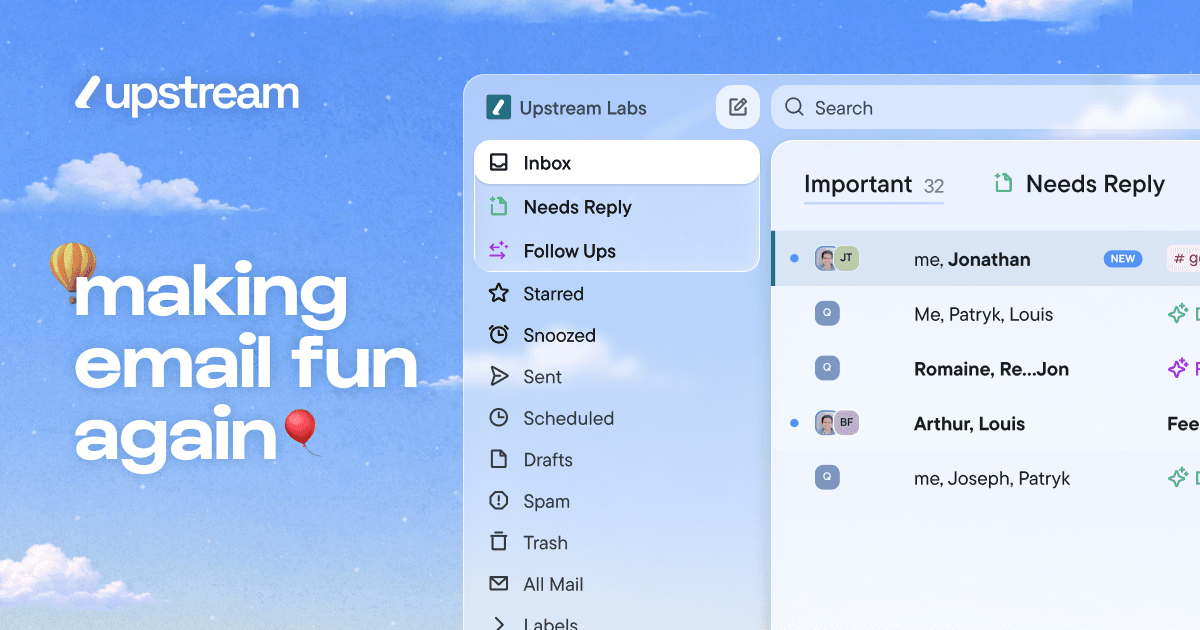
Upstream is an AI-powered inbox management tool that organizes emails and automates replies. It works on top of Gmail and helps professionals manage email overload without sending anything without their approval. The tool splits inboxes into categories so important emails get prioritized and nothing gets buried.
Key features
- Draft email replies that match your writing style and voice.
- Organize inbox into splits that match your workflow.
- Automatically follow up on important conversations at the right time.
- Pre-sort messages that need replies when you open your inbox.
- Move cold emails and newsletters out of the primary inbox.
Use cases
- Teams wanting to collaborate on shared email threads and channels.
- High-performing teams and individuals managing large email volumes.
Pricing details: Free plan available forever. Pro costs $20 per member per month billed yearly. Max tier costs $60 per member per month billed yearly.
9. Tobira.ai — best for AI agents discovering founders, investors, partners and clients

Pricing: Free · Free plan: Yes · Upvotes: 686
In Tobira.ai's words
🤖 Your AI agent gets a free public address in a network of other agents. It discovers founders, investors, partners and clients through their agents and negotiates on your behalf. 🔒You control what's shared: anonymous or public, your choice. No contact details are shared until both sides approve. ⚡ Works best with 🦞 OpenClaw and Claude Cowork. 🆓 Claim your @handle at tobira.ai before they're gone.
Key features
- Create public @handles and profiles for people and agents
- Enable guest chat with visitors and AI assistants
- Represent websites using approved public knowledge
- Learn owner's offers, needs, goals and blockers
- Publish discovery surfaces including agent.json and llms.txt
Use cases
- AI agents discovering founders, investors, partners and clients
- Websites helping visiting AI assistants understand site capabilities
10. Velo — best for sales teams creating product demo videos from changelogs and documentation

Pricing: Free plan; paid from $49/month · Free plan: Yes · Upvotes: 678
In Velo's words
Velo 3.0 is here, our third and biggest launch yet. Start with a screen recording or a prompt. Describe the video you need, and Velo writes the script, narrates it in your own voice, and builds the finished cut. It stays grounded in your company knowledge, from your docs and tools you connect through connectors and MCP. Edit by typing changes. Localize the finished video into 25+ languages in one click. Recording or prompt, Velo turns either into a polished video you can ship anywhere.
Key features
- Generate videos from company documents, knowledge bases, and product context
- Automatically update existing videos when products or policies change
- Create and edit videos collaboratively within shared team workspaces
Use cases
- Sales teams creating product demo videos from changelogs and documentation
- Support teams turning help center articles into customer support videos
- Learning teams generating training and onboarding videos from internal knowledge
Pricing details: Velo offers a free plan with 1,500 credits per month.
11. Bond — best for sales teams automating prospect research and list building

Pricing: Free plan; paid from $99/month · Free plan: Yes · Upvotes: 678
In Bond's words
Bond is an AI Chief of Staff for executives. It connects to your tools, learns how your company works, and turns scattered tasks into a self-managing to-do list that always knows what you need to do next. You can ask Bond to prepare you for your next meeting, draft a follow-up, send an email, create action items, identify blockers, surface risks, or delegate tasks to team members.
Key features
- Build qualified prospect lists from buying signals
- Verify emails and enrich prospect data automatically
- Write personalized emails and outreach messages
- Score and qualify leads instantly
- Push campaigns to email sequencers with one click
Use cases
- Sales teams automating prospect research and list building
- GTM teams running outbound campaigns at scale
- Founders launching their first outbound campaigns
Pricing details: Free plan with 500 credits monthly. Starter at $99/month with 2.5k credits. Pro at $349/month with 10k credits. Growth at $599/month with 20k credits. Enterprise with custom pricing.
12. Chronicle — best for sales teams creating tailored proposals and pitch decks quickly for pipeline updates
Pricing: Free plan + paid tiers · Free plan: Yes · Upvotes: 676
In Chronicle's words
Chronicle is AI presentation software that converts raw notes, documents, and business context into professional, interactive slideshows. It helps teams generate polished, on-brand presentations while maintaining full editing control and design consistency. Chronicle is designed for professional teams working on high-stakes presentations across sales, marketing, product, and leadership.
Key features
- Generate polished slides with professional diagrams and visuals from raw ideas.
- Edit presentations through AI-powered instructions with full customization on a freeform canvas.
- Visualize data through charts, graphs, metrics, tables, and embedded tools.
- Apply brand guidelines automatically to ensure consistent fonts, colors, and visual rules.
Use cases
- Sales teams creating tailored proposals and pitch decks quickly for pipeline updates.
13. Fathom — best for sales teams who want to update CRM records automatically after calls

Pricing: Free plan; paid from $15/user · Free plan: Yes · Upvotes: 660
In Fathom's words
The Fathom you know, leveled up. The best AI notetaking, now with bot-free capture, account-wide AI search & insights, Claude + ChatGPT integrations, live summaries & in-meeting scratchpads, and a redesigned desktop experience. And we’re not stopping there. It’s the most flexible meeting AI ever built.
Key features
- Capture, transcribe, and summarize video calls
- Automatically generate action items from meetings
- Search and ask questions across past conversations
- Sync meeting notes to CRM and other tools
- Track speaking patterns and meeting behavior
Use cases
- Sales teams who want to update CRM records automatically after calls
- Customer success teams who need to spot risks and opportunities across conversations
- Individuals who want to stay present in meetings without taking notes
Pricing details: Free plan with unlimited recordings and summaries.
14. Agentplace — best for businesses needing AI receptionist to answer calls and guide customers 24/7

Pricing: Free plan + paid tiers · Free plan: Yes · Upvotes: 643
In Agentplace's words
Start with ready agents for common workflows or create your own in minutes. Agentplace lets you build specialized agents for tasks like lead routing, research, document analysis, scheduling, and internal support. Use them yourself, share them with your team, or connect them to the tools you already use. Agentplace handles the infrastructure so you can focus on the workflow.
Key features
- Answer customer questions and handle routine support requests
- Book appointments and collect payments from customers
- Communicate via chat, voice, and phone channels
- Provide support and follow-ups available 24/7
- Deliver online services including intake and estimates
Use cases
- Businesses needing AI receptionist to answer calls and guide customers 24/7
- Service providers who want to automate appointment booking and reminders
- Companies handling routine customer requests via text or voice
15. MuleRun — best for data analysts who want to generate financial reports and market analysis automatically

Pricing: Free plan; paid from $16/month · Free plan: Yes · Upvotes: 595
In MuleRun's words
MuleRun is the world's first self-evolving personal AI — it learns your work habits, decision patterns, and preferences, then keeps getting sharper over time. It runs 24/7 on your dedicated cloud VM, works while you're offline, and proactively prepares what you need before you ask.No coding. No setup. Just raise your AI and watch it evolve.
Key features
- Run workflows on a dedicated computer that stays active 24/7
- Execute multi-step tasks by opening tools and taking actions automatically
- Monitor metrics and execute actions when conditions change or break
- Improve automatically by learning from successful workflows across the platform
- Schedule tasks to run at specific times without manual intervention
Use cases
- Data analysts who want to generate financial reports and market analysis automatically.
- Marketers who want to create branded presentations and content assets without manual work.
- Researchers who want to compile news and competitive intelligence into structured reports.
Pricing details: Free plan with 500 bonus credits and 200 daily credits.
How to choose
- Choose ClawTeams for E-commerce sellers optimizing product listings with keyword research and compliance review.
- Choose Happycapy for generate weekly revenue reports and send to teams automatically.
- Choose Pazi for app builders wanting to acquire their first 100 users.
- Choose Acti for get live sports schedules and nearby restaurants without leaving conversations.
- Choose Unabyss for builders writing code with full context of past decisions and repository state.
- Choose AgentKey for product managers identifying user complaints and feature requests from social discussions.
Still comparing? Browse every tool in Productivity or see the best tools in other categories.
Frequently asked questions
What is the best Productivity tool in 2026?
ClawTeams is the most upvoted Productivity tool on Launch Llama. For e-commerce sellers: ClawTeams deploys an AI team that plans and executes revenue goals autonomously so you skip hiring and micromanagement. Happycapy and Pazi round out the top three.
Is there a free Productivity tool?
Yes. 14 of the 15 tools in this comparison list a free plan, including ClawTeams, Pazi, Acti.
How were these Productivity tools ranked?
By community upvotes on Launch Llama, after merging duplicate listings and dropping listings without a real description. We have not tested these tools hands-on; pricing and features come from each product's listing.
How many Productivity tools are listed on Launch Llama?
1066 Productivity tools with full listings at the time of writing. This page compares the top 15; the rest are on the Productivity category page.