Capso
For Mac users: Capso is a free, open-source screenshot and screen recorder with annotation, OCR, and image beautification—no subscriptions or telemetry.
Built by Kevin · Productivity · Open Source · Free
In category: #157 of 1377 · Productivity
Capso is a Product Hunt listing on Launch Llama with 217 total upvotes, founded by Kevin who joined in Apr 2026, compared against 6 alternatives.
Product Hunt listing
Listing status
217upvotes
Community score
Kevin (Joined Apr 2026)
Founder
Compared against 6 alternatives
Market comparison



About
Capso is a free, open-source screenshot and screen recording app for Mac (Apple Silicon), built entirely in Swift. ✨ Features: • Screenshot (area, window, fullscreen) • Screen recording • Annotation tools • OCR (text from images) • Image beautification Think CleanShot X or Cap — but completely free and open source. No subscriptions, no paywalls, no telemetry. Just a clean, native Mac app that does everything you need.
Launch Llama's Take
Based on Launch Llama data as of
Capso has 217 upvotes, including the votes it received on Product Hunt, which ranks it #157 of 1,377 Productivity tools on Launch Llama by upvotes, in the top quarter. It has been listed on Launch Llama since April 2026. No Launch Llama members have upvoted it yet and it has no reviews yet.
Key Features
- Capture screenshots in area, window, or fullscreen modes
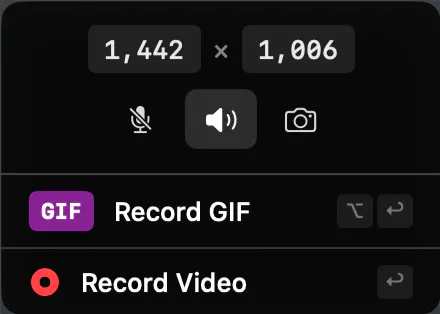
- Record video and GIF with system audio and microphone
- Annotate captures with arrows, shapes, text, and drawing tools
- Extract text from images using OCR recognition
- Add background gradients, padding, and shadows to screenshots
- Overlay webcam video in multiple shapes while recording
Use Cases
- Developers documenting code and bugs with annotated screenshots
- Content creators recording tutorials with webcam overlays
Pricing
Completely free with no trial, feature gating, or subscription required.
Founder Guides
Alternatives
Ask AI about Capso