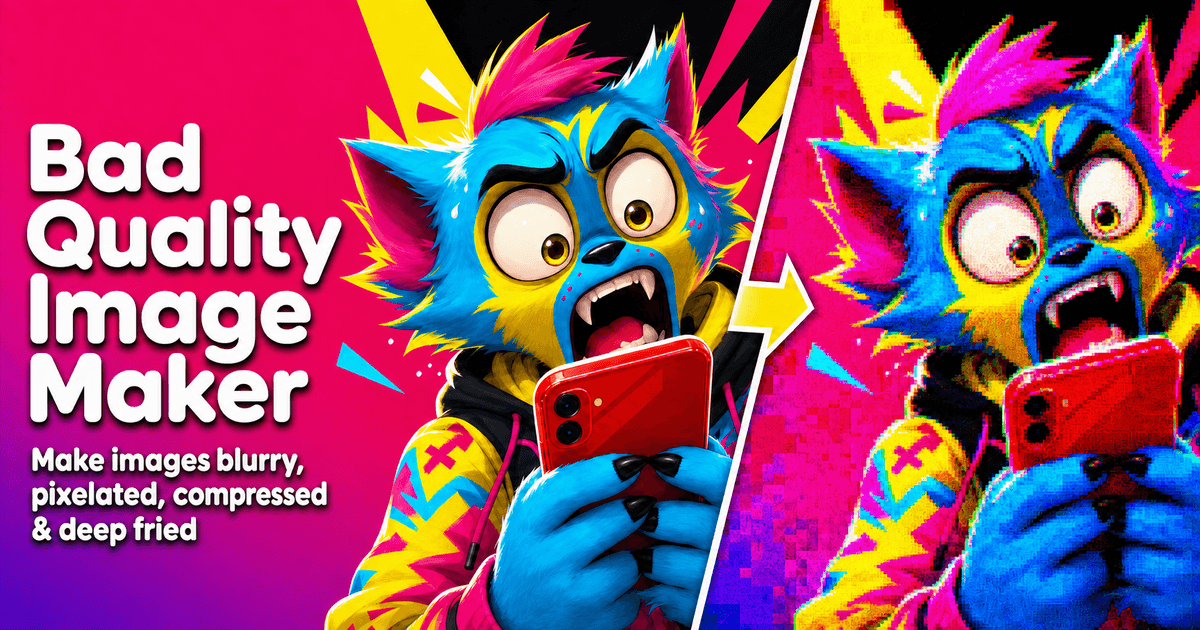
Bad Quality Image Maker
Intentionally worsen images for memes — free, in-browser
Free in-browser tool that intentionally worsens images with compression, blur, pixelation, shared-many-times, and deep-fried effects. No signup, no watermark. Upload, preview, download JPG/PNG/WebP.
Built by MicroSteven · Productivity · Design Tools · Social Media · Free
In category: #1319 of 1397 · Productivity
Bad Quality Image Maker is a Community listing on Launch Llama with 1 upvote from 1 founder, +1 in the week of Oct 20–Oct 26, 2026, founded by MicroSteven who joined in Oct 2026, compared against 6 alternatives.
Community listing
Listing status
1upvotes
+1 · Oct 20–Oct 26, 2026
Community score
MicroSteven (Joined Oct 2026)
Founder
Compared against 6 alternatives
Market comparison
Launched on Launch Llama Oct 26, 2026 · #16 of 111 that day
About
Bad Quality Image Maker is a free web tool for people who want a clearly damaged image fast — memes, chat-forward looks, rough avatars, or casual posts. Effects include heavy compression, blur, pixelation, shared-many-times, and deep fried. Everything runs in the browser; nothing is uploaded to a server for processing. No account, no watermark. Primary path: upload → preview → download as JPG, PNG, or WebP.
Key Features
- Compression, blur, pixelation, deep fried, shared-many-times
- Fully in-browser local processing
- No signup, no watermark
- Download JPG / PNG / WebP
Use Cases
- Making a polished photo look older or repeatedly saved while keeping the main subject recognizable
- Creating a reaction image or meme where the damage is visible but the face or punchline stays readable
- Degrading a group-chat style screenshot so it looks forwarded, using compression and light noise rather than blur
Who it is for
- People making meme or reaction images who want a rougher, deep-fried or shared-many-times look.
- Users who want a quick, rough-looking copy of a photo without a full photo editor.
- Anyone wanting a low-quality or forwarded-looking image for a joke, post, or group chat.
Pricing
Bad Quality Image Maker is free to use. See the website for details.
FAQ
How do I make a picture low quality?
Upload the picture, choose Lower quality for compression, Pixelated for visible blocks, Blurry for soft edges, or Shared many times for a forwarded look. Move Strength until the damage is visible, then download the JPG.
How do I make a low quality photo online?
Upload a JPG, PNG, or WebP photo, start with Lower quality, and raise Strength until it looks rougher but the subject is still clear. You can add pixels, blur, or noise for a stronger low-quality photo effect.
What is the difference between lowering quality and lowering resolution?
Lowering JPEG quality keeps similar dimensions but removes image detail and adds compression artifacts. Lowering resolution or Output scale makes the picture physically smaller. Use JPEG quality for a rougher export and Output scale when the dimensions or file size need to drop.
Can I use this low quality picture maker on my phone?
Yes. The tool works in a modern mobile browser. Upload the picture, choose a look, compare the preview, and download the JPG without installing an app or creating an account.
Which look should I start with?
To make an image low quality without turning it into a meme, start with Lower quality. Use Shared many times for a forwarded screenshot or reaction image. Use Pixelated for visible squares, Blurry only when soft edges are the point, and Deep fried when the overcooked look is the joke.
How far should I move the strength slider?
Move it until the damage is obvious, then stop while the subject is still clear. For photos and avatars that is often around 50-70. For memes and forwarded screenshots, 60-85 is more common. If the face or caption disappears, go back.
Why did my screenshot become unreadable?
Blur and large pixel size destroy small type first. Use Shared many times or Lower quality, keep strength moderate, and leave Blurry alone. If you open more controls, set blur to 0.
Is this the same as compressing an image?
No. A compressor tries to keep the image looking good while shrinking the file. This page makes the image look worse on purpose. If you only need a smaller clean upload, use Reduce Image Size KB.
Will the download always be smaller than the original?
No. Heavy noise and contrast can make a JPG larger because the file has more detail to store. Check the original and result sizes under the preview. To shrink the file, lower output scale and JPEG quality before adding noise.
When should I open More image controls?
Only after the named look is close. Use those sliders for one leftover problem: JPEG quality for compression, output scale for file size, pixel size for blocks, blur for softness, or noise for grit. Do not move all of them at once.
Alternatives
Ask AI about Bad Quality Image Maker
Supporters
1 founder
1 founder contributed 1 upvote to Bad Quality Image Maker on Launch Llama.