Updated 2026-10-22 · 14 of 14 Email tools on Launch Llama compared
Quick answer: The best Email tools in 2026, by Launch Llama community upvotes, are Upstream, Migma AI, Tempo. If you want to start free, Migma AI has a free plan. We compared 14 of the 14 Email tools listed on Launch Llama on pricing, features and use cases.
Our picks at a glance
- Best overall: Upstream — the most upvoted Email tool on Launch Llama
- Best free option: Migma AI — free plan + paid tiers
- Most features listed: Tempo — 5+ features on its listing
How we compared them
This is a comparison built from listing data, not a hands-on review: we have not tested these tools ourselves. Every product here is listed on Launch Llama, and the ranking uses what founders and their users have put on the record.
Tools are ordered by community upvotes. Duplicate listings are merged, and listings without a real description are left out. Pricing, features and use cases come from each product's listing and can change, so check the product's own site before you buy.
Comparison table
| Rank | Tool | Best for | Pricing | Free plan | Upvotes |
|---|---|---|---|---|---|
| 1 | Upstream | Teams wanting to collaborate on shared email threads and channels | Free plan; paid from $20 | Yes | 687 |
| 2 | Migma AI | Marketers who want to create multiple campaign variations quickly without manual design work | Free plan + paid tiers | Yes | 491 |
| 3 | Tempo | People who want to reduce email notifications and control when they process their inbox | Free plan + paid tiers | Yes | 395 |
| 4 | Revo AI Email Assistant | Law firm attorneys who need to find case details across multiple coworkers' inboxes quickly | See website | Not listed | 364 |
| 5 | Loops | SaaS teams sending onboarding workflows when new contacts are added to their product | Free plan + paid tiers | Yes | 341 |
| 6 | MailAdept by mailwarm | SaaS companies with lifecycle and transactional emails needing reliable delivery | Paid | No | 303 |
| 7 | Quartz | Gmail users who want to focus on only their most important messages | Free | Yes | 262 |
| 8 | Letterbook | Teams needing to resolve billing and refund requests quickly with AI assistance | From $50/month | No | 260 |
| 9 | Frontdesk AI | Property managers wanting to handle delinquency calls and tenant inquiries automatically | Free plan; paid from $79/month | Yes | 253 |
| 10 | Supafax | Professionals who need to handle meeting scheduling back-and-forth automatically | Free plan; paid from $35 | Yes | 240 |
| 11 | AgentMail | Browser agents that need to extract OTP codes from email during signup | Free plan; paid from $20/month | Yes | 234 |
| 12 | Nexuscale AI | Paste your website URL to let Nexuscale AI autonomously research your target market and identify prospect segments without manual database filtering | Paid | No | 211 |
| 13 | Flodesk Studio | Small business owners who need to send newsletters without spending hours on email design | Free | Yes | 202 |
| 14 | Timely | Professionals who need to quickly share their availability across timezones without opening calendar apps | Free plan; paid from $5/month | Yes | 195 |
The 14 best Email tools in 2026
1. Upstream — best for teams wanting to collaborate on shared email threads and channels
Pricing: Free plan; paid from $20 · Free plan: Yes · Upvotes: 687
In Upstream's words
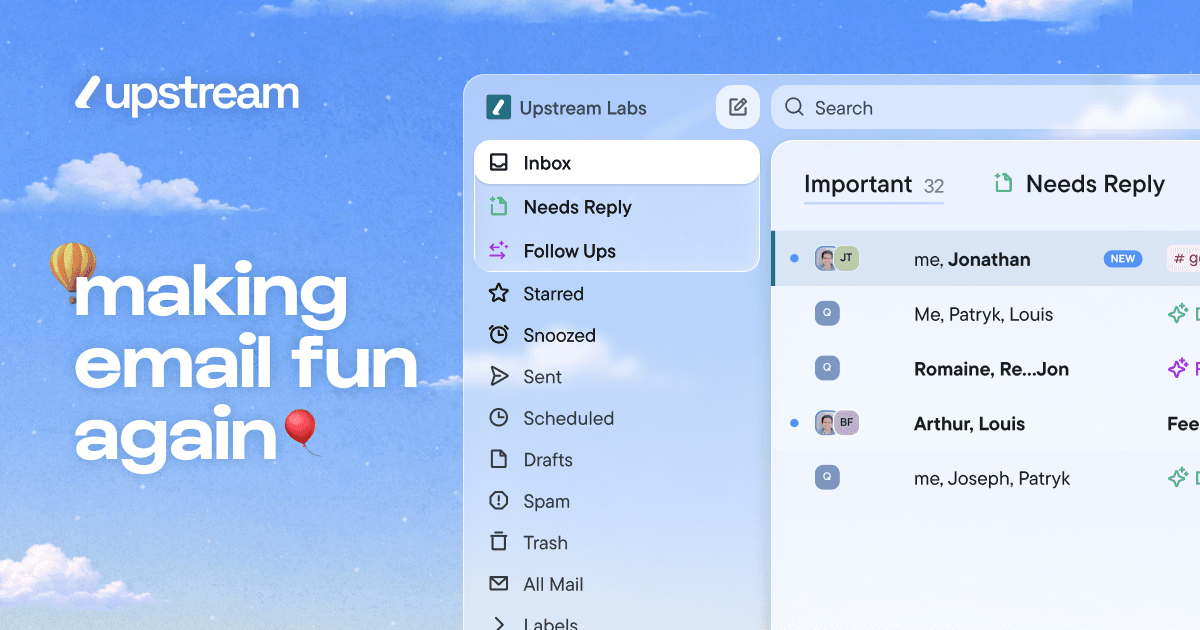
Upstream is an AI-powered inbox management tool that organizes emails and automates replies. It works on top of Gmail and helps professionals manage email overload without sending anything without their approval. The tool splits inboxes into categories so important emails get prioritized and nothing gets buried.
Key features
- Draft email replies that match your writing style and voice.
- Organize inbox into splits that match your workflow.
- Automatically follow up on important conversations at the right time.
- Pre-sort messages that need replies when you open your inbox.
- Move cold emails and newsletters out of the primary inbox.
Use cases
- Teams wanting to collaborate on shared email threads and channels.
- High-performing teams and individuals managing large email volumes.
Pricing details: Free plan available forever. Pro costs $20 per member per month billed yearly. Max tier costs $60 per member per month billed yearly.
2. Migma AI — best for marketers who want to create multiple campaign variations quickly without manual design work

Pricing: Free plan + paid tiers · Free plan: Yes · Upvotes: 491
In Migma AI's words
Migma is an AI email generator that creates campaign-ready emails in seconds with smart automation and HTML templates. It helps marketing teams build emails from natural language descriptions without requiring design or coding skills.
Key features
- Generate complete email sequences from text descriptions
- Edit emails visually with point-and-click interface
- Track opens, clicks, and conversions in real time
- Integrate with existing email platforms and tools
- Automatically localize emails for international audiences
Use cases
- Marketers who want to create multiple campaign variations quickly without manual design work.
- E-commerce teams managing email workflows while juggling multiple responsibilities.
- Design teams converting Figma designs directly into responsive email templates.
3. Tempo — best for people who want to reduce email notifications and control when they process their inbox

Pricing: Free plan + paid tiers · Free plan: Yes · Upvotes: 395
In Tempo's words
Tempo is an email client for Mac and iOS that helps users focus by minimizing distractions and building healthy email habits. It reduces email anxiety by giving users control over when they receive notifications and process their inbox. Tempo does not access user emails or sell personal data, instead relying on subscription fees to operate.
Key features
- Deliver email in batches on a customizable schedule
- Organize inbox with To do and archive functions
- Separate newsletters into a dedicated tab
- Set reminders for emails to revisit later
- Enter Focus Mode to reply without distractions
Use cases
- People who want to reduce email notifications and control when they process their inbox.
- Users seeking a calming email experience that supports their well-being and focus.
- Gmail and Google Workspace users on Mac or iOS looking for a focused email client.
Pricing details: Free 14-day trial available. After trial, €10/month or €99/year.
4. Revo AI Email Assistant — best for law firm attorneys who need to find case details across multiple coworkers' inboxes quickly
Pricing: See website · Upvotes: 364
In Revo AI Email Assistant's words
Revo is a proactive AI agent that connects to your work tools and drafts communications without being asked. It reads your inbox, meetings, and tools to draft emails, run workflows, and prepare actions for your approval. The platform gives teams one shared memory of meetings, threads and decisions, with six agents that convert that context into completed work.
Key features
- Surface and prepare action items from email for one-click completion.
- Transcribe, summarize and generate follow-ups from meetings automatically.
- Draft email replies in your voice grounded in the message thread.
- Build a personal brain from emails, meetings and chats for context.
- Connect to 50+ work tools with one-click setup and execution.
Use cases
- Law firm attorneys who need to find case details across multiple coworkers' inboxes quickly.
- Sales leaders handling enterprise deals who need emails to sound on-brand, not generic.
- Founders managing global teams who need drafts ready before waking up from international emails.
See Revo AI Email Assistant pricing, reviews and alternatives →
5. Loops — best for saaS teams sending onboarding workflows when new contacts are added to their product
Pricing: Free plan + paid tiers · Free plan: Yes · Upvotes: 341
In Loops's words
Goals from Loops lets SaaS teams measure whether a campaign actually drove the outcome they care about. Pick a conversion target, choose who should be measured, set an attribution window, and see conversions, enrollments, and impressions right inside Loops.
Key features
- Send marketing campaigns to contact segments
- Trigger automated sends based on user behavior
- Send transactional emails programmatically via API
- Measure campaign outcomes and conversion targets
Use cases
- SaaS teams sending onboarding workflows when new contacts are added to their product.
- Product teams sending transactional emails like password resets and payment receipts.
Pricing details: Free to start.
6. MailAdept by mailwarm — best for saaS companies with lifecycle and transactional emails needing reliable delivery
Pricing: Paid · Free plan: No · Upvotes: 303
In MailAdept by mailwarm's words
Email deliverability on autopilot. A subscription-based, AI-native email deliverability service where AI agents and human experts work as an extension of your team to audit your infrastructure, fix issues, monitor email health daily, and improve inbox placement with weekly reporting.
Key features
- Audit email infrastructure and authentication setup
- Monitor email health and sender reputation daily
- Fix SPF, DKIM, DMARC and domain reputation issues
- Provide continuous deliverability support and recommendations
Use cases
- SaaS companies with lifecycle and transactional emails needing reliable delivery
- Outbound teams managing multiple sending domains to prevent reputation decline
- Agencies supporting client email performance and inbox placement
See MailAdept by mailwarm pricing, reviews and alternatives →
7. Quartz — best for gmail users who want to focus on only their most important messages
Pricing: Free · Free plan: Yes · Upvotes: 262
In Quartz's words
Quartz turns Gmail into a focused inbox. It sorts every message by importance, and learns what matters to you over time. When you reply, it drafts in your own voice. And the AI runs entirely on your own Mac, so your mail stays end-to-end encrypted and never shared with AI providers.
Key features
- Auto-categorize emails by importance learned from your preferences
- Draft replies that match your writing style and tone
- Process emails and AI entirely on your device
- Encrypt mail end-to-end with keys only you hold
- Collapse non-urgent messages out of the way automatically
Use cases
- Gmail users who want to focus on only their most important messages
- People who need email replies written in their personal voice and style
Pricing details: Free for beta users.
8. Letterbook — best for teams needing to resolve billing and refund requests quickly with AI assistance

Pricing: From $50/month · Free plan: No · Upvotes: 260
In Letterbook's words
Letterbook is an AI-native customer support platform that helps teams deliver faster, smarter support. It connects support channels like email and Discord with databases and payment systems to automate ticket resolution.
Key features
- Receive support across email, Discord, web forms, and API channels.
- Integrate with databases and payment systems for full ticket context.
- Automatically triage and assign tickets with labels.
- Track support performance and team analytics.
- Host a self-service help center for customers.
Use cases
- Teams needing to resolve billing and refund requests quickly with AI assistance.
- Startups that want to set up customer support infrastructure in 15 minutes.
Pricing details: Starter plan costs $50/month for 300 tickets monthly.
9. Frontdesk AI — best for property managers wanting to handle delinquency calls and tenant inquiries automatically

Pricing: Free plan; paid from $79/month · Free plan: Yes · Upvotes: 253
In Frontdesk AI's words
Frontdesk is an AI platform that answers calls, texts and chats, books appointments and updates your CRM around the clock. It helps businesses automate customer interactions across multiple channels with one unified AI agent. The platform learns from each interaction and improves its responses automatically over time.
Key features
- Answer phone calls and qualify leads 24/7
- Handle text messages, emails and web chat conversations
- Book appointments and update your CRM automatically
- Remember customer context across all conversation channels
- Trigger follow-ups and automations based on customer interactions
Use cases
- Property managers wanting to handle delinquency calls and tenant inquiries automatically
- Retail businesses needing to answer customer questions after hours and during peak periods
- Businesses making outbound calls for appointment reminders or sales follow-ups
Pricing details: Starts at $99/month billed monthly or $79/month billed annually for the Business-in-a-Box plan, which includes 200 voice minutes monthly plus chat, SMS, CRM, and automations.
10. Supafax — best for professionals who need to handle meeting scheduling back-and-forth automatically
Pricing: Free plan; paid from $35 · Free plan: Yes · Upvotes: 240
In Supafax's words
Supafax is an email assistant that works inside Gmail and Outlook to automate email tasks. It learns your writing style and work patterns to handle repetitive email tasks on your behalf. It helps professionals save time by automating inbox management and email workflows.
Key features
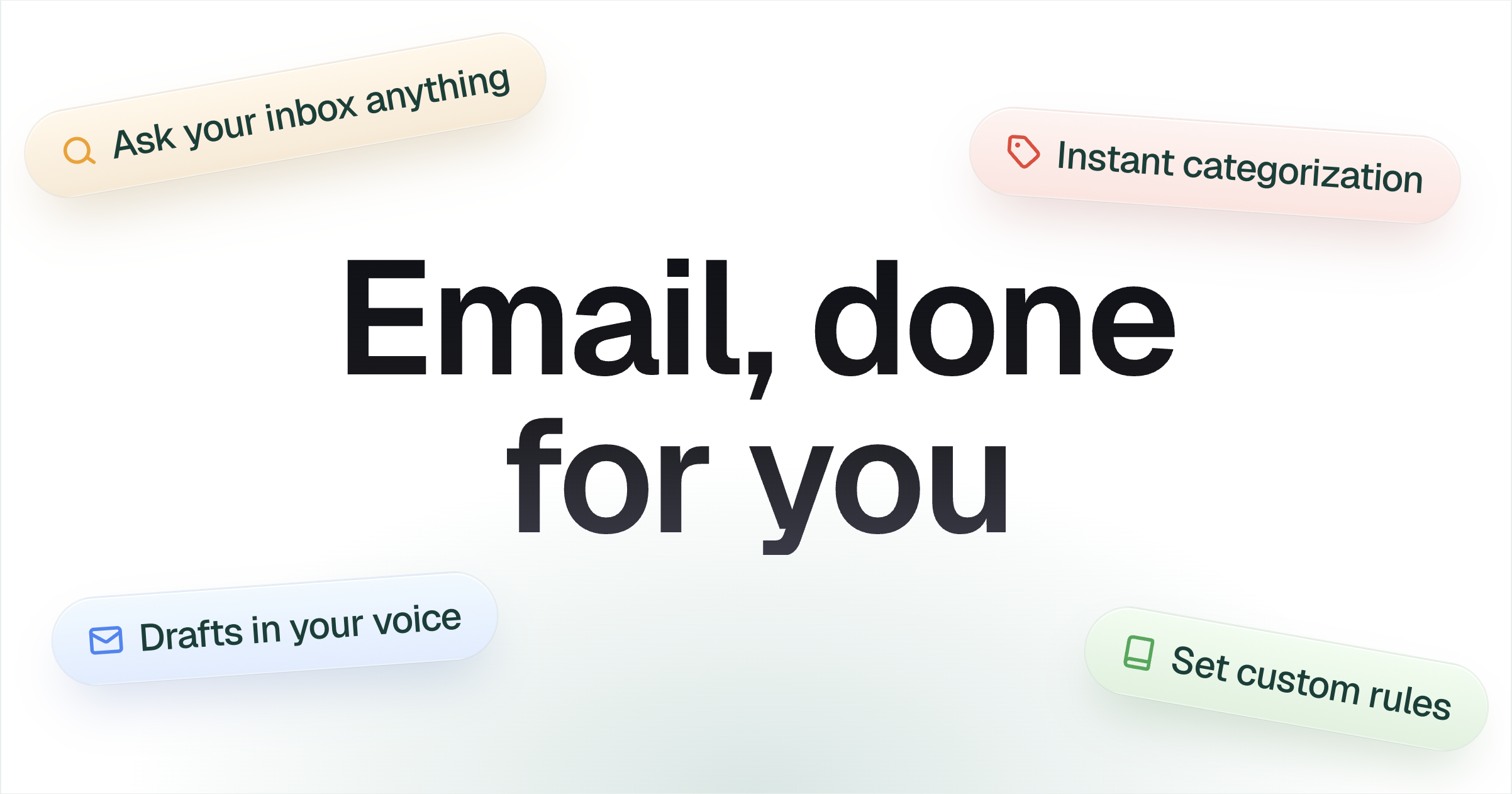
- Draft email replies in your writing voice
- Schedule and coordinate meetings automatically
- Organize inbox with automatic labels and categorization
- Set custom automation rules using plain English
- Ask your inbox questions and get answers
Use cases
- Professionals who need to handle meeting scheduling back-and-forth automatically
- Teams that want to automate repetitive email tasks like digests and reminders
Pricing details: Free 14-day trial with no credit card required.
11. AgentMail — best for browser agents that need to extract OTP codes from email during signup

Pricing: Free plan; paid from $20/month · Free plan: Yes · Upvotes: 234
In AgentMail's words
AgentMail gives every AI agent its own email inbox. Your agent sends, receives, threads, and replies to emails on its own. No shared mailboxes, no OAuth per inbox, no human in the loop. Real-time webhooks and websockets. Semantic search across inboxes. Built-in email parsing and attachment extraction. Developers, startups, and enterprises are already deploying email agents with AgentMail. Free to start.
Key features
- Create and manage email inboxes entirely via API
- Send and receive emails with threading and replies
- Search emails semantically across inboxes
- Extract data from email attachments automatically
- Receive real-time webhooks on inbound mail
Use cases
- Browser agents that need to extract OTP codes from email during signup
- Customer service teams routing support emails to appropriate handlers
- Agents parsing invoices and receipts from email attachments
Pricing details: Free plan with 3 inboxes and 3,000 emails/month.
12. Nexuscale AI — best for paste your website URL to let Nexuscale AI autonomously research your target market and identify prospect segments without manual database filtering
Pricing: Paid · Free plan: No · Upvotes: 211
In Nexuscale AI's words
Nexuscale AI is a platform that identifies warm, high-intent leads and enriches their contact information. It helps sales teams by automatically reaching out to prospects to book demos. The platform operates as an autonomous outbound system that researches markets and runs email and LinkedIn sequences.
Key features
- Find warm, high-intent leads from your market
- Enrich contact data for identified prospects
- Run automated email and LinkedIn outreach sequences
Use cases
- Paste your website URL to let Nexuscale AI autonomously research your target market and identify prospect segments without manual database filtering
- Use the contact enrichment feature to automatically populate prospect data, then deploy email sequences directly from the platform to those enriched contacts
- Run LinkedIn outreach sequences in parallel with email campaigns by providing your website URL as the starting point for Nexuscale's autonomous research
13. Flodesk Studio — best for small business owners who need to send newsletters without spending hours on email design
Pricing: Free · Free plan: Yes · Upvotes: 202
In Flodesk Studio's words
Flodesk Studio is an AI email design app that creates beautiful, on-brand emails from text descriptions in seconds. It combines professionally designed templates with AI acceleration and gives users full control to edit and customize their emails. The tool is built for small business owners and creators who want to design polished emails without design experience.
Key features
- Generate email designs from text prompts in seconds
- Apply custom brand colors, fonts, images, and voice automatically
- Edit emails through conversational chat or manual design controls
- Export designs to any email platform supporting HTML
- Choose from multiple design directions for each email
Use cases
- Small business owners who need to send newsletters without spending hours on email design.
- Creators wanting to design branded emails quickly while maintaining full creative control.
Pricing details: Free to use while in beta with no credit card required.
14. Timely — best for professionals who need to quickly share their availability across timezones without opening calendar apps
Pricing: Free plan; paid from $5/month · Free plan: Yes · Upvotes: 195
In Timely's words
Pull your availability from connected calendars, with a single keystroke, within whichever timezone suits your recipient best. No opening the calendar, no timezone maths, and it handles multiple execs too. It's completely private and sits locally on your machine, connecting only to Outlook and Google.
Key features
- Generate paste-ready availability in seconds from a keyboard shortcut
- Connect multiple Outlook and Google Calendar accounts
- Find overlapping free slots across multiple calendars
- Display calendar events in a day grid view
- Apply safety limits and buffers around meetings
Use cases
- Professionals who need to quickly share their availability across timezones without opening calendar apps
- Managers coordinating group meetings across multiple team members' calendars
Pricing details: Free 7-day trial available. Timely Pro costs £5/month or $5/month when billed monthly, with annual billing option available.
How to choose
- Choose Upstream for teams wanting to collaborate on shared email threads and channels.
- Choose Migma AI for marketers who want to create multiple campaign variations quickly without manual design work.
- Choose Tempo for people who want to reduce email notifications and control when they process their inbox.
- Choose Revo AI Email Assistant for law firm attorneys who need to find case details across multiple coworkers' inboxes quickly.
- Choose Loops for saaS teams sending onboarding workflows when new contacts are added to their product.
- Choose MailAdept by mailwarm for saaS companies with lifecycle and transactional emails needing reliable delivery.
Still comparing? Browse every tool in Email or see the best tools in other categories.
Frequently asked questions
What is the best Email tool in 2026?
Upstream is the most upvoted Email tool on Launch Llama. For email users: Upstream uses AI agents to sort messages, draft replies, and handle grunt work so your inbox feels light and manageable. Migma AI and Tempo round out the top three.
Is there a free Email tool?
Yes. 10 of the 14 tools in this comparison list a free plan, including Upstream, Migma AI, Tempo.
How were these Email tools ranked?
By community upvotes on Launch Llama, after merging duplicate listings and dropping listings without a real description. We have not tested these tools hands-on; pricing and features come from each product's listing.
How many Email tools are listed on Launch Llama?
14 Email tools with full listings at the time of writing. This page compares the top 14; the rest are on the Email category page.